If you drive a Jeep Compass and own an iPhone, you may have heard about Apple CarPlay. This smart feature lets you connect your phone to your SUV’s infotainment system.
With CarPlay, you can use navigation, make calls, listen to music, and send messages—all through your car’s touchscreen or voice commands. But many drivers don’t use CarPlay to its full potential, or they struggle with setup.
Here, you’ll learn how to use Apple CarPlay in your Jeep Compass, avoid common issues, and make your driving experience safer and more enjoyable.
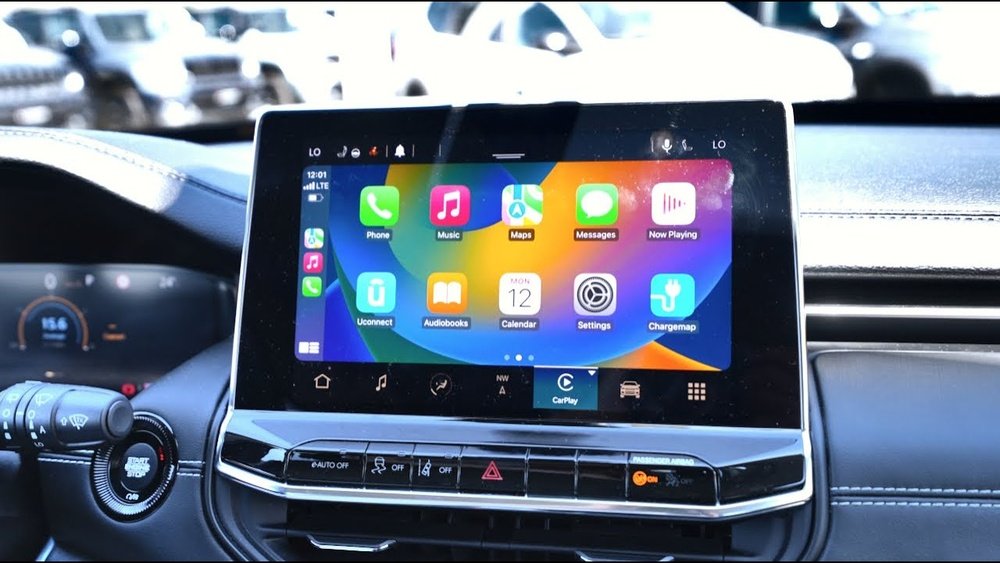
What Is Apple Carplay?
Apple CarPlay is a system that mirrors certain iPhone apps on your car’s built-in display. It’s designed for quick access to the apps you need most while driving, like Maps, Music, Messages, and Phone. You can control CarPlay with touch, knobs, or Siri voice commands.
This feature is available in Jeep Compass models from 2017 and newer, but some trims may require extra options or updates. Always check your car manual or with your dealer if you’re unsure.
Setting Up Apple Carplay In A Jeep Compass
Connecting CarPlay is usually quick, but the first time can feel confusing. Here’s how to do it smoothly:
- Check compatibility: Make sure your iPhone is running iOS 7.1 or later. Models from iPhone 5 and up support CarPlay.
- Use an Apple-certified USB cable: Plug your iPhone into the Jeep Compass’s USB port (often in the center console).
- Unlock your iPhone: You may need to unlock your phone and allow CarPlay access.
- Accept prompts on your Jeep’s Uconnect screen: The system will ask if you want to use CarPlay. Confirm to continue.
- Allow CarPlay on your iPhone: You might see a message on your phone asking for permission. Tap “Allow.”
Some recent Compass models offer wireless CarPlay. If so, pair your phone through Bluetooth and Wi-Fi by following the on-screen steps.
Common Setup Issues
- If CarPlay doesn’t show up, check if your USB cable is damaged or non-Apple certified.
- Make sure both the Uconnect system and your iPhone are updated.
- If you see “CarPlay not available,” try restarting both your phone and the car.

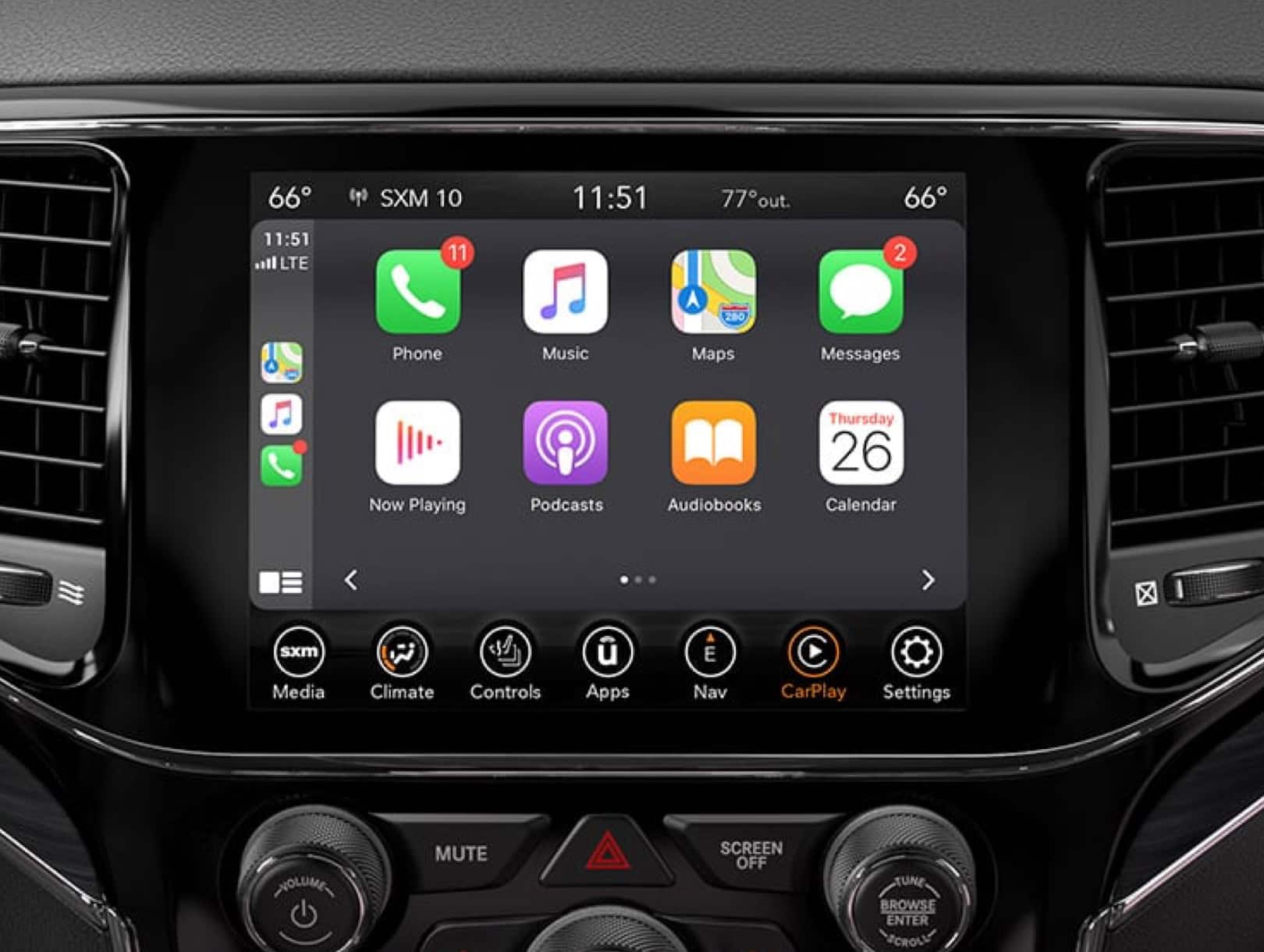
Once connected, the CarPlay dashboard appears on your Jeep’s touchscreen. The layout is simple, with large icons for easy access.
Main features available:
- Maps: Use Apple Maps, Google Maps, or Waze for navigation.
- Phone: Make calls or listen to voicemail.
- Messages: Send or read messages by voice.
- Music & Podcasts: Access Apple Music, Spotify, and more.
You can switch between CarPlay and the standard Uconnect display by pressing the “Uconnect” or “CarPlay” icon at the bottom of the screen.
Carplay Vs. Uconnect: Key Differences
Understanding what CarPlay adds compared to your Jeep’s native system helps you decide which to use.
| Feature | Apple CarPlay | Uconnect |
|---|---|---|
| Navigation Apps | Apple Maps, Google Maps, Waze | Built-in maps (may require updates) |
| Music Options | Apple Music, Spotify, Podcasts | FM/AM, SiriusXM, USB |
| Voice Assistant | Siri | Uconnect Voice Command |
| Updates | Via iPhone | Via Jeep dealership or system update |
Using Siri For Hands-free Control
One of the biggest advantages of CarPlay is Siri integration. You don’t need to touch the screen to get things done.
To activate Siri:
- Press and hold the voice command button on your steering wheel.
- Or, hold the “Home” button on the CarPlay screen.
You can ask Siri to:
- “Send a message to John.”
- “Play my road trip playlist.”
- “Find the nearest gas station.”
- “Navigate to 123 Main Street.”
This voice control keeps your eyes on the road and hands on the wheel.
Customizing Your Carplay Experience
CarPlay is flexible. You can rearrange app icons, hide apps you don’t use, and set app preferences.
To customize:
- On your iPhone, go to Settings > General > CarPlay.
- Select your Jeep Compass.
- Drag apps to reorder or remove them from the display.
Some useful tips:
- Keep your most-used apps in the first row for quick access.
- Turn off notifications from apps that might distract you while driving.
Carplay Tips And Lesser-known Features
Many drivers don’t explore all CarPlay features. Here are two smart tricks:
- Split-screen view: In newer iOS versions, the CarPlay dashboard can show navigation, music controls, and calendar all at once.
- Third-party app support: You’re not limited to Apple apps. Use Waze for traffic alerts or WhatsApp for messages, if installed.
Also, CarPlay remembers the last used app. If you were listening to Spotify before, it opens automatically next time you connect.
Safety And Privacy Considerations
CarPlay is designed to reduce distractions, but it’s not foolproof. Here are some best practices:
- Only use voice commands or quick taps when driving.
- Set up playlists or navigation before starting your trip.
- Remember, some personal data (like contacts or messages) is accessible through the car’s system while connected. Disconnect your iPhone if you’re sharing the vehicle.
Troubleshooting Common Problems
Even with the right setup, issues can happen. Here’s how to solve frequent problems:
| Problem | Quick Fix |
|---|---|
| CarPlay not connecting | Check USB cable, try a different port, restart devices |
| No sound | Ensure car audio is set to CarPlay source |
| App not showing up | Enable the app in iPhone CarPlay settings |
| Screen freezing | Update iOS and Uconnect software |
If you still can’t fix the problem, check your Jeep’s manual or visit your dealer. More info can also be found at the Apple CarPlay official site.

Frequently Asked Questions
How Do I Know If My Jeep Compass Supports Apple Carplay?
Most Jeep Compass models from 2017 onward support CarPlay, but some base trims may not. Check your Uconnect system for a CarPlay icon, or consult your owner’s manual.
Can I Use Apple Carplay Wirelessly In My Compass?
Wireless CarPlay is available in some newer Compass models (typically from 2021 and up), but not all. If supported, you can pair your iPhone via Bluetooth and Wi-Fi, following on-screen instructions.
Why Isn’t My Iphone Connecting To Carplay?
Common reasons include using a non-certified USB cable, outdated software, or not granting permission on your phone. Try a different cable, update both devices, and check CarPlay settings.
Is Carplay Safe To Use While Driving?
CarPlay is designed to minimize distractions with large icons and voice commands. However, always set up navigation or music before driving, and use voice controls as much as possible.
Which Apps Work With Apple Carplay?
Many popular apps are supported, including Apple Maps, Google Maps, Spotify, Audible, WhatsApp, and more. You can manage which apps appear through your iPhone’s CarPlay settings.
Apple CarPlay makes driving the Jeep Compass smarter and more enjoyable. Once set up, you’ll wonder how you managed without it.
Take a few minutes to customize your CarPlay experience, and you’ll find your journeys safer, smoother, and more fun.


















