Turning off your Jeep lights sounds simple, but it can actually be confusing especially for new owners or when using newer models with advanced lighting systems.
Understanding how each control works and what to do if your lights won’t turn off can save your battery and avoid headaches.
This guide explains practical steps for all common Jeep models, from Wranglers to Cherokees, and highlights important details every driver should know.
Understanding Jeep Light Controls
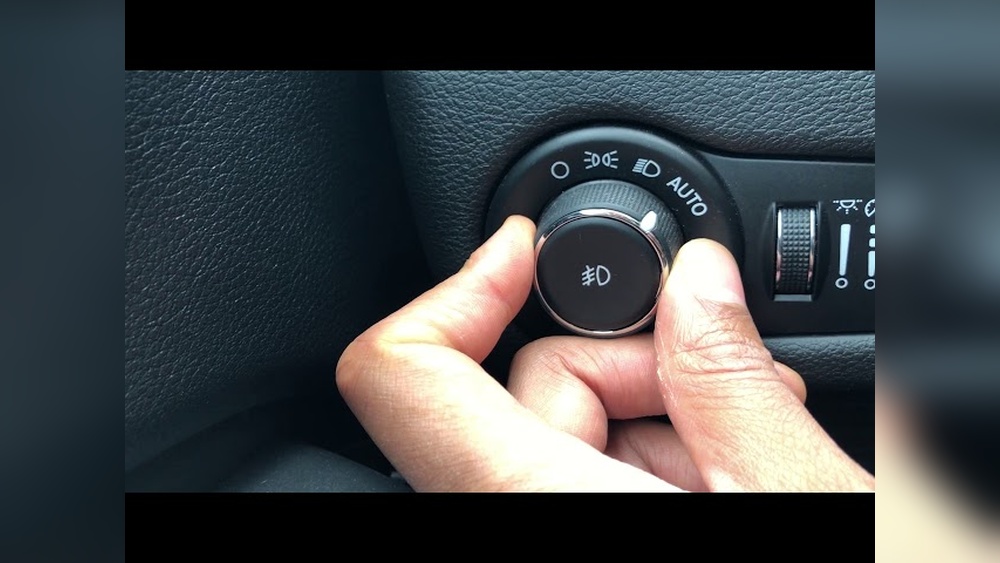
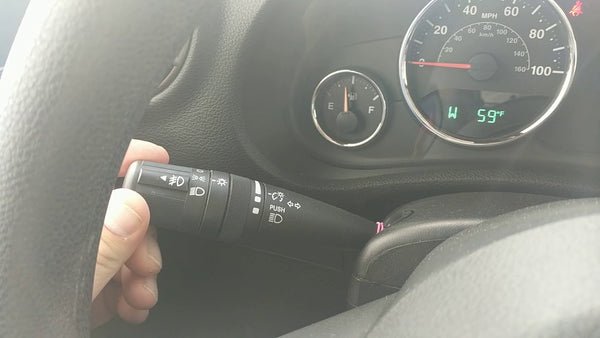
Every Jeep, whether classic or modern, has a main headlight switch. It’s usually on the left side of the steering wheel, either as a knob or a stalk. For most models, you’ll find three main positions:
- Off: All exterior lights are off.
- Parking lights: Only small marker lights and tail lights are on.
- Headlights: Both low and high beams are available.
Some Jeeps have automatic headlight systems. These use sensors to turn lights on or off, depending on the amount of daylight. If you have this feature, you may see an “AUTO” setting on the headlight dial.
Common Jeep Light Switch Locations
| Model | Switch Type | Location |
|---|---|---|
| Wrangler JL (2018+) | Rotary knob | Left dashboard |
| Grand Cherokee | Rotary knob | Left dashboard |
| Jeep Compass | Stalk lever | Steering column |
Knowing your Jeep’s model and switch position makes it easier to operate your lights and troubleshoot problems.
How To Turn Off Jeep Headlights
Turning off headlights is usually simple but may be different depending on your Jeep’s year and trim.
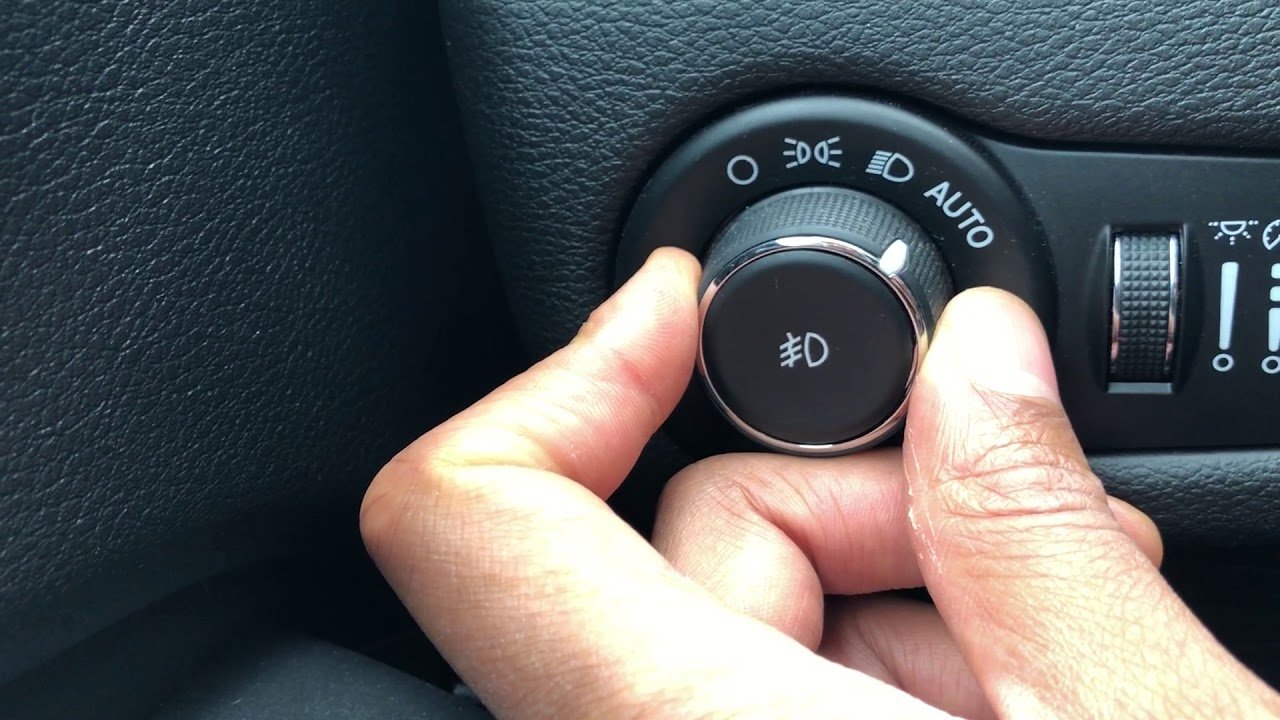
- Manual Switch: Turn the rotary knob or move the stalk to the “OFF” position. The dashboard may briefly flash a “lights off” icon.
- Automatic Mode: If your Jeep is set to AUTO, the headlights turn off when you exit and lock the vehicle. For some models, you need to close all doors.
- Daytime Running Lights (DRLs): These are always on when driving. Some Jeeps allow you to disable DRLs in the settings menu, while others do not.
Example: Jeep Wrangler Jl
On a Jeep Wrangler JL, turn the light control knob fully counterclockwise to the “O” (off) position. If DRLs are enabled, the vehicle’s settings must be changed using the infotainment screen.
Turning Off Interior And Dome Lights
Interior lights, including dome and map lights, sometimes stay on after you leave your Jeep. This can drain your battery if not handled properly.
- Manual Dome Light: Press or slide the dome light switch to “OFF.”
- Dashboard Control: Some Jeeps have a dimmer control next to the headlight switch. Rolling it down until you hear a “click” usually turns off all interior lights.
- Door-Activated Lights: If a door isn’t fully closed, the lights will stay on. Check for open doors or faulty door sensors if lights don’t turn off.
Quick Fix
If interior lights won’t turn off, try starting your Jeep, then turning it off again. This often resets the light system.
Fog Lights And Auxiliary Lights
Many Jeeps have fog lights or extra auxiliary lights for off-roading. These are controlled separately.
- Fog Lights: Usually turned on/off with a pull or push action on the headlight knob or a separate button.
- Aftermarket Lights: Look for added switches, often installed on the lower dashboard or center console.
Always turn off auxiliary lights before leaving your Jeep to avoid battery drain.
Troubleshooting: When Jeep Lights Won’t Turn Off
Sometimes, Jeep lights don’t shut off—even when you follow the correct steps. Here are common causes and solutions:
Main Reasons
- Automatic Lights Delay: Some models keep headlights on for up to 90 seconds after you exit (called “headlight delay”). This can be changed in your vehicle’s settings.
- Faulty Door Sensor: If a sensor thinks a door is open, interior lights won’t turn off.
- Stuck Switch: A broken or jammed switch may keep lights powered.
Resetting The Light System
Try these steps if your Jeep lights stay on:
- Start the Jeep, turn the lights on, then off again.
- Lock and unlock all doors using the key fob.
- Disconnect the negative battery terminal for 1-2 minutes (last resort).
If problems continue, visit a Jeep service center.
Jeep Lighting Settings In The Infotainment System
Modern Jeep models let you customize lighting through the infotainment screen. Here’s what you can usually adjust:
| Setting | Adjustment Range | Example Function |
|---|---|---|
| Headlight Delay | 0–90 seconds | Change how long lights stay on after exit |
| DRL On/Off | Enabled/Disabled | Turn daytime lights off or on |
| Ambient Light Dim | Low–High | Adjust interior lighting brightness |
Always check your owner’s manual or the help section of your infotainment system for model-specific details.
Avoiding Common Jeep Lighting Mistakes
Many Jeep owners accidentally leave lights on, especially after a long drive or late at night. Here’s how to avoid common errors:
- Double-Check Switches: Always confirm that both the headlight and dome light switches are in the “OFF” position.
- Listen for Warning Chimes: Most Jeeps beep if you leave the headlights on with the engine off.
- Use AUTO Mode: For newer Jeeps, keep the headlights in AUTO to let the car manage lights automatically.
- Review Settings After Off-Roading: Mud or water can affect switches and sensors, causing lights to misbehave. Inspect your Jeep after tough trails.
Data: Jeep Battery Drain From Lights Left On
Leaving lights on can quickly drain your battery. Here’s a quick look at typical drain rates:
| Light Type | Estimated Draw (Watts) | Battery Life (Hours) |
|---|---|---|
| Headlights | 110 | 2–3 |
| Dome/Interior | 10 | 15–20 |
| Fog/Auxiliary | 35–55 | 5–8 |
A dead battery is a common result of forgetting lights even for a few hours.
Final Thoughts
Turning off Jeep lights is mostly straightforward, but each model has unique features that can surprise you. Always check your light switch positions, pay attention to warning chimes, and customize settings in your infotainment system if needed. If your lights still won’t turn off, don’t ignore the issue—troubleshoot right away to avoid draining your battery or causing electrical faults. For more details on Jeep lighting systems, visit the official Jeep website.
Frequently Asked Questions
How Do I Turn Off Daytime Running Lights On My Jeep?
Many Jeeps let you disable DRLs through the infotainment system’s settings. Some models require dealership programming. Check your manual for steps specific to your Jeep.
Why Do My Jeep Headlights Stay On After I Turn Off The Engine?
This is often due to the headlight delay feature. Lights stay on for a set period to help you see when exiting. You can change or disable this in the vehicle’s lighting settings.
What Should I Do If My Jeep’s Interior Lights Won’t Turn Off?
First, check if all doors are fully closed. If the problem continues, roll the dashboard dimmer switch to “OFF” or inspect for a faulty door sensor.
Will Leaving My Jeep’s Lights On Drain The Battery?
Yes, leaving headlights or interior lights on can drain your battery in a few hours. Always double-check all lights before leaving your Jeep.
Can I Turn Off All Jeep Lights While Off-roading?
You can turn off most exterior lights using the manual switches. However, some DRLs may stay on unless disabled in the vehicle’s settings or by your dealer.




















