Turning off headlights in a Jeep Compass might sound simple, but new owners and even experienced drivers sometimes struggle with the various headlight settings. Modern vehicles like the Jeep Compass come with different lighting technologies, automatic features, and controls that aren’t always obvious. If you’ve ever parked your Compass and wondered why your headlights are still on, or you want to make sure you’re not draining your battery, this guide will help you understand exactly what to do.
Understanding Headlight Controls In Jeep Compass
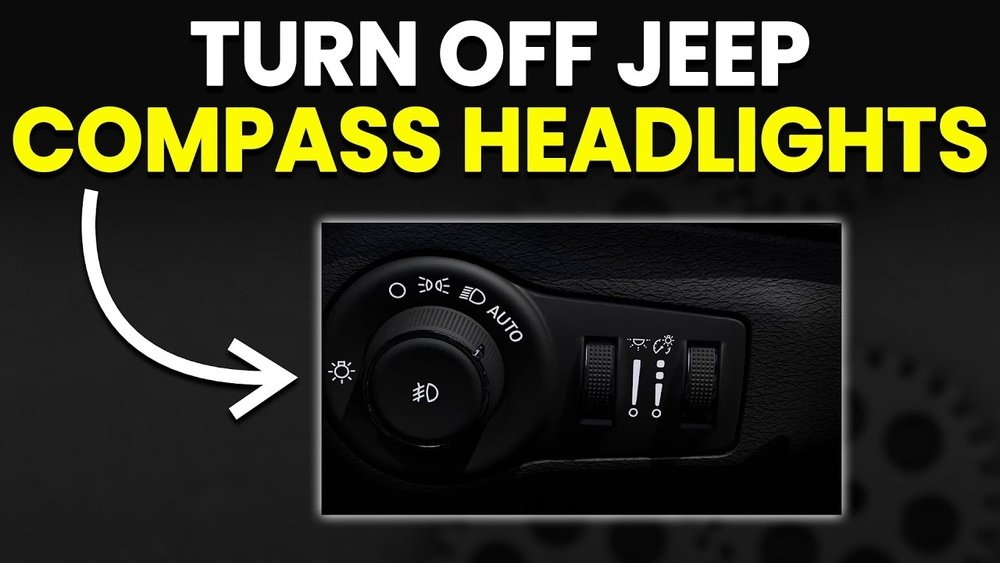
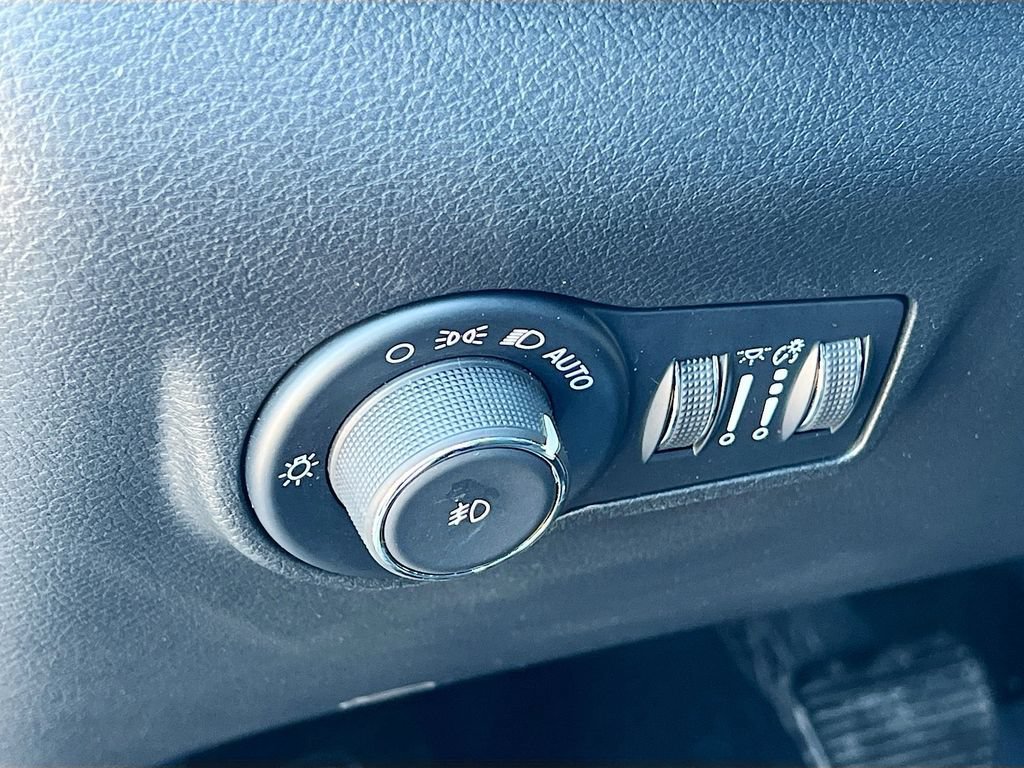
Your Jeep Compass has a headlight control knob, usually found on the left side of the dashboard. This knob lets you switch between different lighting modes. Understanding these positions is key:
- OFF: Turns off all exterior lights (not available on all trims).
- AUTO: Headlights turn on and off automatically based on outside light.
- Parking Lights: Only the small lights are on.
- Headlights On: Main headlights are turned on manually.
- Fog Lights: Pulled out or pressed for fog light activation.
Not all Jeep Compass models have an “OFF” setting. In some trims, the lowest position is “AUTO,” which means the lights are controlled by the vehicle’s sensors.
Control Knob Comparison By Model Year
Here’s a quick comparison of different Jeep Compass model years:
| Model Year | Headlight Control Options | Auto Feature |
|---|---|---|
| 2017-2020 | Off / Auto / Parking / On / Fog | Available on most trims |
| 2021+ | Auto / Parking / On / Fog | Standard |
| Sport Trim | Manual only | Not always included |
How To Turn Off Headlights In Jeep Compass
Turning off the headlights depends on your Compass model and trim. Follow these steps for the most common situations:
- Locate the Headlight Control Knob: It’s usually to the left of the steering wheel.
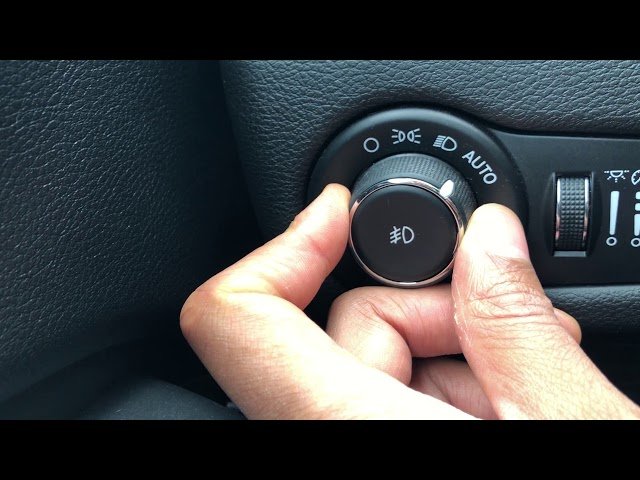
- Check for an “OFF” Position: Turn the knob fully counterclockwise. If it clicks to “OFF,” your headlights should turn off.
- Use “AUTO” Mode: If there’s no “OFF” position, set the knob to “AUTO.” The lights will turn off automatically when the engine is off and doors are locked.
- Wait for Delay: Some models have a “headlight delay” feature. Lights stay on for a few seconds after turning off the car, then switch off by themselves.
- Check the Dashboard: If you see a headlight indicator, your lights are still on.
If your Compass is a newer model, you may only be able to switch between “AUTO,” “Parking,” and “On. ” In this case, the system won’t let you manually switch off headlights for safety reasons.
Why Are My Headlights Still On?
If you turn the knob to “OFF” or “AUTO” and the headlights stay on, here are possible reasons:
- Headlight Delay: Many Jeeps keep the lights on for 30–90 seconds after you exit.
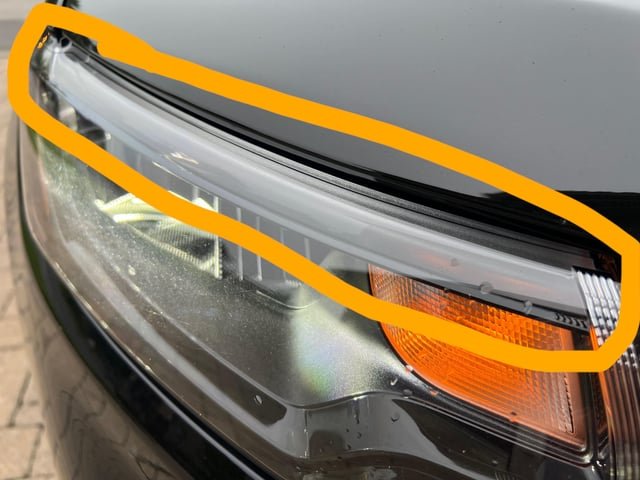
- Daytime Running Lights (DRLs): DRLs stay on whenever the engine runs.
- Leaving the Key In: Some features keep lights on if the key is in the ignition.
- Faulty Sensor: Rare, but the auto sensor might malfunction.
Automatic Headlights And Daytime Running Lights
The automatic headlight feature uses sensors to turn the lights on or off based on the amount of light outside. Daytime Running Lights (DRLs), on the other hand, are always on when you’re driving for safety.
Headlight And Drl Differences
| Feature | When Active | How to Turn Off |
|---|---|---|
| Headlights (Manual/Auto) | Night or low light | Set to “OFF” or “AUTO” |
| Daytime Running Lights | Engine running | Turn off engine (usually can’t disable manually) |
| Parking Lights | Selected manually | Turn knob to “OFF” or “AUTO” |
Many drivers are surprised that DRLs can’t be turned off using the main knob. They help with visibility during the day and are a legal requirement in some regions.
Adjusting Headlight Settings In The Uconnect System
Some Jeep Compass models with the Uconnect infotainment system let you adjust headlight settings from the touch screen.
- Access the Uconnect Menu: Tap the gear or “Settings” icon.
- Select “Lights”: Find the “Lights” menu to adjust features like “Headlight Off Delay” or “Auto High-Beam.”
- Adjust Delay or Sensitivity: You can reduce how long the headlights stay on after you leave.
Not all options are available on every model. If you don’t see these menus, your trim may not support them.
Sample Uconnect Setting Options
| Setting | Description | Adjustable? |
|---|---|---|
| Headlight Off Delay | Time headlights stay on after engine off | Yes |
| Auto High-Beam | Automatic high/low beam switch | Yes |
| DRL | Enable/disable DRL (not all markets) | Sometimes |
Tips And Common Mistakes
- Don’t force the knob if it doesn’t have an “OFF” position. Forcing can break the switch.
- Leaving headlights on manual “ON” can drain your battery quickly.
- If you park in a dark garage, the AUTO setting may keep headlights on after you exit. Wait a moment or unlock/lock the car again.
- If your DRLs bother you, check your owner’s manual—disabling them usually requires a visit to the dealer.
A lot of drivers miss that even with headlights “off,” some Jeep Compass models keep tail lights on for a short time. This is normal and for safety.
When To See A Mechanic
If your headlights won’t turn off, even with all settings tried, a faulty relay, sensor, or software issue could be the cause. It’s best to have a certified Jeep technician inspect the system. Electrical repairs can be tricky and may affect other parts of the car.
Frequently Asked Questions
Why Don’t My Jeep Compass Headlights Turn Off Immediately?
Many Compass models have a headlight delay feature. After turning off the car, the lights stay on for a set time (usually 30–90 seconds) for safety. You can adjust or disable this in the Uconnect system if your model supports it.
Can I Turn Off Daytime Running Lights On My Jeep Compass?
Most Jeep Compass models do not let you turn off daytime running lights manually. They are a safety feature. Some markets or trims allow disabling through the Uconnect menu or a dealer’s help, but it’s not common.
What Should I Do If My Headlights Stay On And Won’t Turn Off?
If your headlights do not turn off after following all the steps, check for a stuck control knob, faulty relay, or damaged sensor. If the problem continues, contact your Jeep dealer or an authorized mechanic.
Does Using Auto Mode Drain My Battery?
No, AUTO mode uses sensors to manage the lights. The system turns off headlights when you lock and leave the car, so it won’t drain your battery unless there’s a malfunction.
Where Can I Find More Information About Headlight Features?
For detailed information, check your owner’s manual or visit the official Jeep Owner’s Site for model-specific guides.
Turning off headlights in a Jeep Compass is simple once you understand the control knob and settings. If you follow the steps above, you’ll avoid battery drain and make the most of your vehicle’s lighting features.
Take a few minutes to explore your Compass’s options and you’ll drive with more confidence, day or night.



















