Setting up Bluetooth in your Jeep can make driving safer and more enjoyable. With Bluetooth, you can play music, make hands-free calls, and access your favorite apps without taking your eyes off the road.
However, many Jeep owners feel confused when connecting their phones for the first time.
The process is different depending on your Jeep model and year, but the main steps are usually similar.

This guide will show you exactly how to set up Bluetooth in your Jeep, explain common problems, and share tips to get the most out of your system.
Understanding Jeep Bluetooth Systems
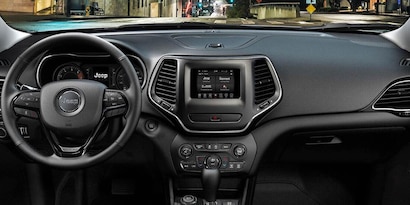
Jeep vehicles come with different infotainment systems. The most common are Uconnect, MyGIG, and older basic Bluetooth radios. Knowing your system helps you follow the right steps. Newer Jeeps (2014 and later) use Uconnect, which offers advanced features like Apple CarPlay and Android Auto. Older models may have simpler Bluetooth options, but the pairing process is still straightforward.
Here’s a quick comparison of common Jeep Bluetooth systems:
| System | Available In | Main Features |
|---|---|---|
| Uconnect 4/5 | 2017–present | Bluetooth, CarPlay, Android Auto, Voice Commands |
| Uconnect 3 | 2014–2017 | Bluetooth, Limited Apps |
| MyGIG | 2011–2013 | Bluetooth, Navigation |
| Basic Bluetooth Radio | Pre-2011 | Hands-Free Calling Only |
If you’re not sure which system you have, check your owner’s manual or look for the system name on your Jeep’s display screen.
Step-by-step: How To Set Up Bluetooth In Your Jeep
Connecting your phone to your Jeep’s Bluetooth isn’t difficult. Follow these steps for most Jeep models with Uconnect or similar systems:
- Turn on your Jeep and make sure the radio/infotainment system is powered.
- Enable Bluetooth on your phone. Go to your phone’s settings, find Bluetooth, and turn it on.
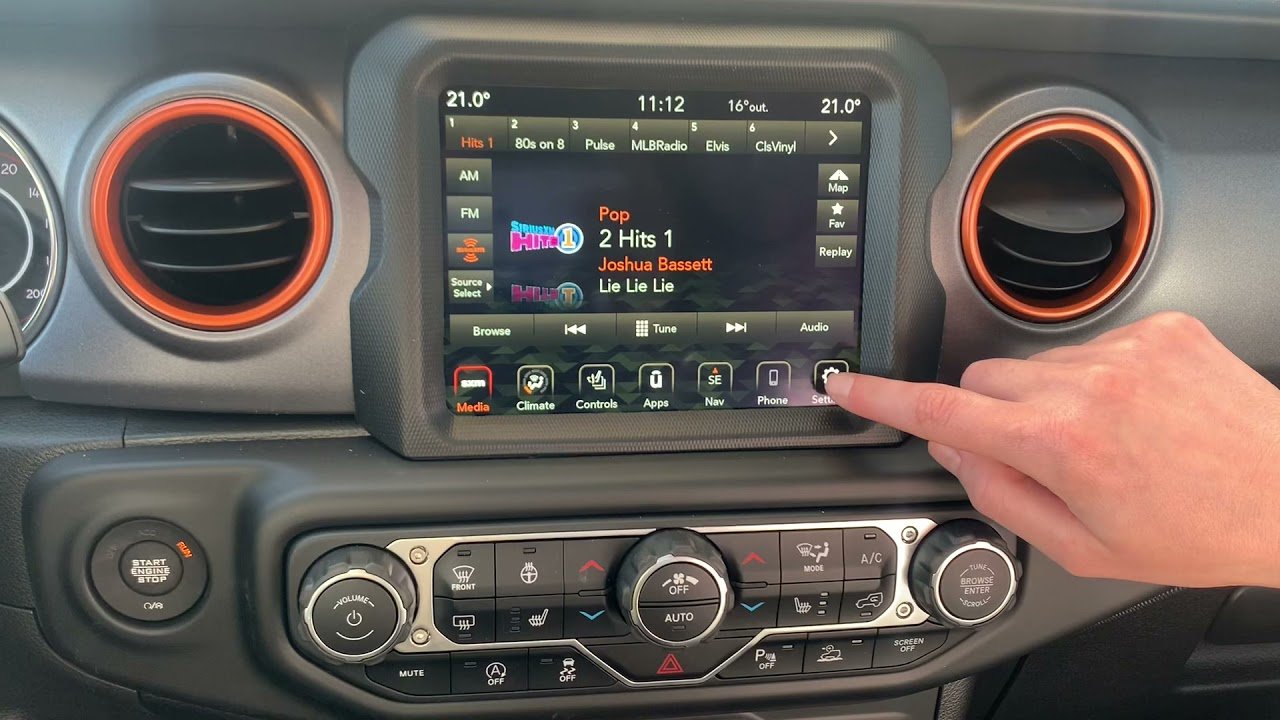
- Access the Bluetooth menu on your Jeep’s screen. For Uconnect, press the Phone or Media button, then select “Add Device” or “Pair New Device.”
- Select your Jeep from the list of devices on your phone. It may appear as “Uconnect,” “MyGIG,” or another name based on your system.
- Confirm the pairing code. The screen will show a code. Make sure it matches on both your phone and Jeep display, then press “Pair” or “Yes” on both.
- Allow permissions if your phone asks for contacts or messages access. This enables hands-free calling and text features.
- Wait for the connection. After a few seconds, your phone should show as “Connected” on both devices.
Some models may ask for a PIN. The default is usually 0000 or 1234 if not shown.
Example: Pairing An Iphone With Jeep Uconnect
- On your iPhone, go to Settings > Bluetooth.
- In your Jeep, go to the Phone menu and select “Pair Device.”
- Tap “Uconnect” on your iPhone when it appears.
- Check that the passkey matches, then tap “Pair.”
- Allow contacts and favorites sync when prompted.
Troubleshooting Pairing Issues
If the connection fails, try these fixes:
- Delete old devices from your Jeep’s Bluetooth memory and phone.
- Restart your phone and the Jeep’s infotainment system.
- Check compatibility: Some older phones may not work with newer Jeep systems.
- Update software on both your phone and the Jeep system if possible.
| Problem | Possible Solution |
|---|---|
| Phone won’t connect | Restart both devices, delete and re-pair |
| No audio during calls | Check if Bluetooth audio is selected as output |
| Contacts not syncing | Allow contact access in Bluetooth settings |
| Music skips or disconnects | Move phone closer, check for interference |
Tips For A Better Bluetooth Experience
Pairing your phone is just the start. Here’s how to make the most of Bluetooth in your Jeep:
- Set your phone as favorite if you have multiple users. This ensures your phone connects first.
- Keep your phone updated for smoother performance.
- Use voice commands for safer driving. Uconnect supports commands like “Call John” or “Play music.”
- Keep your phone charged. Low battery can cause disconnections.
- Remove unused devices from your Jeep’s Bluetooth list. Most systems save up to 8 devices, but too many can cause pairing issues.
One insight many drivers miss: Bluetooth range is limited. If you walk away with your phone and return, your Jeep may not auto-connect. Try turning Bluetooth off and on again on your phone to refresh the link.
Another tip: When switching between phones (for example, you and a partner), disconnect the first phone before trying to connect the second. Jeep systems can get confused if two phones try to connect at once.
Differences Between Jeep Models And Years
Bluetooth setup can vary based on your Jeep’s model and year. Here’s a quick guide:
| Model | Year Range | Bluetooth Features |
|---|---|---|
| Wrangler | 2011–2024 | Hands-Free Calling, Media Streaming (2014+) |
| Grand Cherokee | 2011–2024 | Full Uconnect Features (2014+) |
| Compass | 2012–2024 | Varies by trim and year |
| Renegade | 2015–2024 | Bluetooth standard in most trims |
Always check your owner’s manual for your exact model. Some older Jeeps need a dealer upgrade to add Bluetooth.
Frequently Asked Questions
How Many Phones Can I Connect To My Jeep’s Bluetooth?
Most Jeep systems let you pair up to 8 phones. However, only one can be active for calls and music at a time.
Why Won’t My Phone Auto-connect To My Jeep?
Auto-connect may fail if you have multiple paired devices, low phone battery, or outdated software. Try removing unused devices and updating your system.
Can I Play Music Over Bluetooth In Any Jeep?
You can stream music in most Jeeps from 2014 and newer. Older models may only support hands-free calling. Check your infotainment features to be sure.
Is Bluetooth Safe To Use While Driving?
Yes, using Bluetooth for hands-free calls is much safer than holding your phone. Still, avoid texting or complex tasks, as they can distract you.
Where Can I Find More Details About My Jeep’s Bluetooth Features?
Check your owner’s manual or visit the official Jeep Connectivity page for up-to-date details.
Setting up Bluetooth in your Jeep is a quick way to enjoy hands-free driving and modern technology. Take a few minutes to pair your phone, and you’ll enjoy safer, more connected trips every time you hit the road.



















