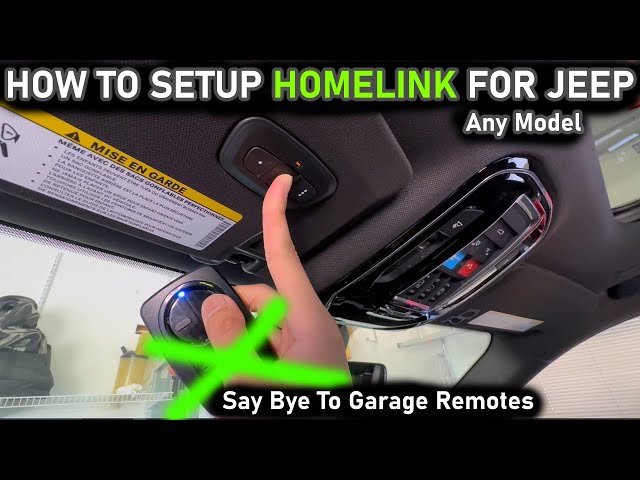
Setting up Homelink in your Jeep Grand Cherokee can make daily life easier. Homelink lets you control devices like garage doors, gates, and home lighting from your vehicle.
This smart feature is built into many Jeep Grand Cherokee models. If you’re new to Homelink, you might feel confused at first.
But with the right steps, you can set it up in minutes and use it safely.
Understanding Homelink In Jeep Grand Cherokee
Homelink is a wireless system that works with most garage door openers and home automation devices. It uses radio frequency signals to communicate.
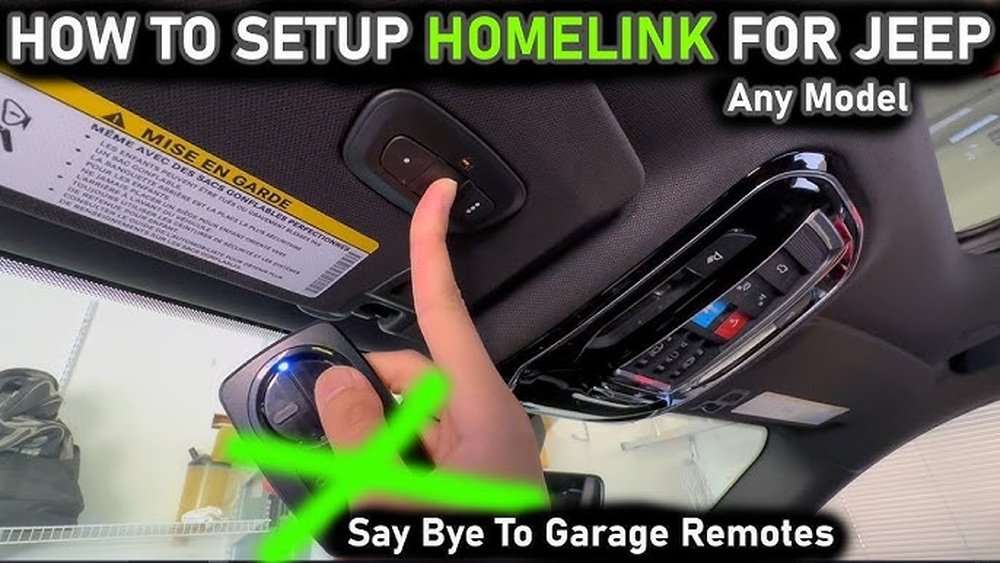
In the Jeep Grand Cherokee, Homelink buttons are usually found on the overhead console above the windshield.
Many drivers don’t realize that Homelink can store up to three device codes. You can program three different devices like your garage door, home gate, and interior lights all from your Jeep.
Here’s a simple overview of Homelink compatibility:
| Homelink Feature | Supported Devices | Notes |
|---|---|---|
| Garage Door Opener | Most brands (LiftMaster, Genie, Chamberlain) | Check if opener uses rolling code |
| Home Gate | Many gate systems | May need extra steps for older gates |
| Lighting | Home automation modules | Requires compatible receiver |
Step-by-step Guide To Setting Up Homelink
Setting up Homelink is simple if you follow each step carefully. Here’s how to do it:
1. Prepare Your Remote And Jeep
- Check your device’s remote (garage door, gate, etc.) For working batteries.
- Park your Jeep Grand Cherokee outside, but close to the device you want to program.
- Turn the ignition on, but you don’t need to start the engine.
2. Clear Existing Homelink Settings
If your Homelink has never been programmed, you can skip this step. Otherwise, clearing old settings helps avoid confusion.
- Hold the two outer Homelink buttons for about 20 seconds.
- Watch for the indicator light to change from solid to flashing rapidly.
- Release the buttons. Homelink is now ready.
- Decide which Homelink button you want to use (there are three).
- Hold your remote near the Homelink buttons—about 1-3 inches away.
- Press and hold both the remote button and the chosen Homelink button at the same time.
- Wait for the Homelink indicator light to change from slow flashing to rapid flashing.
This process usually takes about 30 seconds.
4. Sync With Rolling Code Devices
Many modern garage openers use rolling code technology for safety. If you have a rolling code system, you need to sync Homelink with the opener:
- Find the “Learn” or “Smart” button on your garage opener motor (usually on the back).
- Press the “Learn” button. You have about 30 seconds to complete the next step.
- Go back to your Jeep. Press the programmed Homelink button for two seconds, release, and repeat up to three times.
If the door or gate moves, you’re done.
- Press the Homelink button you programmed.
- The device (garage door, gate, etc.) Should respond.
- If not, repeat the programming steps.
Here’s a comparison of time needed for programming different devices:
| Device | Estimated Setup Time | Special Steps |
|---|---|---|
| Garage Door | 3–5 minutes | Rolling code sync |
| Gate | 2–4 minutes | May need manual activation |
| Lighting | 5–7 minutes | Requires automation module |

Common Problems And Solutions
Even after careful setup, some users face issues. Here are two problems beginners often miss:
- Weak remote battery: If your remote’s battery is low, Homelink might not capture the signal. Always use a fresh battery.
- Wrong button sequence: Pressing the Homelink button first instead of the remote may cause setup to fail. Always press both buttons together.
If your garage door opener is very old (before 1993), it may not support Homelink. For rolling code openers, timing is critical don’t delay after pressing the “Learn” button.
Tips For A Smooth Setup
- Read your Jeep Grand Cherokee manual: It has model-specific instructions.
- Check device compatibility: Not all home automation devices work with Homelink. Check the Homelink compatibility list online.
- Reset Homelink if stuck: If programming fails, clear the settings and try again.
- Ask for help: Some devices need expert installation, especially home lighting modules.
If you need extra guidance, visit the official Homelink website for device compatibility checks: Homelink Official Site.

Safety And Security Considerations
Homelink works only when the vehicle ignition is on, adding security. Still, never leave your Jeep unlocked with Homelink buttons accessible.
For rolling code systems, the signal changes every time you use the device, making it much harder for others to copy your code.
Here’s a quick safety comparison:
| System | Security Level | Risk |
|---|---|---|
| Fixed Code Remote | Low | Code can be copied |
| Homelink Rolling Code | High | Very hard to copy |
Frequently Asked Questions
How Many Devices Can Homelink Control In My Jeep Grand Cherokee?
Homelink can control up to three different devices. You can set each button for a unique device, like a garage door, gate, or light.
What If My Garage Door Opener Uses A Rolling Code?
For rolling code openers, you must press the “Learn” button on your opener and then the Homelink button in your Jeep. This syncs the codes and ensures security.
Can I Program Homelink Without My Remote?
No. You need the original remote for your device to program Homelink. Homelink copies the signal from your remote before it can control the device.
Is Homelink Compatible With Home Automation Systems?
Yes, but you need compatible modules. Homelink works with many smart home systems, but check compatibility with your specific devices.
Does Homelink Work If My Jeep Is Off?
Homelink usually only works when the ignition is on. This is a safety feature to prevent unauthorized use.
Setting up Homelink in your Jeep Grand Cherokee is a smart upgrade for convenience and safety. With careful steps and attention to device compatibility, you can use Homelink to streamline access to your home. If you follow this guide, you’ll avoid common mistakes and enjoy a smoother experience each time you drive.