If you own a Jeep Wrangler, connecting your phone or device to Bluetooth can make your drives safer and more enjoyable. Whether you want hands-free calls, music streaming, or navigation, Bluetooth setup is simple—but there are details that many first-time users miss.
This guide shows you each step, points out common mistakes, and explains how to fix issues. By the end, you’ll know exactly how to set up Bluetooth in your Jeep Wrangler, even if you’re not a tech expert.
Check Your Jeep Wrangler’s Bluetooth Compatibility
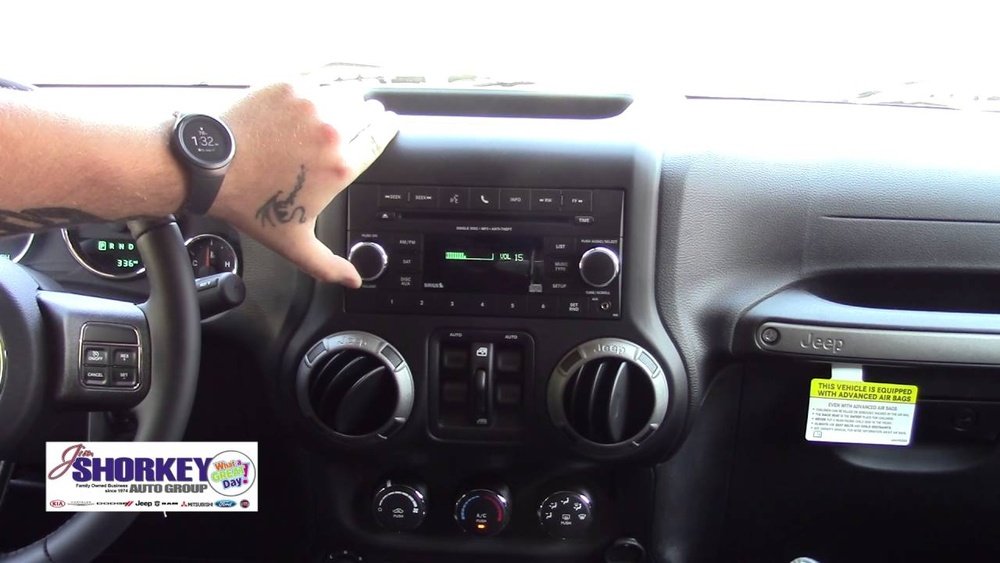
Before you start, check if your Jeep Wrangler has a Bluetooth-enabled system. Most Wranglers from 2011 onward include Bluetooth, but some older models may not. Here’s a quick comparison of Bluetooth availability:
| Year | Bluetooth Standard | Typical Features |
|---|---|---|
| 2011-2015 | Basic Bluetooth | Calls only |
| 2016-2018 | Bluetooth 4.0 | Calls & audio streaming |
| 2019-present | Bluetooth 5.0 | Advanced audio, faster pairing |
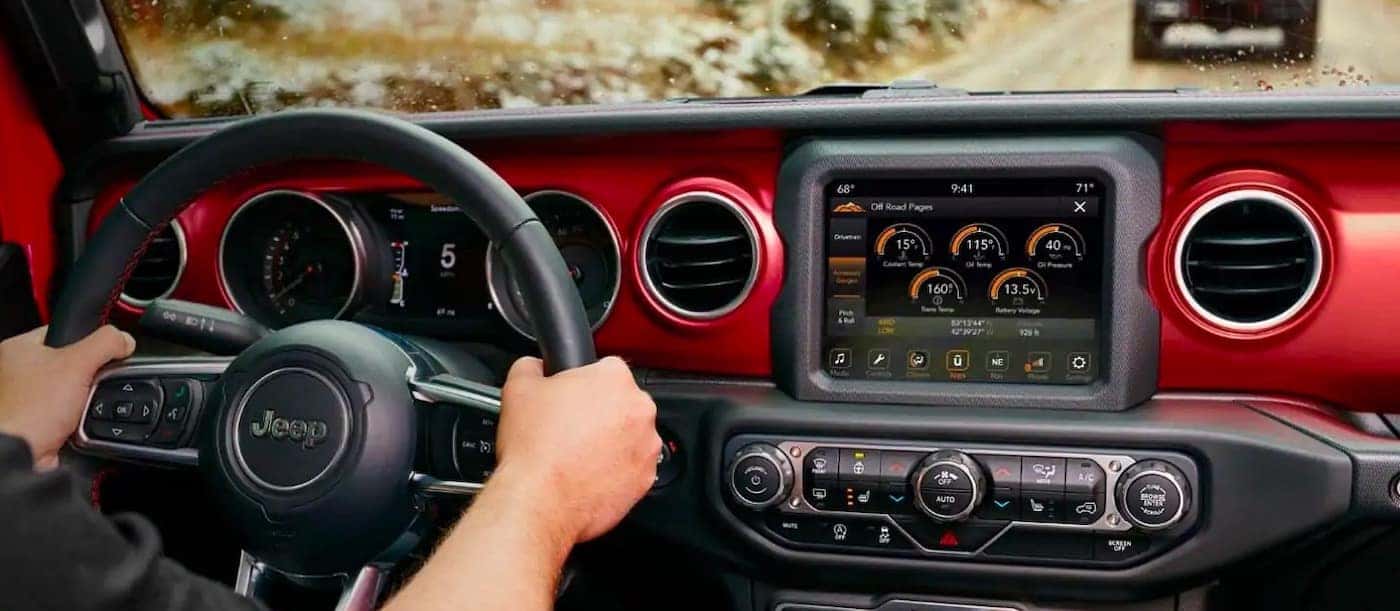
If you’re unsure, look for the Uconnect system screen in your Jeep. If you see Bluetooth options in the menu, your vehicle is ready.
Step-by-step Guide To Setting Up Bluetooth
Follow these steps to connect your device for the first time:
- Start your Jeep Wrangler and keep it in park.
- On your Uconnect screen, tap “Phone” or “Media.”
- Select “Add Device” or “Pair New Device.”
- On your phone, turn on Bluetooth and search for devices.
- Select your Jeep’s system—usually called “Uconnect” or “Wrangler.”
- Confirm the pairing code shown on both screens.
- Approve permissions for contacts and audio.
Most devices connect within 30 seconds. If your phone asks for additional permissions, allow them for full functionality.
Important Tips For Smooth Pairing
- Make sure your phone’s Bluetooth is visible to other devices.
- If you have trouble, restart your phone and the Uconnect system.
- Only pair one device at a time to avoid confusion.

Using Bluetooth Features In Your Jeep Wrangler
Once connected, you can:
- Make hands-free calls by pressing the phone button on your steering wheel.
- Stream music from your phone apps to the Jeep’s speakers.
- Send and receive texts (on some models).
- Access navigation voice prompts over your speakers.
Here’s a quick comparison of what you can do based on your Wrangler’s model year:
| Feature | 2011-2015 | 2016-2018 | 2019-present |
|---|---|---|---|
| Calls | Yes | Yes | Yes |
| Music Streaming | No | Yes | Yes |
| Text Messaging | No | Limited | Yes |
| Navigation Audio | No | Yes | Yes |
If you notice that some features aren’t working, check your phone settings and Jeep’s Uconnect menu. Some options need extra permissions.
Troubleshooting Common Bluetooth Problems
Bluetooth sometimes fails to connect or drops out. Here’s how to fix the most frequent issues:
Device Won’t Pair
- Delete any old pairing records from both your phone and Uconnect.
- Update your phone’s software and Uconnect firmware.
- Try pairing with another phone to see if it’s a system issue.
Connection Drops
- Move your phone closer to the Uconnect system.
- Avoid pairing multiple devices at once.
- Turn off Wi-Fi if it interferes with Bluetooth.
Audio Doesn’t Play
- Check if your phone is set as the main audio source.
- Make sure your Jeep’s volume is up.
- Test with another app—some apps block Bluetooth streaming.
Voice Commands Not Working
- Speak clearly and use the correct command phrases.
- Some accents or languages may be less recognized; try speaking slower.
Many drivers miss extra Bluetooth functions. Here are two non-obvious tips:
- Multiple Profiles: You can save several devices in Uconnect, but only one active at a time. Use this to switch between family phones quickly.
- Automatic Pairing: If you set your device as “trusted,” it connects every time you start your Jeep—no need to manually pair.
Also, newer Wranglers offer Bluetooth 5.0, which allows faster pairing and better range. If you upgrade your phone, you may notice improved sound and fewer dropouts.
Data: How Bluetooth Improves Safety
According to the National Highway Traffic Safety Administration, hands-free calls reduce accidents by up to 30% compared to holding a phone. Jeep owners report fewer distractions and smoother driving when using Bluetooth features. In fact, 76% of Jeep Wrangler drivers use Bluetooth daily for music or calls.
Frequently Asked Questions
How Do I Know If My Jeep Wrangler Has Bluetooth?
Look for the Uconnect system on your dashboard. If you see Bluetooth options in the menu, your Jeep is Bluetooth-enabled. Most models after 2011 include this feature.
Can I Pair More Than One Device With My Jeep?
Yes, you can save multiple devices in Uconnect. However, only one device can be actively connected at a time. Switch devices in the Bluetooth settings menu.
Why Is My Phone Not Connecting To My Jeep’s Bluetooth?
Check that both your phone and Uconnect are in pairing mode. Delete old connections and try again.
Updating your phone’s software can also fix hidden bugs.
Is Bluetooth Available On Older Jeep Wranglers?
Some older models (before 2011) may not have Bluetooth. You can add Bluetooth with aftermarket kits, but features may be limited.
Can I Stream Music From Any App Via Bluetooth?
Most audio apps like Spotify, Apple Music, and Pandora work well. If you have issues, check if the app supports Bluetooth streaming. For more info, see Jeep’s official Uconnect guide.
Setting up Bluetooth in your Jeep Wrangler is simple when you know the steps. With these tips, you’ll unlock safer driving, better entertainment, and fewer distractions. Enjoy your road trips—your Jeep is now connected and ready.



















