Resetting the Uconnect system in your Jeep Renegade 2018 might sound complicated, but it can be simple if you know the right steps. If your system is freezing, not responding, or you just want to clear out personal data, a reset could help.
Many Jeep owners face Uconnect issues like Bluetooth problems, navigation glitches, or the screen freezing. This guide will show you how to reset your Uconnect system safely, what to expect, and tips to avoid common mistakes.
By the end, you’ll have the confidence to troubleshoot your Jeep’s Uconnect without a trip to the dealership.
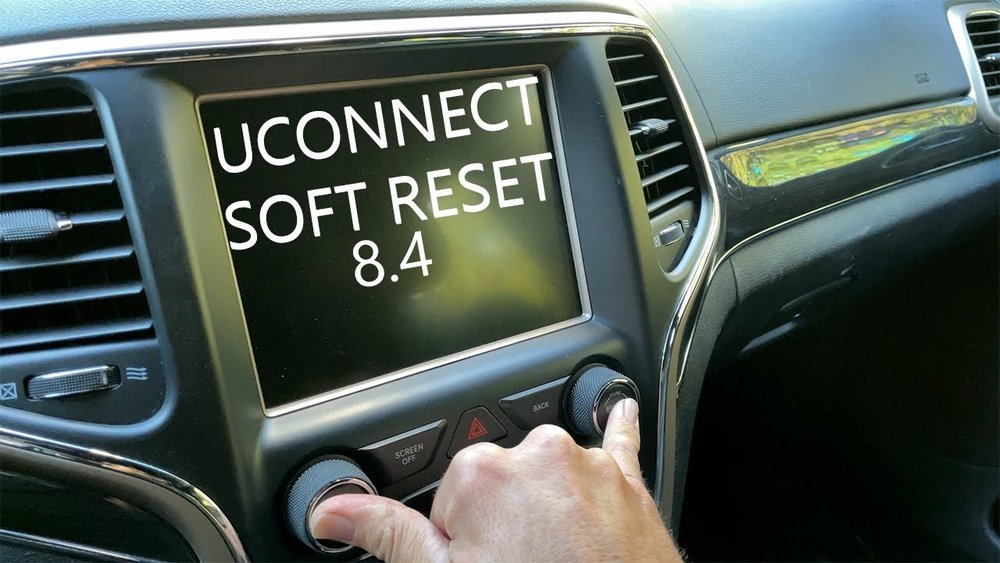
When Should You Reset Uconnect?
The Uconnect system is like the brain of your Jeep’s infotainment. It controls navigation, music, Bluetooth, and more. Sometimes, the system can slow down or become unresponsive. Here are the main reasons to reset:
- Frozen screen: The display doesn’t respond to touch.
- Bluetooth won’t connect: Your phone won’t pair or drops calls.
- Navigation errors: GPS isn’t accurate or maps won’t load.
- Audio problems: No sound or radio won’t change stations.
- Before selling your car: To remove all personal data.
A reset can solve these problems, but it’s not a cure for hardware faults. If your screen is cracked or buttons are broken, see a professional.
Types Of Uconnect Resets
There are two main ways to reset Uconnect on a Jeep Renegade 2018: a soft reset and a factory (hard) reset. Each method serves a different purpose.
| Reset Type | What It Does | When To Use |
|---|---|---|
| Soft Reset | Restarts the system without erasing data | Minor glitches, screen freeze |
| Factory Reset | Erases all data and settings | Major issues, preparing to sell |
How To Perform A Soft Reset
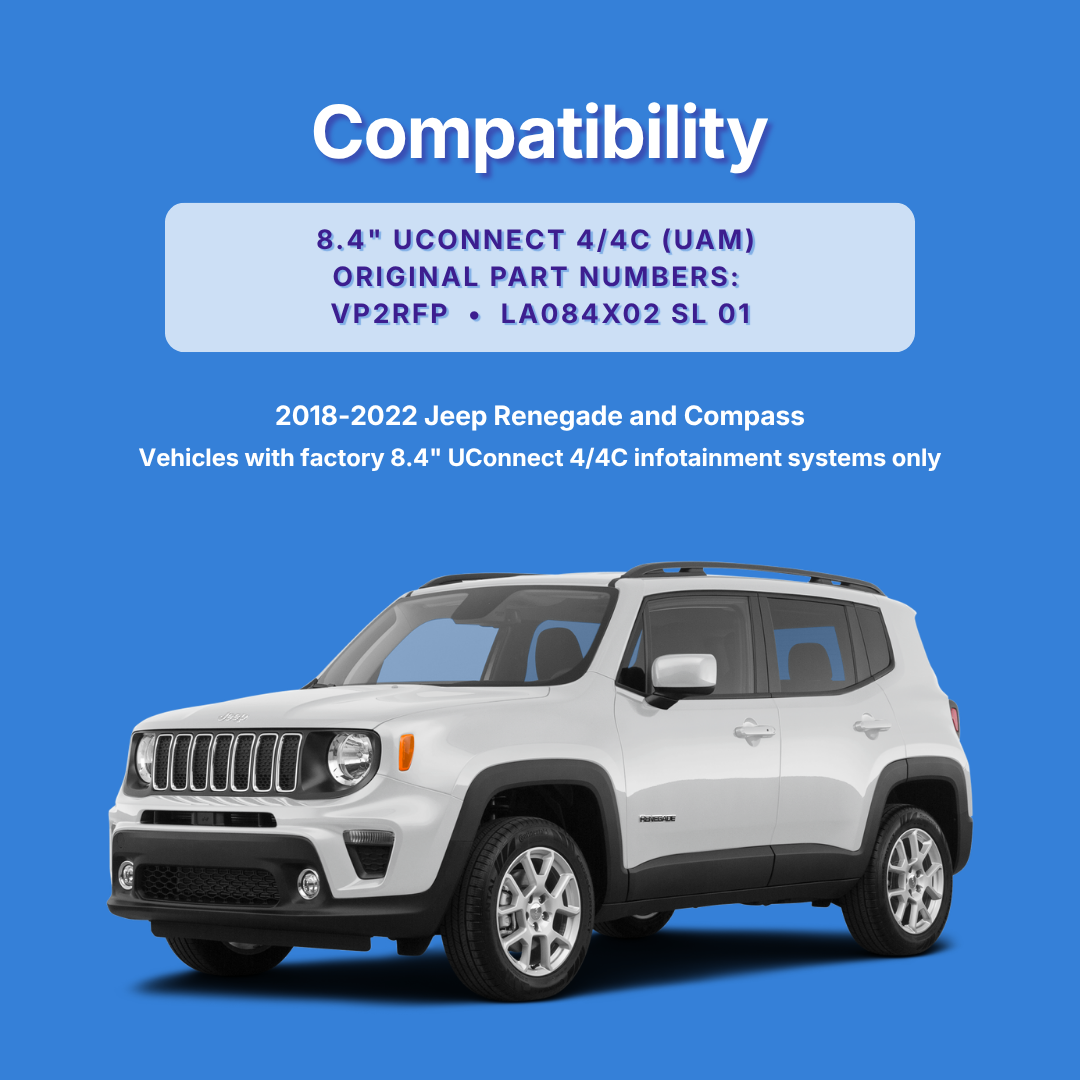
A soft reset is often enough to fix simple issues. It’s quick and safe, and you won’t lose your saved radio stations or paired devices.
- Start your Jeep and put it in park.
- Hold both the Volume and Tuner (or Mute and Browse/Enter) knobs at the same time.
- Keep holding for about 10-20 seconds. The Uconnect screen will go black and restart.
- Release the knobs when the Jeep logo appears.
The system should reboot and return to normal. If your problem is gone, there’s no need for further action.
Common Soft Reset Mistakes
- Not holding the knobs long enough: Count a full 20 seconds.
- Letting go too early: The screen must go black before you release.
- Trying while driving: Always reset when parked for safety.
How To Perform A Factory (hard) Reset
If a soft reset didn’t work, or you want to erase all data, a factory reset is needed. This wipes the system like new. Make sure to back up anything important first.
- With the Jeep in park and the engine running, tap the Uconnect screen.
- Go to Settings (gear icon).
- Scroll down and select Restore Settings or Reset to Factory Defaults.
- Confirm by selecting Yes when prompted.
After a few minutes, the Uconnect system will restart. All custom settings, paired devices, and navigation favorites will be erased.
| Data Lost After Factory Reset | Data Kept |
|---|---|
| Bluetooth pairings | System software |
| Radio presets | VIN information |
| Navigation addresses | Uconnect app account (if not on device) |
Hard Reset Tips
- Write down your favorite radio stations before starting.
- Unpair phones first if you plan to sell or trade in your Jeep.
- If your screen is locked up and you can’t access settings, try a soft reset first.
What If Uconnect Still Won’t Work?
Sometimes, problems are deeper than a simple reset can fix. If your Uconnect is still not working:
- Check for software updates: Outdated software can cause bugs. Visit your dealership or the official Uconnect site.
- Inspect fuses: A blown fuse may cause the screen to stay black.
- Disconnect the battery: As a last resort, disconnect the negative terminal for 10 minutes, then reconnect.
- Contact your dealer: Persistent problems may need professional diagnosis.
| Action | Difficulty | Effectiveness |
|---|---|---|
| Software Update | Medium | High |
| Check Fuses | Easy | Medium |
| Disconnect Battery | Medium | Medium |
| Dealer Visit | Hard | Very High |
Extra Insights Most Owners Miss
- Data privacy: After a factory reset, your personal data is wiped from Uconnect, but data may still exist on connected phones. Always unpair and check your devices.
- Uconnect updates: Many owners don’t realize updates can be done via USB drive at home. Check your version under Settings > System Information and compare with the latest on the official site.
- Reset does not affect mechanical functions: If your air conditioning or backup camera stops working, the problem is usually separate from the Uconnect system.
Frequently Asked Questions
How Often Should I Reset My Uconnect System?
You should only reset Uconnect if you experience problems like freezing or connectivity issues. There’s no need to reset regularly unless you notice performance drops.
A factory reset will erase saved locations and favorites but won’t remove the actual map software. Map updates are separate and must be downloaded from the official site.
Can I Reset Uconnect While Driving?
No, you should never attempt a reset while driving. Always park safely first.
Resetting can make the screen go blank and may distract you.
Is Resetting Uconnect Safe For My Jeep’s Electronics?
Yes, following the steps above is safe. Never disconnect the battery or remove fuses unless you know what you’re doing, as this can affect other car systems.
Where Can I Find Official Uconnect Updates?
You can check for updates and instructions on the official Uconnect support page.
Resetting your Uconnect system on a Jeep Renegade 2018 is usually quick and safe if you follow these steps. For most issues, a soft reset will fix the problem, and a factory reset can give you a clean slate. If problems continue, reach out to your dealer or visit the Uconnect support page for more help. Taking these steps puts you in control, so you can get back to enjoying your drive.



















