If you own a Jeep Wrangler, you know how important it is to keep your tires in top shape for a smooth and safe ride. But what happens when that pesky TPMS (Tire Pressure Monitoring System) light won’t turn off?
It can be frustrating, especially if you’re not sure how to reset it. You’re in the right place.
walk you through simple, step-by-step instructions to reset your Jeep Wrangler’s TPMS quickly and easily.
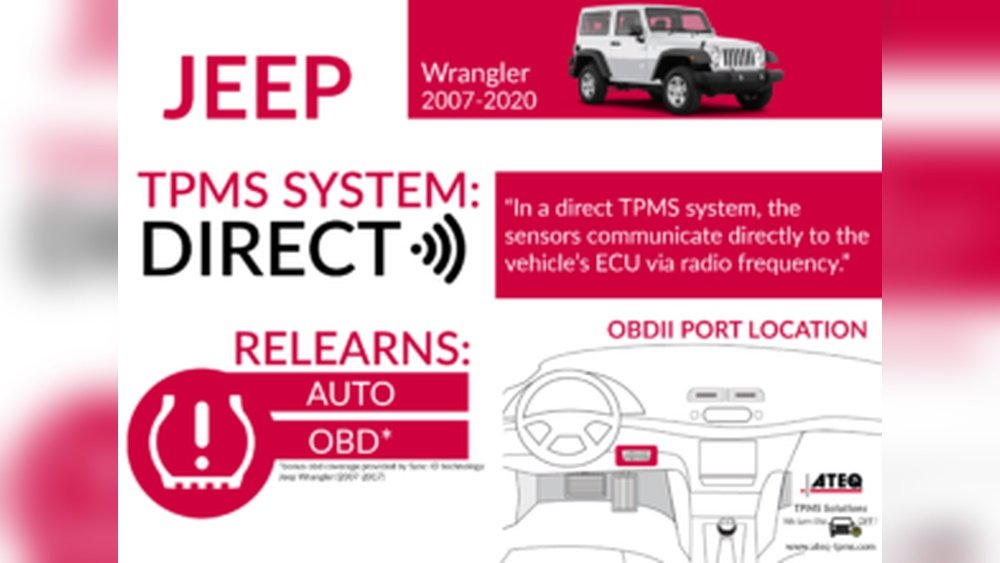
Whether you’ve just inflated your tires or suspect a sensor issue, you’ll learn how to handle it like a pro and get back on the road with confidence.
Keep reading to find out exactly what you need to do to fix that warning light once and for all.
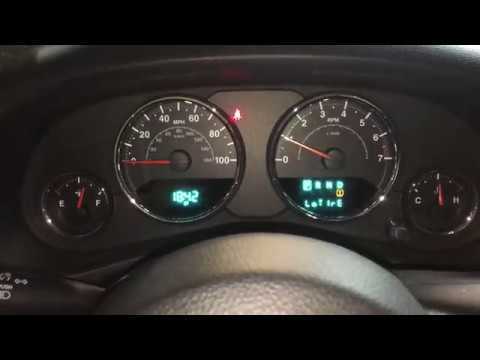
Tpms Basics On Jeep Wrangler
Checking and inflating your Jeep Wrangler’s tires is key to resetting the TPMS light. Proper tire pressure ensures your sensors work correctly.
It also keeps you safe and improves fuel efficiency.
Start by inspecting each tire’s air pressure. Low pressure can trigger the TPMS warning.
Inflate tires to the right pressure to clear the alert and avoid uneven wear.
Locate Recommended Psi
Find the recommended tire pressure on the driver’s door jamb sticker. This label shows the exact PSI for front, rear, and spare tires.
Use this as your guide to inflate each tire accurately.
Use a reliable tire pressure gauge to measure current pressure. Add air if the reading is below the recommended PSI.
Avoid overinflating, as it can cause rough rides and tire damage.
Include Spare Tire In Check
Don’t forget the spare tire. Many Jeep Wranglers have a TPMS sensor in the spare.
A low-pressure spare can keep the TPMS light on.
Check the spare’s PSI using the same gauge. Inflate it to the recommended pressure listed on the door sticker.
This step helps reset the TPMS system fully.

Check And Inflate Tires
The manual tire pressure reset method lets you turn off the TPMS warning light yourself. This method works well if the light stays on after inflating your tires to the correct pressure.
It does not require special tools or a visit to the mechanic. You can complete the reset process in just a few simple steps.
Use this method whenever the tire pressure warning light remains on without a clear reason. This keeps your Jeep Wrangler ready to drive safely. Follow the steps carefully to ensure the system resets correctly.
Turn Ignition To On
Start by sitting inside your Jeep Wrangler. Insert the key into the ignition.
Turn the key to the ON position. Do not start the engine.
The dashboard lights will come on, including the TPMS warning light. This step powers the vehicle systems needed for the reset.
Locate the TPMS reset button under the dashboard near the steering wheel. Press and hold the button firmly.
Keep holding it until the TPMS light on the dashboard blinks three times. This usually takes about 5 to 10 seconds.
Once it blinks, release the button. The system now begins to recalibrate the tire sensors.

Conclusion
Resetting the TPMS on your Jeep Wrangler keeps you safe and informed. Check your tire pressure regularly to avoid warnings.
Use the reset button as described for your Wrangler model. Remember to include the spare tire in your checks.
If the light stays on, inspect sensors for faults.
Proper maintenance helps your Jeep perform better on any road. Stay alert, stay safe, and enjoy your drive.



















