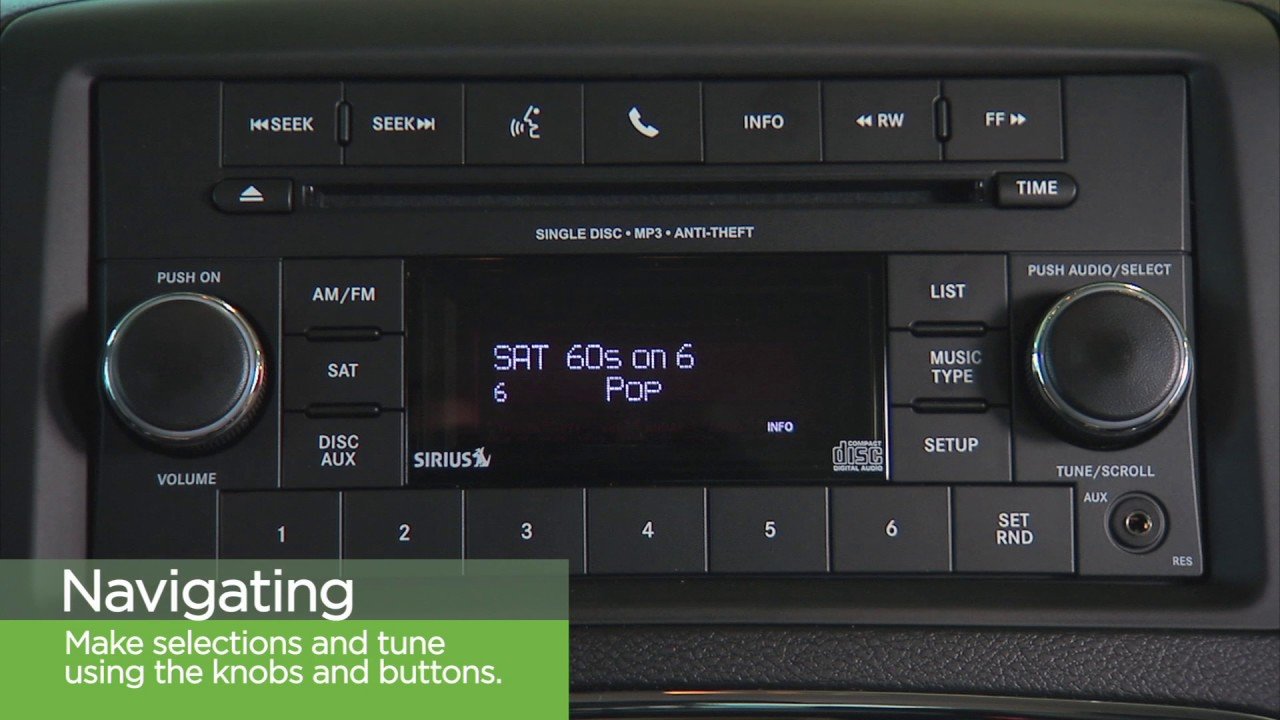
If your Sirius radio in your Jeep stops working, shows a “No Signal” message, or doesn’t update channels, it can be frustrating especially if you rely on it during drives. Resetting your Sirius radio can often fix these issues quickly.
This guide will help you understand when and how to reset your Sirius radio, what to do if the basic reset doesn’t work, and some key tips that many Jeep owners miss.
When Should You Reset Your Sirius Radio?
Most Sirius radio problems in Jeeps happen after battery changes, software updates, or long periods without use. Common signs you need a reset include:
- Missing channels or channels not updating
- “No Signal” or “Acquiring Signal” errors
- The radio freezes or won’t turn on
- Subscription updates not showing
Resetting doesn’t erase your radio’s memory or personal settings. It simply restarts the system, much like rebooting a computer.
Quick Steps To Reset Sirius Radio In Jeep
Jeep models use Uconnect infotainment systems, but steps can vary by year and model. Here’s a general process that covers most 2014–2023 Jeeps:
- Turn your Jeep on (engine running or in accessory mode).
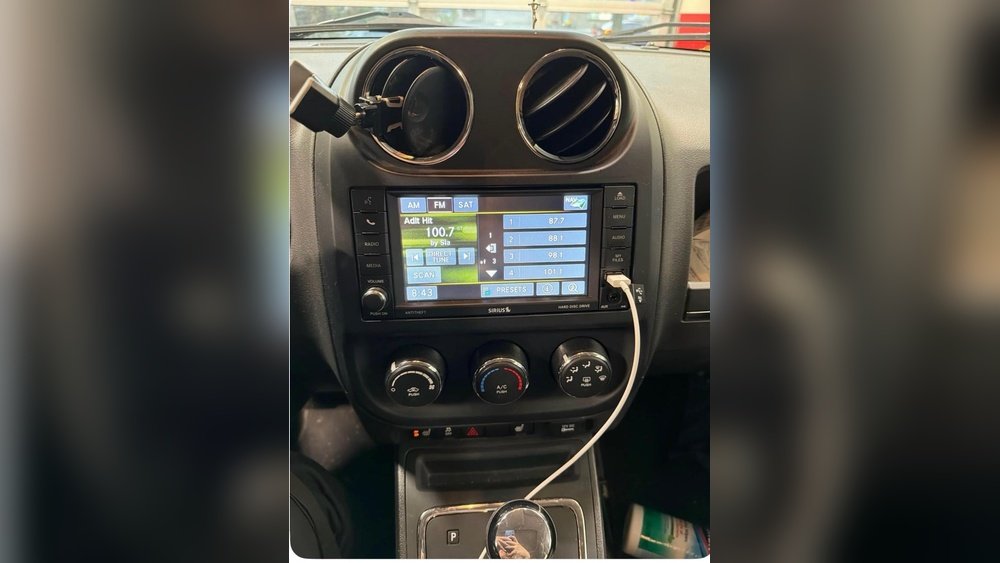
- Press and hold the power button on your radio or Uconnect touchscreen for about 10–15 seconds. You may see the screen go black and then show the Jeep logo.
- Release the button when the system restarts.
- Wait for the Sirius radio to reload. This can take 1–2 minutes.
- Check if channels and signal return to normal.
Example: 2021 Jeep Grand Cherokee
- Turn on ignition.
- Hold the volume knob and tune knob (both) for 10 seconds.
- The screen will go dark, then show the Jeep logo.
- Release both knobs and wait for a full reboot.
Different Jeeps may use the screen’s power button or a combination of physical knobs. Always check your owner’s manual for your exact model.

What If A Simple Reset Doesn’t Work?
Sometimes, a basic reset is not enough. Here are further actions to try.
1. Refresh Your Sirius Signal
You can send a signal refresh to your radio. SiriusXM provides this for free.
- Visit the SiriusXM signal refresh page on your phone or computer.
- Enter your Radio ID (found under channel 0 or in your radio’s menu).
- Click “Send Refresh Signal.”
- Make sure your Jeep is outside with a clear sky view and the radio is on channel 1.
This often fixes missing channels or subscription issues.
2. Disconnect The Car Battery
A hard reset may clear deeper system glitches.
- Turn off your Jeep.
- Open the hood and disconnect the negative battery terminal.
- Wait 10 minutes.
- Reconnect the battery and start the Jeep.
- Let the system reboot and check Sirius again.
3. Update Uconnect Software
Outdated software can cause Sirius problems. Check for updates:
- Go to the Uconnect settings menu.
- Find “Software Update” or “System Information.”
- If an update is available, follow the prompts.
Comparing Reset Methods
Here’s a quick look at the three main reset options for Sirius radio in Jeep:
| Method | Difficulty | Time Needed | Best For |
|---|---|---|---|
| Basic Restart (Power Button) | Very Easy | 2 minutes | Minor glitches, “No Signal” |
| Signal Refresh (Online) | Easy | 5–10 minutes | Subscription issues, missing channels |
| Battery Disconnect | Medium | 15 minutes | System freeze, deep errors |
Troubleshooting Tips Most People Miss
Many Jeep owners overlook these important details:
- Antenna issues: If your Sirius radio works only sometimes, check if the antenna cable under the dash is loose or damaged.
- Obstructions: Parking in a garage, under trees, or near tall buildings can block the satellite signal. Move your Jeep to an open area and try again.
- Subscription status: Log in to your SiriusXM account to confirm your subscription is active. Expired subscriptions cause channels to disappear.
- VIN-mismatch: If your radio was replaced, make sure the Sirius subscription is linked to your current radio’s ESN or Radio ID.
Common Sirius Radio Problems In Jeep Models
Different Jeep models sometimes have unique SiriusXM issues. Here’s a brief comparison:
| Model | Frequent Issue | Quick Fix |
|---|---|---|
| Wrangler (2018-2023) | Signal dropout in remote areas | Try a signal refresh |
| Grand Cherokee (2017-2023) | Frozen Uconnect screen | Hard reset by holding knobs |
| Compass/Renegade | Subscription not updating | Send refresh signal online |
Preventing Future Sirius Radio Issues
Take these steps to avoid future problems:
- Update Uconnect software every 6–12 months.
- Avoid disconnecting the battery unless necessary.
- Park in open areas when possible for a strong signal.
- Save the SiriusXM support number in your phone.
If you still have issues after trying these steps, contact your local Jeep dealer. Sometimes, a faulty radio module or antenna needs replacement.
Frequently Asked Questions
How Do I Find My Siriusxm Radio Id In My Jeep?
Tune your radio to channel 0. The Radio ID (sometimes called ESN) will appear on the screen. You can also find it in the Uconnect settings under “SiriusXM” or “Radio Information.”
Why Does My Sirius Radio Only Work Sometimes?
Signal loss can happen in tunnels, parking garages, or areas with tall trees or buildings. Also, a loose antenna connection can cause the radio to cut out. Try parking in an open area and check the antenna.
Can I Reset Siriusxm Using The Uconnect App?
No, the Uconnect app on your phone cannot reset the Sirius radio itself. All resets must be done from the vehicle’s dashboard or by using the power knobs/buttons.
Does Resetting My Jeep’s Radio Delete My Saved Stations?
A simple reset will not delete favorite stations or personal settings. Only a factory reset (not covered here) would erase all saved data.
Where Can I Get Official Help For Siriusxm Issues?
Visit the official SiriusXM Help Center for troubleshooting, signal refresh, and customer support.
Resetting your Sirius radio in your Jeep is usually a quick fix for most common issues. Follow these steps before taking your vehicle for expensive service.
With regular updates and a few preventive habits, you’ll enjoy uninterrupted music and news wherever you drive.