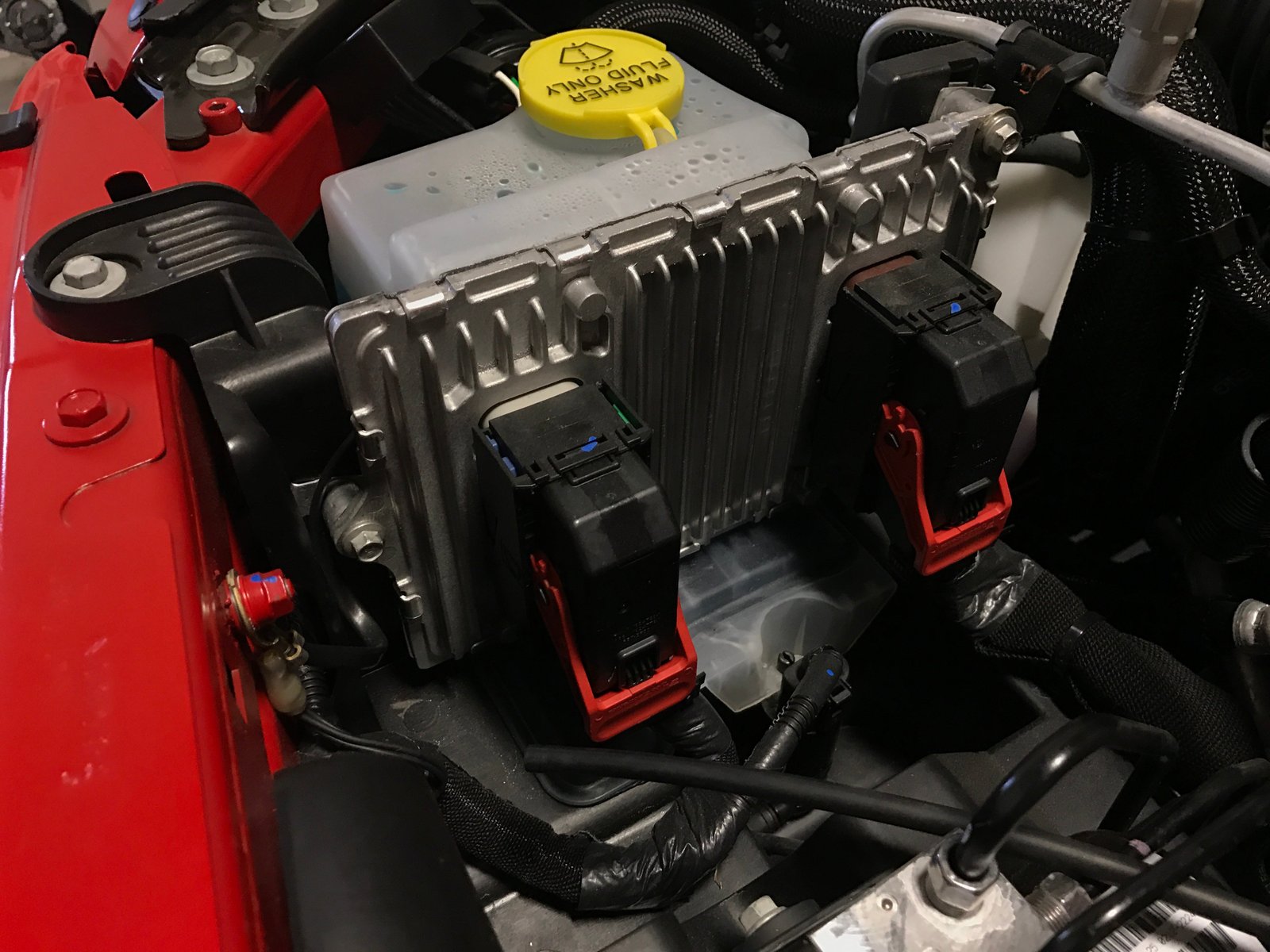
If your Jeep is acting strangely—maybe the check engine light won’t go off, or the engine is running rough—you might be dealing with a confused onboard computer. The Jeep computer, also called the PCM (Powertrain Control Module) or ECM (Engine Control Module), controls many vital systems.
Sometimes it needs a reset to clear errors or adapt to new parts. Knowing how to reset it can save you a trip to the mechanic and help you troubleshoot problems faster.
This guide explains why and how to reset your Jeep’s computer, step by step. You’ll also learn about common mistakes, useful tips, and how to know if your reset worked.
The process is simple, but doing it correctly makes all the difference.
Why Reset A Jeep Computer?
Your Jeep’s computer collects data from sensors all over the vehicle. Over time, it may store error codes or faulty data that affect performance. Here are the main reasons to reset it:
- Check engine light stays on after repairs
- Engine idles rough or runs poorly
- Recent part replacements (like sensors or battery)
- Failed emission tests due to old error codes
Resetting the computer clears stored codes and forces it to relearn your Jeep’s current setup.
Methods To Reset The Jeep Computer
There are two main ways to reset your Jeep’s computer: a manual battery disconnect and using an OBD-II scanner. Each works well, but one might suit your situation better.
Manual Battery Disconnect Method
This is the most common method. It’s simple, requires no special tools, and works for most Jeep models.
- Turn off the engine and remove the key.
- Open the hood and locate your battery.
- Use a wrench to disconnect the negative battery cable (usually black). Wait at least 15 minutes. This lets any stored energy drain from the system.
- For a deeper reset, touch the disconnected negative cable to the positive terminal for 30 seconds. This helps discharge any remaining power.
- Reconnect the negative cable and tighten it securely.
- Close the hood and start your Jeep. Let it idle for a few minutes so the computer can relearn basic settings.
Obd-ii Scanner Method
This method is more precise and avoids losing radio presets or clock settings.
- Plug an OBD-II scanner into the port under your dashboard.
- Turn the ignition to “ON” without starting the engine.
- Follow the scanner’s menu to select “Clear Codes” or “Reset ECU.”
- Wait for the process to finish, then turn off the ignition and remove the scanner.
- Start your Jeep and check if the warning lights are gone.
A scanner is especially useful if you want to read or save error codes before erasing them.
What Happens After The Reset?
Resetting your Jeep’s computer clears all stored data and returns it to factory settings. The computer will need to relearn:
- Idle speed
- Fuel mixture
- Transmission shift points (on automatics)
- Emission controls
During the first 50 100 miles, the Jeep might feel different or idle strangely. This is normal and should improve as the computer adjusts.
Comparing Reset Methods
Here is a quick comparison of the two main reset methods for Jeep computers:
| Method | Tools Needed | Time Required | Data Loss |
|---|---|---|---|
| Battery Disconnect | Wrench | 15–20 mins | Radio presets, clock |
| OBD-II Scanner | Scanner | 5–10 mins | None |
Choose the method that matches your tools and concerns about losing settings.
Common Mistakes To Avoid
Resetting a Jeep computer is easy, but beginners often make simple errors:
- Not waiting long enough after disconnecting the battery. Less than 15 minutes may not clear all data.
- Forgetting to save radio or seat settings before a battery reset.
- Not checking for stored error codes before erasing them. This can make diagnostics harder later.
- Using a weak battery after reconnecting. Low voltage can create new errors.
Another mistake is ignoring underlying problems. Resetting will clear the light, but if the issue isn’t fixed, the error will return.
Signs The Reset Worked
After a reset, look for these signs:
- Check engine light is off
- Jeep runs smoother or idles better
- No unusual warning lights
- Performance improves over the next few trips
If the light returns quickly, there may be an unresolved problem. Use an OBD-II scanner to check for new codes.
Extra Tips For A Smooth Reset
Here are two often-missed tips:
- Drive a mix of city and highway after the reset. This helps the computer relearn faster.
- If you live in a cold area, try to reset when the engine is warm. Cold starts can sometimes cause rough idling right after a reset.
If your Jeep is still under warranty, check with your dealer before resetting the computer. Some warranties may have special rules about resetting ECUs.
Jeep Models And Computer Reset Compatibility
Not every Jeep has the exact same computer system. Here’s a quick look at popular models and their reset compatibility:
| Jeep Model | Manual Reset | OBD-II Reset | Notes |
|---|---|---|---|
| Wrangler (2000–2023) | Yes | Yes | All trims |
| Cherokee (2001–2022) | Yes | Yes | Most models |
| Grand Cherokee (2000–2023) | Yes | Yes | Check for advanced features |
| Renegade (2015–2023) | Yes | Yes | Best with scanner |
Always check your owner’s manual for model-specific reset details.
Frequently Asked Questions
How Often Should I Reset My Jeep Computer?
You only need to reset it after repairs, part changes, or persistent warning lights. Regular resets are not required for maintenance.
Will Resetting The Computer Erase Everything?
It will clear error codes and adaptive settings, but not critical vehicle data like your odometer.
Can A Reset Fix All Engine Problems?
No. It only clears stored data.
If the problem continues, a reset will not solve it you’ll need to diagnose the root cause.
Is It Safe To Reset The Computer Myself?
Yes, if you follow the steps carefully. Always take proper safety precautions when working near the battery.
Where Can I Find More Information About Jeep Computer Systems?
Check the official Powertrain Control Module entry on Wikipedia for detailed technical info.
Resetting your Jeep computer can be a simple way to clear up problems and help your vehicle run better. By following these steps and tips, you can do it safely and confidently, saving time and money on unnecessary trips to the mechanic.



















