Is your Jeep key dongle acting up or refusing to find your vehicle? The culprit is often a dead battery, and replacing it yourself is easier than you might think.
You don’t have to wait for a dealership or spend extra money on a locksmith. With just a few simple steps and a small tool, you can have your key dongle working like new in minutes.
Keep reading, and you’ll learn exactly how to replace the battery on your Jeep key dongle quickly, safely, and without hassle.
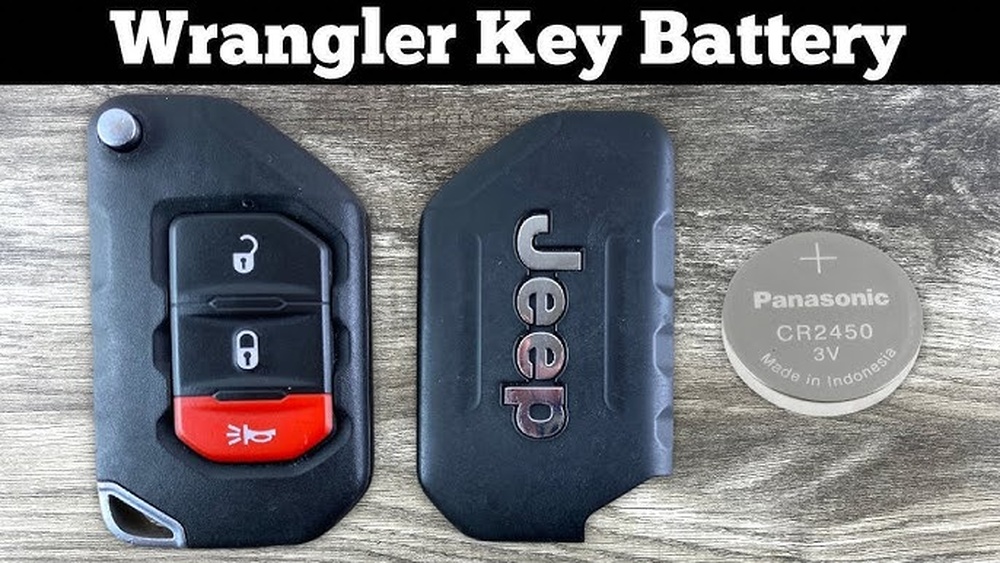
Your Jeep deserves it and so do you.
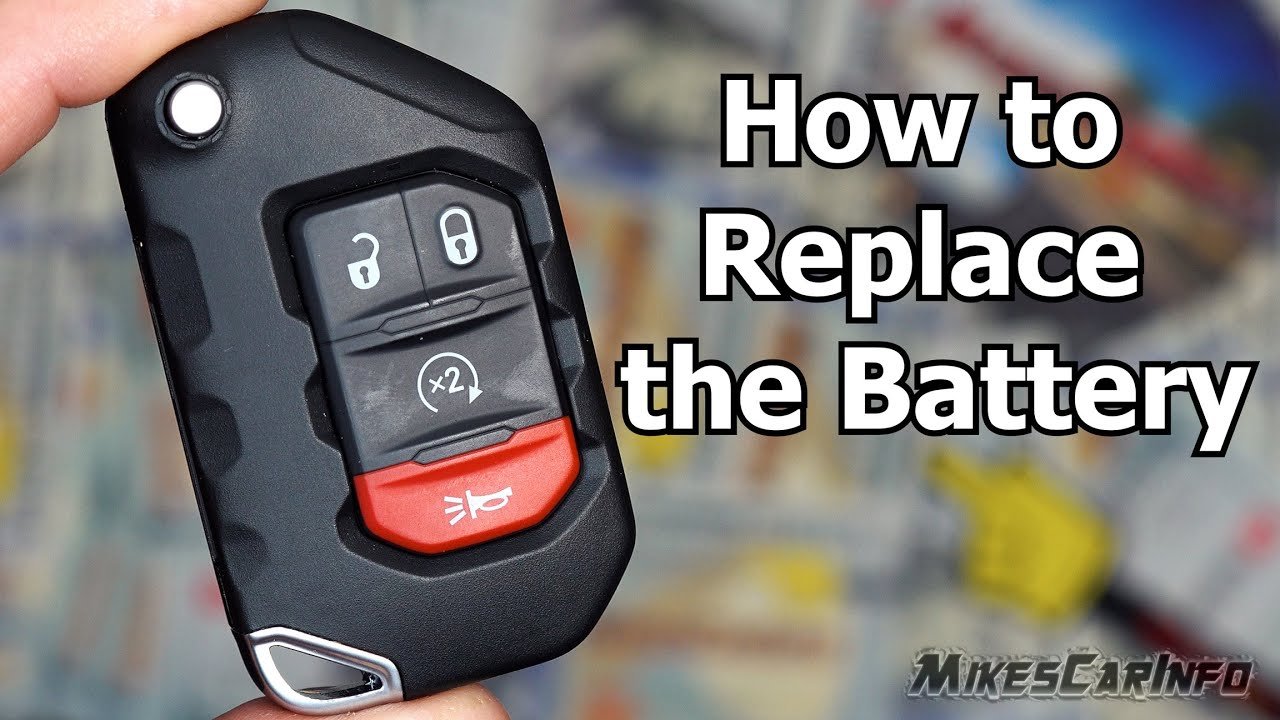
Tools Needed
Finding the battery compartment on your Jeep key dongle is the first step to replace its battery. The battery compartment is usually hidden to protect the battery and internal electronics.
Most Jeep key fobs have a small groove or slot along the edge. This groove allows you to pry open the fob case with a flat tool or your fingernail.
Check The Back Of The Key Fob
Start by flipping the key fob over. Look for a small notch or seam running along the edge. This area often marks the battery compartment cover.
Some Jeep models include a release button to open the battery compartment. Press or slide this button gently to open the cover. If there is no button, use a flat tool to pry the cover apart at the groove.
Use Gentle Pressure To Open
Apply light pressure to the groove or slot. Twist or slide the cover slowly. Avoid using too much force to prevent damage to the plastic casing.
Identify The Battery Type
Once open, note the battery size and type inside. Jeep key dongles often use CR2032 or CR2025 batteries. This information helps you buy the correct replacement battery.
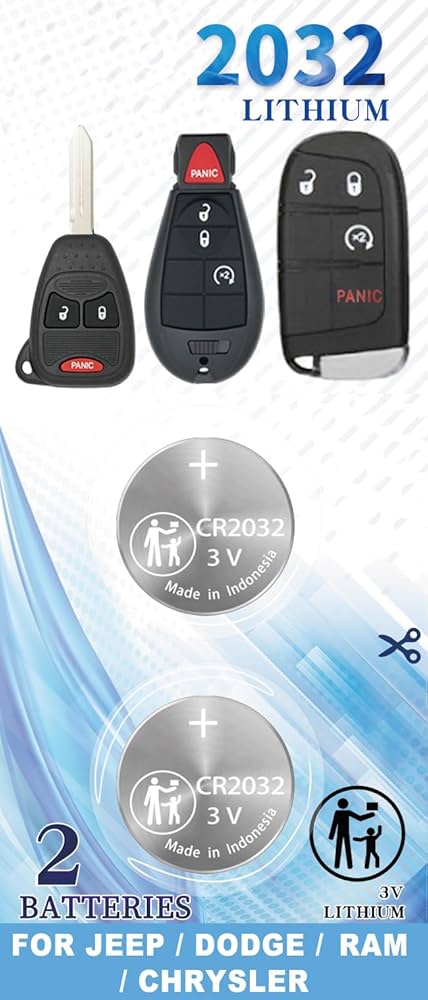
Locating The Battery Compartment
Reassembling the key dongle is the final step after replacing the battery. Handle the components carefully to avoid damage. Proper alignment and secure snapping ensure the fob works correctly. Take your time during this process for best results.
Aligning The Components
Place the circuit board back into the fob casing. Make sure the battery sits flat in its slot. Check that the buttons line up with their buttons on the board. Align the two halves of the key fob evenly. Misalignment can cause the fob to malfunction.
Snapping The Fob Back Together
Press the two halves of the key fob firmly together. You should hear a click as they snap into place. Avoid using excessive force to prevent cracking the plastic. Test the buttons to confirm they work properly. A secure snap means the fob is ready to use.
Opening The Key Dongle
Testing the key fob after replacing its battery is important. It confirms the new battery works and the fob functions properly. This step prevents surprises when you try to use your Jeep. Follow these simple checks to ensure your key fob is fully operational.
Press each button on the key fob one at a time. Listen for the sound of the locks clicking on your Jeep. Watch for the lights flashing on your vehicle. These signs show the buttons send signals correctly. If any button does not work, check the battery placement again. Also, make sure the battery is new and fully charged.
Confirming Remote Start And Lock Features
Test the remote start by pressing the start button on your fob. Your Jeep’s engine should start without using the key. Next, press the lock button to secure all doors. The lights should flash, and you may hear the doors lock. Try unlocking the doors with the fob as well. This confirms the remote features work as expected. If these features fail, the battery might be weak or the fob may need reprogramming.
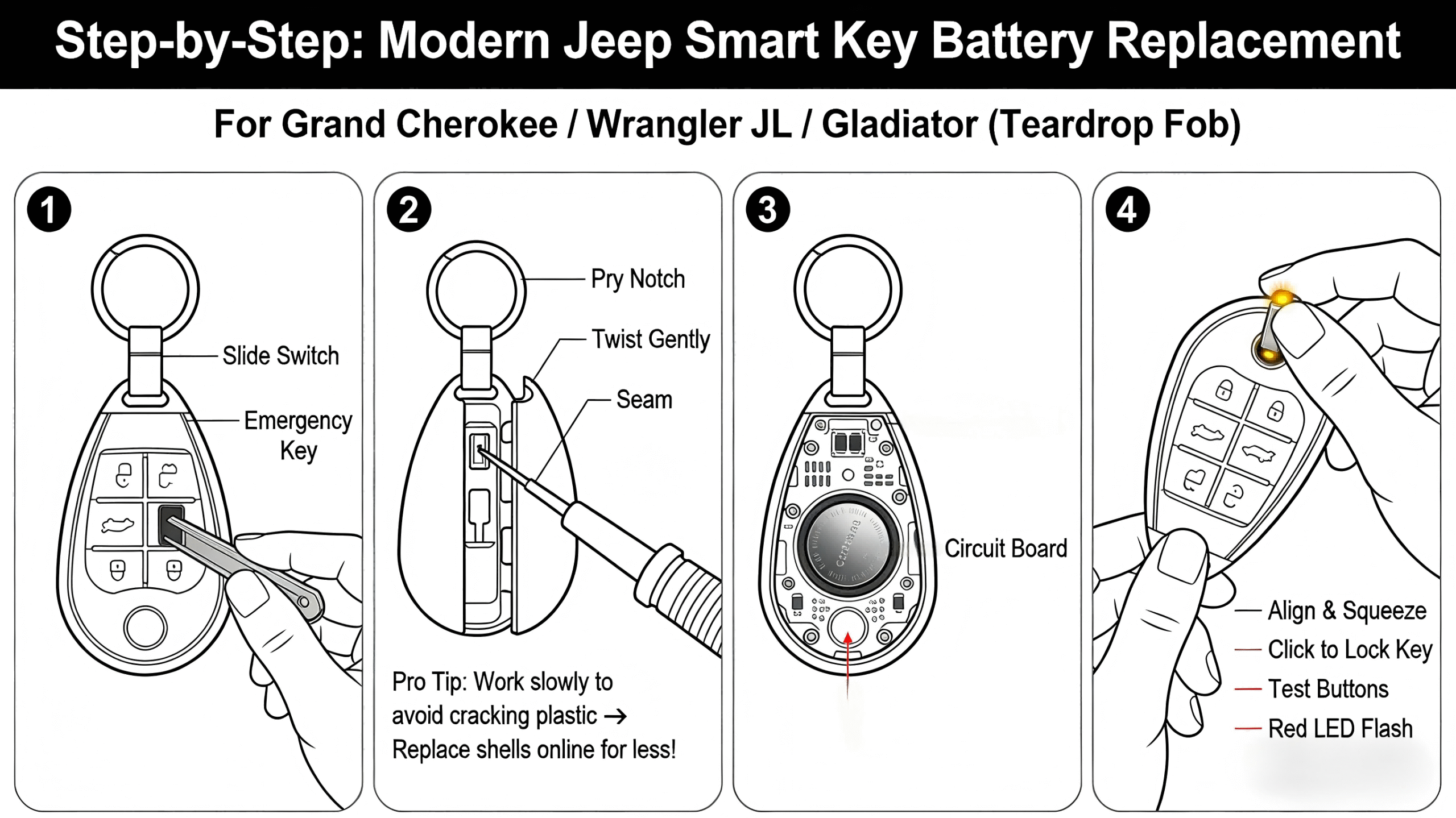
Removing The Old Battery
Knowing how often to replace your Jeep key dongle battery saves time and avoids frustration. The battery powers the remote functions that find and start your vehicle. A dead or weak battery can leave you locked out or unable to start your Jeep. Understanding the replacement frequency helps keep your key dongle working smoothly.
Signs Of A Weak Battery
Watch for these signs to know when the battery is weak. The remote may respond slowly or only work at short distances. Buttons might need multiple presses to activate. Sometimes, the key dongle fails to find or lock the doors. A warning light on the dashboard can also indicate a weak battery in the key fob.
Recommended Replacement Intervals
Most Jeep key dongle batteries last about one to two years. Replace the battery every 12 to 18 months to avoid sudden failure. If your Jeep is older or the remote is used frequently, check the battery more often. Regular replacement helps maintain reliable remote operation. Keep a spare battery on hand for quick replacement.
<!– wp:rank-math/faq-block {"questions":[{"id":"faq-question-0039b6957331","title":"How To Change The Battery In A Jeep Key Remote?","content":"Use a flathead screwdriver to pry open the Jeep key remote. Remove the old battery carefully. Insert a new battery, then snap the cover back. Test the remote to ensure it works. No reprogramming is usually needed after replacement.
“,”visible”:true},{“id”:”faq-question-412aed14b570″,”title”:”What Happens If My Jeep Wrangler Fob Battery Goes Dead On My Push Button Start?”,”content”:”If your Jeep Wrangler fob battery dies, use the physical key hidden inside the fob to find the door. Then, hold the fob near the push button to start the engine. Replace the battery promptly to restore normal remote functions.
“,”visible”:true},{“id”:”faq-question-9f4ceded03d3″,”title”:”Does A Key Fob Have To Be Reprogrammed After Replacing The Battery?”,”content”:”A key fob usually does not need reprogramming after replacing the battery. Simply install the new battery correctly.
“,”visible”:true},{“id”:”faq-question-3a0a3f872e15″,”title”:”How Do I Pop The Battery Out Of My Key Fob?”,”content”:”Use a flathead screwdriver to gently pry open the key fob. Carefully lift out the battery using your fingers or a small tool. Avoid damaging the circuit board during removal.
“,”visible”:true}]} –>How To Change The Battery In A Jeep Key Remote?
Use a flathead screwdriver to pry open the Jeep key remote. Remove the old battery carefully. Insert a new battery, then snap the cover back. Test the remote to ensure it works. No reprogramming is usually needed after replacement.
If your Jeep Wrangler fob battery dies, use the physical key hidden inside the fob to find the door. Then, hold the fob near the push button to start the engine. Replace the battery promptly to restore normal remote functions.
Does A Key Fob Have To Be Reprogrammed After Replacing The Battery?
A key fob usually does not need reprogramming after replacing the battery. Simply install the new battery correctly.
How Do I Pop The Battery Out Of My Key Fob?
Use a flathead screwdriver to gently pry open the key fob. Carefully lift out the battery using your fingers or a small tool. Avoid damaging the circuit board during removal.
Conclusion
Replacing the battery in your Jeep key dongle is simple and quick. Just open the fob carefully, remove the old battery, and insert a new one.
This small task keeps your key working smoothly and your Jeep secure. Regular battery checks can prevent unexpected problems.
Taking a few minutes now saves frustration later. Keep your Jeep key dongle ready for every drive.



















