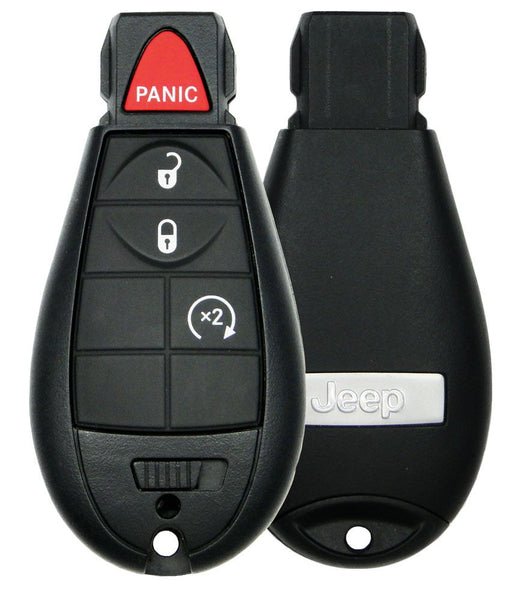
Starting your 2019 Jeep Cherokee from a distance can be a true convenience, especially in extreme weather. Imagine warming up the engine and adjusting the cabin temperature before you even step outside. The remote start feature, available in many 2019 Jeep Cherokee models, offers this comfort. However, using it for the first time can be confusing if you’re not familiar with the process. This guide will walk you through each step, highlight important tips, and answer common questions.
Understanding Jeep Cherokee Remote Start
The remote start system in the 2019 Jeep Cherokee allows you to start your vehicle’s engine using the key fob or, in some trims, through a smartphone app. This feature helps with climate control before driving and can even improve safety by defrosting windows in winter. Not all Cherokees have this option—so first, check if your trim includes remote start.
Key Fob Vs. App
Most 2019 Cherokees use the key fob method. Higher trims or those with Uconnect subscriptions may allow remote start via the Uconnect app on your smartphone. Both methods have unique steps, which we’ll explain.
How To Remote Start Using The Key Fob
For most owners, the key fob is the fastest way to remote start.
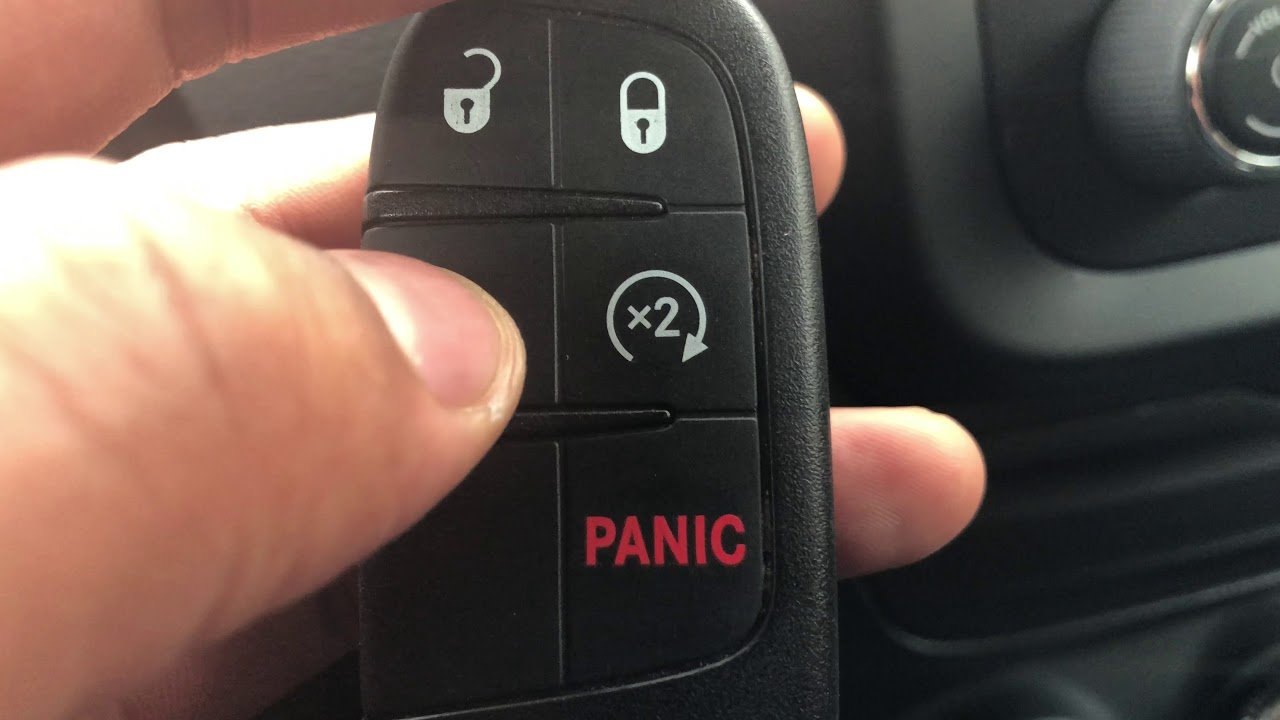
- Lock your vehicle: Press the lock button on your key fob once. This is essential—even if the doors are already locked.
- Start the engine: Within five seconds, press the remote start button (the circular arrow) twice. Hold for about two seconds on the second press.
- Confirmation: The Cherokee’s lights will flash, and the engine will start. The vehicle stays locked.
- Enter and drive: When you’re ready, unlock the door with the fob, get in, and press the brake and push the START button to drive.
Tip: The engine will run for 15 minutes before shutting off automatically if you don’t enter the vehicle.
Key Fob Symbols
- Lock: Closed padlock icon.
- Remote start: Circular arrow.
If you’re unsure which button is which, check your owner’s manual or ask your dealer.
Using The Uconnect App
If your Jeep is equipped with Uconnect and a subscription, you can use your phone:
- Open the Uconnect app and sign in.
- Find your vehicle and tap the Remote Start option.
- Confirm your command. You’ll get a notification when the engine starts.
Insight: App-based start lets you control your Cherokee from much farther than the key fob range. You can also check vehicle status and set cabin temperature remotely.
Important Safety And Security Notes
Remote start is designed with safety in mind, but there are limitations:
- The vehicle remains locked while running remotely.
- The gear shift stays locked in park.
- If anyone tries to drive without the key fob, the engine will shut off.
- The system will not start if the hood is open or if there’s a serious fault.
Common mistake: Trying to remote start with the hood open or after a recent service visit without resetting the system.
Reasons Remote Start May Not Work
If your remote start isn’t working, consider these possible causes:
- Low key fob battery: Replace the battery if the range is short or buttons don’t respond.
- Check engine light: The system won’t activate if there’s a major engine fault.
- Low fuel: If the tank is nearly empty, remote start is disabled to prevent running out.
- Open doors, hood, or trunk: All must be fully closed.
- Too many start attempts: If you try to remote start too many times in a row, the system may lock out.
Comparing Key Fob And App-based Remote Start
Here is a quick comparison of the two methods:
| Feature | Key Fob | Uconnect App |
|---|---|---|
| Range | Approx. 300 ft | Virtually unlimited (cellular/Wi-Fi) |
| Subscription Needed? | No | Yes |
| Extra Features | No | Yes (climate, status, lock/unlock) |
Common User Errors And How To Avoid Them
- Pressing buttons too slowly: The lock and remote start sequence must happen within 5 seconds.
- Not pressing the lock button first: Even if the car is locked, always press the lock button before remote starting.
- Trying with open doors or hood: Double-check all doors and the hood are closed.
- Standing out of range: Move closer if the key fob isn’t working.
- Missing app setup: If using Uconnect, make sure your app and vehicle are paired and your subscription is active.
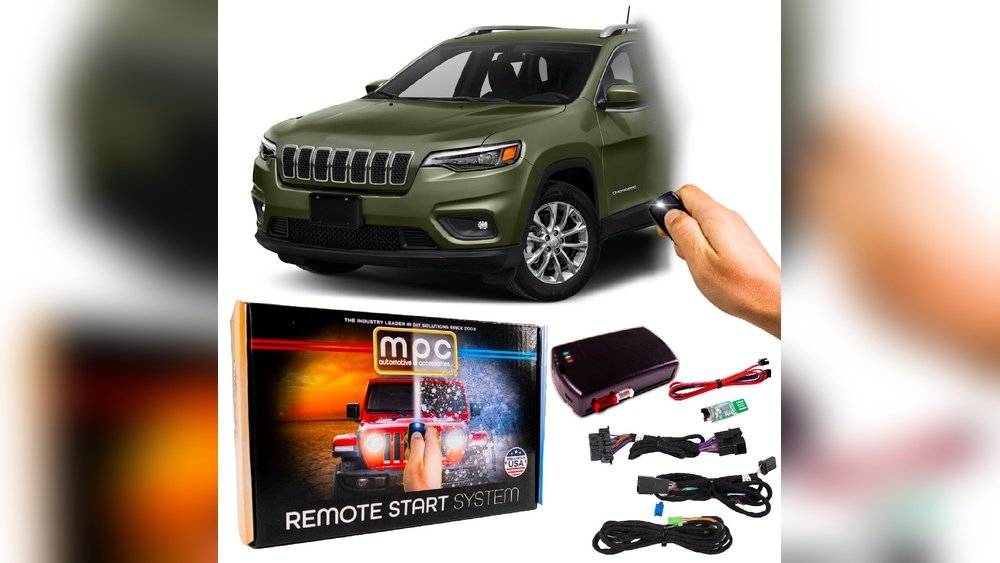
Non-obvious insight: If your Jeep has an aftermarket remote start, steps may be different. Always check if your system is factory-installed.
Practical Tips For Using Remote Start
- Winter use: Start the vehicle a few minutes before leaving to melt ice and warm up the cabin.
- Summer use: Use remote start to cool down the interior on hot days.
- Battery care: Remote start uses your car’s battery—avoid repeated starts if the battery is old or weak.
- Parking: Never use remote start in a closed garage. Carbon monoxide can build up quickly.
Remote Start And Vehicle Warranty
Using the factory remote start will not void your warranty. However, installing non-factory or third-party systems might affect coverage. If unsure, ask your dealership.
Data On Remote Start Use
Studies show that remote start can reduce windshield fog and improve comfort. According to the AAA, vehicles with remote start are 40% more likely to have clear windows in winter compared to those without.
Troubleshooting Checklist
If your 2019 Jeep Cherokee doesn’t start remotely, run through this checklist:
| Issue | What to Check |
|---|---|
| No response from fob | Replace fob battery |
| Lights flash, but no start | Check engine light on? Fuel level? |
| App won’t connect | Internet connection, subscription status |
| System locked out | Wait, then try again after a few minutes |
Frequently Asked Questions
How Long Will My Jeep Run After Remote Start?
The engine will run for 15 minutes by default. You can extend by another 15 minutes with a second remote start command, but after that, you need to manually restart.
Can I Drive Away Immediately After Remote Starting?
No, you must unlock the car, enter, and press the START button with the brake to drive.
Does Remote Start Work If My Jeep Is In The Garage?
Yes, but always ensure the garage is well-ventilated. Never leave your car running in a closed garage due to carbon monoxide risk.
Will The Climate Control Activate With Remote Start?
Yes, the last used climate settings are activated. Some trims allow you to set specific temperatures with the Uconnect app.
Where Can I Find More Official Details?
More official instructions and safety notes are found on the Jeep Official Website.
Using remote start makes your 2019 Jeep Cherokee more comfortable and convenient. With these steps and tips, you’ll enjoy a warm or cool cabin before every drive while keeping your vehicle safe and efficient.