Many Jeep Grand Cherokee owners want to use their vehicle’s built-in garage door opener, but the process can feel confusing.
Having your garage door open with the touch of a button on your Jeep’s visor is not only convenient but also adds security.
Whether you just bought your Grand Cherokee or you’re replacing an old garage door, understanding how to program the system is valuable. This guide walks you through every step, shares common mistakes, and gives practical tips for a smooth setup.

Understanding The Jeep Grand Cherokee Garage Door Opener
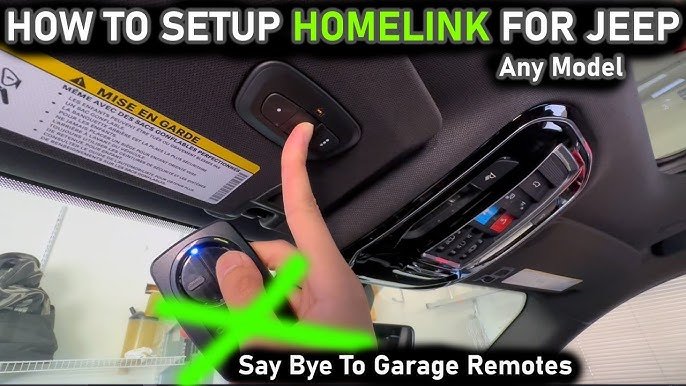
Jeep Grand Cherokees come with a universal garage door opener, also known as HomeLink. This system is built into the vehicle, usually on the overhead console or sun visor, and can control most garage doors and some gates. HomeLink is compatible with many brands, including Chamberlain, LiftMaster, Genie, and Craftsman.
If your garage door opener was made before 1996, it may use a different frequency and might not be compatible.
Most modern openers work with HomeLink, but double-check your garage door opener’s manual or look for a “Learn” or “Smart” button on the unit.
Tools And Preparation
Before you start programming, you’ll need:
- Your Jeep Grand Cherokee (engine ON or in accessory mode)
- The garage door remote
- A ladder (to reach the opener’s “Learn” button)
- Your owner’s manual (optional but helpful)
Clear the area around the garage door. Make sure pets and children are away, as the door may move during programming.

Step-by-step Programming Instructions
Programming your Jeep’s garage door opener is simple if you follow these steps:
1. Clear Previous Codes (if Needed)
If you bought your Jeep used or want to erase old codes, press and hold the two outer HomeLink buttons for about 10 seconds. The indicator light will begin to flash. Release the buttons once the light changes from steady to blinking. This resets the system.
- Hold your garage remote 1-3 inches from the HomeLink buttons.
- Press and hold the chosen HomeLink button and the remote button at the same time.
- Keep holding until the indicator light starts to flash rapidly (this can take up to 30 seconds).
- Release both buttons.
If the indicator light is solid, your garage door opener uses a fixed code and you’re done. Test the button.
If it flashes rapidly but the door does not open, proceed to the next step.
Some openers use rolling codes for extra security. In this case, you need to sync the Jeep with the garage’s main unit.
- Climb the ladder and find the “Learn” or “Smart” button on your garage motor (usually on the back or side).
- Press the “Learn” button. You typically have 30 seconds to complete the next step.
- Return to your Jeep and press the programmed HomeLink button for 2 seconds, then release. Repeat this step up to three times until the garage door moves.
4. Confirm Programming
Test the system by pressing the HomeLink button. The door should open or close.
If it doesn’t, check for common mistakes below.
Comparing Key Features
Here’s a quick comparison of features between HomeLink and traditional garage remotes:
| Feature | HomeLink (Jeep Built-In) | Traditional Remote |
|---|---|---|
| Number of Doors Controlled | Up to 3 | Usually 1 |
| Power Source | Vehicle battery | Replaceable battery |
| Security | Rolling code support | Varies |
| Convenience | Integrated | Separate device |
Common Mistakes And How To Avoid Them
Programming fails for a few common reasons. Understanding these helps you avoid frustration:
- Wrong Distance: Holding the remote too close or too far from the HomeLink buttons can block the signal. Aim for about 2 inches.
- Dead Remote Battery: If your remote is weak or dead, the system won’t capture the code. Replace the battery first.
- Not Pressing “Learn” Promptly: After pressing the garage opener’s “Learn” button, you have a limited time to complete programming. Move quickly.
- Wrong Button: Make sure you’re pressing the correct HomeLink button in your Jeep.
- Outdated Opener: Some very old garage openers are not compatible with HomeLink. Check your opener’s model and frequency.
Advanced Tips
- If your Jeep is parked too far from the garage, the signal may not reach. Always program within the garage.
- Some openers require you to press the HomeLink button multiple times for the first sync. Don’t give up after one try.
- For community gates or shared garage systems, you may need special instructions from your building manager.
Security And Safety
HomeLink uses encrypted rolling codes for modern garage doors, making it much safer than older remotes. Never program your garage opener for someone you do not trust. If you sell your Jeep, always erase stored codes to prevent unauthorized access.
When To Seek Help
If you follow all steps and your garage door still won’t program, it may be a compatibility issue. Contact your dealer or check the HomeLink website. Sometimes, a repeater kit is needed for newer garage systems. Your Jeep’s owner manual also offers troubleshooting advice.
Real-world Example
Maria, a Jeep Grand Cherokee owner, struggled to program her opener. She discovered her remote battery was weak, and she was standing outside the garage.
By following the steps above and replacing her battery, she succeeded in less than five minutes.
Maintenance And Reprogramming
If you change your garage door opener or move homes, repeat the programming steps. It’s smart to periodically test your HomeLink to make sure it’s working.
Also, if your Jeep’s battery is disconnected, you may need to reprogram the buttons.
Homelink Vs. Other Vehicle Systems
Not all built-in openers are equal. Here’s how Jeep’s HomeLink compares to other systems:
| Brand | System Name | Compatibility |
|---|---|---|
| Jeep | HomeLink | High (most brands) |
| Toyota | HomeLink | High (most brands) |
| Ford | Universal Garage Opener | Varies |
| Honda | HomeLink | High (most brands) |
Frequently Asked Questions
How Many Garage Doors Can I Program In My Jeep Grand Cherokee?
You can program up to three different garage doors or gates using the three HomeLink buttons in your Jeep.
Do I Need To Reprogram After A Battery Change?
Sometimes, yes. If your Jeep’s battery is disconnected for a long period, the codes might reset. Test the buttons after any battery replacement.
Is Homelink Compatible With All Garage Door Openers?
HomeLink works with most modern openers, especially those made after 1996. Some very old or very new models may need a repeater kit or may not be compatible. Check the HomeLink Compatibility Guide for details.
Can I Program The Opener Without The Original Remote?
For most openers, you’ll need the remote for initial programming. Some systems allow you to use only the “Learn” button, but having the remote is best.
How Do I Erase All Stored Codes Before Selling My Jeep?
Press and hold the two outer HomeLink buttons for 10 seconds until the indicator light flashes. This will erase all stored garage codes.
Programming your Jeep Grand Cherokee’s garage door opener is a quick job that pays off daily. With careful attention to the steps and a bit of patience, you can enjoy seamless access to your home.
Don’t forget to keep your owner’s manual handy and check compatibility if you run into trouble.
With your garage door programmed, you’ll never fumble for a remote again.




















