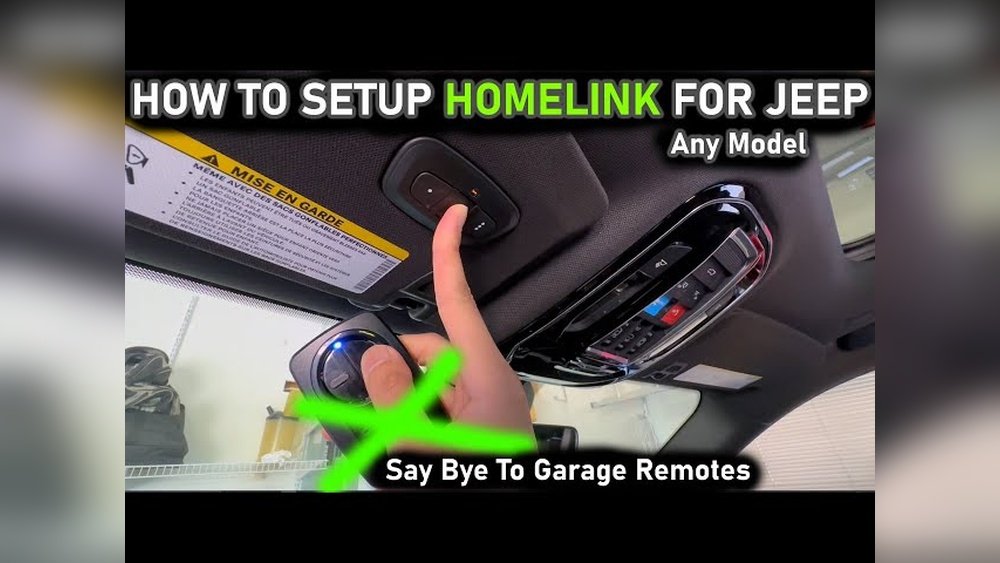
If you own a Jeep Cherokee, having your garage door opener programmed directly into your vehicle can make your daily routine smoother and more convenient. Imagine pulling into your garage and opening the door with just a push of a button inside your Jeep—no more fumbling for remote controls.
Programming your Jeep Cherokee’s garage door opener might seem tricky, but with the right steps, you can do it quickly and easily.
You’ll learn exactly how to sync your Jeep’s HomeLink system with your garage door opener, so you can enjoy seamless access every time you come home.
Ready to simplify your life? Let’s get started.
Prepare Your Jeep Cherokee
Programming your Jeep Cherokee’s garage door opener starts with proper preparation. Getting your vehicle ready ensures a smooth and quick setup.
Follow these steps to prepare your Jeep for programming the garage door opener.
Each step helps avoid errors and makes the process easier. Take your time to complete them carefully.
Turn Ignition On Without Starting
Begin by sitting in the driver’s seat. Insert your key into the ignition switch.
Turn the key to the “On” position. Do not start the engine.
The dashboard lights will turn on, but the engine stays off. This step powers the vehicle’s electronics.
It allows the garage door opener system to enter programming mode.
Clear Previous Programming
Clearing old codes is essential before programming new ones. Locate the garage door opener buttons on your rearview mirror or overhead console. Press and hold the two outer buttons for about 20 seconds. Watch for the indicator light to flash slowly, then rapidly. This signals that previous codes are erased. Releasing the buttons now resets the system. Your Jeep Cherokee is ready for fresh programming.
Locate Your Garage Door Remote
Before programming your Jeep Cherokee’s garage door opener, find your garage door remote first. This remote sends signals your car needs to learn.
Keep it nearby for easy access during programming.
Having the remote ready saves time. It helps to match the signals correctly. Without the remote, programming cannot start.
Pick one of the three HomeLink buttons inside your Jeep. Usually, they sit on the rearview mirror or overhead console.
Select the button you want to use for your garage door.
Choose a button you don’t use for other devices. This avoids confusion and ensures smooth operation.
Remember which button you programmed for future use.
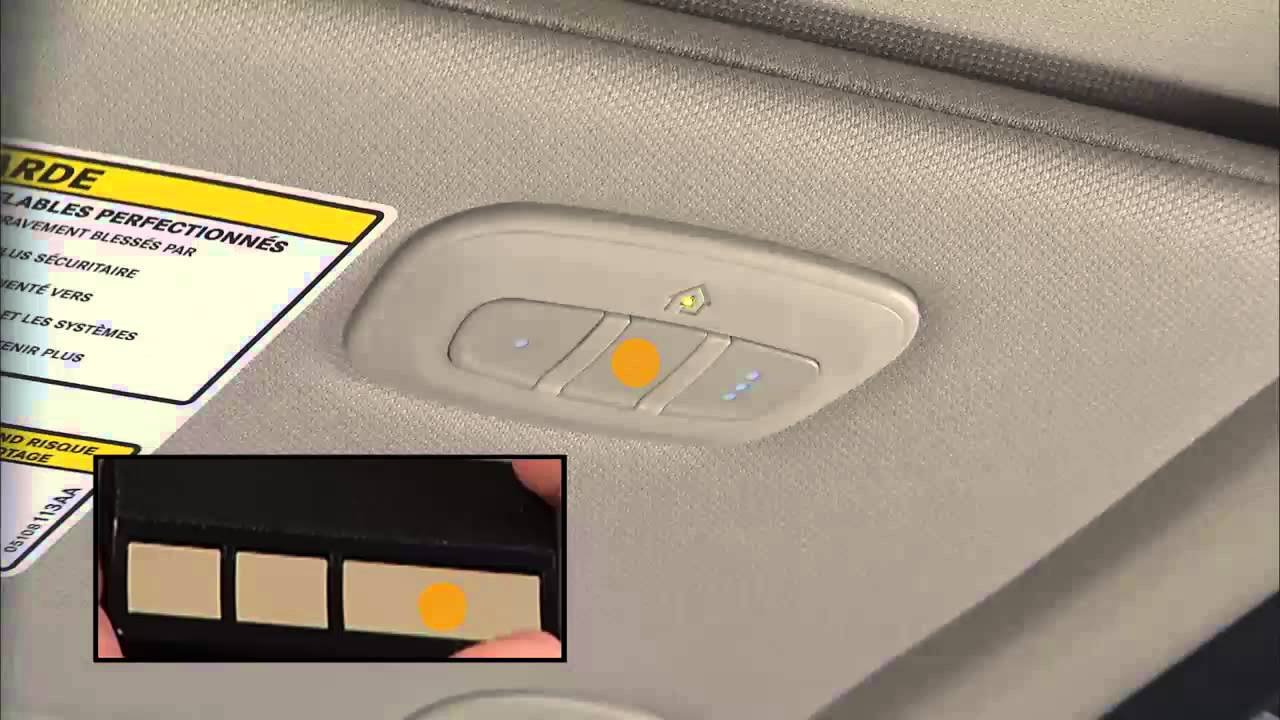
Hold the chosen HomeLink button and the garage door remote button at the same time. Keep them pressed until the HomeLink indicator light changes.
The light usually blinks slowly first, then faster.
This blinking means your Jeep is learning the remote’s code. Release both buttons when the light blinks rapidly.
The button is now programmed and ready to open your garage door.
Sync Homelink With Garage Door Motor
Syncing your Jeep Cherokee’s HomeLink system with the garage door motor is a key step. It allows your vehicle to open and close your garage door with ease.
This process connects the vehicle’s built-in buttons to your garage door’s motor. Follow simple steps to complete the connection quickly.
Locate the Learn or Train button on your garage door motor unit. This button is often on the back or side of the motor.
It may have a small light next to it that blinks when pressed. Pressing this button puts the motor in programming mode.
You usually have about 30 seconds to sync after pressing it.
Complete Syncing From Jeep
In your Jeep, press and hold the HomeLink button you want to program. While holding it, press the remote control button for your garage door.
Hold both buttons until the HomeLink indicator light flashes quickly. Return to the garage motor and press the Learn button once more if needed.
Test the HomeLink button in your Jeep to confirm the sync is complete.

Test Your Garage Door Opener
After programming your Jeep Cherokee’s garage door opener, testing is crucial. This step confirms that the programming worked correctly.
It ensures your garage door opens and closes smoothly using the HomeLink system. Testing also helps identify any issues early, saving time and frustration later.
Start by pressing the HomeLink button you programmed. Hold it for a few seconds.
Watch for the indicator light to flash. A rapid flash means the button is active and ready.
This shows the signal is sent to your garage door opener.
Verify Door Operation
Stand near your garage door while pressing the programmed HomeLink button. Check if the door begins to open or close.
The door should respond promptly without delay. If it does not move, repeat the programming steps.
Ensure your Jeep is in range of the garage motor.
Troubleshoot Common Issues
Troubleshooting is key when programming your Jeep Cherokee garage door opener. Small issues can stop the process.
Knowing how to fix common problems saves time and frustration.
Check the programming steps carefully. Sometimes a missed step causes failure.
Other times, the system itself needs a reset. Both situations have simple solutions.
When Programming Fails
Programming may fail if the remote battery is weak. Replace the battery and try again.
Signal interference can also block programming signals. Move the Jeep closer to the garage door opener.
Make sure you press the buttons firmly and hold them long enough. Some garage door openers need extra steps for syncing.
Refer to your garage door manual for any special instructions.
Resetting Homelink System
Resetting clears old codes and fixes glitches. Press and hold the two outer HomeLink buttons for 10 seconds.
Release when the indicator light begins to flash slowly.
This reset deletes previous settings. Afterward, start programming from the beginning. Resetting often resolves many programming problems quickly.
Tips For Different Jeep Models
Programming a garage door opener in your Jeep varies slightly depending on the model. Each Jeep has unique features that affect the setup process.
Knowing these differences helps you program the opener quickly and correctly. Follow these tips for different Jeep models to ensure smooth operation.
Grand Cherokee Programming Notes
The Jeep Grand Cherokee uses the HomeLink® system for garage door control. Start by clearing any previous codes stored in the system. Press and hold the two outer buttons on the HomeLink until the indicator light begins to flash slowly. This process resets the system.
Next, hold your garage door remote close to the HomeLink panel. Press and hold both the remote button and the chosen HomeLink button.
Watch for the indicator light to flash rapidly. This signals successful programming.
Finally, press the HomeLink button in your Grand Cherokee to activate the garage door. If it does not work immediately, repeat the programming steps.
Some models may require you to press the “learn” button on your garage door motor before syncing.
Wrangler And Other Models
Jeep Wrangler and other models may have a slightly different process. Many Wranglers use a built-in universal remote system similar to HomeLink. Begin by locating the garage door opener controls, usually near the rearview mirror or sun visor.
Clear existing codes by holding the two outer buttons until the light flashes. Hold your original remote near the Jeep’s receiver and press both buttons at once.
Wait for the indicator light to flash quickly, confirming programming.
Some Wrangler models require you to press the “learn” or “smart” button on the garage door opener motor. Then, return to your Jeep and press the programmed button to complete the sync.
Test the system to confirm the garage door opens and closes properly.
Additional Resources
Finding the right information can make programming your Jeep Cherokee’s garage door opener easier. Additional resources offer clear instructions and support.
These tools help you understand the process step-by-step. They also provide extra tips for common issues.
Homelink Jeep Guide
The official HomeLink Jeep guide provides detailed instructions. It explains how to clear old codes and program new ones.
This guide covers many Jeep models, including the Cherokee. It ensures you follow the correct steps for your vehicle.
You can download the guide from the HomeLink website or your Jeep’s owner manual. It’s a trusted source for accurate information.
Useful Video Tutorials
Video tutorials show the programming process visually. They help you see each step clearly.
Many Jeep owners share easy-to-follow videos online. These tutorials often include tips to avoid common mistakes.
Watching videos can boost your confidence before programming. Search for videos by trusted channels for the best results.

Frequently Asked Questions
How Do I Connect My Jeep Garage Door Opener To My Car?
Turn your Jeep’s ignition ON without starting the engine. Hold your garage remote and Jeep’s HomeLink button together until the indicator flashes rapidly.
Press the “Learn” button on your garage motor, then press the HomeLink button in your Jeep twice to complete syncing.
How To Connect A Jeep To A Car Garage?
Turn your Jeep’s ignition ON without starting the engine. Hold your garage remote and Jeep’s HomeLink button together until the light flashes rapidly.
Press your garage motor’s “Learn” button, then press the HomeLink button in your Jeep twice to complete the sync.
Yes, the 2020 Jeep Grand Cherokee features built-in HomeLink buttons to program your garage door opener easily.
How Do I Sync My Garage Door Opener To My Vehicle?
Turn your vehicle ignition ON without starting. Hold your garage remote and vehicle’s HomeLink button together until the indicator flashes rapidly.
Press the garage motor’s “Learn” button, then press your vehicle’s programmed HomeLink button twice to sync. Check your vehicle’s guide for detailed steps.
Conclusion
Programming your Jeep Cherokee garage door opener is simple and quick. Follow each step carefully for best results.
Test the opener to confirm it works properly. Keep your remote handy for future reprogramming needs.
Enjoy the convenience of easy garage access every day.



















