Pairing your phone with a Jeep Wrangler unlocks a world of hands-free calling, music streaming, and convenient navigation. Many drivers miss out on these features simply because the setup process seems confusing. But once you know the right steps and common mistakes, connecting your phone is quick and smooth. Whether your Wrangler is brand new or a few years old, this guide will show you exactly how to pair your device, troubleshoot common problems, and make the most of your Jeep’s tech.
Understanding Jeep Wrangler’s Bluetooth System
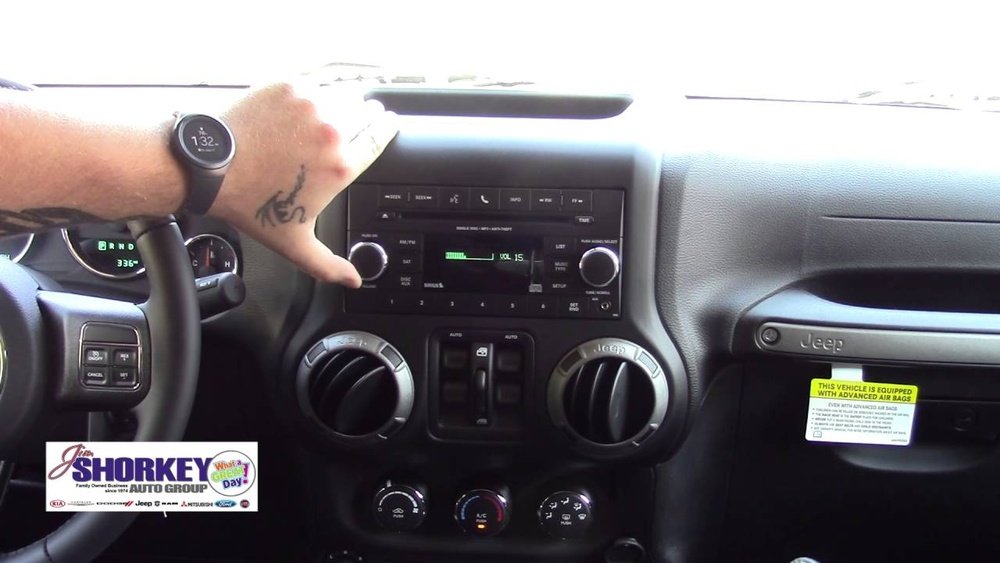
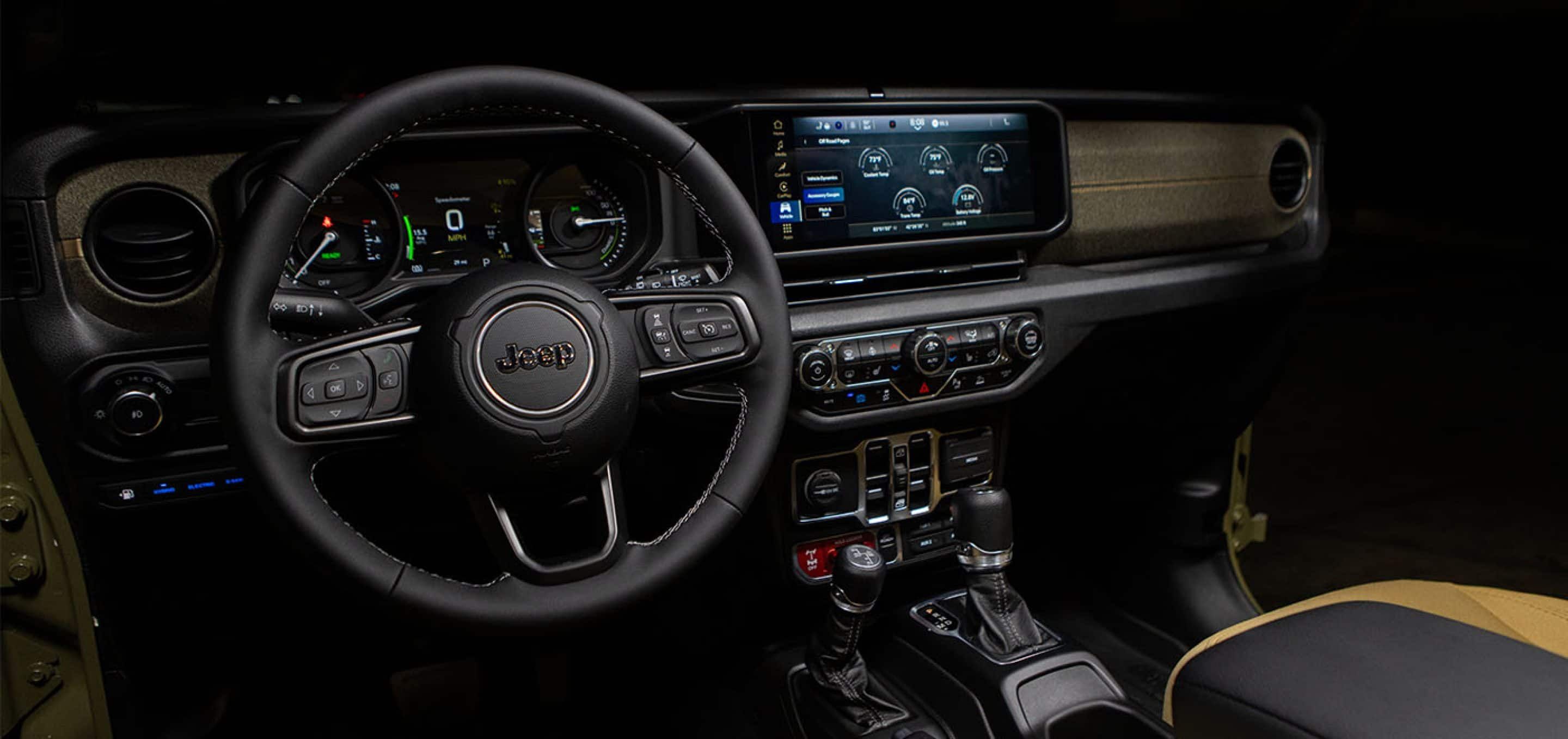
Most Jeep Wranglers from 2012 onward come with the Uconnect system. This infotainment unit offers Bluetooth pairing for calls and audio. Newer models (like the JL series from 2018) have advanced touchscreens and extra options, while older JK models use simpler controls.
Here’s a quick comparison of typical Bluetooth features:
| Model Year | Bluetooth Calling | Audio Streaming | Touchscreen |
|---|---|---|---|
| 2012–2017 (JK) | Yes | Limited | No |
| 2018–2023 (JL) | Yes | Yes | Yes |
If your Wrangler is older than 2012, Bluetooth might not be available. Always check your owner’s manual or look for the Uconnect logo on your dash.
Step-by-step: Pairing Your Phone With Jeep Wrangler
Pairing your phone takes only a few minutes. Here’s how to do it for most models with Uconnect:
- Start your Jeep and keep it in park for safety.
- Make sure Bluetooth is enabled on your phone.
- On your Wrangler’s touchscreen, tap “Phone,” then “Add Device” or “Pair New Device.”
- Your Jeep’s screen will show a Bluetooth name (usually “Uconnect” or “Wrangler”) and a PIN.
- On your phone, go to Bluetooth settings. Select the Jeep Bluetooth name from the list.
- Enter the PIN displayed on the Jeep’s screen, if prompted.
- Confirm pairing on both the phone and Jeep screen.
After pairing, the Jeep may ask for permissions to access contacts or messages. Grant these to enable hands-free features.
Example: Pairing With Iphone
- On iPhone, go to Settings > Bluetooth.
- Tap “Uconnect” when it appears.
- Enter the PIN shown on your Jeep’s screen.
Example: Pairing With Android
- On Android, open Settings > Connected Devices > Bluetooth.
- Select “Wrangler” or “Uconnect.”
- Enter the PIN if needed.
Common Issues And Solutions
Pairing isn’t always perfect. Here are problems drivers face and how to fix them:
| Issue | Possible Cause | Quick Solution |
|---|---|---|
| Jeep not showing in phone list | Bluetooth not enabled in Jeep | Restart Uconnect, ensure Bluetooth is on |
| Cannot enter PIN | Phone not prompting for PIN | Forget device, try pairing again |
| No sound during calls | Audio not routed to Jeep | Check audio settings, switch output |
| Frequent disconnections | Software updates needed | Update phone and Jeep firmware |
Tip: Always delete old paired devices before connecting a new phone. Too many connections can confuse the system.
Making The Most Of Uconnect Features
After pairing, you can use several helpful features:
- Hands-free calling: Use steering wheel buttons or voice commands.
- Audio streaming: Play music apps like Spotify or Pandora.
- Text messaging: Some models support reading texts aloud.
- Navigation integration: Use phone GPS apps with car speakers.
Here’s how Wrangler’s Bluetooth compares to other brands:
| Feature | Jeep Wrangler | Ford Bronco | Toyota 4Runner |
|---|---|---|---|
| Voice Commands | Yes | Yes | Limited |
| Music Streaming | Yes | Yes | Yes |
| Text Messaging | Some models | Yes | No |
Insight: Many drivers don’t realize you can sync multiple phones, but only one will be “active” for calls and audio at a time.

Advanced Tips For Smooth Pairing
- Update your phone’s OS before pairing. New versions fix bugs and improve connection.
- If the Uconnect system freezes, hold the power button for 10 seconds to reboot.
- Remove old devices regularly to prevent memory overload.
- For privacy, disable contacts sharing if you don’t want your phonebook uploaded.
- The pairing limit is usually eight devices; check your manual for exact numbers.
Some users skip the step of granting permissions, which means voice calling won’t work fully. Always allow access when prompted.
Safety And Privacy Considerations
Bluetooth improves safety by reducing distractions. According to the National Highway Traffic Safety Administration, hands-free systems can lower accident risk by up to 27%. However, sharing contacts and messages means your data is stored in the car’s memory.
Tip: Before selling or trading your Jeep, delete all paired devices and personal data.
Frequently Asked Questions
How Many Phones Can I Pair With My Jeep Wrangler?
You can usually store up to eight phones in the Uconnect system, but only one can be connected for calls and audio at a time.
Does Bluetooth Work If The Jeep Is Off?
No, Bluetooth only works when the ignition is on or in accessory mode.
Why Does My Phone Disconnect Randomly?
Random disconnections are often caused by software updates or interference. Update your phone and Uconnect system, and keep your phone close to the dash.
Can I Pair My Phone Without A Touchscreen?
Yes, older Wranglers use buttons and voice prompts for pairing. Follow instructions on the radio display and use steering wheel controls.
Is There A Way To Improve Call Quality?
To boost call quality, keep background noise low, use a newer phone, and update Uconnect software. Some models have better microphones than others.
Pairing your phone with your Jeep Wrangler is easy once you know the steps. With Bluetooth, you enjoy safer driving and more entertainment. Explore your Uconnect features, stay updated, and enjoy the ride. For official manuals and troubleshooting, visit Jeep Uconnect Official Site.



















