Pairing your phone with your Jeep Grand Cherokee can change the way you drive. It lets you make hands-free calls, stream music, and use navigation, all while keeping your eyes on the road.
Many drivers find the first pairing a bit confusing, but the process is easier than it looks.
With a few steps, you can connect your smartphone and enjoy all the benefits of the Jeep’s Uconnect system.
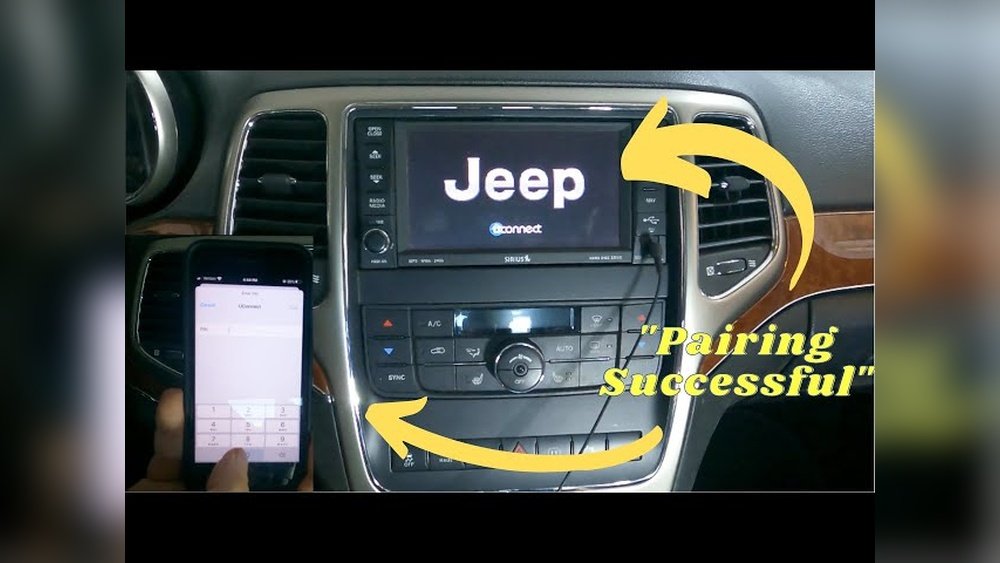
This guide will show you how to pair your phone with your Jeep Grand Cherokee, what to do when things go wrong, and some tips to get the most out of your connection.
Whether you have an older model or the latest Grand Cherokee, these steps will help you get set up quickly.
Understanding Jeep Grand Cherokee’s Uconnect System
The Jeep Grand Cherokee uses the Uconnect infotainment system. This system links your phone to your vehicle through Bluetooth. The interface may look different depending on your model year, but the pairing steps are similar.
Uconnect features include:
- Bluetooth hands-free calling
- Audio streaming from apps like Spotify or Apple Music
- Text messaging support (read and reply by voice)
- Navigation integration for compatible phones
Some 2021 and newer models also support Apple CarPlay and Android Auto. These require a USB cable for full functionality but Bluetooth pairing is still needed for calls and basic media.
Step-by-step: How To Pair Your Phone
Follow these steps to connect your smartphone:
- Start your vehicle and keep it in Park.
- On your phone, enable Bluetooth in settings.
- On the Uconnect touchscreen, press the Phone or Media button.
- Choose Add Device or Pair New Device.
- Uconnect will display a PIN code.
- On your phone, select “Uconnect” from the Bluetooth device list.
- When prompted, confirm the PIN matches on both screens.
- Accept pairing and permissions on your phone.
After A Few Seconds, The System Should Say “pairing Successful.”
Example: Pairing An Iphone
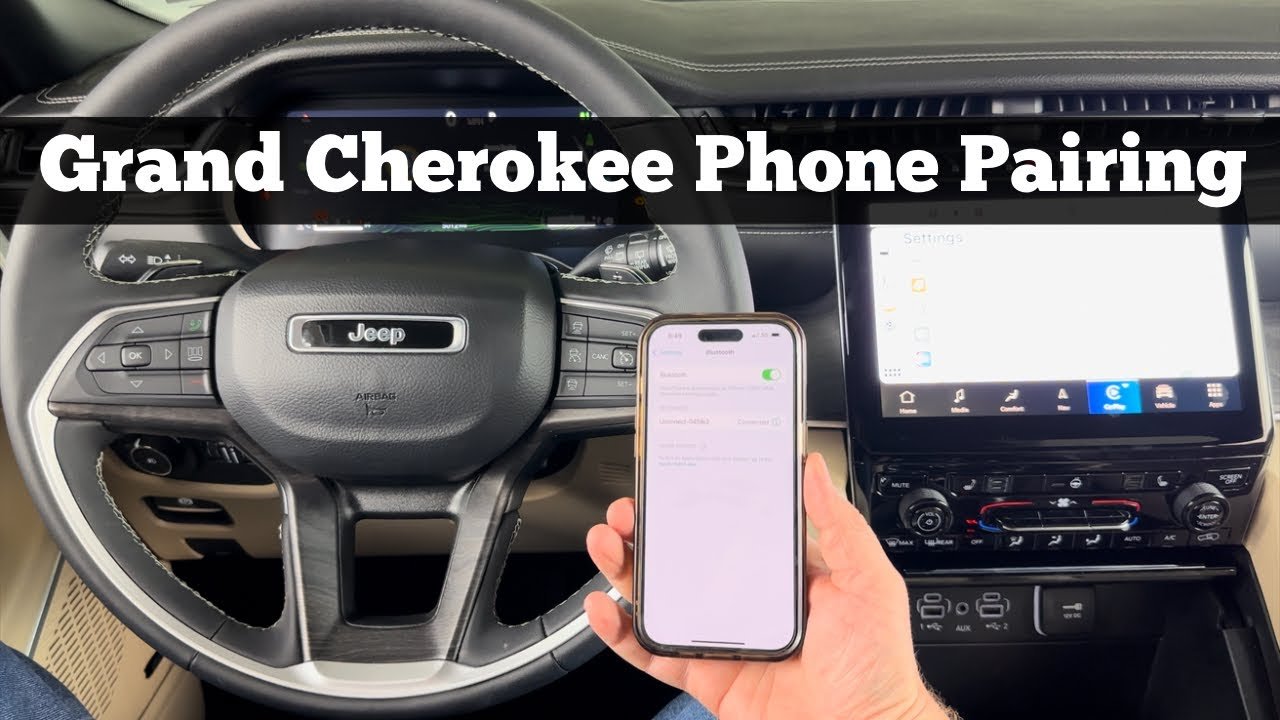
- Go to Settings > Bluetooth on your iPhone.
- Tap “Uconnect” when it appears under “Other Devices.”
- Confirm the code and tap Pair.
- Allow contacts and favorites sync for hands-free calling.
Example: Pairing An Android Phone
- Open Settings > Connected devices > Pair new device.
- Choose “Uconnect.”
- Confirm the pairing code.
- Allow contact and message access if prompted.
Common Pairing Issues And Solutions
Sometimes, pairing does not work right away. Here’s how to handle common problems.
Problem: Uconnect Not Finding Phone
- Restart Bluetooth on your phone.
- Make sure your phone is visible (not hidden).
- Reboot your Uconnect system by turning the car off and on.
Problem: Phone Not Connecting Automatically
- Go to your phone’s Bluetooth settings.
- Find “Uconnect” and select Connect.
- Forgets and re-pair if the connection still fails.
Problem: Audio Not Playing
- Check Media Source on Uconnect (set it to Bluetooth).
- Make sure your phone’s volume is up.
- On Android, check if “Media Audio” is enabled for Uconnect in Bluetooth settings.
When You Need To Delete And Re-pair
If the pairing is stuck or glitchy, remove the pairing from both the Uconnect system and your phone’s Bluetooth list. Then, repeat the pairing steps.
Bluetooth Features By Model Year
Not all Grand Cherokees have the same Bluetooth options. Here’s a quick comparison for reference:
| Model Year | Bluetooth Calls | Audio Streaming | Apple CarPlay/Android Auto |
|---|---|---|---|
| 2014-2016 | Yes | Limited | No |
| 2017-2020 | Yes | Yes | Optional |
| 2021-2023 | Yes | Yes | Yes |
If your model is before 2014, it may not support Bluetooth at all, or only for calls.
Tips For A Smooth Connection
- Update your phone’s software and Uconnect system. Outdated software can cause pairing failures.
- Limit paired devices. Uconnect can remember several phones, but having too many can confuse the system.
- Set your main device as favorite. This helps Uconnect connect to the right phone when there are multiple devices.
- Do not pair while driving. Always set up Bluetooth in Park for safety.
- Bring a USB cable. Sometimes, if Bluetooth fails, you can use wired Apple CarPlay or Android Auto as backup.
Table: Maximum Supported Devices
| Uconnect Version | Max Paired Phones | Simultaneous Connections |
|---|---|---|
| Uconnect 4 | 8 | 2 (1 phone, 1 audio) |
| Uconnect 5 | 10 | 2 (1 phone, 1 audio) |
Non-obvious Insights Most Miss
Many owners miss these details:
- Contact Syncing: Without allowing contacts to sync, you cannot use voice dialing or see names when calls come in. Always accept the sync prompt.
- Do Not Disturb Mode: If your phone is in Do Not Disturb, notifications and calls may not come through Uconnect. Check your phone’s mode if calls are not working.
- App Permissions: On Android, you might need to give Uconnect extra permissions in Bluetooth settings (Calls, Audio, Messages).
- Phone Updates: After updating your phone’s OS, you may need to re-pair it if issues appear.
Keeping Your Data Safe
When selling or trading in your Jeep, always delete your phone from the Uconnect system. This prevents your contacts and call history from being accessed by the next owner.
- On Uconnect, go to Phone > Settings > Paired Devices > Remove.
- Delete “Uconnect” from your phone’s Bluetooth device list.
When To Seek Professional Help
If you still have issues after several tries, visit your local Jeep dealer. Sometimes, the Uconnect firmware needs updating, or there may be a hardware issue. Regular software updates can solve many Bluetooth bugs.
You can check for recalls or software updates on the official Jeep Owner’s Site.
Frequently Asked Questions
How Many Phones Can I Pair With Uconnect?
Most Uconnect systems let you pair up to 8-10 phones, but only one can be connected for calls at a time. You can switch between paired devices in the settings.
Does Jeep Grand Cherokee Support Apple Carplay And Android Auto?
Yes, most 2021 and newer Grand Cherokees support both Apple CarPlay and Android Auto. Older models may not have this feature or might require a software update.
Why Won’t My Phone Connect After Pairing?
Check if Bluetooth is still on. If you recently updated your phone, try deleting the pairing and setting it up again.
Sometimes, too many paired devices can also cause issues.
Can I Play Music From My Phone Over Bluetooth?
Yes. Once your phone is paired, select Bluetooth Audio as the media source. If you hear nothing, check your phone’s volume and that the audio is playing through “Uconnect.”
Is It Safe To Pair My Phone While Driving?
No. Always pair your device while your Jeep is parked.
Pairing while driving can distract you and is not recommended for safety reasons.
Pairing your phone with your Jeep Grand Cherokee is a simple process that unlocks many features. With these steps and tips, you’ll be ready to drive safer and stay connected on the road.
If you face any trouble, don’t hesitate to check for updates or visit your dealer for help.


















