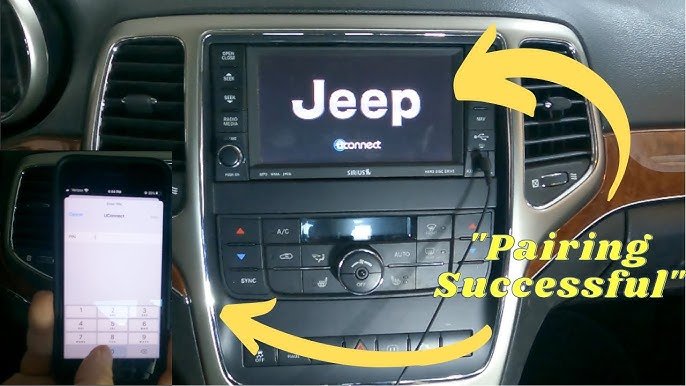
Pairing your phone to a Jeep Cherokee can transform your driving experience. You’ll get hands-free calling, audio streaming, and navigation right through your car’s infotainment system.
But many drivers feel confused when trying to connect their devices for the first time. This guide will walk you through every step, clear up common mistakes, and help you enjoy all the features your Cherokee offers.
Understanding Jeep Cherokee Connectivity
The Jeep Cherokee uses the Uconnect system to connect smartphones via Bluetooth. Uconnect is available in most models from 2014 onward. Before you start, check your vehicle’s year and trim level. Some older Cherokees may have limited Bluetooth or only support phone calls, not music streaming.
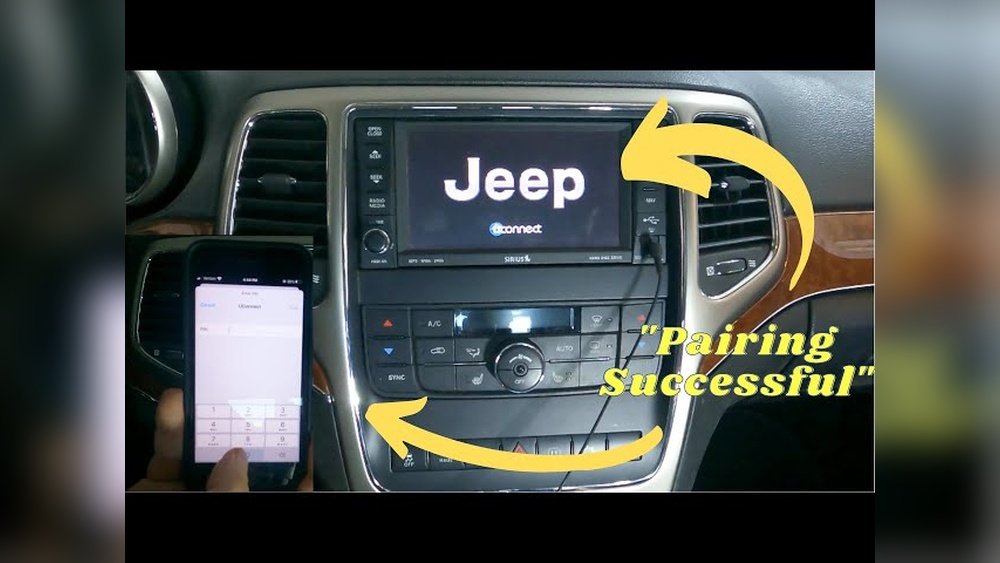
Here’s a quick comparison of Uconnect features across Cherokee models:
| Model Year | Bluetooth Calls | Music Streaming | Apple CarPlay/Android Auto |
|---|---|---|---|
| 2014-2016 | Yes | Limited | No |
| 2017-2018 | Yes | Yes | No |
| 2019+ | Yes | Yes | Yes |
Knowing your model helps you understand which features you can use after pairing.
Step-by-step Guide: Pairing Your Phone
Follow these steps to connect your smartphone to the Jeep Cherokee’s Uconnect system:
- Turn on your Cherokee and ensure your phone’s Bluetooth is enabled.
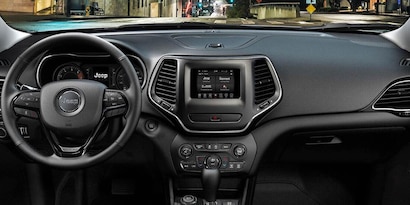
- On the Uconnect touchscreen, tap “Phone.” If this is your first pairing, you’ll see a prompt to add a device.
- Tap “Add Device.” Your Cherokee will begin searching for available Bluetooth devices.
- On your phone, go to Bluetooth settings and look for “Uconnect” in the available devices list.
- Select “Uconnect.” Your phone may ask for a PIN code. The Uconnect screen will display a code; confirm it matches the code shown on your phone.
- Tap “Pair” or “Connect” on your phone and confirm on the Uconnect screen.
Within seconds, your phone should be paired. Your contacts and call history may sync automatically, depending on your phone’s permissions.
Troubleshooting Common Issues
Sometimes pairing doesn’t work as smoothly. Here are two common challenges:
- Device not found: Restart both your phone and Uconnect. Make sure your phone is visible to other devices.
- Pairing failed: Delete old pairings from both the phone and Uconnect, then try again.
Many drivers overlook the importance of clearing old connections. If your Cherokee has reached its maximum number of paired devices (usually five), you must remove one before adding a new phone.
What Can You Do After Pairing?
Pairing isn’t just about phone calls. You unlock several features:
- Hands-free calling: Make and receive calls without touching your phone.
- Text messaging: Some phones can read texts aloud via Uconnect.
- Music streaming: Play songs from your favorite apps (Spotify, Apple Music).
- Navigation: If your Cherokee supports Apple CarPlay or Android Auto, you can use Google Maps or Apple Maps on the touchscreen.
Here’s a comparison of music streaming apps and their compatibility:
| App | Bluetooth Audio | CarPlay/Android Auto |
|---|---|---|
| Spotify | Yes | Yes |
| Pandora | Yes | Yes |
| Apple Music | Yes | Yes |
| YouTube Music | Yes | Yes |
Many users don’t realize they can control these apps from their steering wheel buttons once paired.
Tips For A Smooth Pairing Experience
Pairing your phone should be simple, but a few tips can make it even easier:
- Update your phone and Uconnect software regularly. Manufacturers release updates to fix bugs and improve compatibility.
- Keep your phone’s Bluetooth visibility set to “On” while pairing.
- Remove unused paired devices from Uconnect if you’re having trouble connecting.
- For Apple CarPlay or Android Auto, use a high-quality USB cable. Cheap cables can cause connection failures.
- If you switch phones often, clear previous pairings to avoid confusion.
One non-obvious tip: after pairing, set your phone as the “Favorite” device in Uconnect. This ensures your Cherokee connects to it automatically every time you start the car.
Security And Privacy Considerations
Pairing your phone shares information like contacts, call history, and sometimes text messages with your Cherokee. To protect your privacy:
- Only pair trusted devices.
- After selling or trading your Cherokee, delete all paired phones and clear personal data from Uconnect.
- If you lend your car, check which devices are connected and remove any that aren’t yours.
Many drivers forget to remove personal data before selling their vehicle. This can expose sensitive information to the next owner.
Frequently Asked Questions
How Many Phones Can I Pair To My Jeep Cherokee?
You can pair up to five devices with most Uconnect systems. Only one device can be active at a time for calls and media. If you reach the limit, delete an old device before adding a new one.
Does Pairing My Phone Work For All Cherokee Models?
Most Cherokees from 2014 onward support Bluetooth pairing. Older models may only support phone calls, not music streaming.
Always check your owner’s manual for your specific trim.
Can I Use Apple Carplay Or Android Auto Wirelessly?
Wireless CarPlay and Android Auto are available on some newer Cherokee models (2019+). For others, you need to connect your phone with a USB cable. Using a quality cable reduces connection issues.
What Should I Do If My Phone Won’t Pair?
First, restart your phone and the Uconnect system. Delete old pairings, make sure Bluetooth is on, and try again.
If problems continue, check for software updates or consult your dealer.
Is My Data Safe When Paired To Uconnect?
Your data is only accessible when your phone is connected. To protect your privacy, remove your device and clear data before selling or trading your Cherokee. For more details, visit the official Jeep Uconnect website.
Pairing your phone to a Jeep Cherokee opens up a world of convenience and safety. By following these steps and tips, you’ll enjoy hands-free driving, better entertainment, and smarter navigation.
With regular software updates and careful management of paired devices, you’ll keep your experience smooth and your data secure.
If you ever run into trouble, remember that small details like clearing old pairings often make the difference.