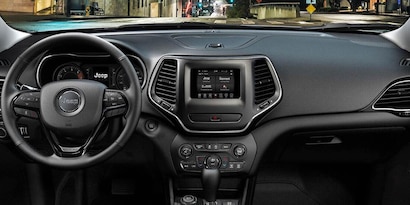
Connecting your phone to your Jeep can make your drives easier and safer. You can play music, use navigation, and answer calls without touching your phone.
Many Jeep models support both Bluetooth and USB connections, and some offer Apple CarPlay or Android Auto. If you’re unsure where to start, you’re not alone.
Many drivers struggle with pairing their devices, understanding settings, or fixing common errors. This guide will show you how to connect your phone to your Jeep step by step, and help you avoid mistakes that waste time.
Getting Ready: Check Your Jeep And Phone
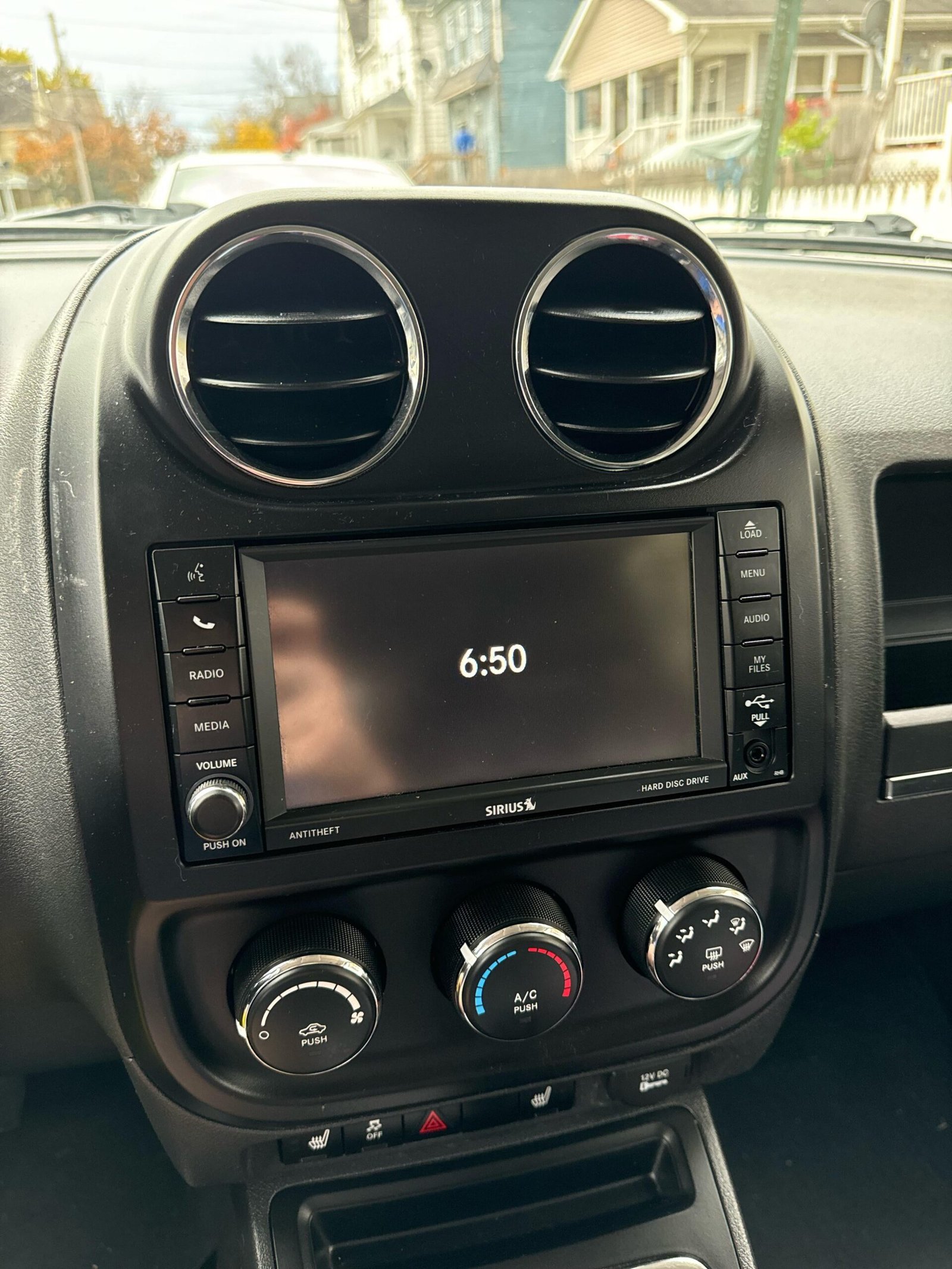
Before connecting, check the technology in your Jeep. Most Jeeps from 2015 onward come with a Uconnect system. Older Jeeps may have basic Bluetooth or only a USB port. Find out which system your Jeep has, and make sure your phone’s software is updated.
| Jeep Model Year | Bluetooth | Apple CarPlay/Android Auto | USB Audio |
|---|---|---|---|
| 2012-2014 | Yes (Basic) | No | Yes |
| 2015-2017 | Yes (Uconnect) | No | Yes |
| 2018-2024 | Yes (Advanced) | Yes | Yes |
Your phone should have at least Bluetooth 4.0 for stable connection. For CarPlay or Android Auto, use an iPhone with iOS 12 or higher, or Android 8.0 or higher.
Step-by-step: Connecting Via Bluetooth
Bluetooth is the most common way to connect. Follow these steps:
- Turn on Bluetooth on your phone.
- Start your Jeep and turn on the Uconnect system.
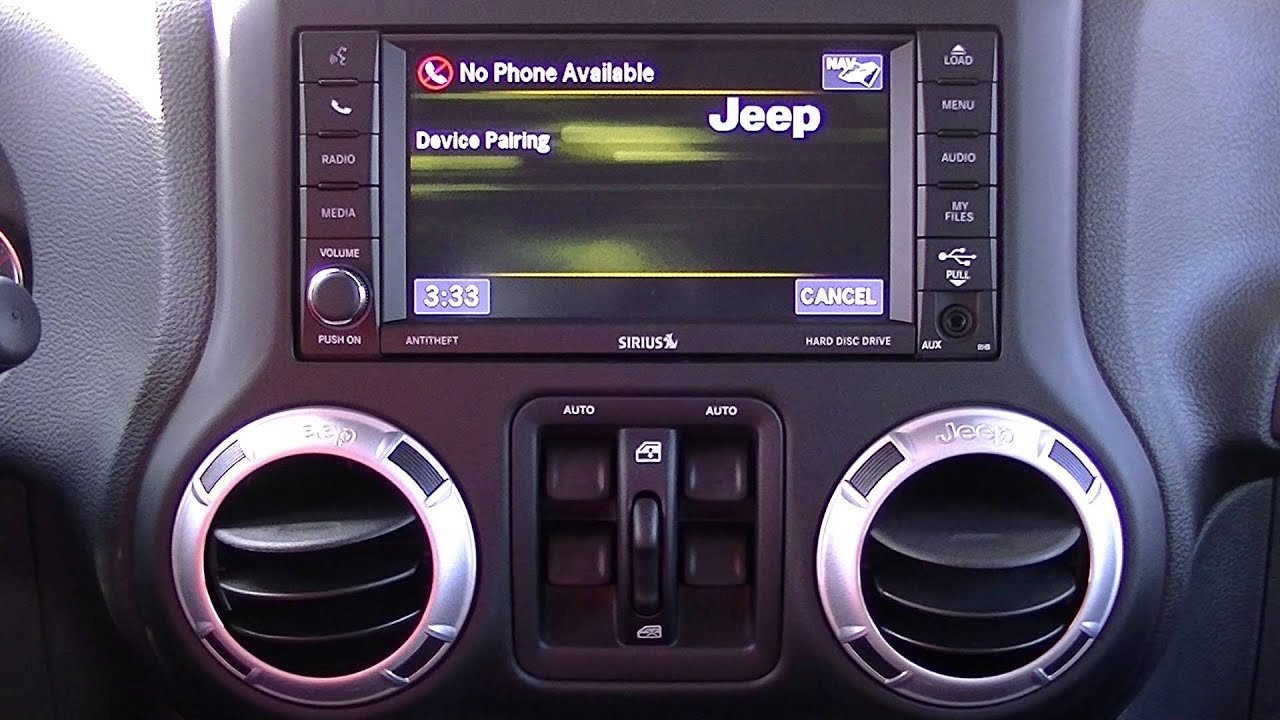
- Press the Phone button on your Jeep’s screen or dashboard.
- Select Add Device or Pair New Device.
- Your Jeep will show a name, like “Uconnect” or “MyJeep”. On your phone, choose this name under available devices.
- Confirm the pairing code shown on your Jeep and phone.
- Accept pairing. You may need to allow contacts and messages.
Most connections complete in under a minute. If your phone doesn’t connect, restart both devices and try again.
Common Bluetooth Problems And Solutions
Many users face problems like failed pairing or dropped connections. Here’s a quick comparison of issues and fixes:
| Problem | Likely Cause | Quick Fix |
|---|---|---|
| Can’t Find Jeep | Bluetooth off or Jeep not discoverable | Turn Bluetooth on both devices, restart Jeep |
| Pairing Failed | Wrong code, interference | Retry pairing, move away from other devices |
| Connection Drops | Low battery or old software | Charge phone, update software |
Using Usb For Apple Carplay Or Android Auto
If your Jeep is from 2018 or newer, you can use Apple CarPlay or Android Auto. These systems let you see your phone apps on the Jeep screen.
Follow these steps:
- Plug your phone into the Jeep’s USB port with a quality cable.
- The Jeep screen will ask if you want to start CarPlay or Android Auto. Tap Yes.
- Follow instructions on your phone. You may need to unlock your phone or accept terms.
- Your apps will appear on the Jeep’s screen. Now you can use maps, music, or calls.
Not all USB cables work. Use the original cable or a certified one. Cheap cables can cause connection errors.
Carplay Vs Android Auto: Quick Comparison
Here’s how they compare for Jeep drivers:
| Feature | Apple CarPlay | Android Auto |
|---|---|---|
| Navigation | Apple Maps, Google Maps | Google Maps, Waze |
| Music | Apple Music, Spotify | Spotify, YouTube Music |
| Voice Control | Siri | Google Assistant |
| App Support | Limited | Wide |
Tips For A Smooth Connection
Connecting is easy, but many people miss these helpful tricks:
- Delete old devices from your Jeep’s system. Too many paired devices can cause confusion.
- Keep your phone’s software and Jeep’s Uconnect updated. Updates fix bugs and add features.
- For faster pairing, turn off Wi-Fi and Bluetooth on other nearby devices.
- If you use CarPlay or Android Auto often, set your phone as the primary device in Uconnect settings.
Some users don’t realize that voice commands work better with a wired connection. Also, Uconnect can handle up to seven phones, but only one active at a time.
Safety And Privacy When Connected
When your phone is connected, your Jeep can access contacts, messages, and location. Make sure to protect your privacy:
- Only pair with trusted vehicles.
- If you sell your Jeep, remove your phone from the system.
- Avoid sending sensitive messages through the Jeep screen.
According to a 2023 AAA study, using hands-free systems reduces distracted driving by up to 40%. Still, always keep your eyes on the road.
Frequently Asked Questions
How Do I Know If My Jeep Supports Carplay Or Android Auto?
Check your Jeep’s model year and Uconnect version. Jeeps from 2018 onward usually support CarPlay and Android Auto.
You can find details on the official Jeep website or in your owner’s manual.
Can I Connect More Than One Phone To My Jeep?
Yes, you can pair up to seven phones, but only one can be active at a time. Switch between devices in the Uconnect settings.
Why Is My Phone Not Connecting To The Jeep?
Common reasons include old software, poor Bluetooth signal, or too many paired devices. Update your phone and Jeep system, and delete unused devices.
Do I Need A Special Cable For Carplay Or Android Auto?
Yes, use the original cable that came with your phone or a certified replacement. Cheap or damaged cables may cause connection problems.
Is It Safe To Use My Phone Through The Jeep’s System While Driving?
Using the Jeep’s system is safer than handling your phone directly. Use voice commands and keep your focus on driving. For more safety tips, see AAA Automotive.
Connecting your phone to your Jeep helps you enjoy music, navigation, and hands-free calls. With the right steps and tools, you’ll drive safer and smarter.
Take a few minutes to set up your connection, and soon your Jeep will feel like a true smart vehicle.