Connecting your phone to your Jeep is more than just a convenience it's about safety, entertainment, and getting the most from your vehicle’s features.
Whether you want to play music, use navigation, or make hands-free calls, having your phone synced with your Jeep can make every drive smoother.
Many Jeep owners find this step confusing, but with the right guidance, you can get connected in just a few minutes. Let’s explore the methods, common issues, and smart tips to make your Jeep and phone work together.
Understanding Jeep Connectivity Options
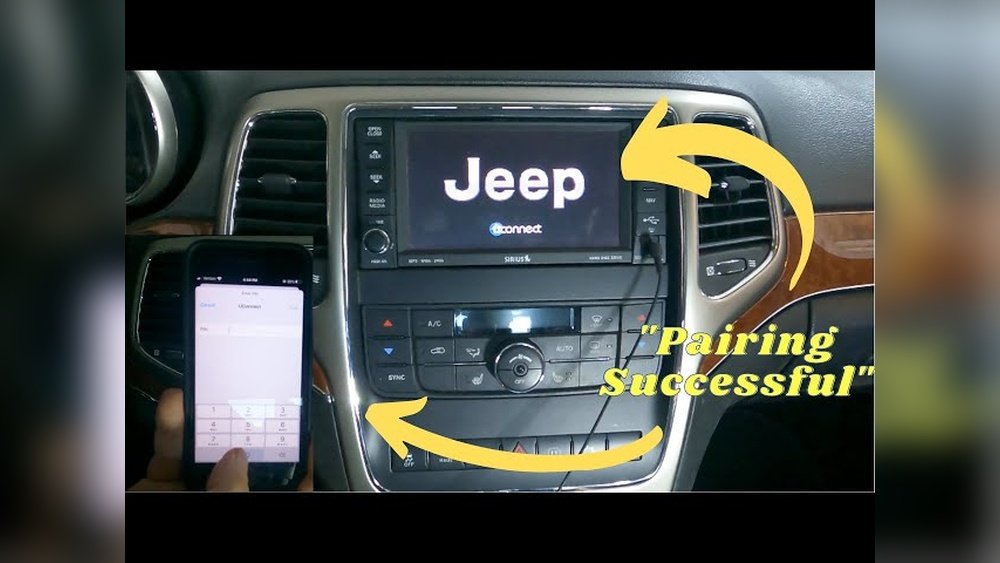
Jeep vehicles offer several ways to connect your phone. The most common are Bluetooth, USB cable, and Apple CarPlay/Android Auto. The method you use depends on your Jeep model and your phone type.
| Connection Type | Supported Features | Jeep Models |
|---|---|---|
| Bluetooth | Calls, Music, Messaging | Most models since 2014 |
| USB Cable | Music, Charging, CarPlay/Android Auto | All models with USB ports |
| Apple CarPlay/Android Auto | Navigation, Apps, Voice Commands | 2017+ with Uconnect |
Most new Jeeps come with the Uconnect system, which supports multiple connection types. Older models may only offer basic Bluetooth.
Step-by-step: Connecting Via Bluetooth
Bluetooth is the easiest and most popular way to link your phone to your Jeep. Here’s how to do it:
- Make sure your Jeep is in park and the engine is running.
- Activate Bluetooth on your phone.
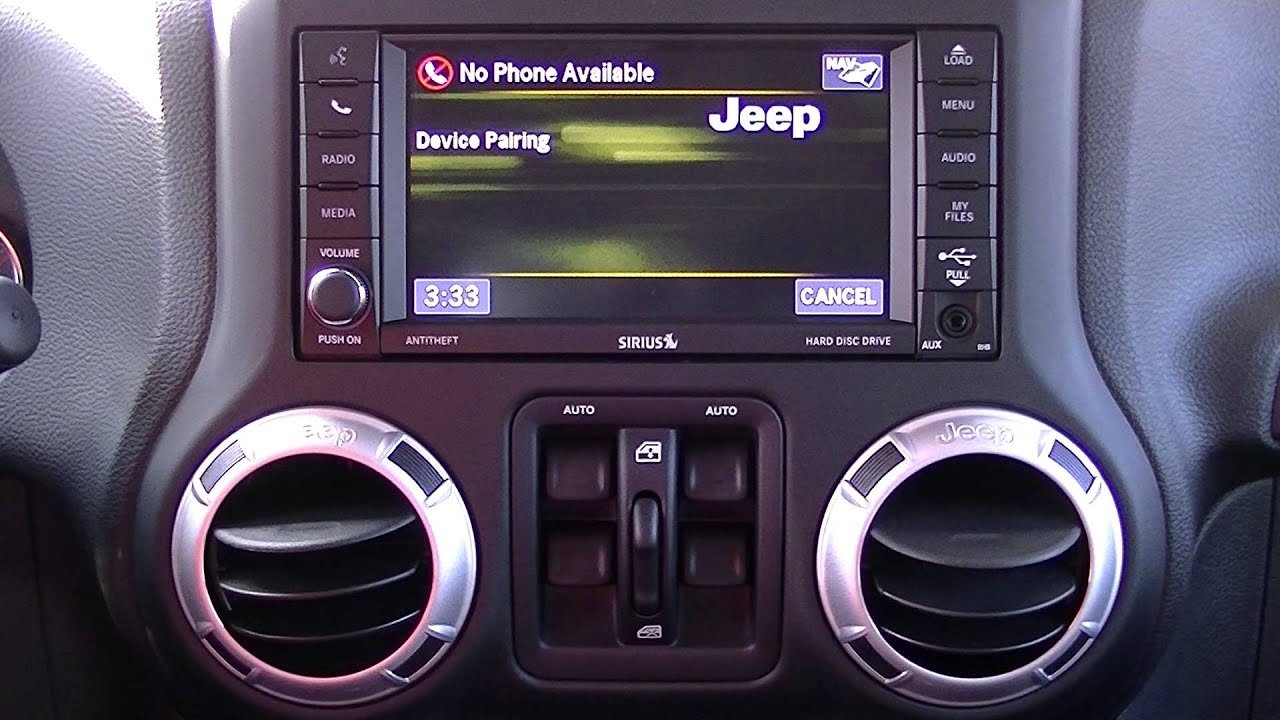
- On your Jeep’s touchscreen, select “Phone” or the Bluetooth symbol.
- Tap “Pair Device” or “Add New Device.”
- Your Jeep will search for devices. Choose your phone from the list.
- A pairing code will appear. Confirm the code matches on both your phone and Jeep screen.
- Approve any permissions for contacts or messages.
Once paired, your phone will connect automatically next time you enter your Jeep. If you have trouble, restart your phone and try again.
Many drivers forget to turn on Bluetooth or ignore the pairing code, which causes issues.
Connecting Using Usb Cable
Some features require a wired connection. This is true for Apple CarPlay and Android Auto, which offer more advanced integration.
| Feature | Bluetooth | USB Cable |
|---|---|---|
| Music Streaming | Yes | Yes |
| Navigation Apps | No | Yes |
| Voice Assistant | Limited | Full (CarPlay/Android Auto) |
| Phone Charging | No | Yes |
To connect:
- Plug your phone into the Jeep’s USB port using a quality cable.
- On your Jeep’s screen, select “CarPlay” or “Android Auto.”
- Approve any prompts on your phone.
- Your phone’s apps will appear on the Jeep display.
This method is especially useful for long drives because it charges your phone and enables advanced navigation like Google Maps.
Apple Carplay And Android Auto
If your Jeep supports Apple CarPlay or Android Auto, you can access apps, maps, and voice commands directly from the dashboard.
Apple Carplay Setup
- Use an official Apple cable for best results.
- Plug in your iPhone and follow on-screen prompts.
- Siri voice commands allow hands-free control.
Android Auto Setup
- Download the Android Auto app if not pre-installed.
- Connect your phone via USB.
- Grant permissions for contacts, messages, and location.
Many drivers don’t realize that CarPlay and Android Auto require a wired connection in most Jeep models. Wireless versions are rare and only found in latest models.
Troubleshooting Connection Problems
Sometimes, connecting your phone to your Jeep doesn’t work as expected. Here are some common problems and solutions:
- Bluetooth won’t pair: Delete old devices from Jeep memory and restart both phone and Jeep.
- CarPlay/Android Auto not showing up: Try a different USB cable and make sure your phone’s OS is updated.
- Music not playing: Check volume settings and switch source to your phone on Jeep’s audio menu.
- Contacts not syncing: Allow Jeep access to contacts during pairing.
| Problem | Quick Fix | Notes |
|---|---|---|
| Bluetooth dropouts | Move phone closer to screen | Metal objects can block signal |
| USB not recognized | Try another port | Some ports are only for charging |
| App not launching | Update app/OS | Old software causes issues |
A non-obvious tip: If your Jeep has multiple USB ports, not all of them support data transfer. Try the port closest to the infotainment screen for best results.
Smart Tips For Better Connectivity
- Use official cables for stable USB connections.
- Keep your phone’s software updated for fewer bugs.
- Remove old paired devices from Jeep memory to avoid confusion.
- Enable “Do Not Disturb While Driving” for safer use.
- If you’re sharing your Jeep, set up multiple profiles so each user’s phone connects automatically.
Many users miss the fact that Jeep’s system can store several phones. This makes it easy for families to switch drivers without repeating the setup.
Frequently Asked Questions
Can I Connect More Than One Phone To My Jeep?
Yes, most Jeeps allow multiple phones to be paired. Only one phone can be active at a time for calls, but you can switch easily in the settings.
Do I Need A Special App To Connect My Phone?
For basic Bluetooth, you don’t need an app. For Android Auto, you may need to download the app if your phone doesn’t have it built in.
Why Isn’t My Phone Connecting To Carplay?
Check your cable, update your iPhone’s software, and make sure your Jeep supports CarPlay. Some older Jeeps may not be compatible.
Is Wireless Carplay Available In Jeeps?
Wireless CarPlay is available in some 2021+ Jeep models. If your Jeep doesn’t support it, you’ll need to use a cable.
Where Can I Find Official Information On Jeep Connectivity?
For detailed manuals and support, visit the Jeep Uconnect website.
Connecting your phone to your Jeep isn’t just about convenience it’s about making your drive safer and smarter. With these clear steps and practical advice, you can enjoy music, maps, and calls without distraction.
Take a few minutes to set up your connection, and every trip will feel more connected and enjoyable.



















