Connecting your Jeep app to your car can make your driving experience safer, easier, and more fun. Many Jeep owners want to control their car remotely, check its health, or plan trips—all from their smartphone.
The Jeep app lets you do these things, but only if your car and phone are set up correctly. This guide explains every step, answers common questions, and shares tips that many beginners miss.
Whether you just bought your Jeep or are curious about new features, you’ll find everything you need right here.
What Is The Jeep App And Why Use It?
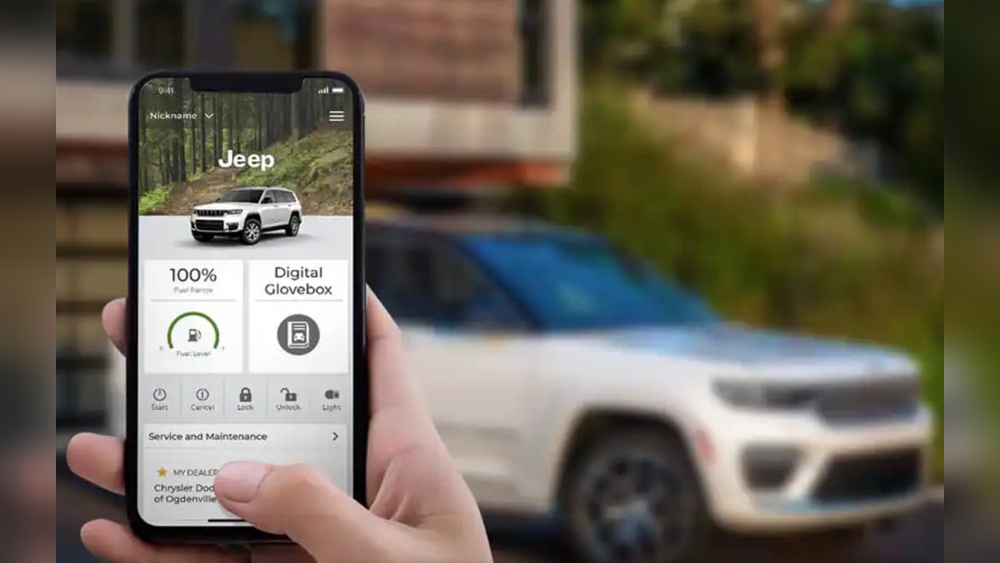
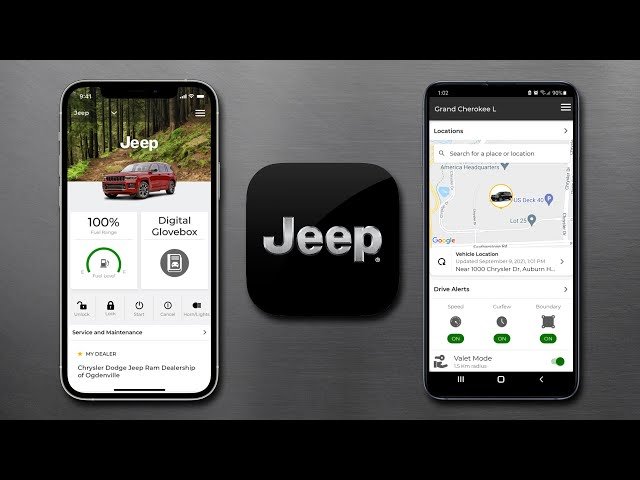
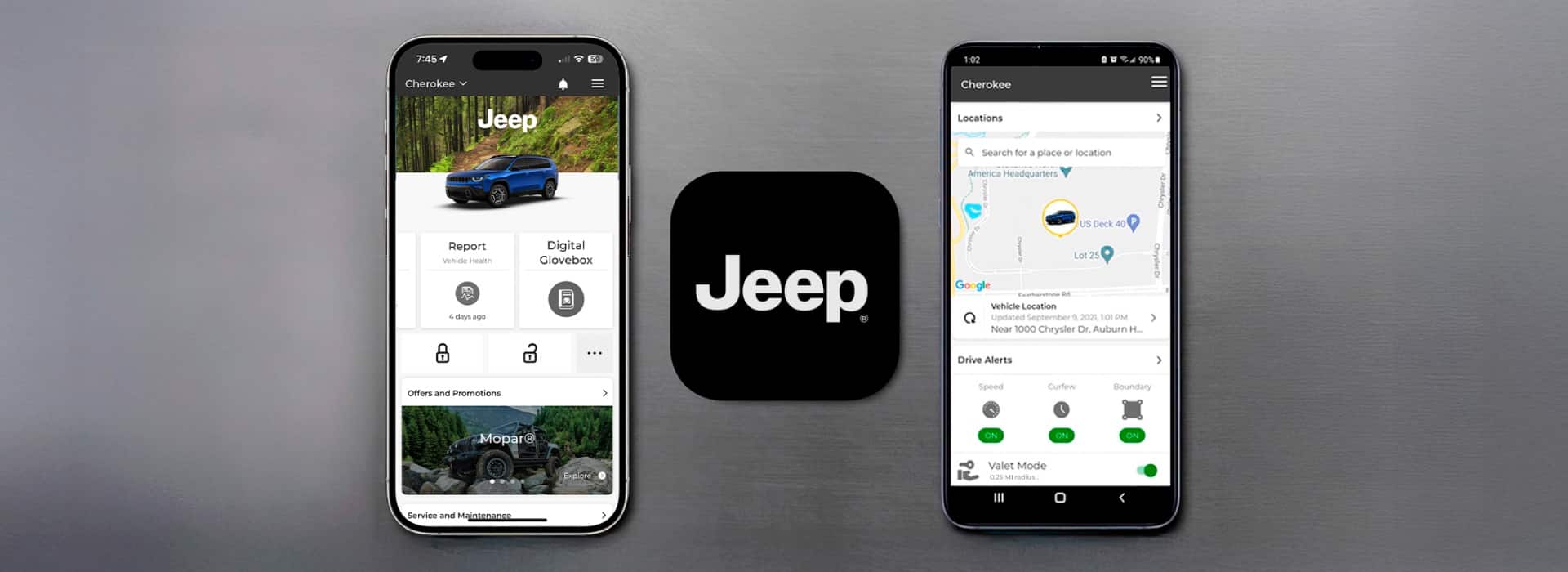
The Jeep app (often called Jeep Connect or Uconnect) is designed for Jeep owners. It connects your phone to your car, letting you do things like:
- Lock and unlock doors remotely
- Start the engine from afar
- Check tire pressure and fuel level
- Find your parked car
- Send directions to your car’s navigation system
Using the app can save time and help you stay safe. For example, if you forget where you parked, the app shows your car’s location.
If it’s cold outside, you can start the engine and warm up the car before you get in.
Jeep’s app is available for both Android and iOS devices. Most newer Jeep models (2018 and newer) support it, but some older models may not. Always check your car’s compatibility before starting.
Step-by-step: Connecting Your Jeep App To Your Car
Making the connection is not difficult, but you must follow each step carefully. Here’s how you do it:
- Download the App: Search for “Jeep” or “Uconnect” in the Apple App Store or Google Play Store. Install the official app.
- Create an Account: Open the app and sign up using your email. Choose a strong password. Verify your email if needed.
- Add Your Vehicle: Enter your car’s VIN (Vehicle Identification Number). The VIN is usually found on the dashboard, near the windshield, or inside the driver’s door.
- Pair Your Phone: Follow the app’s instructions to connect your phone via Bluetooth. The car’s infotainment screen will guide you.
- Activate Services: Some features require activation. This may mean agreeing to terms or starting a free trial for remote services.
- Test Features: Try locking/unlocking doors, starting the engine, or sending a destination to your car. Make sure everything works.
Here is a comparison of supported features by Jeep model year:
| Model Year | Remote Start | Lock/Unlock | Vehicle Health |
|---|---|---|---|
| 2022+ | Yes | Yes | Yes |
| 2018-2021 | Yes | Yes | Limited |
| 2015-2017 | No | Yes | No |
Older Jeep vehicles may not have all features, especially remote start or health reports. Always check your car’s handbook for details.
Common Setup Problems And Solutions
Many Jeep owners face problems when connecting the app. Here are the most common issues and how to fix them:
- Bluetooth Not Pairing: Turn Bluetooth off and on again. Make sure your phone is visible and close to the car. Restart both devices if needed.
- VIN Not Recognized: Double-check the VIN you entered. Sometimes, a letter looks like a number (for example, ‘O’ and ‘0’).
- No Remote Features: Some features need a subscription. If you see a message about activation, contact Jeep customer support or visit the dealership.
- App Crashing or Freezing: Update the app. Check that your phone’s operating system is up-to-date.
Here is a quick overview of troubleshooting steps:
| Problem | Possible Cause | Quick Fix |
|---|---|---|
| Bluetooth won’t connect | Device not visible | Restart phone & car, retry |
| VIN error | Typo or unsupported model | Check VIN, confirm car year |
| Missing features | Subscription needed | Activate trial, contact dealer |
Non-obvious Tips For A Smooth Connection
Many beginners miss these useful ideas:
- Keep App Updated: Jeep often releases new app versions. Updating can fix bugs and add features.
- Use Wi-Fi for Setup: If possible, connect your phone to Wi-Fi when setting up. This makes downloading updates faster.
- Check Car Battery: Low battery can cause connection issues. Make sure your car battery is healthy before pairing.
- Don’t Ignore Permissions: When the app asks for location or Bluetooth permissions, always allow them. Without these, the app won’t work correctly.
Another smart tip: If you change phones, always remove the old device from your car’s Bluetooth list. This prevents confusion and keeps your connection secure.
Comparing Jeep App With Other Car Apps
You might wonder how the Jeep app compares to apps from other brands. Here’s a simple comparison:
| Brand | Remote Start | Vehicle Health | Find My Car |
|---|---|---|---|
| Jeep | Yes | Yes | Yes |
| Ford | Yes | Yes | Yes |
| Toyota | Yes | No | Yes |
| Honda | No | Yes | Yes |
Jeep’s app offers strong features, but always check which functions your specific model supports.
Privacy And Security Considerations
Connecting the Jeep app means sharing some data between your phone and car. Here are two important points:
- Data Protection: Jeep encrypts most data, but always use a strong password and keep your phone secure.
- App Permissions: Only grant permissions needed for the app. Don’t share your login with others.
For more details about car data privacy, visit the official Jeep Privacy Policy.
Frequently Asked Questions
How Do I Find My Car’s Vin?
The VIN is on the dashboard, near the windshield. You can also find it inside the driver’s door or on your vehicle registration papers.
What If My Jeep Does Not Support The App?
Some older Jeeps do not have the needed technology. Check your owner’s manual or ask your dealer if your car is compatible.
Can I Use The Jeep App Outside The Us?
Yes, but some features may not work in all countries. Always check with Jeep’s global support before traveling.
Is There A Fee For Remote Services?
Most new Jeeps come with a free trial (usually 12 months). After that, you may need to pay. Pricing varies by region and model.
What Should I Do If I Lose My Phone?
Change your app password quickly. Remove your device from the car’s Bluetooth list and contact Jeep support for extra help.
Connecting your Jeep app to your car unlocks many useful features. By following the steps above, checking for common issues, and staying aware of privacy, you’ll enjoy a smarter and safer driving experience.
Don’t forget to update your app often and review your car’s handbook for model-specific details.
With these tips, your Jeep will always be just a tap away.



















