A working clock in your Jeep Wrangler 2016 isn’t just a convenience it’s important for managing your schedule, trips, and even some vehicle functions. Many drivers don’t realize how easy it is to adjust the time themselves.
This guide will show you every step to change the clock, explain common mistakes, and share tips that save time.
Whether daylight saving time just hit or you’ve replaced the battery, you’ll find the process simple and stress-free. You won’t need special tools or any technical skills, just a few minutes and a bit of patience.
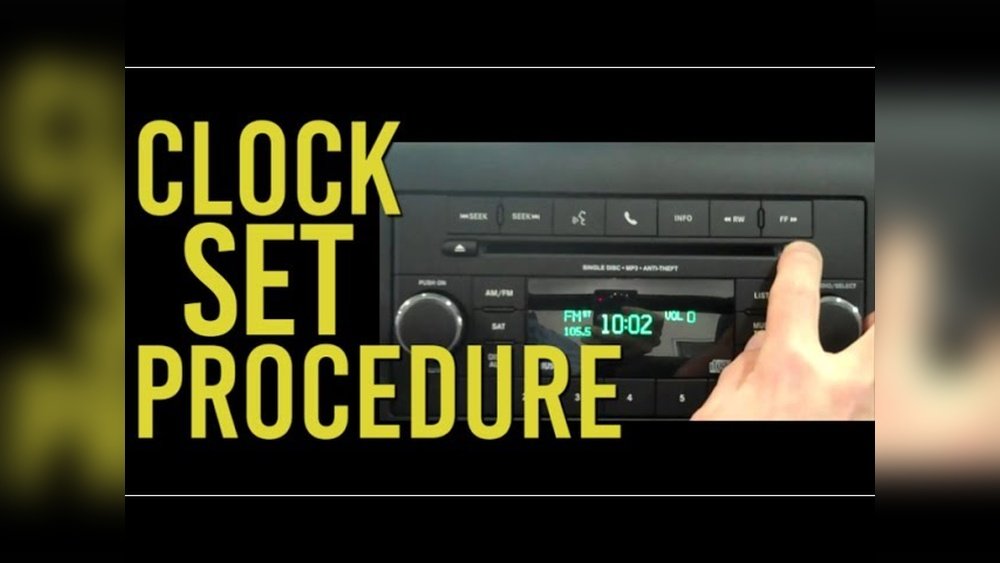
Even if you’ve never changed a car clock before, this article will help you avoid confusion and get it right the first time.
Why Changing The Time Matters
The digital clock in your Jeep is more than decoration. It helps you stay punctual, track trip durations, and avoid late arrivals. Incorrect time can mess up reminders or planned routes if you use built-in navigation. Some functions, like scheduled maintenance reminders, rely on the clock. For example, if your service reminder is triggered at a certain time or distance, an inaccurate clock can lead to missed appointments. On long trips, knowing the exact time helps you estimate arrival, coordinate with others, and plan stops more efficiently. Even small errors, like being off by an hour, can affect your routine or cause confusion.
Locating The Clock Controls
Most 2016 Jeep Wranglers use the Uconnect system for clock settings. This is a touchscreen interface, usually in the center console. If your Wrangler has the basic radio (not Uconnect), controls are on the radio itself. Knowing which system you have is the first step. Some trims may look similar, but buttons or touchscreen features will be different, so check your dashboard carefully.
| System | Location of Controls | Display Type |
|---|---|---|
| Uconnect Touchscreen | Center console | Digital |
| Standard Radio | Radio panel | Digital/Analog |
If your Jeep has navigation, the clock may also show on the map screen. For radios with both analog and digital displays, the adjustment process is the same, but you may see the time in two places.

Step-by-step: Changing Time On Uconnect
For most Jeep Wrangler 2016 models, follow these steps:
- Turn on the ignition. Make sure your vehicle is in Park for safety.
- Press the ‘Settings’ icon on the touchscreen.
- Scroll to ‘Clock’. Tap this option.
- Adjust the time. Use the ‘+’ and ‘-‘ buttons to set hours and minutes.
- Confirm changes. Tap ‘Save’ or ‘Done’.
- Check the display. Make sure the new time appears correctly.
It’s important to move slowly when adjusting, as tapping too fast can accidentally skip numbers. Some Uconnect screens may have a small delay between touch and change.
Always double-check the final setting before you leave the menu.
Practical Example
Suppose it’s 2:45 PM but your clock shows 1:45 PM. Tap ‘Clock,’ hit the ‘+’ button for hours until you see 2, then adjust minutes to 45. Press ‘Done.’ If you miss the right minute, simply tap the ‘-’ button to go back. If your system displays 24-hour time, 2:45 PM will show as 14:45.
Step-by-step: Changing Time On Standard Radio
If your Wrangler doesn’t have Uconnect, do this:
- Turn on the radio.
- Press and hold the ‘Clock’ button (sometimes labeled ‘CLK’).
- Use the ‘Tune’ knob or arrow buttons to set hours.
- Press ‘Clock’ again to switch to minutes.
- Adjust minutes with the knob or buttons.
- Release the button. The time is now set.
Some radios require you to press the 'Clock' button quickly to switch between hours and minutes, while others need you to hold it. If the display flashes while adjusting, that means you’re in time-setting mode.
Always pause for a moment after setting to ensure it saves.
| Action | Uconnect | Standard Radio |
|---|---|---|
| Set Hours | Touchscreen ‘+’ / ‘-‘ | Tune knob or arrow |
| Set Minutes | Touchscreen ‘+’ / ‘-‘ | Tune knob or arrow |
| Save | Tap ‘Done’ | Release ‘Clock’ button |
If your standard radio has small buttons, use your fingertip rather than a fingernail to avoid slipping. This is especially helpful if you’re adjusting the clock while wearing gloves.

Common Mistakes And How To Avoid Them
Changing the time is easy, but many drivers make errors:
- Wrong System: Trying touchscreen steps on a standard radio.
- Not in Park: Some settings are locked unless the vehicle is parked.
- Skipping Save: Forgetting to press ‘Done’ or release the button.
- AM/PM Confusion: Not noticing if the system uses 24-hour (military) time.
It’s also common to rush and miss a step, especially when in a hurry. If you don’t see the clock change, go back and check each step.
Double-check your manual if you’re unsure about your system.
Non-obvious Insight
Many owners don’t know that disconnecting the battery resets the clock. If your Jeep’s clock is wrong after service or battery change, you’ll need to set it again.
Also, some Uconnect systems sync time via GPS, but only if set up in the menu.
If your clock keeps resetting, check for a loose battery connection, as this can cause power interruptions.
Quick Data: How Long Does It Take?
Most drivers spend 1-2 minutes adjusting the clock. With practice, you can do it in under a minute. If you’re unfamiliar with the controls, take your time—there’s no rush. If you make a mistake, you can always start over without causing any damage.
| Experience Level | Estimated Time |
|---|---|
| First-Time User | 2 minutes |
| Experienced User | 1 minute |
If your system is slow or has many menus, add 30 seconds. It’s still much faster than waiting for the dealer or service center.

Tips For Hassle-free Adjustment
- Check system type before starting.
- Use daylight or good lighting to see controls clearly.
- Double-check AM/PM if the system isn’t 24-hour.
- Update after battery change or major service.
- Practice once so you’re ready during daylight saving changes.
If you’re teaching someone else, walk through each step slowly and let them try adjusting. This builds confidence and helps avoid future mistakes.
Some owners leave a sticky note in the glove box with quick instructions for easy reference.
Troubleshooting: When It Doesn’t Work
Sometimes, the clock won’t change:
- Touchscreen unresponsive: Restart the car, or check for software updates.
- Radio buttons stuck: Dirt or spills can cause jams—clean gently.
- Clock resets repeatedly: This could mean battery issues or faulty wiring.
If you hear clicking or see flickering on the display, that may signal a deeper electrical issue. Also, if the clock doesn’t keep time accurately, consider checking fuse connections. For persistent issues, visit your dealer or check the official Jeep help section at Jeep Owner’s Manuals.
Frequently Asked Questions
How Do I Know If My Jeep Wrangler Has Uconnect?
Look for a touchscreen in the center console. If you see buttons only, it’s a standard radio. You can also check your manual. Some Uconnect systems have a logo on startup.
Does Changing The Clock Affect Other Settings?
No, adjusting the clock won’t change radio presets or vehicle functions. Only time-related reminders may update. Navigation routes and Bluetooth settings stay the same.
Why Does My Clock Reset After Battery Changes?
This happens because the clock loses power. After reconnecting the battery, you need to set the time again. If your battery is weak, the clock may reset more often.
Can I Switch Between 12-hour And 24-hour Formats?
Some Uconnect systems allow you to choose between 12-hour and 24-hour time in the clock settings. Check the menu for ‘Time Format.’ If your radio doesn’t show the option, it only supports 12-hour.
What If I Can’t Set The Time At All?
If the system won’t let you adjust time, make sure you’re in Park and the car is running. If that doesn’t work, you may need a software update or professional help. Sometimes unplugging the battery for a minute resets the controls.
Taking a few minutes to set your Jeep Wrangler’s clock saves hassle and keeps your trips smooth. Whether you use Uconnect or standard radio, the process is quick and now you know exactly how to handle it. Always check after maintenance or battery swaps.
With these steps and tips, you’re ready for accurate time, every drive. Even if you switch time zones or need to update for daylight saving, you can do it yourself confidently.



















