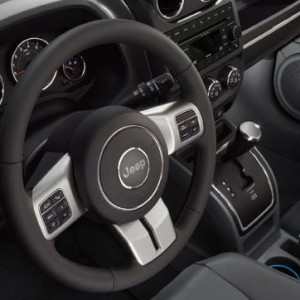
If you drive a Jeep Patriot, knowing how to change the clock time is important. Whether you’re adjusting for daylight saving time or after a battery change, setting the right time helps you stay on schedule. Many owners find the clock controls confusing, especially since they are different from other vehicles. In this guide, you’ll learn step-by-step how to change the time in a Jeep Patriot, plus get useful tips for making the process easier.
Understanding The Jeep Patriot Clock System
The Jeep Patriot (2007–2017) comes with a few different clock setups. Most models have either a basic radio unit, an upgraded touchscreen (Uconnect), or a digital clock on the instrument panel. The process for changing the time depends on which system your Patriot has. Checking your model year and trim will help you pick the right method.
Here’s a quick comparison of common Jeep Patriot clock systems:
| Model Year | Clock Location | Control Method |
|---|---|---|
| 2007-2013 | Radio Display | Manual Buttons |
| 2014-2017 | Touchscreen or Radio | Touchscreen/Menu |
| All years | Instrument Panel | Steering/Panel Buttons |
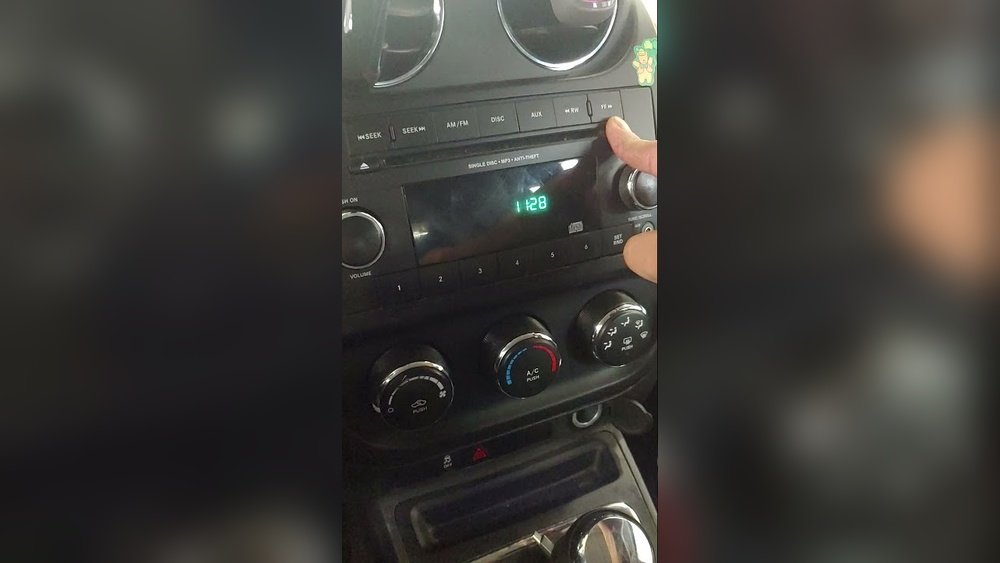
Not sure which system you have? Look at your radio: if you see physical buttons, you likely have a basic model. A touchscreen means you have Uconnect.
How To Change The Time: Step-by-step Instructions
The way to set the clock can feel hidden. But with these steps, you can adjust the time in any Jeep Patriot model.
For Basic Radio (most 2007-2013 Models)
- Turn On the Ignition: Insert the key and switch to ACC or ON. The radio must have power.
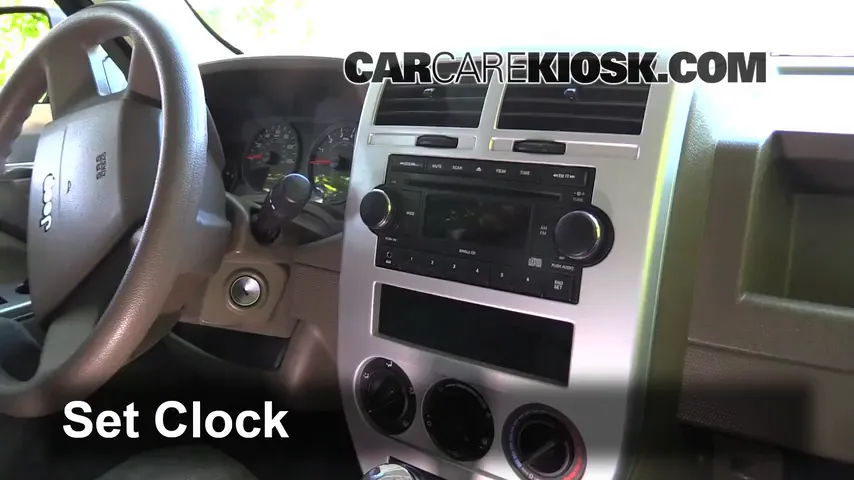
- Locate the Time Button: Find a button labeled “Time” or “Clock”. If it’s not there, press and hold the “Menu” or “Set” button.
- Enter Time Setting Mode: Hold the button until the clock display blinks.
- Set Hours: Use the “Tune” or “Seek” buttons to change the hour. Some models use the number pad.
- Set Minutes: Press “Time” or “Clock” again to switch to minutes, then adjust.
- Confirm Settings: Press “Time”, “Set”, or simply wait a few seconds.
For Uconnect Touchscreen (2014-2017 Models)
- Power On the Vehicle: The radio must be on.
- Open Settings Menu: Tap the “Settings” or “Menu” icon on the screen.
- Select Clock or Time: Look for the “Clock” or “Time & Date” option.
- Adjust Time: Use the on-screen arrows or keypad to set the correct hour and minute.
- Choose AM/PM or 24-Hour Format: Some models let you pick between 12-hour and 24-hour display.
- Save and Exit: Press “Save” or the back arrow.
For Instrument Panel Clocks
- Turn On the Ignition: The display must light up.
- Find the Set Button: Look for a small button near the instrument cluster or on the steering wheel.
- Press and Hold: When the clock blinks, adjust the time using the same button.
- Switch Between Hours/Minutes: Briefly press to switch, hold to set.
- Finish Setting: Wait for the blinking to stop or press “Set” again.
Common Mistakes And Troubleshooting
Many drivers get stuck or make the same errors. Here are common problems and how to solve them:
| Mistake | How to Avoid | What to Do |
|---|---|---|
| Pressing the wrong button | Check labels before pressing | Restart the process |
| Clock won’t save changes | Wait after setting, don’t turn off ignition too soon | Repeat steps, wait for confirmation |
| AM/PM is incorrect | Double-check before saving | Re-enter time and select correct period |
| Buttons are stuck or unresponsive | Use gentle pressure, don’t force buttons | Check fuse or radio power; consult a mechanic if needed |
A less-known tip: Some Patriots reset the clock after a battery change. If your time changes unexpectedly, check the vehicle battery connections.
Expert Tips For Smooth Clock Changes
Changing the clock is simple once you know where to look. Here are a few practical tips:
- Practice Before You Need It: Try changing the time when you’re parked at home, not when you’re in a rush.
- Keep the Manual Nearby: Your owner’s manual often has step-by-step guides for your exact radio model.
- Look for Hidden Menus: Some radio systems require a long press, not just a tap, to enter time setting mode.
- Daylight Saving Adjustment: Set a phone reminder twice a year so you never forget.
- Don’t Ignore Updates: If your radio has software updates, install them. They can fix bugs with clock settings.
- Ask for Help: If you’re stuck, your local Jeep dealer can show you the process in person.
Many drivers assume all car clocks work the same way, but Jeep Patriots often use unique button combinations. That’s why a little practice helps you avoid frustration.

When To Seek Professional Help
Most clock changes are do-it-yourself. But sometimes, technical issues make it tough:
- Radio or display won’t turn on
- Buttons are broken or missing
- Clock resets every time you start the car
- Touchscreen freezes or glitches
If you face any of these, visit a certified mechanic or your Jeep dealer. Electrical issues can affect more than just the clock. Never force buttons, as this can cause further damage.
For detailed wiring and fuse information, check the official Jeep Owner’s Manual online.
Frequently Asked Questions
Look for “Menu” or “Set” buttons. Hold them for a few seconds. Some models use a combination like holding “Menu” and turning the volume knob. If nothing works, check your owner’s manual for hidden features.
Why Does My Jeep Patriot Clock Keep Resetting?
This usually means there’s a battery or fuse problem. If the clock loses time after every ignition cycle, have your battery and fuses checked. Sometimes, a loose ground wire causes resets.
Can I Switch To 24-hour (military) Time?
Yes, if your Patriot has a touchscreen radio (Uconnect), you can select 24-hour format in the clock or settings menu. Older models with basic radios may not support this option.
Is There A Way To Set The Clock Automatically?
Some newer Jeep Patriots with advanced Uconnect systems can sync time via satellite or GPS. If your model doesn’t have this, you must set it manually.
Where Can I Find My Jeep Patriot’s Radio Manual?
You can download manuals from the official Jeep website or request a printed copy from your dealer. The manual has diagrams and step-by-step instructions for all clock and radio features.
Changing the time in your Jeep Patriot is a simple but essential task. With these clear steps and expert tips, you’ll never be late due to a wrong dashboard clock again. Remember, taking a few minutes to set the clock right keeps your journeys smooth and stress-free.