Changing the language on your 2016 Jeep Wrangler can make driving more comfortable, especially if you prefer information in your native language.
Many owners do not realize how simple this adjustment is, or how it impacts daily use—everything from radio settings to warning messages can appear in your chosen language.
This guide explains exactly how to switch the display language, gives tips to avoid common mistakes, and answers some of the most frequent questions Jeep owners have.
Why Change The Language On Your Jeep Wrangler?
For many drivers, using the vehicle in their preferred language helps them understand alerts and menu options faster. This is especially important for navigation, safety warnings, and customizing vehicle settings. The 2016 Jeep Wrangler comes with several language options, making it accessible for users around the world. A surprising number of drivers stick with the default, even if it isn’t their strongest language.
Steps To Change Language On A 2016 Jeep Wrangler
Changing the language on your Jeep’s dashboard is a straightforward process. Here’s how you can do it:
1. Start Your Jeep
Turn the ignition to the “Run” position. You don’t need to start the engine, just power up the electronics.
Use the Steering Wheel Controls—usually the up, down, left, and right arrows—to navigate menus on your instrument cluster.
3. Find The Settings Option
Scroll through the main menu until you see “Settings. ” Press the “OK” or center button to enter the settings menu.
4. Select Language
Scroll to find "Language. " Sometimes it’s listed as "Display Language.
" Press "OK" to open the language selection.
5. Choose Your Preferred Language
Use the arrows to scroll through available languages, such as English, Spanish, or French. Highlight your choice and press “OK.”
6. Confirm And Exit
The display will usually ask you to confirm. Select "Yes" or "OK.
" The system will update, and all menus will now appear in the selected language.
Quick Reference Table: Language Change Steps
| Step | Action | Button Used |
|---|---|---|
| 1 | Power on electronics | Ignition |
| 2 | Open menu | Steering wheel arrows |
| 3 | Go to Settings | OK/Center |
| 4 | Select Language | OK |
| 5 | Pick language | Arrows + OK |
| 6 | Confirm | OK |
Common Language Options And How They Affect Your Jeep
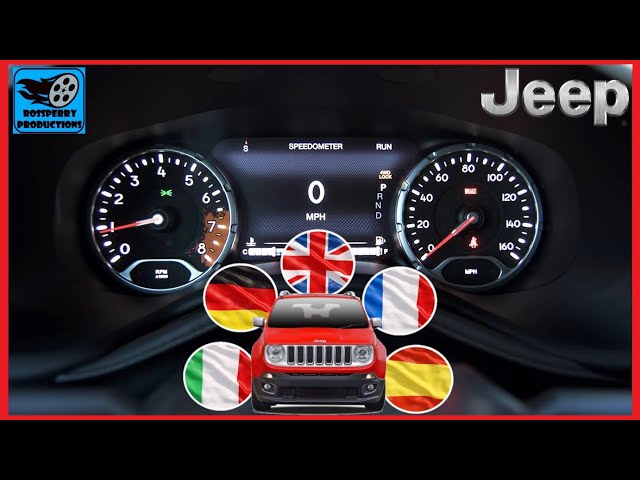
Most 2016 Jeep Wranglers support at least three main languages:
- English (default for US models)
- Spanish
- French
Changing the language affects:
- Dashboard messages
- Uconnect system menus
- Navigation prompts (if equipped)
- Voice recognition (in some cases)
However, the owner’s manual and physical labels inside the vehicle do not change. Only the digital displays and spoken prompts (if supported) switch languages.
Language Support Comparison
| Language | Dashboard Text | Voice Prompts | Navigation |
|---|---|---|---|
| English | Yes | Yes | Yes |
| Spanish | Yes | Partial | Yes |
| French | Yes | Partial | Yes |
Pro Tip: If you do not see your language in the menu, your vehicle may need a software update from a Jeep dealer.
Troubleshooting Language Change Issues
Sometimes, the language menu may not respond, or the change does not apply. Here’s what you can do:
- Restart the Vehicle: After changing the language, turn off the Jeep and restart. This helps the system update.
- Check for Updates: Visit a Jeep service center to update your Uconnect software if language options are missing.
- Reset to Factory Settings: If things go wrong, you can reset the display settings to default. This is in the Settings menu as “Restore Defaults.”
- Battery Problems: If your battery is low or disconnected recently, the system might revert to default language. Make sure your battery is in good condition.

Non-obvious Tips For Language Settings
Many drivers do not realize these facts:
- Bluetooth Voice Commands: The language of voice commands for hands-free calling may not match the dashboard language unless you update both settings.
- Navigation Maps: Some Uconnect navigation units require a separate language download for map text or voice prompts. Ask your dealer if you see mismatched languages.
These details are easy to miss but can affect your experience, especially if you use advanced features.
When To Visit The Dealer
Most language changes are simple and do not need dealer help. But if you:
- Can’t find your language
- Have a frozen menu
- Notice that only part of the system updates
It’s best to ask a certified Jeep dealer. They can check your software and add new language packs if available.
How Changing The Language Impacts Resale Value
A Jeep set to a common language (like English in the US) can be easier to sell. If you plan to sell your Wrangler, remember to reset the language for local buyers.
This small detail can make a good first impression.
Data: Language Preferences Among Us Jeep Owners
Recent surveys show about 74% of US Jeep owners use English, while 18% switch to Spanish and 8% prefer French or other languages. This demonstrates a real need for clear language settings, especially in diverse communities.

Frequently Asked Questions
How Many Languages Are Available On The 2016 Jeep Wrangler?
Most 2016 Jeep Wranglers offer English, Spanish, and French. Some export models may have more options. Check your menu for available choices.
Yes, changing the language updates the display text and voice prompts on the radio and navigation if your system supports it. Some older radios may only change text, not voice.
Will My Settings Reset If I Disconnect The Battery?
It’s possible. If you disconnect or replace the battery, the system may return to the default language. Double-check after any electrical service.
Can I Add More Languages To My Jeep?
Most users can only select from the languages installed at the factory. To add more, a dealer can sometimes install extra language packs with a software update.
Where Can I Find More Help With Uconnect Or Wrangler Settings?
For detailed guides and support, visit the official Mopar Jeep Owner Site, which offers manuals and software update information.
Switching the language in your 2016 Jeep Wrangler is a small change that can make a big difference in daily use. Take a few minutes to adjust this setting and enjoy a driving experience tailored to your needs.



















