Switching your Jeep’s speedometer and odometer from kilometers (km) to miles is a simple task, but it can make a big difference. Many drivers in the US or those importing Jeeps from abroad need this feature.
With the right guidance, you can change these units in just a few minutes no special tools or technical skills needed.
Let’s break down how you can adjust your Jeep’s settings, avoid common mistakes, and understand why this feature matters.
Why Switch From Km To Miles?
Most countries use miles for speed and distance, while others use kilometers. If your Jeep displays kilometers but you drive in the US or UK, you might find it confusing. Switching to miles makes it easier to follow local speed limits, read maps, and estimate distances.
Many Jeep owners do not realize that switching units can also help when reselling the vehicle in a new country. Buyers prefer odometers that match their familiar system.
Which Jeeps Allow Unit Switching?
Not all Jeep models have the same settings. Most modern Jeeps (built after 2008) offer easy switching between km and miles in the dashboard menu.
Older models may not have this feature, and some export/import versions might be locked to one unit.
Here is a quick comparison:
| Model Year | Switchable Units? | How to Change |
|---|---|---|
| 2008–2019 Wrangler, Grand Cherokee, Compass | Yes | Dashboard menu |
| 2020+ Wrangler, Gladiator, Renegade | Yes | Touchscreen Uconnect |
| Before 2008 (most models) | No | Dealer or hardware change |
Always check your owner’s manual for exact instructions for your year and model.
Step-by-step: How To Change Jeep From Km To Miles
Changing units is usually a quick process. Below are clear steps for the most common Jeep models.
- Turn on the ignition but do not start the engine.
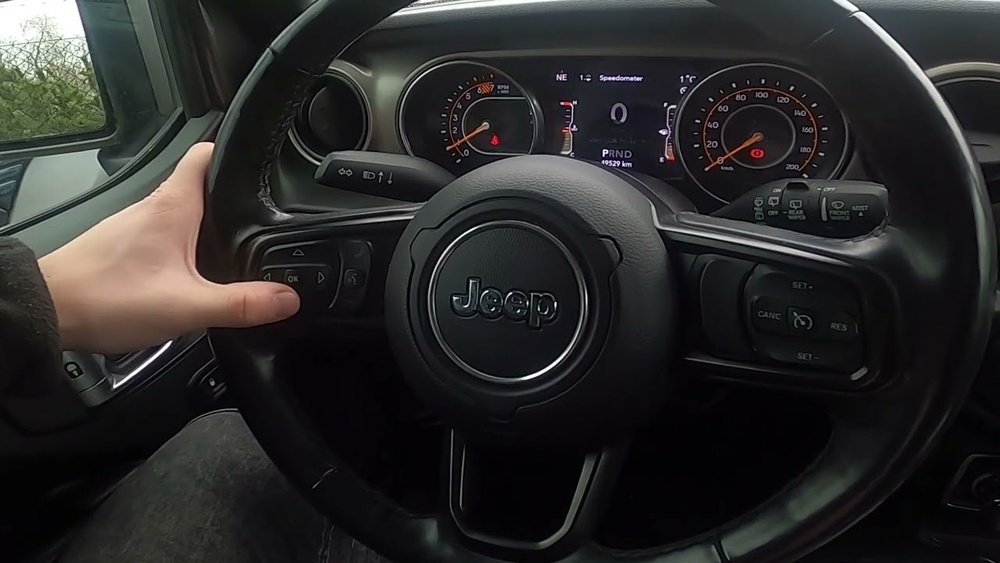
- Look at your instrument cluster (the display behind the steering wheel).
- Find the Menu or Setup button—often located on the steering wheel or dashboard.
- Use the arrow keys to scroll until you find “Units” or “Display Units.”
- Select “Miles” (or “MPH”) using the OK or Enter button.
- Turn off the ignition and restart your Jeep. The change should be saved.
For Jeeps With Uconnect Touchscreen
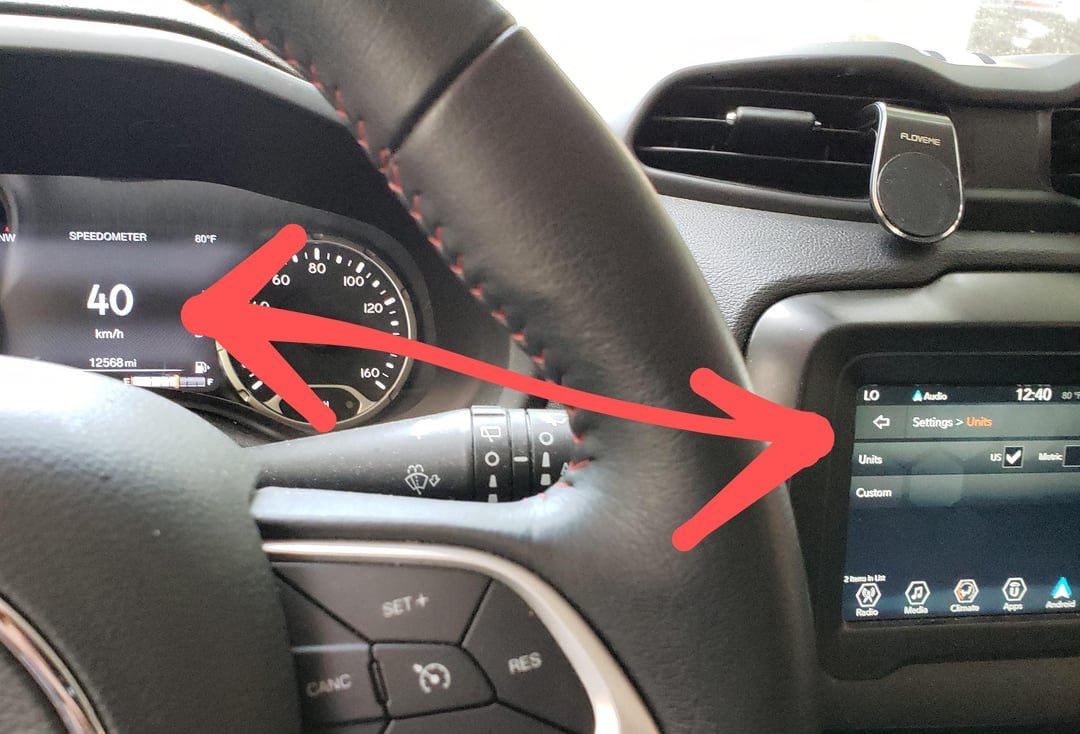
- Start your Jeep and make sure the Uconnect screen is on.
- Tap Settings (gear icon) on the main menu.
- Find and select Units or Display.
- Tap on Distance and choose “Miles.”
- The screen and instrument cluster should now show miles.
Some Jeeps do not allow software switching. If you do not see a “Units” option, your car might be locked to its original setting. In this case:
- Visit an authorized Jeep dealer. They can sometimes reprogram the dashboard for a fee.
- In rare cases, you may need to replace the instrument cluster with a miles-version, which can be costly.
Key Tips And Common Mistakes
Switching units is simple, but these details can save you headaches:
- Do not reset your odometer while changing units. Odometer readings convert automatically.
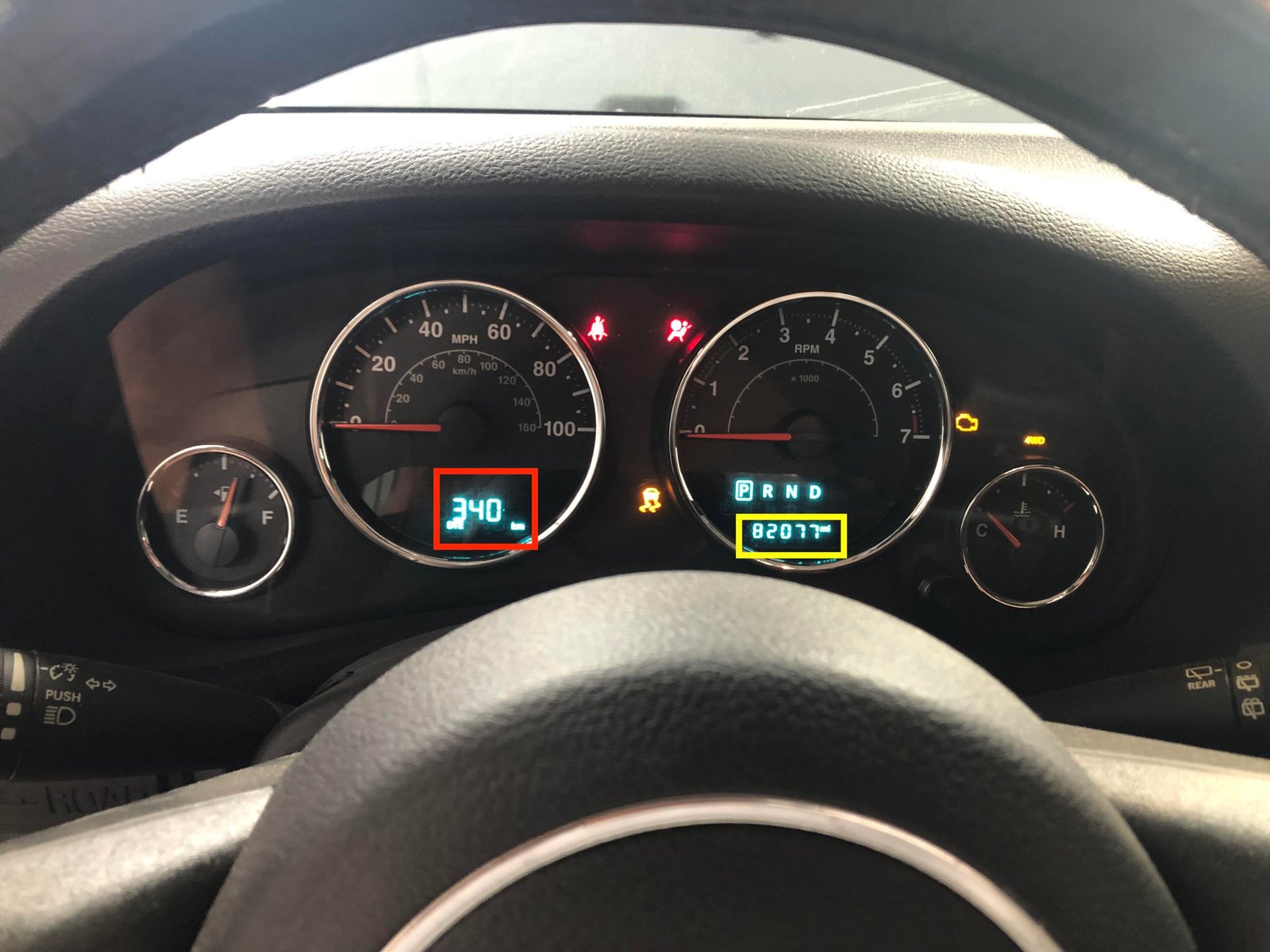
- If you see both km and miles on your cluster, check for a toggle button near the display.
- Aftermarket clusters may require a different process—always ask the installer or check the manual.
A surprising fact: some Jeeps from Canada, Mexico, or Europe may have hard-coded units. If so, only a dealer reset or hardware swap will help.
How Units Affect Other Features
Changing from km to miles doesn’t just affect the speedometer. It can also change:
- Trip computer readings (distance, fuel economy)
- Navigation directions (if equipped)
- Service intervals (oil change reminders)
Here’s how different displays can look:
| Feature | Shows in Km | Shows in Miles |
|---|---|---|
| Speedometer | 0–220 km/h | 0–140 mph |
| Trip Distance | 150 km | 93.2 miles |
| Fuel Economy | 8 L/100km | 29.4 mpg |
Always double-check your settings after switching to avoid confusion.
What To Do If Units Will Not Change
If you try the steps above and nothing happens, consider these actions:
- Check your owner’s manual to confirm your model supports switching.
- Restart your Jeep—sometimes the settings take effect after a reboot.
- Visit a Jeep service center for advanced help.
- If importing, ask about legal requirements for odometer units in your country.
Some countries require the odometer to match local laws before you can register the car. This can affect insurance and resale value.
Real-world Example
A driver moving from Europe to the US imported a 2016 Jeep Grand Cherokee. The dashboard showed only kilometers. After following the steps above, he found the “Units” option in his menu and quickly switched to miles. He noticed the trip computer, speed limits, and maintenance reminders also updated. This made driving in the US easier and safer.
Extra Insights Most People Miss
- Digital and analog displays may need to be switched separately in rare cases. Always check both.
- When selling your Jeep, show buyers the current odometer reading and confirm whether it was ever switched. This builds trust and avoids confusion.
For more on international vehicle standards, you can visit the official site of the National Highway Traffic Safety Administration.
Frequently Asked Questions
How Do I Know If My Jeep Supports Changing Units From Km To Miles?
Check your owner’s manual or look in the dashboard menu for “Units” or “Display. ” Most modern Jeeps support switching.
Will Switching Units Affect My Total Odometer Reading?
No, your odometer reading stays the same. Only the units change. The Jeep automatically converts the value.
Can I Switch Back To Kilometers After Changing To Miles?
Yes, you can switch back anytime using the same menu steps. The Jeep will remember your last setting.
What If My Jeep Does Not Have A Units Option?
Older Jeeps or certain import models may not have this feature. You may need dealer assistance or a hardware change.
Is Changing Units Legal For Imported Vehicles?
Yes, but some countries require the odometer to match their standard before registration. Always check local regulations before importing or selling your Jeep.



















