Starting your Jeep Cherokee automatically can make your mornings easier, especially in cold weather. Auto start, also called remote start, lets you turn on your car with a remote or app.
This feature is popular for warming up your vehicle or cooling it down before you get inside.
If you own a Jeep Cherokee or plan to buy one, understanding how to auto-start it can save you time and make your driving experience more comfortable.
What Is Auto Start in the Jeep Cherokee?
Auto start is a system that lets you start the engine without being inside the car. You use a remote control or smartphone app to activate it. Most modern Jeep Cherokees come with this feature, but older models may require an upgrade.
You can use auto start to:
- Warm up the engine in winter
- Cool down the interior in summer
- Save time by getting your car ready before you drive
Remote start is not just about comfort. It also helps protect your engine by letting it reach the right temperature before you drive.
Setting Up Auto Start In Your Jeep Cherokee
Before you use auto start, check if your Jeep Cherokee has the feature. Most 2014 and newer models include it.
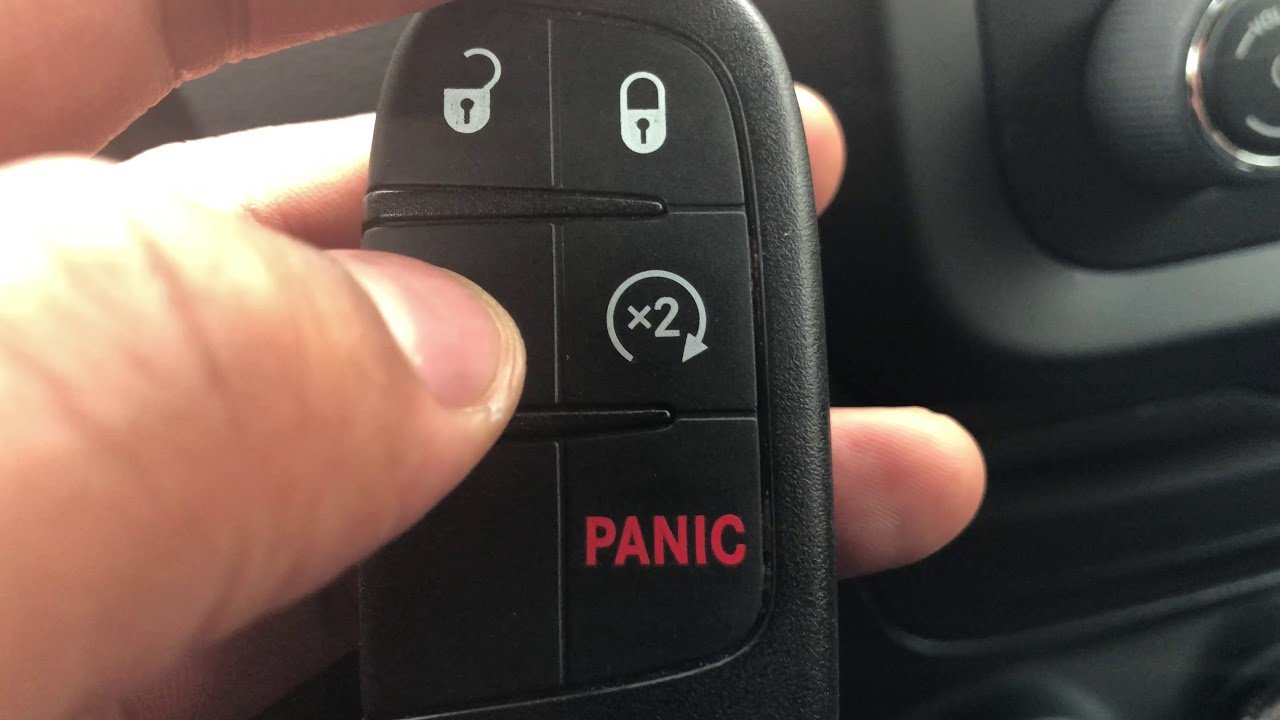
Look for a button with a circular arrow on your key fob.
Steps To Activate Auto Start
- Lock the doors: Press the lock button on your key fob until you hear the beep.
- Press the remote start button: Quickly press the button with the circular arrow twice. The lights will flash, and the engine will start.
- Wait for confirmation: The car’s lights flash and the engine starts. The climate control system will also turn on to your last setting.
- Unlock and drive: After starting, unlock the doors and enter the car. Insert the key or press the start button to drive.
Using The Uconnect App
If your Cherokee has Uconnect, you can start your car from your phone. Download the Uconnect app, register your vehicle, and follow the on-screen steps. This is useful if you are far from your car or want more control.
Table: Auto Start Features By Model Year
| Model Year | Remote Start Standard? | Uconnect App Support |
|---|---|---|
| 2014-2017 | Optional | No |
| 2018-2020 | Standard (Most Trims) | Yes |
| 2021-2024 | Standard | Yes |
Common Problems And Solutions
Auto start systems are reliable, but sometimes you may face issues. Here are the most common problems and solutions:
- Remote not working: Replace the battery in your key fob.
- Car does not start: Make sure all doors are locked, and the car is in park.
- Auto start disabled: Some models disable auto start if the hood is open or if there is a check engine light.
- Low fuel: If the fuel is too low, the system may not activate.
Table: Troubleshooting Auto Start
| Issue | Possible Cause | Solution |
|---|---|---|
| Remote not responding | Dead battery | Replace battery |
| Engine fails to start | Door not locked | Lock doors first |
| Auto start disabled | Hood open | Close hood |
| Auto start does not activate | Low fuel | Refuel car |
Upgrading Older Jeep Cherokee Models
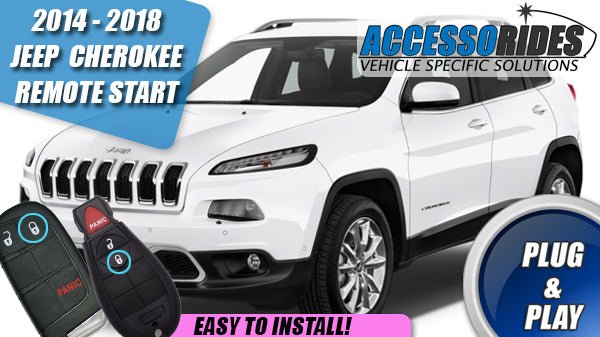
If your Jeep Cherokee does not have remote start, you can add it. Many dealerships offer OEM kits that match your model. Third-party systems are also available, but OEM kits are usually safer and more reliable.
Steps For Installation
- Check compatibility: Make sure the kit is made for your Jeep Cherokee’s year and trim.
- Buy the kit: OEM kits are available at Jeep dealerships.
- Install professionally: Get the kit installed by a certified technician. DIY installation can cause electrical problems.
- Test the system: After installation, test the auto start to make sure it works.
Table: OEM vs. Aftermarket Auto Start Kits
| Kit Type | Price Range | Warranty | Reliability |
|---|---|---|---|
| OEM (Jeep) | $250-$500 | Yes | High |
| Aftermarket | $100-$300 | Limited | Medium |
Non-obvious Tips For Using Auto Start
- Climate settings: Set your climate control before you leave the car. The auto start system uses the last setting.
- Security features: Auto start keeps doors locked until you unlock them. This adds an extra layer of safety.
- Engine health: Using auto start regularly can help the engine reach optimal temperature, reducing wear.
Many drivers overlook the importance of setting their climate controls. If you want your Jeep Cherokee to warm up quickly, set the heat before shutting off your car.
Also, remember that auto start does not allow you to drive until you unlock the car and switch to regular ignition mode.
Safety And Legal Considerations
Some states have laws against leaving your car running unattended. Always check local regulations before using auto start.
Also, never leave children or pets in a running vehicle, even if the doors are locked.
The system shuts off automatically after about 15 minutes if you do not enter the car. This prevents accidents and saves fuel.
If you want more details on auto start systems, check the official Jeep guide at Jeep Owners.

Frequently Asked Questions
How Do I Know If My Jeep Cherokee Has Auto Start?
Look for a circular arrow button on your key fob. If you have Uconnect, check the app for remote start options. Your owner’s manual can confirm if your model supports auto start.
Can I Install Auto Start On An Older Jeep Cherokee?
Yes, you can add remote start using OEM kits or aftermarket systems. OEM kits are recommended for better reliability and warranty support.
Does Auto Start Work In Extreme Weather?
Auto start is designed to handle hot and cold weather. The climate system will activate based on your last settings, but performance may vary in very extreme conditions.
Is It Safe To Use Auto Start Regularly?
Yes, the system is built for regular use. It keeps doors locked and only allows entry with your key.
It also shuts off automatically after a set time.
Why Does My Jeep Cherokee Auto Start Not Work Sometimes?
Common reasons include a low battery, an open hood, low fuel, or a check engine light. Make sure all conditions are met before trying again.
Auto start is a useful feature that makes your Jeep Cherokee more comfortable and safer. With the right setup and regular checks, you can enjoy easy starts in any weather.
Always follow safety rules and consult your manual for specific instructions.


















