Imagine you’re rushing to get to work, but your car’s check engine light suddenly comes on. With no time to visit a mechanic, stress mounts as you wonder what’s wrong and if it’s safe to drive.
This is when a smart diagnostic tool comes to the rescue, letting you understand car issues instantly from your phone. Next, I’ll share expert picks to help you find the best option for your needs.
Expert Picks For Obd2 Bluetooth Adapters
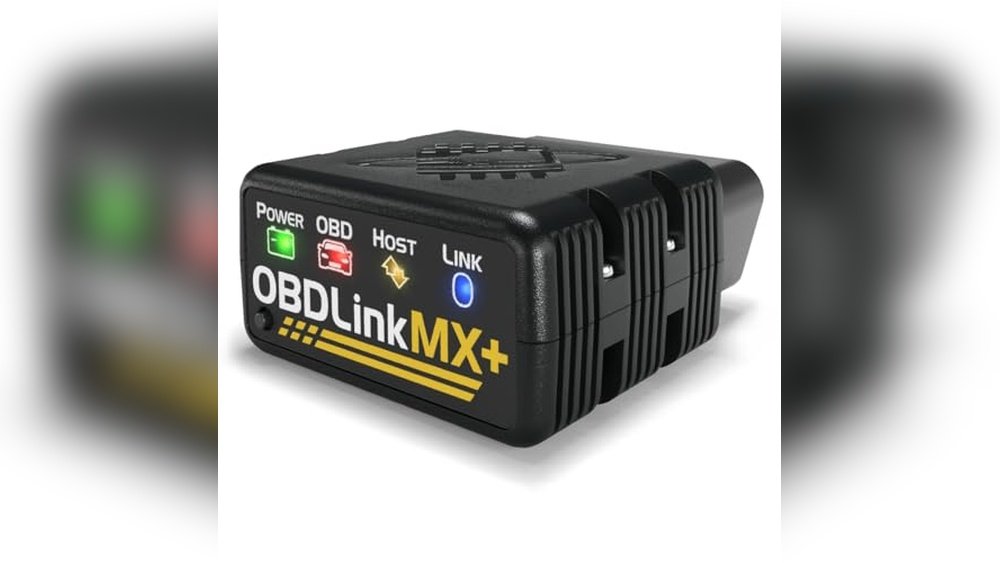
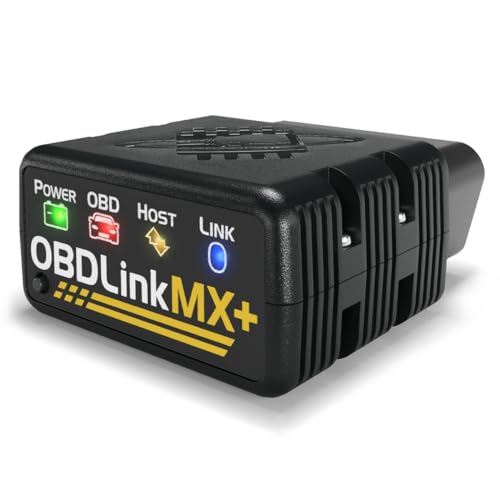
Obdlink Mx+ Bluetooth Obd2 Scanner
One of the most versatile Obd2 Bluetooth Adapters for drivers who want reliable diagnostics across iPhone, Android, and Windows devices.
check The Price On Amazon
The OBDLink MX+ Bluetooth OBD2 Scanner is a compact device that transforms your smartphone, tablet, or Windows laptop into a powerful automotive diagnostic tool.
It’s designed to work seamlessly with popular apps like FORScan, Torque, BimmerCode, and more, making it a great choice for anyone who wants to dig deeper into their vehicle’s data without complex setups or shop visits.
In everyday use, the OBDLink MX+ stands out for its reliable Bluetooth connection and wide compatibility with different vehicles and devices. Setup is straightforward, and the adapter provides fast, consistent readings whether you’re clearing a check engine light or monitoring live data.
The peace of mind from built-in battery drain and over-voltage protection is especially reassuring for those who leave it plugged in.
Pros:
- Works with iPhone, Android, and Windows devices
- Supports enhanced OEM diagnostics for multiple car brands
- Compatible with major diagnostic apps (FORScan, Torque, BimmerCode, etc.)
- Clears Check Engine Light and accesses more live data than most adapters
- Over-voltage and battery drain protection
- Firmware updates included for long-term support
Cons:
- Higher price compared to basic OBD2 adapters
- Small size makes it easy to misplace
- Some advanced features may require paid apps
Why I Recommend This
This adapter is best for drivers who want a dependable, all-in-one solution for vehicle diagnostics without the need to buy multiple tools for different platforms.
Both beginners and experienced users will appreciate its quick setup and consistent performance, and there’s less worry about accidental battery drain.
If you’re new to Obd2 Bluetooth Adapters or just want something that “just works” with nearly any car or app, this is a safe choice. My tip: keep it in your glovebox, so you always have it handy when a warning light pops up.
It’s the kind of tool that quietly saves you time and hassle, giving you control over your car’s health.
| Best for | Why |
|---|---|
| Multi-car households | Works with most car brands and models |
| DIYers and home mechanics | Provides deep diagnostics and live data access |
| App-based diagnostics users | smooth integration with leading apps |
| Travelers and frequent drivers | Compact and portable for on-the-go diagnostics |
Vgate Icar Pro Bluetooth 4.0 Obd2 Scanner
One of the most user-friendly Obd2 Bluetooth Adapters for quick engine diagnostics and code reading on both iOS and Android.
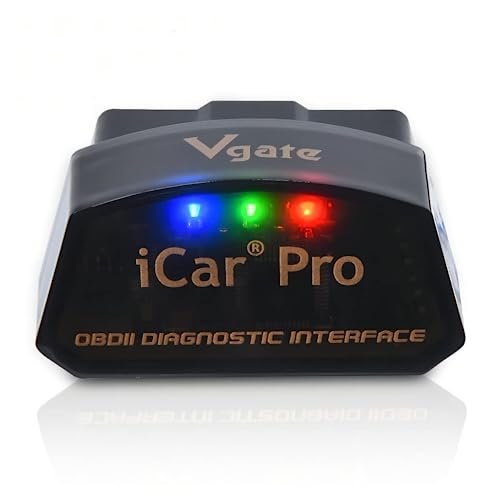
The Vgate iCar Pro Bluetooth 4. 0 OBD2 Scanner is a compact device that plugs into your car’s OBD2 port, giving you instant access to fault code reading and engine diagnostics.
Designed for gasoline vehicles made after 1996 and compatible with most light-duty diesels, it supports both iOS and Android devices without complicated setup.
You simply use a compatible app to check engine lights, clear error codes, and monitor real-time vehicle data.
In everyday use, the Vgate iCar Pro is reliable and straightforward. It draws minimal power (auto-sleep helps preserve your battery), and you don't have to worry about Wi-Fi interference.
Pairing is quick especially on iOS, where you connect directly through the app.
The LED indicators help show its status at a glance, and its small size means you can leave it plugged in without bumping your knees or feet.
Pros:
- Works seamlessly with iOS and Android devices
- Low power consumption with auto-sleep/wake function
- Compact, plug-and-play design fits most OBD2 ports
- No Wi-Fi interference with your phone’s internet
- Clear LED indicators for connection status
- Supports post-1996 gasoline and light-duty diesel vehicles
Cons:
- Not compatible with 24V diesel or some electric/hybrid vehicles
- Auto-wake feature may not work on hybrids/electrics (reinsertion needed)
- No built-in display (requires a smartphone app)
Who This Is Best For
If you’re a car owner who wants a simple way to check engine codes without a trip to the shop, this device is a good fit. It’s even easier for beginners just plug it in and follow the app prompts.
More experienced users will appreciate the consistent connection and reliable data, especially for ongoing diagnostics.
If you’re new to OBD2 adapters, start with a trusted app and keep the instruction sheet handy for quick pairing.
Peace of mind comes from having the right tool before a warning light turns into a bigger problem. I like that you can leave it plugged in and forget about it, and it won’t drain your battery.
For anyone with a compatible car, it’s a practical, everyday tool that’s easy to live with.
| Best for | Why |
|---|---|
| Everyday car owners (1996+ gasoline or light-duty diesel) | Easy setup, quick diagnostics, and low maintenance |
| DIYers and home mechanics | Reliable fault code reading without garage visits |
| Drivers using both iOS and Android devices | Flexible Bluetooth support and no Wi-Fi hassle |
Obdlink Cx Bluetooth Adapter For Bmw/mini
If you’re looking at Obd2 Bluetooth Adapters, this one stands out for smooth BMW/Mini integration and reliable app support.
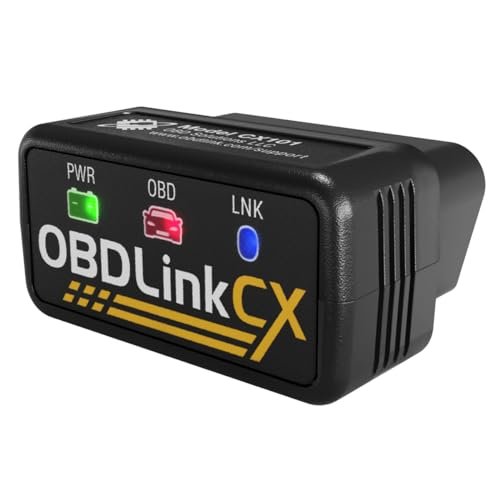
The OBDLink CX Bluetooth Adapter is designed for BMW and Mini owners who want a user-friendly way to access car coding and diagnostics.
It’s compatible with both iPhone/iOS and Android, and is specifically made for use with the BimmerCode app (sold separately), making it a top choice if you want to find advanced features and monitor your vehicle’s health at home.
In daily use, the connection is stable and quick to set up no frustration with pairing or dropped signals. You can leave it plugged in thanks to its smart sleep mode, and it won’t drain your battery or risk damaging your car’s electronics.
For someone who just wants quick code reads, simple diagnostics, or to clear a check engine light, it’s genuinely hassle-free.
Pros:
- smooth integration with BimmerCode app
- Works on both iOS and Android devices
- Safe to leave plugged in, advanced sleep and protection features
- Stable Bluetooth 5.1 connection, no dropped data
- Supports all BMW/Mini models compatible with BimmerCode
- Live vehicle monitoring and diagnostics with included OBDLink app
Cons:
- BimmerCode app is sold separately
- Mainly optimized for BMW/Mini, limited use for other brands
- No built-in display, requires a smartphone or tablet
Who Should Choose This
If you’re a BMW or Mini driver who wants easy access to car coding or routine diagnostics, this adapter is a great fit. Beginners will appreciate that it’s almost plug-and-play, and those with some experience will like the range of features and peace of mind from the advanced protections. My tip: download the BimmerCode app first to check your car’s compatibility, then you can be up and running in minutes. It’s nice not to worry about accidentally causing issues, as the adapter is designed not to brick your ECU, even if you’re new to coding. For me, it’s a solid, low-stress choice for at-home diagnostics.
| Best for | Why |
|---|---|
| BMW/Mini owners using BimmerCode | Full compatibility and app integration |
| DIY drivers who want simple diagnostics | Easy pairing, clear error codes, live data |
| Users who leave adapters plugged in | Advanced sleep mode and overvoltage protection |
Veepeak Obdcheck Ble Bluetooth Scanner
One of the easiest Obd2 Bluetooth Adapters for quick engine code checks and live data monitoring at home or on the go.
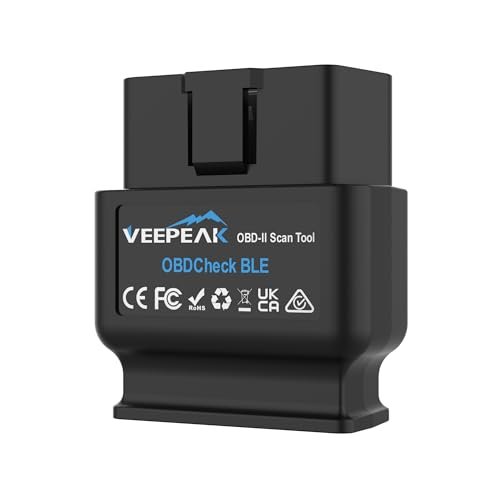
The Veepeak OBDCheck BLE Bluetooth Scanner is a compact and versatile tool that turns your phone or tablet into a powerful diagnostic center for your car.
It connects via Bluetooth to both iOS and Android devices, allowing you to read and clear engine fault codes, view real-time sensor data, and monitor your vehicle’s health with a range of compatible third-party apps.
If you want a simple way to check a check engine light or track performance data, this adapter covers the essentials.
In everyday use, the Veepeak stands out for its reliable Bluetooth connection (works with Bluetooth LE and Classic), and the fact that you don’t need to fiddle with complicated pairing just plug it in and connect through your app of choice.
It’s handy for quick checks before a trip or ongoing monitoring, and since it’s app-driven, you can choose the features you actually need. From my experience, it’s straightforward for beginners and flexible enough for those who like to dig deeper.
pros:
- Works seamlessly with both iOS and Android
- No Bluetooth pairing required on iOS, just connect in-app
- Supports a wide range of popular OBD-II apps
- Compact and easy to leave plugged in
- Reads and clears check engine codes quickly
- Live sensor data and freeze frame support
- Reliable connection and low power draw
cons:
- Requires separate app (not included, some features paid)
- Not compatible with some newer vehicles with WWH-OBD
- Doesn’t support all advanced or manufacturer-specific features
My Honest Take
This adapter is ideal for anyone who wants stress-free code checks and real-time data without a steep learning curve.
It’s especially good if you’re new to Obd2 Bluetooth Adapters, since you can start with free apps and upgrade only if you need more advanced diagnostics.
Once you’ve plugged it in, you’ll barely notice it’s there, and you can check engine lights at home before heading to a shop.
If you’re a DIYer or want to monitor your car’s health over time, the Veepeak is an easy choice. For best results, always double-check which app fits your car and needs Car Scanner is a great start.
I’d keep it in the glove box for peace of mind.
| Best for | Why |
|---|---|
| DIY car owners | Easy, app-based check engine diagnostics at home |
| Beginners & first-time users | Simple setup, no technical expertise required |
| Travelers & road-trippers | Compact and portable for on-the-go diagnostics |
Bluedriver Pro Bluetooth Obd2 Scanner
One of the most advanced Obd2 Bluetooth Adapters for diagnosing, clearing, and understanding car trouble codes at home.
check The Price On Amazon
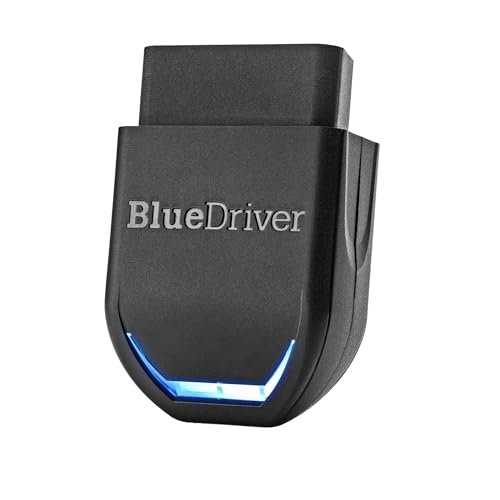
The BlueDriver Pro Bluetooth OBD2 Scanner is a plug-and-play tool that turns your smartphone into a powerful diagnostic device for your vehicle.
It goes far beyond basic code readers by offering enhanced diagnostics for Check Engine, ABS, SRS, TPMS, and more, and it supports most gas-powered vehicles from 1996 onwards.
With unlimited, technician-verified repair reports and real-time vehicle data, it’s designed to help both experienced DIYers and everyday drivers understand and address car issues confidently without recurring fees or subscriptions.
In regular use, the BlueDriver Pro feels reliable and straightforward. Connecting via Bluetooth to either iPhone or Android, the setup is quick, and the companion app is intuitive.
It provides clear explanations, real-world fixes, and live data streams as you drive, which makes troubleshooting and monitoring much less stressful.
Whether you’re prepping for a smog check or just want to keep an eye on your family car, this adapter stands out for its consistency and depth of information.
Pros:
- Reads and clears more codes than basic adapters
- No subscription or hidden fees
- Includes technician-verified repair reports tailored to your VIN
- Works with most 1996+ gas vehicles and select trucks/diesels
- Real-time data monitoring and freeze frame analysis
- Supports both iPhone and Android devices
- Expanded compatibility for newer models, including 2024+ Nissan and Mazda
Cons:
- Compatibility with some trucks and diesels is limited (check specifics)
- Not designed for older (pre-1996) or heavy-duty vehicles
- App interface may feel technical to absolute beginners
My Honest Take
The BlueDriver Pro Bluetooth OBD2 Scanner is ideal for people who want to skip the guesswork and get straight to the problem and the solution.
Whether you’re a DIY enthusiast or just want to avoid unnecessary repair bills, it offers peace of mind through detailed reports and live updates.
Beginners may need a little time to get used to the app, but the real-world fixes and direct explanations make it approachable after a short learning curve.
If you’re tired of paying for code reads at the shop, this adapter puts control back in your hands. I recommend double-checking vehicle compatibility, especially if you drive a less common truck or diesel.
Once set up, it’s a tool you’ll be glad to have every time a dashboard light pops up.
| Best for | Why |
|---|---|
| DIY car owners | In-depth diagnostics and real-world repair reports |
| Everyday drivers | Quick, clear code reading and live data for peace of mind |
| Owners of 1996+ gas vehicles | Broad compatibility and enhanced system coverage |
| iPhone & Android users | Easy Bluetooth connection and user-friendly app |
Bluedriver Bluetooth Obd2 Car Scanner
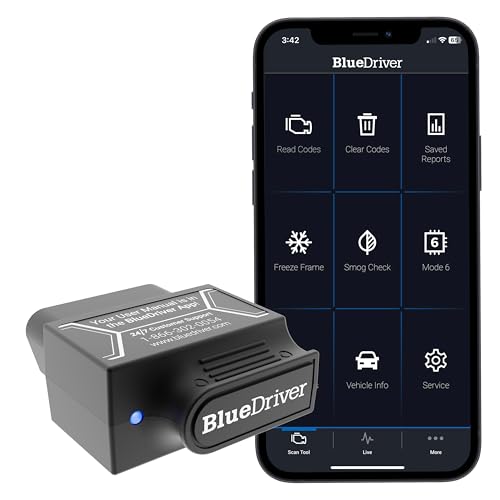
If you’re comparing Obd2 Bluetooth Adapters, BlueDriver stands out for its pro-level diagnostics and easy wireless setup.
check The Price On Amazon
The BlueDriver Bluetooth OBD2 Car Scanner is a compact adapter that connects to your vehicle’s OBDII port and pairs with your phone or tablet. It lets you read and clear trouble codes, including check engine, ABS, airbag, and SRS.
With access to detailed repair reports and live data, you get a clear picture of your car’s health without paying subscription fees or visiting the mechanic for basic diagnostics.
In daily use, BlueDriver feels reliable and straightforward. The app is intuitive, and setup only takes a couple of minutes.
Wireless Bluetooth means you're not fumbling with cables, and the live data feature is a handy way to monitor your car while driving.
Whether you’re a car owner or a hobbyist, I found it easy to get answers quickly and confidently.
Pros:
- Professional-grade diagnostics for multiple systems (engine, ABS, SRS, airbag, TPMS)
- No subscription fees, unlimited repair reports
- Wireless Bluetooth connection for clutter-free use
- User-friendly app with repair videos and step-by-step instructions
- Works with both iPhone and Android devices
- Quick setup and pairing
- Compact and lightweight
Cons:
- Does not support vehicles older than 1996
- Requires a smartphone or tablet for operation
- May not cover every make/model with advanced features
My Honest Take
This adapter is a practical fit for anyone who wants deeper insight into their vehicle without relying on mechanics for every issue. If you’re comfortable using apps and want to diagnose problems quickly, BlueDriver makes the process almost effortless.
Beginners will appreciate the repair videos, while experienced users will value the live data and broad code coverage.
After buying, you can expect clear instructions, easy pairing, and the peace of mind that comes from knowing what’s going on with your car. My tip: Keep it in your glovebox so you’re ready whenever a warning light pops up. It’s a solid choice for DIYers and everyday drivers alike.
| Best for | Why |
|---|---|
| DIY car owners | Easy diagnostics and repair help without mechanic visits |
| Beginner drivers | User-friendly app and instructional videos for confidence |
| Mechanics & enthusiasts | Live data and advanced code coverage for quick troubleshooting |
| Anyone with a 1996+ car | Wide compatibility and no ongoing fees |
Viabecs Obd2 Bluetooth Car Scanner
One of the most practical Obd2 Bluetooth Adapters for quick DIY engine diagnostics and live data monitoring on iPhone or Android.
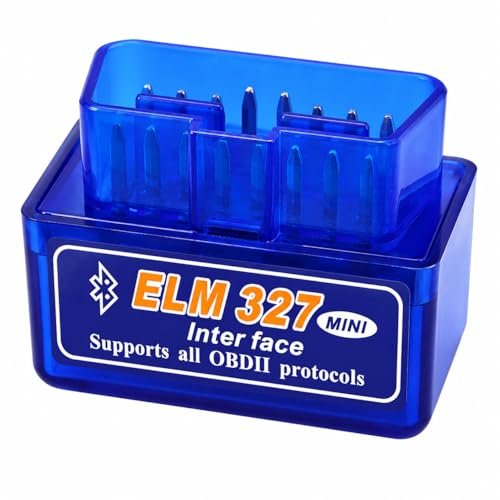
The ViaBecs OBD2 Bluetooth Car Scanner is a compact wireless adapter that plugs into your car’s OBD-II port and pairs with your smartphone.
It reads and clears check engine codes, displays live data like RPM and coolant temperature, and works with both iOS and Android devices.
It’s designed for use with the official YMOBD app, but also supports popular third-party apps, making it flexible for different user preferences.
In regular use, this adapter stands out for how quickly it connects and how little setup is required just plug it in, open the app, and you’re ready to check your engine or monitor real-time vehicle stats. The Bluetooth 5.
1 connection is stable, and I found it reliable for everyday diagnostics and quick checks.
If you want a scanner you can leave in your glovebox for on-the-spot troubleshooting, this fits the bill without fuss.
Pros:
- Easy Bluetooth 5.1 wireless connection, no cables needed
- Works with both iPhone and Android devices
- Official YMOBD app makes setup simple for beginners
- Supports a wide range of popular third-party OBD apps
- Reads and clears check engine light codes on most 12V gas vehicles
- Displays live data like RPM, VIN, and coolant temperature
- Compact size for easy storage in your car
Cons:
- Not compatible with diesel or electric vehicles
- Some third-party apps require extra setup on Android
- App features may vary by car model and device
Who Should Choose This
This ViaBecs adapter is a smart fit for drivers who want the convenience of diagnosing basic engine issues at home or on the go, without investing in a bulky scan tool.
It’s especially well-suited for beginners if you’ve never used an OBD2 Bluetooth adapter before, the setup is straightforward and the official app guides you through every step.
Experienced DIYers will appreciate the flexibility to use their favorite third-party apps as well.
After buying, you’ll find it’s easy to keep in your car for quick scans whenever a warning light appears. One practical tip: always check that your car has a standard OBD-II port (most post-1996 gas vehicles do) before ordering. Peace of mind comes from knowing you can quickly check engine codes or monitor basic vehicle health, even on road trips. For me, having a reliable adapter like this is just smart car ownership.
| Best for | Why |
|---|---|
| First-time OBD2 Bluetooth adapter buyers | Plug-and-play setup with a guided app experience |
| DIY drivers and home mechanics | Quickly read and clear engine codes without a shop visit |
| Owners of 12V gasoline vehicles (OBD-II) | Broad protocol support for most cars built after 1996 |