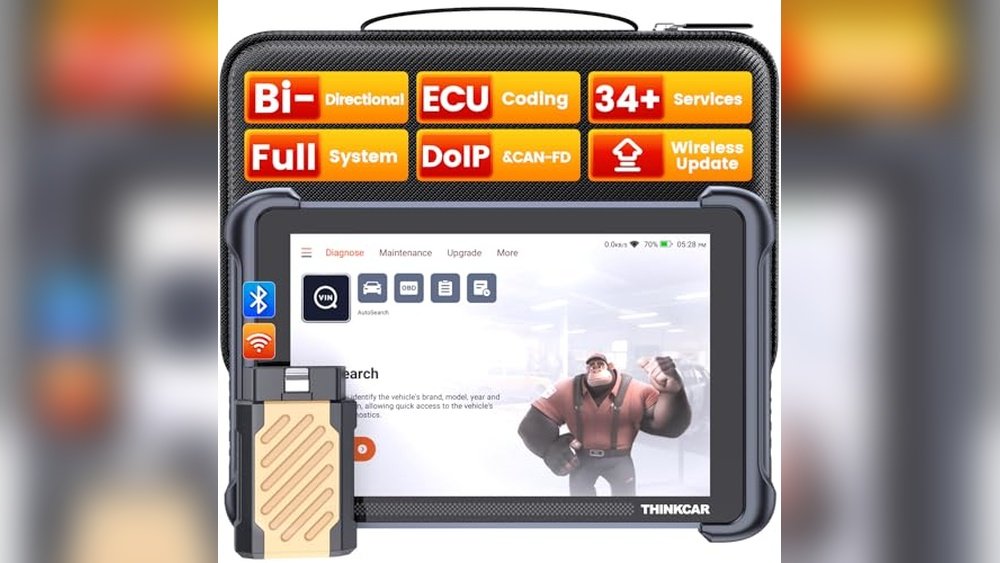
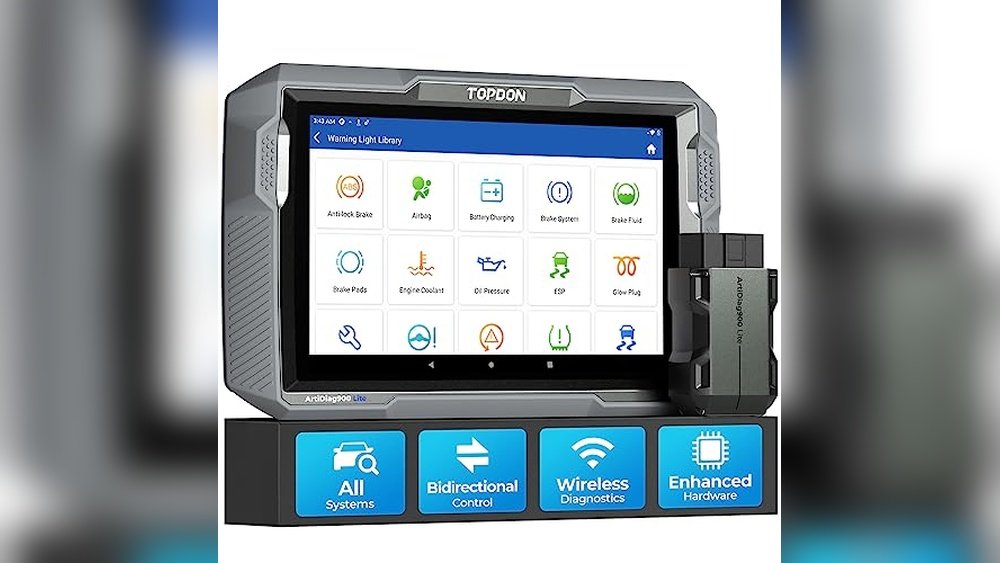
I’ve killed more check engine lights with these two scanners than I can count. BlueDriver vs OBDLink MX+ is the question every Jeep owner asks once they get tired of guessing what a dash warning actually means.
Both plug into your OBD2 port and talk to an app on your phone. The pain point they solve is simple: you shouldn’t need a dealership appointment just to find out why a light came on.
They're not interchangeable, though. One is built to hand you an answer fast.

The other is built to hand you data and let you (or a third-party app) decide what it means.
BlueDriver vs OBDLink MX+: Hands-on Comparison
Both are Bluetooth OBD2 adapters that pair with an app. The real difference is depth versus simplicity, one gets you a fast plain-English answer, the other gets you more raw data if you know what to do with it.

Here’s the OBDLink MX+ vs BlueDriver breakdown at a glance:
| Feature | BlueDriver | OBDLink MX+ |
|---|---|---|
| Devices | iOS, Android | iOS, Android, Windows |
| App | Proprietary only | OBDLink + FORScan, Torque, Carista, BimmerCode |
| ABS/SRS/TPMS codes | Yes | Yes |
| MS-CAN / SW-CAN network access | No | Yes |
| CAN FD (2020+ Stellantis/GM/BMW) | No | Yes |
| Bidirectional controls (Jeep platforms) | No | No |
| Bidirectional/coding via FORScan (Ford only) | N/A | Yes |
| Built-in repair guidance | Yes | No |
| Emissions/smog readiness test | Yes | Via app |
| Battery/alternator load test | No | Yes (via app) |
| GPS tracking | No | Optional (via app) |
| Idle current draw | ~73 mA | ~39 mA |
| Hybrid/EV support | Limited | No |
| Third-party app support | None | FORScan, Torque, Carista, DashCommand |
| Best for | Fast answers, beginners | FORScan users, tinkerers |
BlueDriver Review 2026: Full Breakdown for Jeep Owners
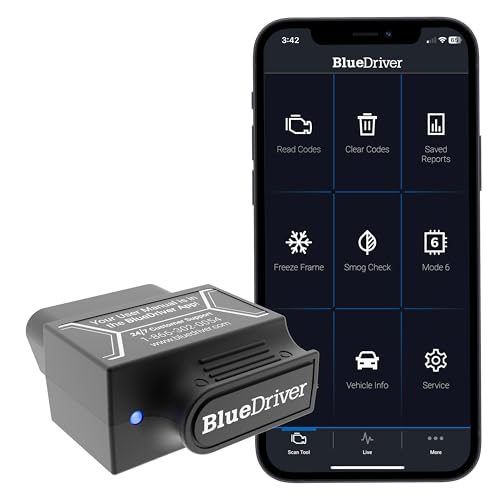
BlueDriver built its name on one idea: plug in, get an answer, done. No subscriptions, no picking an app, it’s all bundled into one clean tool made for drivers who want results, not a diagnostics hobby.
Specs and Features
- Setup: Pairs automatically through the BlueDriver app in under a minute.
- Code coverage: Engine, ABS, SRS, TPMS, and transmission faults on supported Jeep/Chrysler model years.
- Repair Reports: Show what actually fixed the same code on similar vehicles, a real time-saver.
- Emissions readiness test: Built in, useful before a state inspection.
- Freeze frame and live data: Displayed with built-in graphs, no extra app needed.
- Mode 6 data: Shows results of onboard monitor tests, like misfire counts.
- Diesel: Officially unsupported per current listings, though EGT and DPF soot data have worked for some EcoDiesel owners. Run your exact year/make/model through BlueDriver’s compatibility checker before buying.
- Power draw: Around 73 mA at idle, fine for occasional use, less ideal for permanent installs.
The standout feature is Repair Reports. Another thing I really dig about BlueDriver is that it never asks you to pick software, it just works the moment you open the app. For a closer look at real-world performance, see our full BlueDriver review.
Get BlueDriver if you want a set-and-forget tool that explains itself. It’s not the deepest scanner here, but for clearing codes and getting a plain answer, the simplicity is the whole point.
OBDLink MX+ for Jeep: Worth the Price, or Overkill?
The OBDLink MX+ is built for people who already know their way around a diagnostic app, or want to learn. It’s an adapter first, and the software you pair it with decides how deep you go.
Specs and Features
- Setup: Requires picking an app (OBDLink, FORScan, Torque, Carista) before first use.
- Network access: Reads MS-CAN and SW-CAN in addition to standard OBD2, useful for Ford/GM crossover diagnostics too.
- CAN FD support: Covers 2020-and-newer platforms that BlueDriver can’t read.
- Extras: Battery/alternator load testing and optional GPS tracking through supported apps.
- Power draw: Roughly half of BlueDriver’s idle current, a small win for full-time plug-in use.
- Security: Encrypted Bluetooth pairing, built to resist the wireless-sniffing risks some cheap clones carry.
- Firmware updates: Free for life; app updates depend on which third-party software you choose.
- Hybrid/EV support: Not supported, a real limitation if your household has an electrified vehicle.
What I really dig about the MX+ is FORScan compatibility. If you’re the kind of Jeep owner who wants module-level access instead of just a code and a description, this is where that path starts. Full specs are on OBDLink’s official MX+ page.
Get the OBDLink MX+ if you want more than a code reader, you’re comfortable installing an app, and you want the option to go deeper later. It rewards a bit of setup effort with real flexibility.
OBDLink MX+ vs BlueDriver 2026: Breaking It Down
Specs only tell half the story. Below, we compare both tools feature by feature, the way you’d actually use them on a real Jeep, not just what’s printed on the box.
TIPM and Jeep Specific Code Coverage
Jeeps lean on body control modules, the TIPM and BCM, for a lot of electrical faults that live outside plain OBD2. A basic reader misses these entirely.
This is where OBDLink MX+ vs BlueDriver stops being a spec-sheet argument and starts being a real-world one.
BlueDriver reaches a decent chunk of TIPM/BCM faults natively on supported Chrysler/Jeep/Dodge model years. The MX+ can match that depth, but usually only through a third-party app like FORScan rather than its own app alone.
If a wiper, interior light, or power window issue keeps coming back, this is the code coverage that actually finds it. A generic reader will just tell you the check engine light is off and miss the real fault.
Setup Speed and Everyday Use
BlueDriver wins here without much argument. Pair once, open the app, and you’re reading codes in under a minute, ideal for a five-minute pre-trip check.
The MX+ takes a few extra steps since you’re choosing an app first. Once set up, though, it streams live data noticeably faster, which matters when you’re watching several PIDs at once.
For a weekend overlanding trip, that setup gap barely matters, you configure it once and forget it. It only becomes friction if you’re switching between apps or vehicles often.
Bidirectional Controls (What Neither Tool Does for a Jeep)
Neither scanner runs true bidirectional diagnostic tests, an ABS bleed, injector cycling, or a forced DPF regen, on a Jeep. That’s dealer-scanner or professional bidirectional-tool territory, think Autel or XTOOL.
One nuance worth knowing: OBDLink markets the MX+ as having bidirectional/coding capability, and that’s accurate, but only through FORScan, and FORScan only covers Ford, Lincoln, Mazda, and Mercury. It doesn’t extend to Jeep or Chrysler platforms, so that capability isn’t something a Jeep owner will actually get access to.
Worth repeating because it gets asked constantly: read/diagnose is not the same as repair-execute. For Jeep owners specifically, both tools are the former, not the latter.
Repair Guidance vs. Raw Data
BlueDriver’s Repair Reports translate a code into plain language, plus notes on what fixed the same issue for other owners. It shortcuts a lot of forum-searching.
The MX+ skips that layer entirely. You get fast raw data and the freedom to interpret it through whatever app you choose, better for someone who already knows what a code implies.
Beginners tend to prefer BlueDriver for this reason alone. Experienced DIYers often prefer the MX+’s raw feed precisely because it doesn’t editorialize.
Protocol and Network Coverage
Both handle every OBD2 protocol required on US vehicles from 1996 onward. BlueDriver reads HS-CAN only.
The MX+ adds MS-CAN and SW-CAN, plus CAN FD for 2020-and-newer Stellantis, GM, and BMW platforms.
For a gas Wrangler or Grand Cherokee, this rarely matters day to day. It matters more if you’re also the family’s go-to for a newer Ford or GM vehicle.
EcoDiesel Compatibility
Neither tool can force a DPF regeneration, that’s bidirectional, and it’s off-limits on both. BlueDriver’s current listing states no diesel support, though some 3.0L EcoDiesel owners report read-only EGT and DPF soot data working through the app.
Confirm compatibility against your exact VIN before buying if diesel monitoring is the deciding factor. Diesel support has shifted across past model updates, so don’t rely on an old forum thread to make the call.
Hardware, Power Draw, and Extras
The MX+ draws less current at idle, which matters if you leave the adapter plugged in year-round rather than pulling it after every check. BlueDriver’s higher draw is a non-issue for occasional use but worth knowing for full-time installs.
BlueDriver includes a smog/emissions readiness test out of the box, handy before a state inspection. The MX+ answers with battery and alternator load testing plus optional GPS tracking, both app-dependent.
Transmission Code Accuracy: An Honest Caveat
Both list transmission diagnostics as a feature, and on paper, both deliver. In practice, owners report mixed results depending on the exact model year, some get clean engine codes but incomplete transmission fault data.
This isn’t unique to either brand. Enhanced code coverage always depends on how completely the manufacturer licensed proprietary PIDs, and that varies year to year even within the same Jeep model.
Which One Do Working Mechanics Actually Use?
Shops run dealer-level or professional bidirectional scanners for real repair work, neither of these tools is that. Among techs who own one personally, the split mirrors what you’d expect from the rest of this comparison.
BlueDriver tends to go with the tech who wants a fast answer without extra software. The MX+ goes with the tech already running FORScan who just needs a reliable adapter to feed it.
OBDLink MX+ vs BlueDriver: Which Product Is Better?
BlueDriver wins for most Jeep owners. It gets you a plain-English answer faster, with no app-picking and no learning curve, which is what most people actually want when a warning light comes on.
The OBDLink MX+ wins if you already use FORScan or plan to. It’s got wider network access and CAN FD support, which matters if you’re actually digging into module-level diagnostics and not just clearing codes.
Alternatives to BlueDriver and OBDLink MX+
OBDeleven: Built specifically for VW, Audi, and BMW coding and module access. Not the right pick for a Jeep, but worth knowing if you also service European vehicles.
Autel Scanner: The step up if you need to force a DPF regen, bleed ABS, or run actuator tests, capability neither BlueDriver nor the MX+ offers.
OBDLink LX: A budget OBDLink option without ABS/SRS/TPMS coverage. Worth considering only if price is the deciding factor and you’re fine with basic OBD2 codes alone.
Which Should a Jeep Owner Buy First?
If this is your first scanner, start with BlueDriver, it’s faster to learn and gets you a usable answer immediately. OBDLink MX+ vs BlueDriver only tips toward the MX+ once you’re ready to install FORScan or a similar app.
Is OBDLink MX+ better than BlueDriver Pro?
It depends on what you’re optimizing for. The MX+ wins on raw capability; BlueDriver wins on speed-to-answer.
For most Jeep owners doing their own maintenance, speed-to-answer matters more day to day.
Is BlueDriver Worth It?
Yes, for fast code reads with plain-English explanations and no subscription. It’s not worth it if you already run FORScan or need MS-CAN access, the MX+ covers that ground instead.
Which One Works with FORScan?
The OBDLink MX+ does. BlueDriver only works with its own proprietary app and isn’t compatible with FORScan or other third-party software.
Is OBDLink MX Discontinued?
Yes, the original OBDLink MX is discontinued and replaced by the OBDLink MX+. If you’re comparing options today, MX+ is the current model.
Can Either Tool Reset My Odometer?
No. This isn’t a missing feature, it’s illegal under U.S.
law, and no reputable scan tool offers it.
Conclusion
Obdlink MX+ vs BlueDriver really comes down to how deep you want to go. BlueDriver gets most Jeep owners a fast, plain answer with zero setup friction.
The MX+ rewards a bit more effort with real diagnostic depth through FORScan and broader network access.
Neither replaces a bidirectional scanner if you’re chasing a forced regen or ABS bleed, but for everyday code reading, either one earns its spot in the glovebox.
Which one matches how you actually work on your Jeep, fast answers, or going deeper? Let me know in the comments below.
Last update on 2026-10-07 / Affiliate links / Images from Amazon Product Advertising API