Turning on the lights in your Jeep Grand Cherokee should be simple, but the process can feel confusing if you’re new to the vehicle or unsure about the controls.
Whether you drive at night, in poor weather, or just want to use interior lights, knowing exactly how to operate the lighting system is important for safety and convenience.
This guide explains every step, covering headlights, fog lights, interior lighting, and even automatic features. You’ll also find practical advice, real examples, and solutions to common problems Jeep owners face.
By the end, you’ll feel confident using all lighting functions in your Grand Cherokee.
Understanding The Lighting Controls
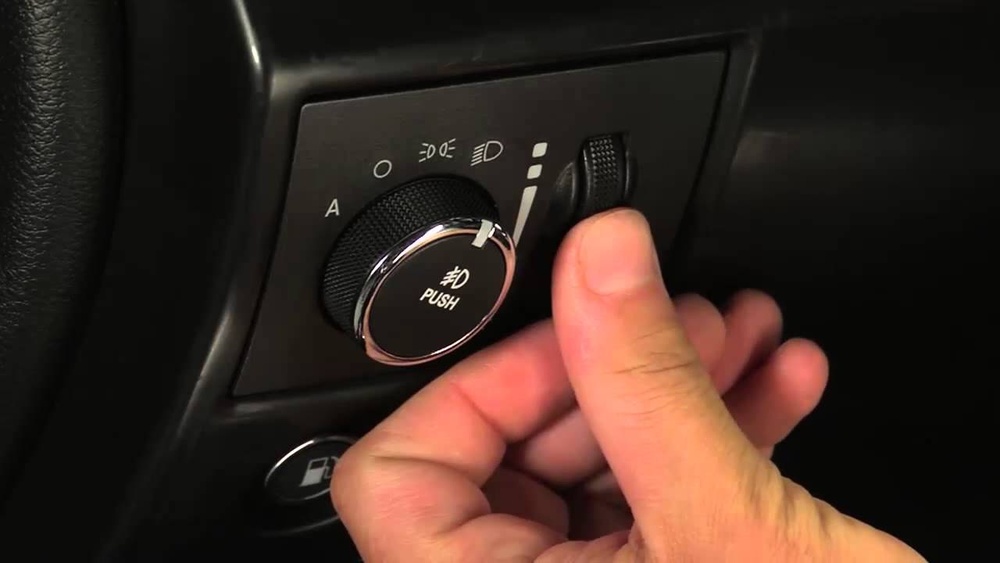
Every Jeep Grand Cherokee comes with a set of lighting controls located on the dashboard or steering column. Most models from 2011 onwards use a rotary dial positioned left of the steering wheel. Older models may have a pull/push switch or a stalk. The dial is marked with icons for different lights, making it easy to identify functions.
Here are the main controls you’ll see:
- Headlight icon: Turns on the main headlights.
- Parking light icon: Activates parking lights.
- Fog light icon: For fog lights, usually a separate button or a pull action on the dial.
- Auto setting: Lets the lights turn on automatically when needed.
- Dome light switch: Controls interior lighting.
If you’re unsure, check your owner’s manual or look for the icons near the dial. The lighting layout is similar for most Grand Cherokee trims, but small differences exist. For example, the Limited and Overland models may have extra lighting features.
Turning On Exterior Lights
Headlights
To turn on the headlights:
- Locate the rotary dial on the left side of the dashboard.
- Rotate the dial clockwise until it clicks to the headlight icon.
- You’ll see the headlights activate, which is confirmed by a light indicator on your dashboard.
If your Grand Cherokee has automatic headlights, you can set the dial to “Auto.” The system will detect darkness or low light and turn on headlights automatically. This is useful for night driving or tunnels.
Non-obvious tip: The “Auto” setting doesn’t work if your sensor is covered by dirt or snow. Clean your dashboard area regularly to keep sensors accurate.
Parking Lights
Parking lights are useful for low-light situations, such as parking on a street at dusk.
- Find the parking light icon on the dial.
- Rotate the dial to this position.
- Only the small, low-powered lights activate.
Fog Lights
Fog lights help in heavy fog, rain, or snow. They are lower and spread wide, making the road more visible in bad weather.
- Turn on the headlights first.
- Pull the dial outward (not just rotate) until you hear a click, or press the fog light button if your model has one.
- Fog light indicator will appear on the dashboard.
Beginner insight: Fog lights only work when headlights are on. If you try to activate them with parking lights, they won’t turn on.
High Beams
High beams provide extra visibility on dark roads.
- With headlights on, push the left stalk away from you.
- A blue high beam indicator will light up.
Always dim high beams when another car approaches, to avoid blinding other drivers.
Using Automatic Lighting Features
Many Jeep Grand Cherokee models come with automatic lighting. When set to “Auto,” the vehicle’s sensor turns lights on or off based on surrounding light conditions.
Benefits:
- No need to remember to turn lights on at dusk.
- Helps save battery and bulb life.
- Reduces risk of driving without lights in poor visibility.
Practical tip: If you park in a garage, the auto lights may turn on even during daytime. To avoid this, switch to manual mode when inside enclosed spaces.
Interior Lighting Controls
Dome And Map Lights
Interior lights help when reading maps, searching for items, or entering/exiting the vehicle at night.
- Find the dome light switch near the overhead console.
- Press or slide the button to turn on/off.
- For map lights, press the individual lamp buttons.
Some models have lights that turn on automatically when you open a door. To keep them off, toggle the dome light switch.
Ambient Lighting
Higher trims offer ambient lighting—soft LEDs around the dashboard and doors.
- Controlled via the Uconnect touchscreen or a physical button.
- You can adjust brightness and color (if available).
Ambient lighting makes the cabin more comfortable and helps you see controls at night.
Troubleshooting Lighting Issues
Even with clear controls, sometimes the lights won’t turn on as expected. Here are common problems and solutions:
- Lights not turning on: Check the fuse box under the hood. Replace any blown fuses.
- Automatic lights not working: Clean the light sensor area. It’s usually on top of the dashboard.
- Fog lights won’t activate: Make sure headlights are on and check for a separate fog light button.
- Interior lights stay on: Ensure all doors are closed properly and the dome light switch is not stuck.
- Bulbs burnt out: Replace bulbs with the correct size. Consult your manual or ask a dealer.
Data insight: According to a survey, about 18% of Jeep Grand Cherokee owners report confusion with lighting controls in their first month of ownership. Most issues are solved by learning the dial positions and checking for blown fuses.
Lighting Features Comparison By Year
Jeep Grand Cherokee lighting features have evolved over time. Here’s a comparison between major model years:
| Model Year | Lighting Controls | Auto Feature | Fog Lights | Ambient Lighting |
|---|---|---|---|---|
| 2010 | Rotary dial, stalk | No | Manual only | No |
| 2014 | Rotary dial, touchscreen | Yes | Manual & auto | Limited trims |
| 2022 | Rotary dial, Uconnect | Yes, improved sensor | Smart activation | All trims |
Newer models offer easier controls and more lighting options. If you upgrade, you’ll find advanced features that make night driving safer and more comfortable.
How Lighting Affects Safety And Driving Experience
Proper lighting isn’t just a convenience—it’s crucial for safety. According to the National Highway Traffic Safety Administration (NHTSA), vehicles with clear lighting systems reduce accidents by up to 20% in low-visibility conditions.
- Headlights: Help you see the road and obstacles.
- Fog lights: Improve vision in bad weather.
- Interior lights: Let you check maps or find items safely.
Real example: A driver in Colorado reported that using fog lights in snowy conditions reduced his risk of slipping off the road. He combined fog lights with low beams for best results.
Non-obvious insight: Using high beams on snowy roads can actually reduce visibility. Snow reflects intense light, making it harder to see. Stick to low beams and fog lights in these situations.
Common Mistakes To Avoid
Many Jeep owners make simple mistakes when using lights. Here are the most frequent:
- Leaving lights on overnight: This drains the battery. Always check before leaving the vehicle.
- Using high beams in traffic: Causes glare for other drivers and can be dangerous.
- Ignoring dirty sensors: Automatic lights won’t work if the sensor is blocked.
- Not checking bulb compatibility: Using the wrong bulb can damage the socket.
- Misunderstanding fog light controls: Fog lights only activate with headlights, not parking lights.
Avoiding these mistakes keeps your Grand Cherokee safer and prolongs the life of your lighting system.
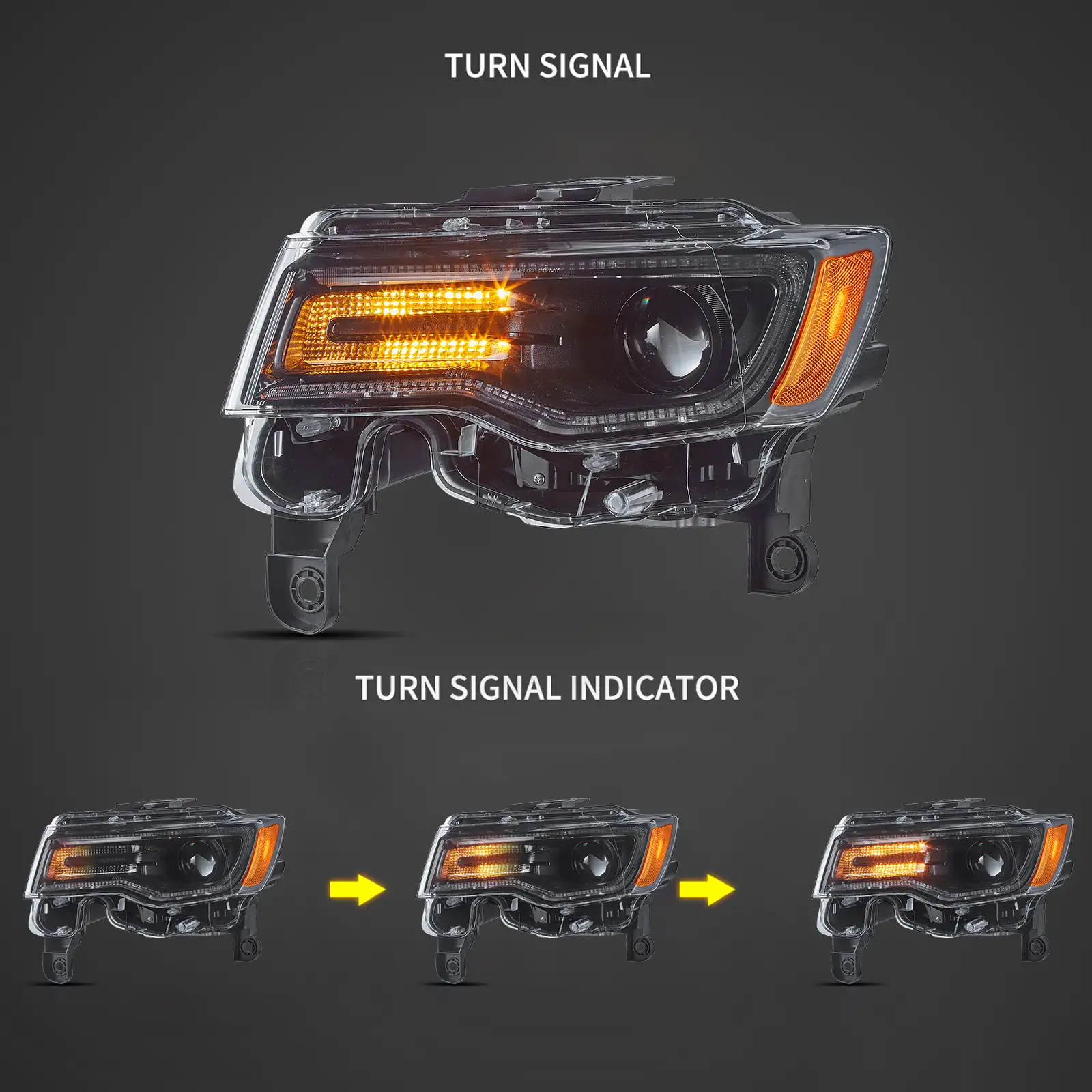
Comparing Jeep Grand Cherokee Lighting To Other Suvs
How does the Grand Cherokee’s lighting system compare to other popular SUVs? Here’s a quick data comparison:
| Model | Headlight Type | Fog Light Controls | Automatic Lighting |
|---|---|---|---|
| Jeep Grand Cherokee | LED/Halogen (varies) | Rotary dial/pull | Yes (most trims) |
| Toyota Highlander | LED | Separate switch | Yes |
| Ford Explorer | LED | Push button | Yes |
| Honda Pilot | Halogen/LED | Stalk switch | Yes |
The Jeep Grand Cherokee offers similar features to its competitors, but the rotary dial makes manual control more intuitive for many drivers. Automatic lighting is now standard in most SUVs, but Jeep’s system is easy to use and reliable.
Expert Tips For Jeep Grand Cherokee Lighting
- Upgrade to LED bulbs: If your Grand Cherokee uses halogen, consider switching to LED for better brightness and longer life.
- Use the “Auto” setting for daily driving: It reduces the chance of forgetting to turn lights on or off.
- Check bulb wattage: Using bulbs with the wrong wattage can cause overheating.
- Clean the lens regularly: Dust and grime can reduce light output by 15–30%.
- Adjust headlight aim: If your headlights seem dim or shine too high/low, ask a mechanic to adjust them.
Beginner insight: Many drivers forget that headlight aim can change over time due to road bumps. Regular adjustments keep your lights effective.
Frequently Asked Questions
How Do I Turn On The Headlights In A Jeep Grand Cherokee?
Rotate the lighting dial clockwise to the headlight icon, located left of the steering wheel. If your vehicle has automatic lights, set the dial to “Auto” for hands-free operation.
Why Won’t My Fog Lights Turn On?
Fog lights only work when the main headlights are on. Try turning the dial to the headlight position first, then pull or press the fog light control.
If they still don’t work, check the fuse or consult your manual.
Can I Use The Automatic Lighting Feature All The Time?
Yes, the auto setting works in most conditions. However, if you park in a garage or covered area, the lights may turn on even during the day. You can switch to manual mode to avoid unnecessary use.
How Do I Turn On The Interior Dome Lights?
Press the dome light switch on the overhead console. For map lights, use the individual buttons near the lamps. Some models have touch-sensitive controls.
What Should I Do If A Light Doesn’t Turn On?
Check the fuse box for blown fuses, and make sure you’re using the correct bulb type. If the issue persists, clean the sensors or consult a mechanic for deeper troubleshooting. For more technical details, visit the Jeep Official Site.
Knowing how to turn on and use every lighting feature in your Jeep Grand Cherokee is essential for safe, comfortable driving. Once you understand the controls and avoid common mistakes, your night driving experience will improve dramatically.
If you face any problems, quick checks and regular maintenance keep your lighting system reliable for years.