Starting your car from your phone may sound futuristic, but today it’s easy with the Jeep app. If you own a Jeep vehicle, you can use the app to start your engine remotely, warm up or cool down your cabin, and unlock other smart features.
This is not just a cool trick—it's practical for cold mornings, hot days, or when you want extra security. In this guide, you’ll learn how to set up the Jeep app, start your car, and discover tips to make the process smooth and safe.
What You Need Before Using The Jeep App
Before you try to start your car with the app, make sure you have the right setup:
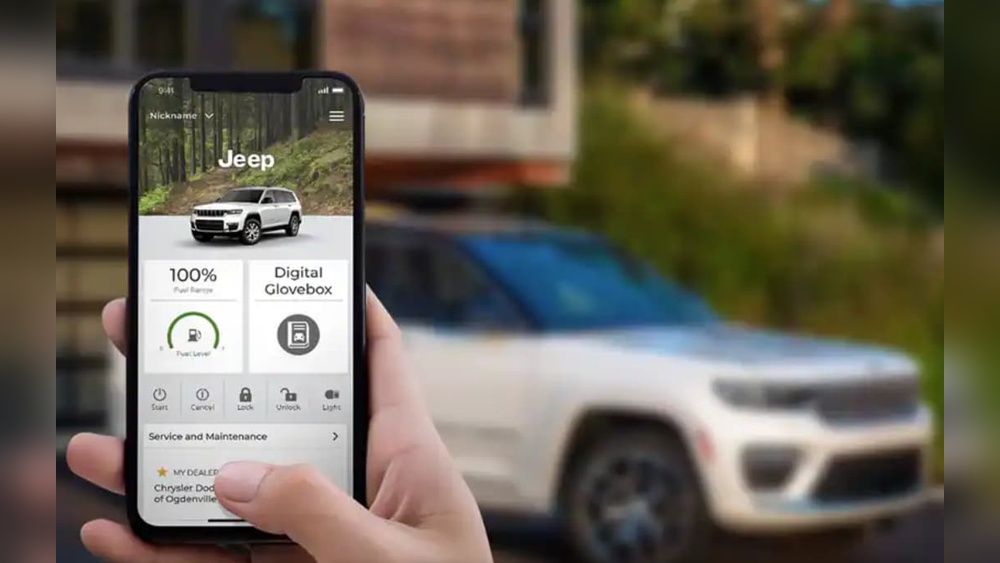
- Compatible Jeep model: Most 2018 or newer Jeeps support remote start through the app. Some older models may need updates.
- Uconnect system: Your Jeep must have the Uconnect infotainment system with remote services enabled.
- Jeep app account: Create an account in the Jeep app and link your vehicle.
- Active subscription: Remote start features require a paid Uconnect subscription. Check your status in the app.
- Smartphone with internet: The app needs a stable connection.
Missing any of these will block remote start. Always check your vehicle manual or the Jeep website for exact compatibility.
Setting Up The Jeep App For Remote Start
To make the remote start work, follow these steps:
- Download the Jeep app: Find it on the App Store or Google Play. The official app is called “Jeep” or sometimes “My Jeep.”
- Register your account: Use your email and vehicle details. The app will guide you through linking your Jeep VIN (vehicle identification number).
- Verify ownership: For safety, Jeep will ask for extra verification—often a code sent to your email or phone.
- Activate Uconnect: If not already active, subscribe to Uconnect services through the app or your dealership.
- Connect your vehicle: Make sure your Jeep’s Uconnect system is powered and connected to cellular service.
Once these steps are done, you’re ready to use remote start.
| Step | Action | Time Needed |
|---|---|---|
| Download App | Install from store | 2 minutes |
| Register Account | Enter info, link VIN | 5 minutes |
| Verify Ownership | Code verification | 2 minutes |
| Activate Uconnect | Subscribe, enable | Varies |
How To Start Your Car From Jeep App
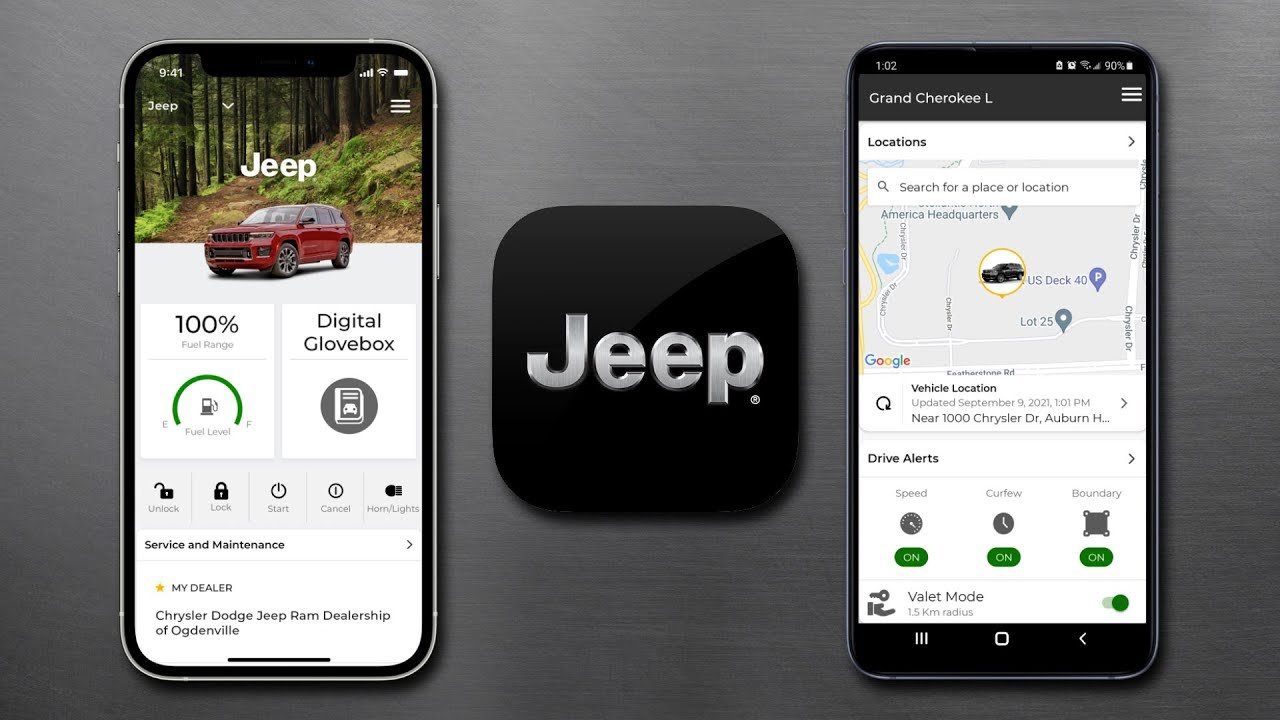
With setup complete, starting your Jeep is simple. Here’s the process:
- Open the Jeep app on your smartphone.
- Sign in if needed.
- Select your vehicle from the dashboard.
- Tap the Remote Start button. It may have a car icon or be labeled “Start Engine.”
- Confirm the action—some apps ask for a PIN or fingerprint for security.
- Wait for the app to communicate with your Jeep. This usually takes 5-10 seconds.
Your engine will start, and the app will show confirmation. The car will run for a preset time (usually 10-15 minutes), then turn off if you don’t enter.
Example: Starting A Jeep Cherokee
Imagine it’s winter and your Jeep Cherokee is parked outside. You want to warm the cabin before leaving.
You open the Jeep app, tap “Remote Start,” confirm, and your engine starts. The heater activates, so by the time you walk outside, it’s comfortable inside.
Remote Start Vs. Traditional Start
Let’s compare remote start from the app with traditional key start:
| Feature | Remote Start (App) | Traditional Key Start |
|---|---|---|
| Convenience | High | Medium |
| Security | App PIN/biometric | Physical key |
| Weather Prep | Automatic climate control | Manual |
| Distance | No limit (cellular) | Limited (key fob range) |
Practical Tips For Using Jeep App Remote Start
- Check signal strength: If your Jeep or phone has weak cellular signal, remote start may fail. Try moving to a better area.
- Battery health: Both your phone and your vehicle’s battery must be strong. Low battery can block remote functions.
- App updates: Always keep the Jeep app updated for bug fixes and new features.
- Safety settings: The car won’t start if doors, hood, or trunk are open. Make sure everything is closed.
- Climate control: Set your preferred cabin temperature in the app or car system before using remote start.
A non-obvious tip: If you park in underground garages, cellular signal can drop. In these cases, remote start may not work. Try starting once you’re above ground.
Another insight: For security, the car can’t be driven away with just remote start. You must use your key fob to unlock the steering wheel and transmission.

Common Mistakes To Avoid
- Forgetting subscription: Remote start won’t work without an active Uconnect subscription.
- Wrong vehicle selection: If you own multiple Jeeps, double-check you’re selecting the right one in the app.
- Ignoring notifications: The app may show error messages if a door is open or the vehicle is out of range. Read these carefully.
Security And Privacy Considerations
Jeep designed the app with strong encryption and multi-factor authentication. Always use a unique password, and enable biometric login if possible. If you lose your phone, change your Jeep app password immediately.
For more details on Jeep app security, visit the official Jeep Owners portal.
Frequently Asked Questions
Can I Start My Jeep From Anywhere?
Yes, as long as your phone and vehicle have a stable internet connection. There’s no distance limit with the app.
How Long Will My Jeep Run After Remote Start?
Usually, 10-15 minutes. You can adjust this in the app settings, but the engine will turn off automatically if you don’t enter.
Is Remote Start Safe For My Engine?
Yes, Jeep designed remote start to be safe. It won’t work if the engine or battery is low, or if there are safety issues.
Can I Use The Jeep App On Multiple Phones?
You can, but each phone must be registered and verified. For security, Jeep may limit remote actions from unfamiliar devices.
Do All Jeep Vehicles Support Remote Start?
Not all. Most newer models with Uconnect do, but older vehicles may lack compatibility or need hardware upgrades.
Starting your car from the Jeep app is fast, safe, and convenient. Whether you want to cool your cabin in summer or warm it in winter, remote start gives you control from anywhere.
With the right setup and a few smart habits, you’ll enjoy modern comfort with peace of mind.
Always check your app and vehicle for updates to stay secure and get the most from your Jeep.