Removing the battery from a 2018 Jeep Compass is a task many car owners face, whether for replacement, troubleshooting, or routine maintenance. While the process seems simple, Jeep has placed the battery under the hood in a way that can make removal tricky for beginners.
Understanding how to safely and efficiently remove the battery will save time, reduce stress, and prevent damage to your vehicle. This guide will walk you through the complete process, highlight useful tips, and address common mistakes.
Tools And Preparation
Before starting, gather the necessary tools:

- Socket wrench (10mm and 13mm)
- Ratchet extension
- Flathead screwdriver
- Battery terminal puller (optional)
- Safety gloves
It's important to wear safety gloves and eye protection. Batteries can leak acid or emit gases, so work in a well-ventilated area.
Turn off the engine and remove the key from the ignition.
Locating The Battery
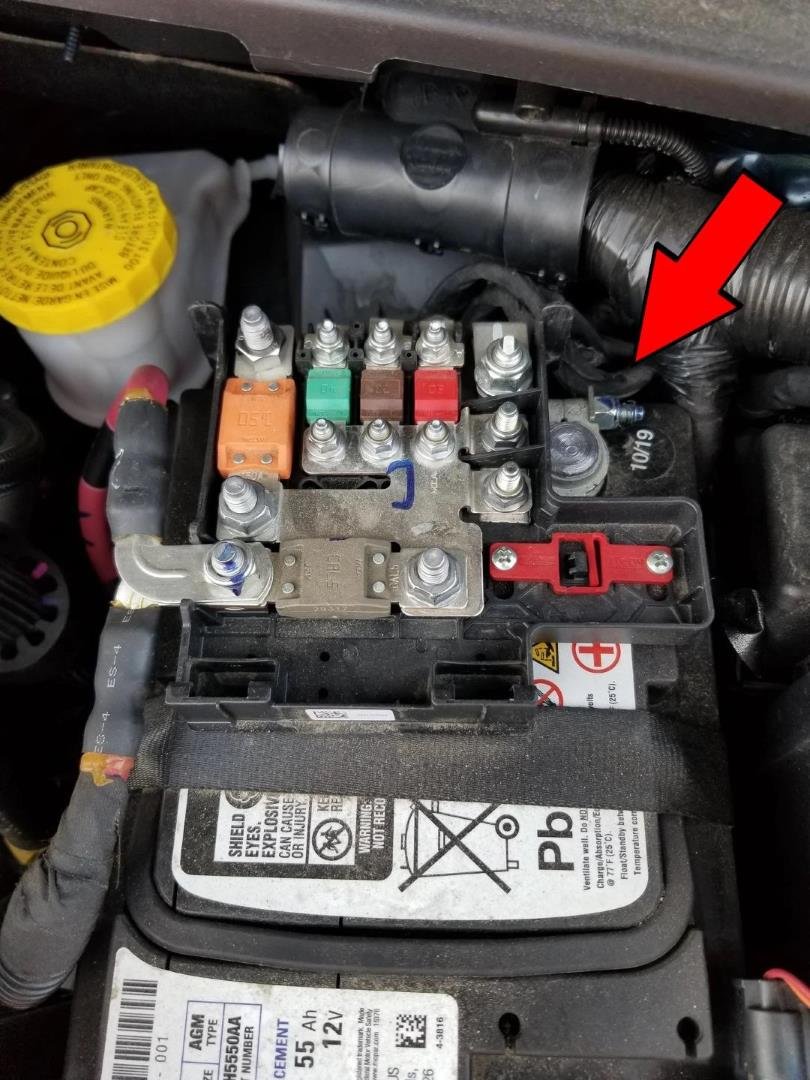
In the 2018 Jeep Compass, the battery sits near the right side of the engine compartment, partially covered by a plastic air intake duct. This placement is different from older models, where batteries were more accessible.
| Model Year | Battery Location | Accessibility |
|---|---|---|
| 2018 Compass | Engine compartment, right side | Moderate |
| 2015 Compass | Engine compartment, front | Easy |
| 2012 Compass | Engine compartment, front left | Easy |

Step-by-step Battery Removal
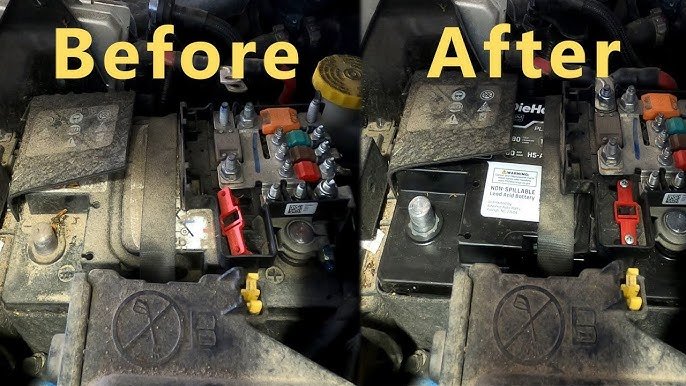
1. Remove The Air Intake Cover
First, locate the plastic air duct above the battery. Using a flathead screwdriver, gently pry the clips holding the cover.
Lift the cover away and set it aside. This exposes the battery and terminals.
2. Disconnect Negative Terminal
With the socket wrench, loosen the nut on the negative (black) terminal. Always disconnect this terminal first to prevent electrical shorts. Carefully wiggle the connector free and move it away from the battery post.
3. Disconnect Positive Terminal
Repeat the process for the positive (red) terminal. Loosen the nut and remove the connector, making sure it doesn’t touch any metal parts.
4. Remove Hold-down Clamp
The battery is secured with a metal clamp at the base. Use a 13mm socket and ratchet extension to reach the bolt.
Remove the clamp and set the hardware aside.
5. Lift Out The Battery
Grab the battery firmly by the handles or sides. Batteries are heavy use both hands.
Lift straight up and out of the compartment. If stuck, gently rock the battery side to side.
6. Inspect Battery Tray And Cables
Check the battery tray for corrosion or debris. Clean as needed with a mixture of baking soda and water. Inspect cables for wear or damage.
Common Mistakes To Avoid
- Disconnecting the positive terminal first can cause sparks or damage electronics.
- Dropping the battery may crack the casing and leak acid.
- Forgetting to remove the air duct cover makes access difficult.
Battery Specifications And Replacement
The 2018 Jeep Compass uses a Group 47 (H5) battery with about 600 cold cranking amps (CCA). When buying a new battery, match these specifications for reliable performance.
| Specification | Details |
|---|---|
| Group Size | 47 (H5) |
| CCA | 600 |
| Voltage | 12V |
| Dimensions | 9.5″ x 6.9″ x 7.5″ |
Safety Tips
- Always disconnect the negative terminal first.
- Avoid touching both terminals at once.
- If you notice corrosion, clean it with baking soda paste.
- Dispose of old batteries at certified recycling centers.
A surprising insight: Jeep Compass batteries often have a vent tube attached. Make sure to remove this tube gently and attach it to the new battery, as it prevents gas buildup.
Reinstallation Steps
Reinstalling the battery follows the reverse order:
- Place the new battery in the tray.
- Reattach the hold-down clamp.
- Connect the positive terminal first, then the negative.
- Secure the air intake cover.
- Start the vehicle to check operation.
If you notice warning lights or issues, recheck all connections.
Comparison: Professional Vs Diy Removal
Many owners wonder if removing the battery themselves is safe compared to hiring a mechanic.
| Aspect | DIY | Mechanic |
|---|---|---|
| Cost | $0-$10 (tools) | $50-$120 |
| Time | 20-30 min | 15-20 min |
| Risk | Moderate (if inexperienced) | Low |
| Learning | High | Low |
Most Jeep Compass owners can handle battery removal with the right tools and careful steps. However, if unsure, professional help prevents mistakes.
Expert Advice For Beginners
A common oversight is not saving radio presets or clock settings before removal. The battery disconnect will reset these.
Use a memory saver tool if you want to keep all settings intact.
Another detail often missed: After reinstalling, drive for a few miles to allow the engine management system to relearn idle and performance settings.
For more guidance, visit the official Jeep manual or reputable sources like Autoblog.
Frequently Asked Questions
How Long Does Battery Removal Take?
For most people, 20–30 minutes is enough, especially if you prepare tools and follow each step carefully.
What If The Battery Terminals Are Corroded?
Use a baking soda and water paste to clean corrosion. Wear gloves and rinse with water. If corrosion is severe, replace the cable ends.
Can I Use Any Battery For My Jeep Compass?
No. Only use a Group 47 (H5) battery with 600 CCA. Wrong batteries may not fit or power your car reliably.
Will Removing The Battery Affect Electronics?
Yes, removing the battery will reset the clock, radio presets, and sometimes the engine computer. Most settings can be restored easily.
Where Should I Recycle The Old Battery?
Take the old battery to an auto parts store or recycling center. They handle hazardous waste safely and may offer discounts for battery exchange.
Removing the battery from your 2018 Jeep Compass is straightforward if you prepare well and follow each step. With the right tools and safety habits, you can save time and money, maintain your vehicle, and keep your electronics running smoothly.