Starting your Jeep Wagoneer remotely is more than just a convenience—it can make your daily routine smoother and your ride more comfortable.
Whether you want to warm up the cabin on a chilly morning or cool it down in the summer, knowing how to use the remote start feature is essential. But many owners overlook important details or make simple mistakes that keep this useful function from working smoothly.
This guide will help you understand the process, compare different methods, and avoid common problems with the Jeep Wagoneer’s remote start.

What Is Remote Start And Why Use It?
Remote start lets you start your Jeep Wagoneer’s engine from a distance using a key fob or a smartphone app. This feature is especially helpful in extreme weather, letting you control the climate before you enter the vehicle.
For families, it can mean a safer, more comfortable ride from the moment you get in.
Many newer Wagoneer models come with remote start as a standard feature, but not all trim levels include it. You should check your owner’s manual or ask your dealer if you are unsure.
Ways To Remote Start Your Jeep Wagoneer
You can start your Wagoneer remotely in two main ways: with the key fob or with the Uconnect app on your smartphone. Here’s a comparison:
| Method | Range | Setup Required | Features |
|---|---|---|---|
| Key Fob | Up to 300 feet | None | Simple start/stop |
| Uconnect App | Unlimited (cellular/Wi-Fi) | App registration | Start/stop, lock/unlock, locate vehicle |
If your Wagoneer is equipped with both, you can use whichever is more convenient.
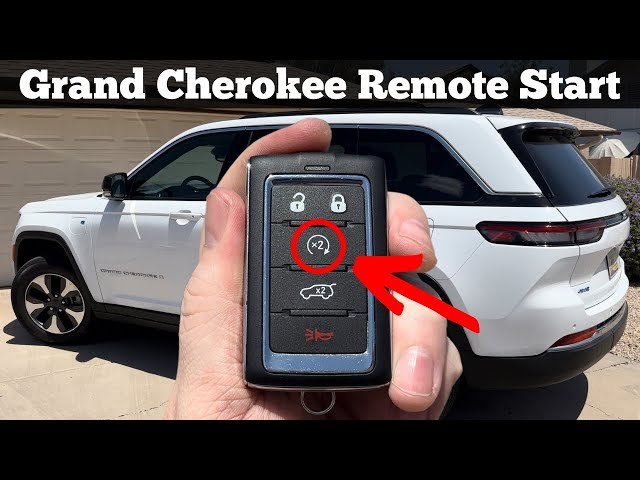
How To Remote Start With The Key Fob
- Make sure the doors are locked. The remote start will not work if any door, the hood, or the liftgate is open.
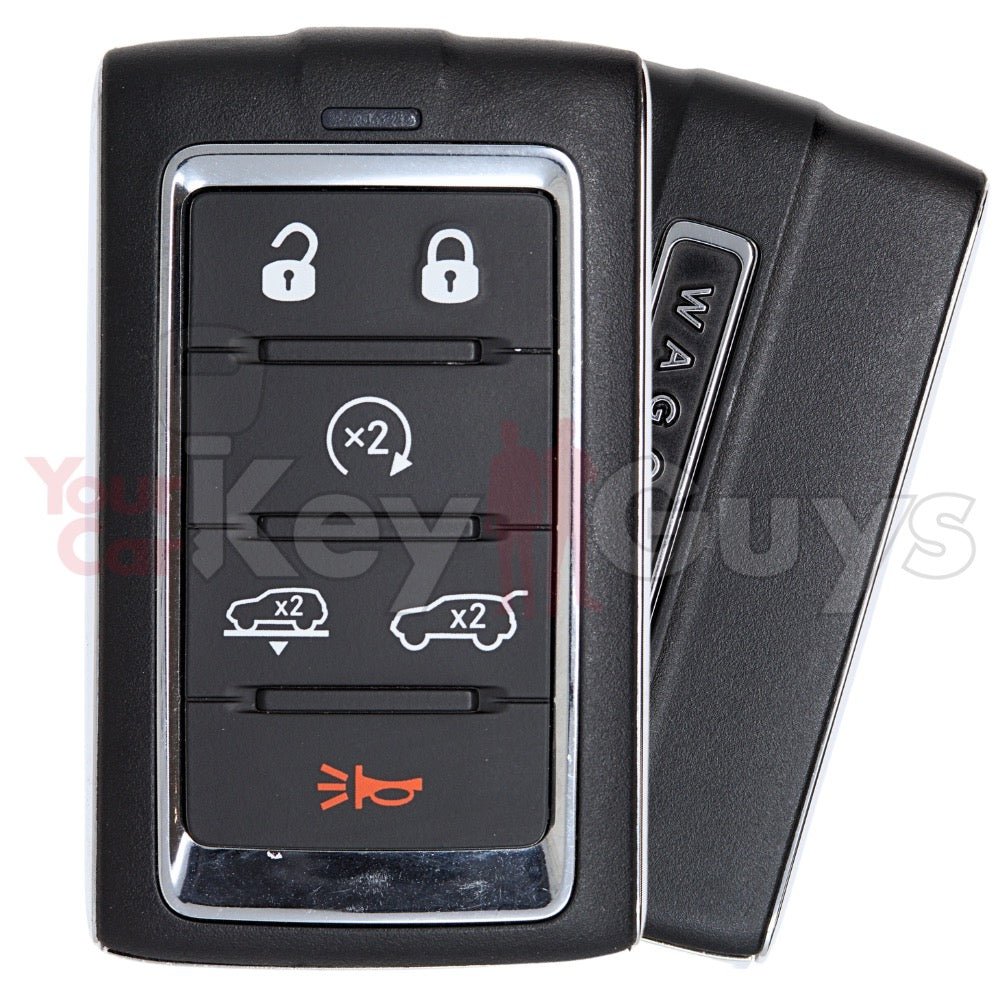
- Locate the remote start button. This is usually a circular arrow icon on your key fob.
- Press the lock button once. Wait for the horn or light to confirm the vehicle is locked.
- Press the remote start button twice. Do this within five seconds. The lights will flash, and the engine will start.
- Look for confirmation. The Wagoneer’s parking lights will stay on while the engine is running remotely.
The engine will run for about 15 minutes before shutting off automatically. If you want to extend the time, you can perform the remote start sequence again during the run period.
Pro tip: If the remote start does not work, check that the fuel level is not low and that the “check engine” light is not on—both will disable remote start.
How To Remote Start With Uconnect App
If you prefer using your phone, the Uconnect app offers advanced control and can work even when you are far from your vehicle.
- Download and install the Uconnect app from the App Store or Google Play.
- Register your vehicle. You’ll need your Vehicle Identification Number (VIN) and a Uconnect account.
- Log in to the app. Allow notifications for real-time status updates.
- Find the remote start feature. Tap the start icon to begin.
- Wait for confirmation. The app will show a notification when your Wagoneer’s engine has started.
With the app, you can also lock or unlock your vehicle, check its location, and get vehicle health reports.
Note: Using the app requires a subscription to Uconnect services. Some Wagoneer owners get a trial period for free when purchasing a new vehicle.
Common Remote Start Issues And Solutions
Many first-time users are surprised when remote start fails. Here are the most frequent reasons:
| Issue | Possible Cause | Solution |
|---|---|---|
| No response from vehicle | Doors not locked | Lock all doors and try again |
| Engine does not start | Low fuel, “check engine” light, or open hood | Check fuel, fix warnings, close all doors/hood |
| App does not work | No cellular service or expired subscription | Check your phone connection and Uconnect plan |
Non-obvious tip: If you use remote start often, know that climate settings will return to what you used last time. Many owners forget to adjust these before using remote start, leading to an uncomfortable cabin.
Important Safety And Legal Considerations
While remote start is safe, there are some points to remember:
- Never use remote start in a closed garage. This can cause dangerous carbon monoxide buildup.
- Know local laws. Some areas restrict idling vehicles unattended. Always check local regulations to avoid fines.
- Vehicle security. The Wagoneer will not move until you insert the key or have the key fob present, even if the engine is running.
Maximizing Comfort With Remote Start
To make the most of your Wagoneer’s remote start, adjust the climate control settings before you exit the vehicle. If you leave the air conditioning or heater on, the system will activate them next time you remote start the engine.
A hidden feature is the heated steering wheel and seats. On many Wagoneers, these activate automatically if the outside temperature is low, but only if you left them on before shutting down. This small step makes a big difference on cold mornings.
Comparing Remote Start To Traditional Start
Some drivers wonder if remote start is just a luxury. Here’s a look at how remote start compares to starting your Wagoneer the traditional way:
| Feature | Remote Start | Traditional Start |
|---|---|---|
| Convenience | High | Low |
| Climate Comfort | Pre-conditioned | Delayed |
| Security | Locked until entry | Immediate access |
| Range | Up to unlimited (with app) | In-person only |
As you can see, remote start offers advantages in convenience and comfort, especially in harsh weather.
Frequently Asked Questions
How Far Can I Remote Start My Jeep Wagoneer?
With the key fob, the range is about 300 feet. Using the Uconnect app, you can start your vehicle from almost anywhere, as long as your phone has service and the vehicle is in a coverage area.
Why Won’t My Remote Start Work?
Common reasons include unlocked doors, low fuel, the hood being open, or a warning light on the dashboard. Fix these issues and try again.
Does Remote Start Use More Fuel?
Remote start may use a small amount of extra fuel, as the engine runs while parked. However, the difference is usually minor, especially if you use it for short periods.
Can I Add Remote Start To A Wagoneer That Doesn’t Have It?
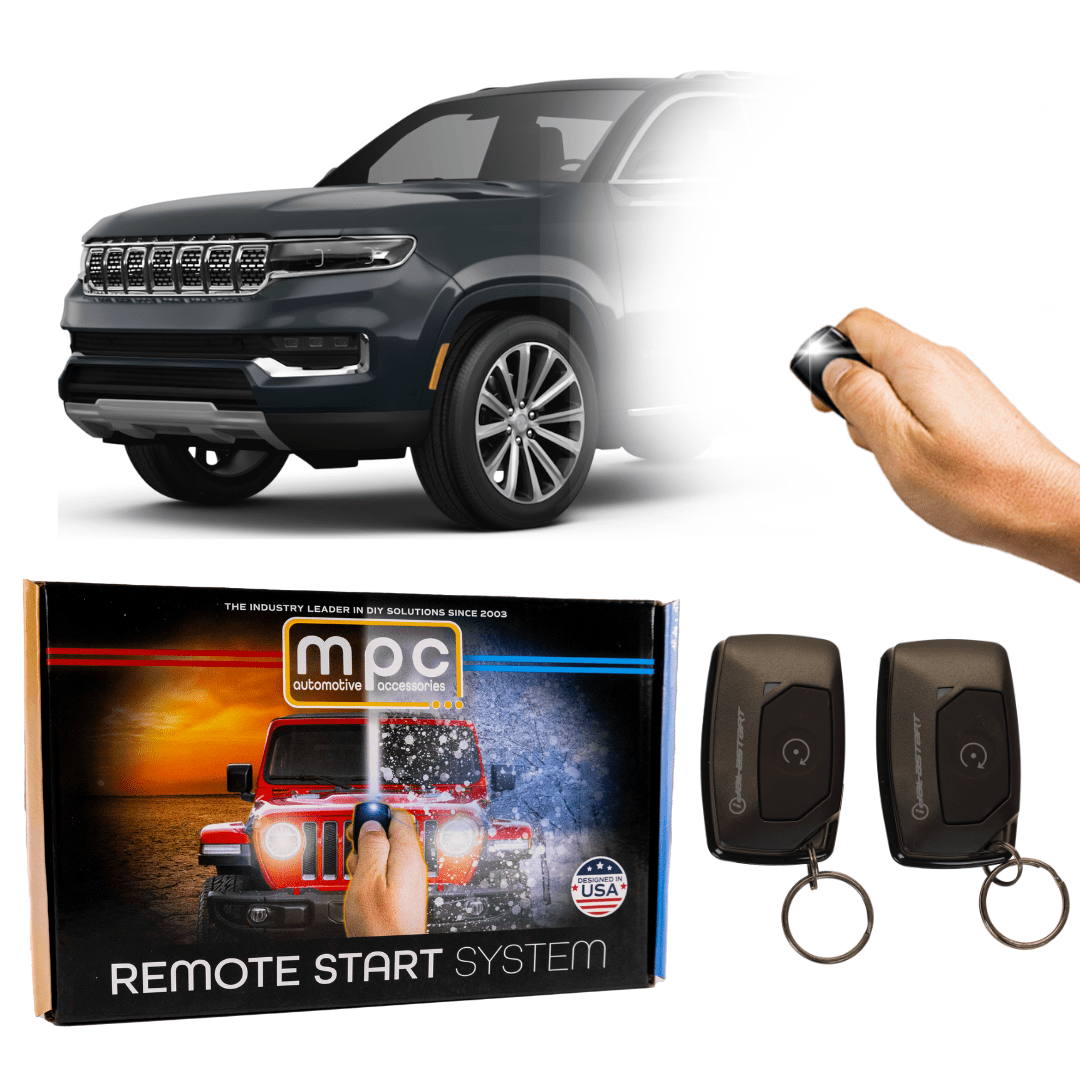
Yes, many dealerships and auto shops can add OEM or aftermarket remote start systems to your Wagoneer. Check that the system is compatible with your model year and follow all installation instructions for safety.
Where Can I Get More Details About Jeep Wagoneer Features?
For more technical information and official updates, visit the official Jeep Wagoneer website.
Remote start is a feature that adds real value to your driving experience. With the tips and details in this guide, you can use it confidently, avoid common mistakes, and enjoy the comfort and security your Jeep Wagoneer offers no matter the weather.