Many Jeep Grand Cherokee drivers want to adjust their screen brightness, especially when driving at night or in low-light conditions. A bright infotainment screen can be distracting or uncomfortable.
Luckily, Jeep has made it possible to easily dim the screen in most Grand Cherokee models.
This guide will walk you through the process, explain differences by model year, and offer tips for getting the perfect brightness for your needs.
Why Dim Your Jeep Grand Cherokee Screen?
Modern vehicles use large digital displays for navigation, entertainment, and vehicle information. The Jeep Grand Cherokee has a prominent touchscreen. During daytime, high brightness helps visibility. At night, however, a bright screen can cause eye strain, disrupt night vision, or distract the driver.
Dim screen settings help you:
- Reduce eye fatigue during long drives
- Improve safety by minimizing distraction
- Create a comfortable cabin environment at night
Methods To Dim The Screen
Your Jeep Grand Cherokee’s screen brightness can be changed in a few ways. The method depends on your model year and the infotainment system (such as Uconnect 4 or Uconnect 5).
Using The Physical Dimmer Knob
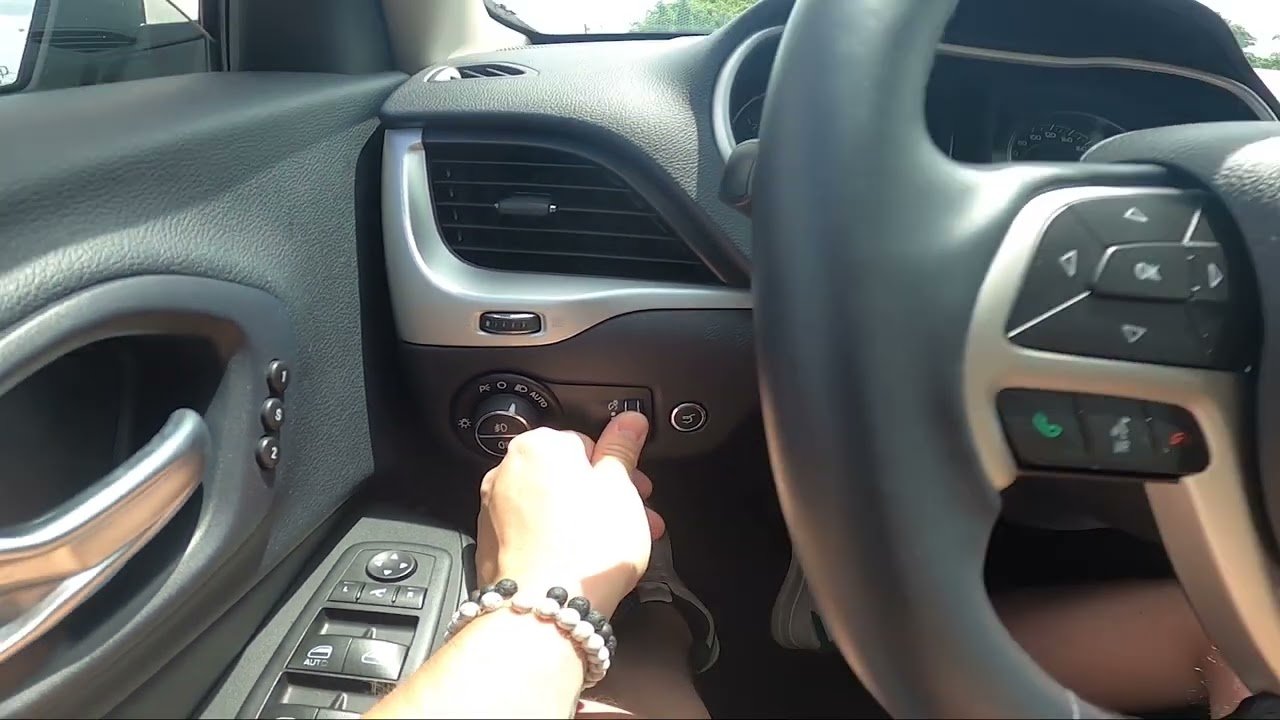
Most Grand Cherokees, especially those produced before 2022, have a physical dimmer knob or dial.
- Locate the dimmer control: It’s usually found to the left of the steering wheel, near the headlight controls.
- Rotate the knob: Turn it down to reduce brightness for both the instrument cluster and the infotainment screen.
- Night mode: If you turn the knob all the way down, in some models, the cabin lighting (including the screen) will enter a “night mode” for minimal brightness.
Adjusting Through The Uconnect System
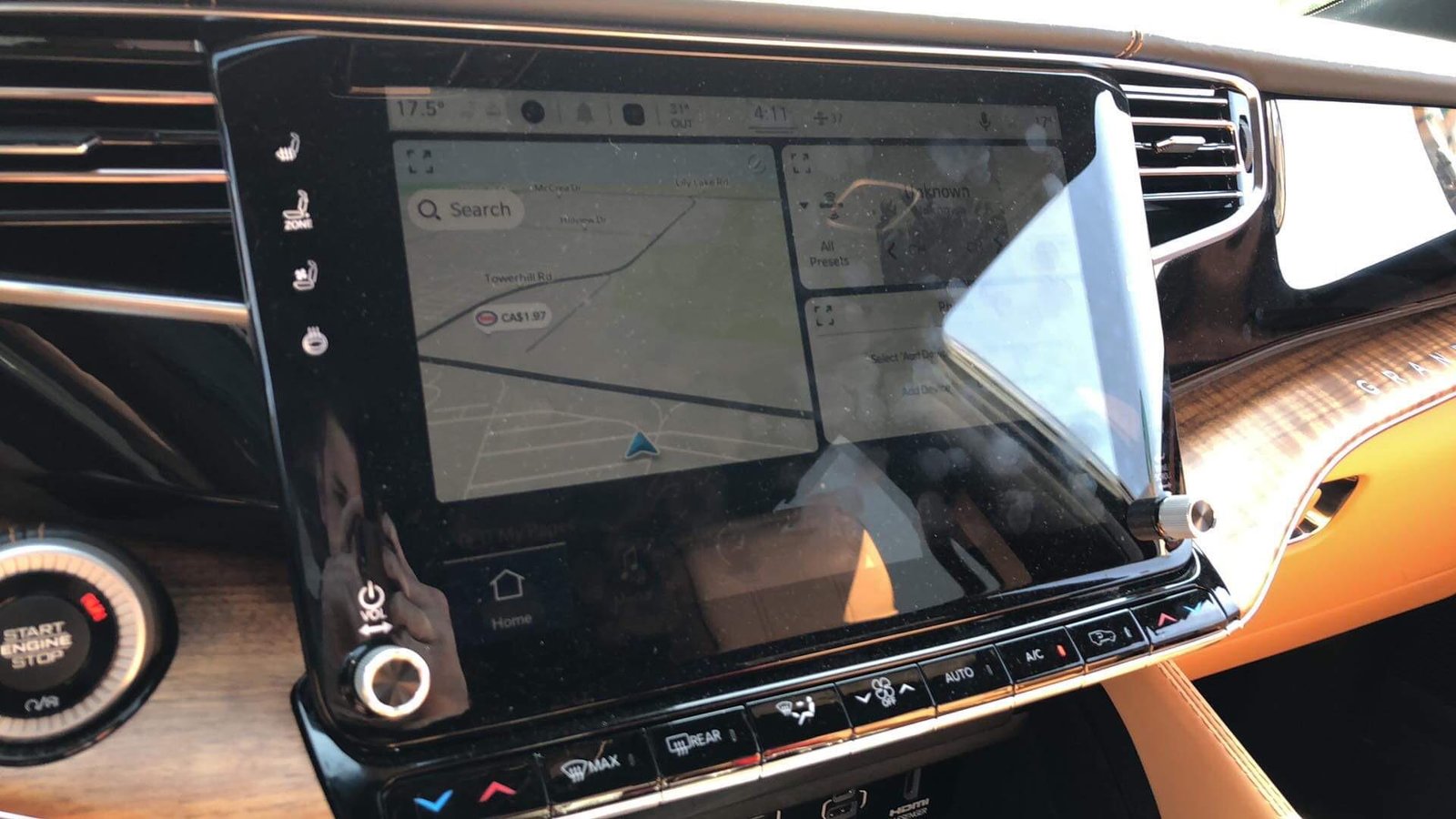
Newer Grand Cherokees (especially 2021 and later) use the Uconnect 5 system, which offers more detailed screen controls.
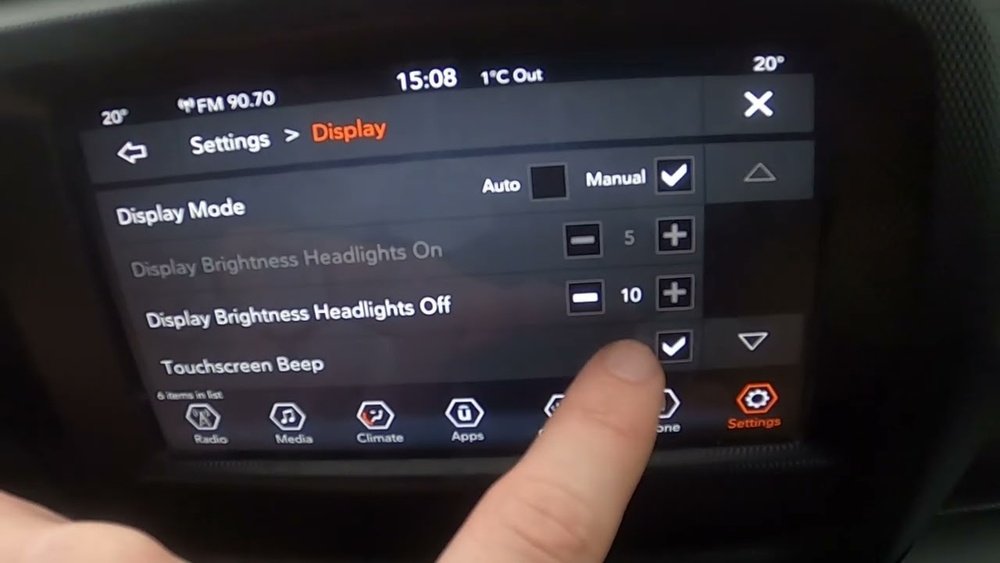
- Touch the Settings icon on the main screen.
- Select Display: This menu allows you to adjust brightness, contrast, and mode.
- Slide the Brightness Bar: Move the bar left to dim, or right to brighten the screen.
- Auto Brightness: Enable this feature to let the car adjust brightness based on outside light.
Night Mode And Day Mode
You can switch between Night Mode and Day Mode manually:
- Go to Settings > Display > Mode.
- Select Night for a darker display.
- Choose Day for a bright display.
- Auto will adjust the mode based on the car’s sensors.
Quick Tips
- If you want the screen off entirely, some models have a “Screen Off” button on the display.
- You can tap the display or press any button to wake it up.
Differences By Model Year
The process for dimming the screen can vary. Here’s a quick comparison:
| Model Year | Main Method | System | Notes |
|---|---|---|---|
| 2014-2020 | Dimmer knob | Uconnect 4 | Screen brightness linked with dash |
| 2021-2022 | Uconnect menu | Uconnect 5 | Separate screen settings |
| 2023+ | Uconnect menu & auto | Uconnect 5+ (Enhanced) | Auto-brightness more accurate |
Owners of older models may have fewer options for fine-tuning screen brightness. In these vehicles, the dimmer knob controls both the main display and the instrument cluster together.
Common Mistakes When Dimming The Screen
Many users make simple errors when trying to dim their Jeep’s screen. Avoid these to get the best results:
- Forgetting to check the menu: Drivers often rely only on the physical knob, not realizing there are software settings in newer models.
- Leaving auto-brightness off: This feature helps adjust the screen automatically, so enabling it can save effort.
- Dimmer knob not turned fully: Sometimes, the screen doesn’t dim as much as possible because the knob isn’t at its lowest setting.
- Confusing Day/Night settings: Switching manually to “Night” mode during the day can make the screen too dim and hard to see.
Advanced Tips For A Comfortable Night Drive
Getting the right brightness is not only about comfort but also safety. Here are a few advanced suggestions:
- Balance brightness: Don’t dim the screen so much that you can’t read navigation or alerts.
- Consider ambient light: If you add interior LEDs or ambient lighting, it may affect how bright you want your main screen.
- Adjust for passengers: If others in the car need to see the display (for example, watching a video while parked), set brightness accordingly.
Example: Dimming Screen On A 2022 Grand Cherokee
To help you visualize the process, here’s a step-by-step for a 2022 model:
- Start the vehicle and let the Uconnect system boot up.
- Tap the Settings icon on the lower right of the main display.
- Select Display from the menu.
- Use the Brightness slider to adjust the level.
- If you want auto-brightness, make sure the toggle is enabled.
- To turn the screen off completely, press the “Screen Off” button on the display.
This process takes less than a minute once you know where to look.
Comparing Screen Dimming Features With Other Suvs
How does the Grand Cherokee compare to similar vehicles? Here’s a quick look:
| Vehicle | Manual Knob | Touchscreen Menu | Auto-Brightness |
|---|---|---|---|
| Jeep Grand Cherokee | Yes (all) | Yes (2021+) | Yes (2021+) |
| Toyota Highlander | Yes | Yes | No (most models) |
| Ford Explorer | Yes | Yes | Yes |
| Honda Pilot | Yes | Yes | No |
The Grand Cherokee stands out for its consistent dimming options across models, especially the newer Uconnect systems.
When The Screen Won’t Dim: Troubleshooting
Sometimes, the screen does not respond to dimming controls. Here’s what to check:
- Software issues: Try restarting the vehicle or resetting the Uconnect system.
- Dimmer fuse: A blown fuse could block power to the dimmer circuit.
- Sensor problems: If auto-brightness isn’t working, the ambient light sensor might be blocked or faulty.
- Outdated software: Check for Uconnect updates at your dealer or via the official Jeep support website.
If these steps do not help, consult your owner’s manual or visit an authorized Jeep service center.

Frequently Asked Questions
How Do I Quickly Turn Off The Screen In A Jeep Grand Cherokee?
Most models with Uconnect have a “Screen Off” button on the display. Press it once to turn the screen off.
Touch the display or press any button to turn it back on.
No, adjusting the screen brightness only changes the display. Navigation instructions and system alerts will still sound as usual.
Can I Set Different Brightness For Day And Night?
Yes. In Uconnect systems (2021+), you can set separate brightness levels for day and night modes.
The car will switch automatically if you set the mode to “Auto. ”
Is There A Way To Dim Only The Infotainment Screen, Not The Gauges?
In newer Grand Cherokees (2021 and later), you can adjust the infotainment screen brightness separately from the instrument cluster using the Uconnect Display menu.
Where Can I Find More Official Information?
For the latest details and model-specific guides, visit the Jeep Uconnect official page.
Dimming your Jeep Grand Cherokee screen is simple once you know where to look. With the right settings, you can drive safely and comfortably at any hour.



















