How To Connect Uconnect On A Jeep: Step-by-step Guide
If you just got a Jeep with Uconnect, you might feel excited but also a little lost. How do you set up Uconnect?
What should you expect? show you, step by step, how to connect Uconnect on a Jeep.
Whether you want to use hands-free calling, stream music, or access navigation, you'll learn exactly what to do. We'll also cover tips, common problems, and extra features.
By the end, you'll feel confident using Uconnect in your Jeep.
What Is Uconnect And Why Does It Matter?
Uconnect is a smart infotainment system found in many Jeep vehicles. It links your smartphone to your car using Bluetooth, USB, or special apps. With Uconnect, you can:
- Make and receive calls hands-free
- Play your favorite music
- Use GPS navigation
- Control climate and vehicle settings
- Access apps like Apple CarPlay and Android Auto
This system is popular because it makes driving safer and more enjoyable. You keep your hands on the wheel and your eyes on the road.
Uconnect Versions In Jeep Vehicles
Jeep has used several Uconnect versions over the years. Newer models often have more features. Here’s a quick look at the main differences:
| Uconnect Version | Key Features | Available In Jeep Models |
|---|---|---|
| Uconnect 3 | Basic Bluetooth, Voice Command, Radio | 2014-2018 Wrangler, Cherokee |
| Uconnect 4 | Apple CarPlay, Android Auto, Touchscreen | 2018+ Compass, Renegade, Gladiator |
| Uconnect 5 | Wireless CarPlay/Android Auto, Faster Interface, More Apps | 2021+ Grand Cherokee, Wagoneer |
Older Uconnect systems may look different, but the basic steps for connecting are similar.
Preparing To Connect Uconnect On Your Jeep
Before you start, check these things:
- Your smartphone is charged and has Bluetooth turned on.
- Uconnect system is on (the Jeep should be running or in accessory mode).
- You know your Uconnect version (see your manual or screen logo).
- You have any needed USB cables (for Apple CarPlay or Android Auto).
- Your phone’s software is up to date.
Some users forget to update their phone or car software, leading to connection problems. Always check for updates first.
Step-by-step: How To Connect Uconnect On A Jeep
Let’s walk through each method, so you can pick the one that fits your needs.
Connecting Via Bluetooth
This is the most common way to connect Uconnect to your phone.
- Start your Jeep and turn on the Uconnect screen.
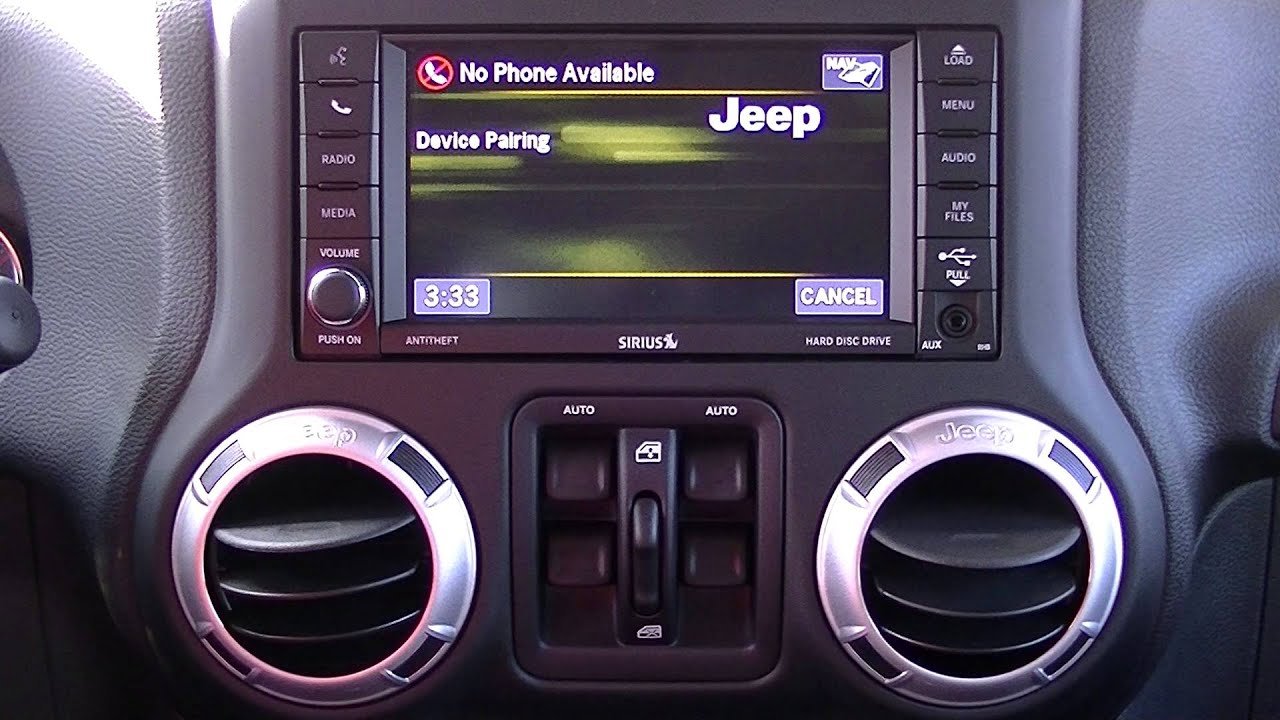
- On the Uconnect touchscreen, tap “Phone” or the phone icon.
- Select “Pair a Device” or “Add Device.”
- On your smartphone, open Bluetooth settings and make sure it’s discoverable.
- Look for your Jeep’s Uconnect name on your phone (e.g., “Uconnect 4” or “My Jeep”).
- Tap to connect. A code will appear on both your Jeep screen and your phone.
- Confirm the pairing code matches and tap “Pair” or “Yes” on both screens.
- Allow access to contacts and messages if you want hands-free features.
- Wait for the system to finish pairing (usually under 30 seconds).
Your phone should now be connected. You can make calls, stream music, and use voice commands.
Connecting With Apple Carplay Or Android Auto
If your Jeep supports Apple CarPlay or Android Auto, you get more features like maps and apps. Here’s how:
For Apple Carplay:
- Plug your iPhone into the Jeep’s USB port with a certified cable.
- The Uconnect screen should prompt you to start Apple CarPlay.
- Follow the on-screen instructions, and allow permissions on your phone.
- Some newer Jeeps offer wireless CarPlay. In that case, connect via Bluetooth first, then follow the prompts.
For Android Auto:
- Plug your Android phone into the Jeep’s USB port.
- Accept prompts on both the car screen and your phone.
- Download the Android Auto app if asked.
- Some models support wireless Android Auto if your phone and Jeep are compatible.
Not all Jeep models support wireless features, so check your manual for details.
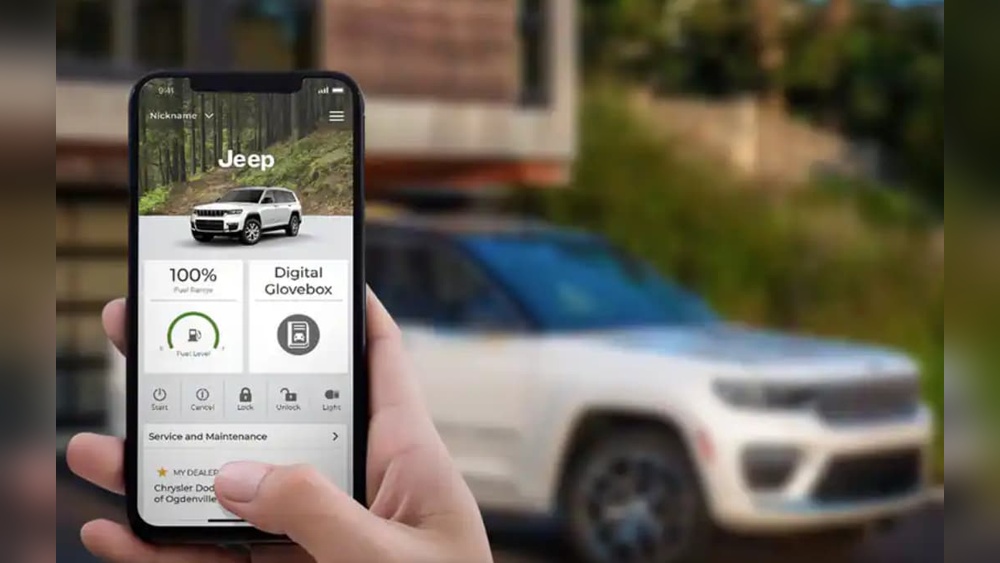
Using The Uconnect App
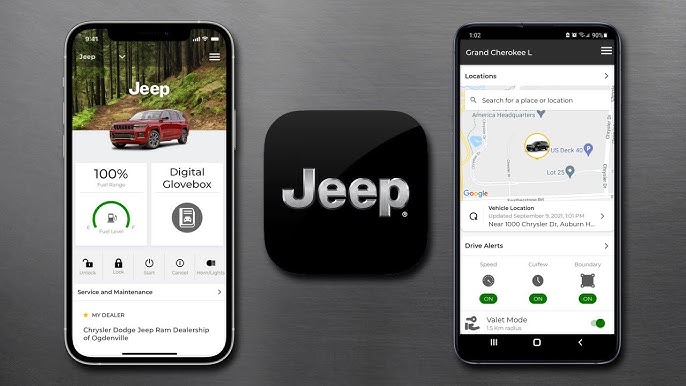
The Uconnect app (now called Jeep App in some regions) adds remote features:
- Start your Jeep from your phone
- Lock/find doors remotely
- Check vehicle health reports
- Send directions to your Jeep
To use the app:
- Download the Uconnect or Jeep app from the App Store or Google Play.
- Register your Jeep’s VIN (Vehicle Identification Number).
- Follow the instructions to connect your app and vehicle.
- Log in and test remote features.
Some features require a paid subscription. Prices range from $14.
99 to $24. 99 per month, depending on package and location.
Troubleshooting: Common Uconnect Connection Problems
Even with clear steps, connection problems can happen. Here’s how to solve the most common issues:
Bluetooth Won’t Connect
- Restart your phone and Jeep system.
- Delete the Jeep from your phone’s Bluetooth list, then try pairing again.
- Make sure no other devices are already connected.
- Update your phone’s software and the Uconnect system.
Apple Carplay Or Android Auto Not Working
- Check if your cable is certified and undamaged.
- Try another USB port in your Jeep.
- Make sure your phone is unlocked and apps are up to date.
- For wireless connections, ensure Bluetooth and Wi-Fi are on.
Uconnect App Issues
- Confirm your subscription is active.
- Log out of the app and sign back in.
- Check cellular signal or Wi-Fi on your phone.
When To Seek Professional Help
If you still have problems, visit a Jeep dealer. Sometimes, a Uconnect system needs a software update or reset that only a professional can do.
Comparing Uconnect Features By Jeep Model
Some Jeep models have more advanced Uconnect systems than others. Here’s a quick comparison:
| Jeep Model | Uconnect Version | Screen Size | Wireless CarPlay/Android Auto | Navigation |
|---|---|---|---|---|
| Wrangler (2021+) | Uconnect 4/5 | 7″ or 8.4″ | Optional (Uconnect 5) | Optional |
| Grand Cherokee (2022+) | Uconnect 5 | 10.1″ | Yes | Yes |
| Renegade (2019+) | Uconnect 4 | 7″ | No | Optional |
| Gladiator (2020+) | Uconnect 4/5 | 7″ or 8.4″ | Optional | Optional |
Before buying a Jeep, check which Uconnect features matter most to you.
Pros And Cons Of Using Uconnect
Like any tech, Uconnect has benefits and drawbacks. to consider:
Pros
- Hands-free safety: Makes calls and texting safer on the road.
- Easy navigation: Built-in maps or smartphone apps help you find your way.
- Remote access: With the app, you can control your Jeep from anywhere.
- Customization: Personalize screens, favorites, and controls.
Cons
- Subscription costs: Some features (like remote start or Wi-Fi) require a monthly fee.
- Compatibility issues: Not all features work with every phone or Jeep model.
- Learning curve: The system has many features, which can be confusing at first.
- Software bugs: Sometimes, updates or bugs can cause connection issues.
Real-world Tips For A Smooth Uconnect Experience
tips that new users often miss:
- Keep your Uconnect and phone software updated. This avoids most glitches.
- Use original or certified cables for Apple CarPlay and Android Auto to prevent random disconnects.
- Limit connected devices. Too many phones paired at once can confuse the system.
- Save favorite contacts and addresses for faster access on the go.
- If you sell your Jeep, reset Uconnect to remove your data and paired phones.
A small detail: Some users forget to enable Bluetooth permissions for contacts and messages. Without this, Uconnect can’t show names or texts.
Uconnect Pricing And Subscription Details
Most basic Uconnect features (Bluetooth, radio, CarPlay/Android Auto) are free with your Jeep. However, some advanced features cost extra:
- Uconnect Access: $14.99, $24.99/month (remote start, lock/find, vehicle health, Wi-Fi)
- Navigation map updates: Sometimes a one-time fee ($99, $149) at dealerships
- SiriusXM Guardian: Sometimes bundled free for the first year, then $12.99, $24.99/month
Check Jeep’s official site or your dealership for current offers and trial periods. Some buyers forget that subscriptions are optional you can enjoy most features without them.
For more details on Uconnect pricing and features, visit the official Jeep Uconnect page.

Uconnect Vs. Other Infotainment Systems
Wondering how Uconnect stacks up to other brands? Here’s a quick side-by-side:
| Feature | Uconnect (Jeep) | Ford SYNC | Chevy MyLink |
|---|---|---|---|
| Apple CarPlay/Android Auto | Yes (wired/wireless) | Yes (wired/wireless) | Yes (wired/wireless) |
| Remote Start via App | Yes (subscription) | Yes (subscription) | Yes (subscription) |
| Navigation | Optional | Optional | Optional |
| OTA Updates | Yes (Uconnect 5) | Yes (SYNC 4) | Yes (select models) |
Uconnect is known for its simple interface and quick response. Its main weakness is that some features cost extra, similar to competitors.
<!– wp:rank-math/faq-block {"questions":[{"id":"faq-question-c9e67bdfac88","title":"How Do I Reset Uconnect If It's Not Working?","content":"Press and hold the volume and tuning knobs together for about 10 to 20 seconds. The screen will go black, then restart. This soft reset solves most minor bugs.
“,”visible”:true},{“id”:”faq-question-19f3a468e643″,”title”:”Can I Connect More Than One Phone To Uconnect?”,”content”:”Yes, you can pair multiple phones, but only one can be active at a time for calls and music. Switch between them in the Bluetooth settings.
“,”visible”:true},{“id”:”faq-question-57053e7eccc4″,”title”:”Does Uconnect Work Without A Subscription?”,”content”:”Basic features like Bluetooth, radio, and CarPlay/Android Auto are free. Remote services like vehicle start or Wi-Fi hotspot need a paid subscription.
“,”visible”:true},{“id”:”faq-question-64f0860ac22a”,”title”:”What Should I Do If Uconnect Keeps Disconnecting From My Phone?”,”content”:”Try using a certified cable, update both devices, and remove any old paired phones from the system. If it continues, contact a Jeep dealer.
“,”visible”:true},{“id”:”faq-question-836de11be789″,”title”:”How Much Data Does Uconnect Use For Navigation Or Streaming?”,”content”:”Navigation uses very little data because maps are stored offline. Streaming music or using Wi-Fi hotspot will use your mobile data plan, so check your limits.
“,”visible”:true}]} –>How Do I Reset Uconnect If It's Not Working?
Press and hold the volume and tuning knobs together for about 10 to 20 seconds. The screen will go black, then restart. This soft reset solves most minor bugs.
Can I Connect More Than One Phone To Uconnect?
Yes, you can pair multiple phones, but only one can be active at a time for calls and music. Switch between them in the Bluetooth settings.
Does Uconnect Work Without A Subscription?
Basic features like Bluetooth, radio, and CarPlay/Android Auto are free. Remote services like vehicle start or Wi-Fi hotspot need a paid subscription.
What Should I Do If Uconnect Keeps Disconnecting From My Phone?
Try using a certified cable, update both devices, and remove any old paired phones from the system. If it continues, contact a Jeep dealer.
Navigation uses very little data because maps are stored offline. Streaming music or using Wi-Fi hotspot will use your mobile data plan, so check your limits.
Bringing It All Together
Connecting Uconnect on a Jeep is easy once you know the steps. Start with Bluetooth for basic calls and music, or try Apple CarPlay and Android Auto for more features.
Use the Uconnect app for remote access if you want extra convenience.
Remember to keep your software up to date and use certified cables for the best experience.
Whether you’re new to Jeep or just new to Uconnect, following these tips will help you get the most out of your system. Safe travels and enjoy your connected Jeep!



















