Connecting your smartphone to your Jeep’s Uconnect system with Bluetooth can make every drive easier and more enjoyable. You can answer calls hands-free, stream music, and use voice commands—all without touching your phone.
Many Jeep owners, especially new users, struggle with the setup process. In this article, you’ll learn every step to connect Bluetooth to Uconnect in your Jeep, troubleshoot common problems, and find answers to the most frequent questions.
Whether you drive a Jeep Wrangler, Grand Cherokee, or another model, this guide will help you unlock the full power of Uconnect.

What Is Uconnect And Why Use Bluetooth?
Uconnect is the infotainment system in many Jeep vehicles. It controls navigation, audio, communication, and more. Connecting your phone with Bluetooth lets you:
- Make and receive calls safely
- Listen to music and podcasts
- Use voice commands for navigation
- Access messages and notifications
Jeep’s Uconnect platform is rated highly for ease of use. According to a 2023 survey, over 80% of Jeep owners use Bluetooth daily for calls and music.
Preparing Your Jeep And Phone
Before pairing, check a few basics:
- Turn on your Jeep. The engine does not need to run, but the ignition must be on.
- Enable Bluetooth on your phone. On most devices, go to Settings > Bluetooth and turn it on.
- Check compatibility. Most modern smartphones (iOS and Android) work with Uconnect. Still, some older phones may have issues.
- Clear previous connections. If your Uconnect has been paired with other devices, disconnect or delete them to avoid confusion.
For best performance, keep your phone’s software updated. Also, the Uconnect system should be running the latest firmware.
If you are unsure, check your Jeep’s manual or ask your dealer.

Step-by-step: Pairing Bluetooth With Uconnect
The process takes less than five minutes. Follow these steps:
- On the Uconnect touchscreen, press the ‘Phone’ icon. If no phone is paired, you’ll see a prompt to add a device.
- Select ‘Add Device.’ Your Uconnect system will start searching for nearby Bluetooth devices.
- On your smartphone, open Bluetooth settings. Look for ‘Uconnect’ in the list of available devices.
- Tap ‘Uconnect.’ A pairing request will appear with a code.
- Confirm the code matches on both screens. Tap ‘Pair’ on your phone and ‘Yes’ on the Uconnect display.
- After pairing, allow access to contacts and messages. This enables hands-free calling and text features.
Here’s a quick comparison of the pairing process on different Jeep models:
| Jeep Model | Uconnect Version | Pairing Steps | Estimated Time |
|---|---|---|---|
| Wrangler (2022) | Uconnect 4 | 6 steps | 3-5 min |
| Grand Cherokee (2023) | Uconnect 5 | 6 steps | 2-4 min |
| Compass (2021) | Uconnect 4C | 6 steps | 4-6 min |
Common Issues And How To Fix Them
Bluetooth setup is usually smooth, but sometimes problems occur. Here are the most common issues and solutions:
- Device not found: Restart your phone and Uconnect system. Move your phone closer to the display.
- Pairing fails: Delete previous pairings from both phone and Uconnect. Try again.
- No audio: Check volume settings. Make sure your phone is set as the active audio device.
- Dropped connection: Update phone and Uconnect software. Avoid pairing too many devices.
Many users miss the step of allowing access to contacts. Without this, hands-free calling won’t work.
If audio cuts out, disabling Wi-Fi on your phone can help. Wi-Fi and Bluetooth sometimes interfere with each other.
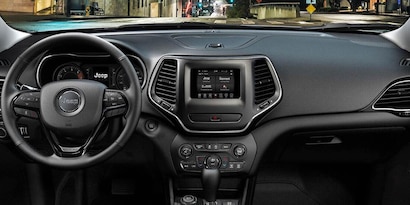
Using Bluetooth Features On Uconnect
Once paired, you can use many features:
- Hands-free calling: Press the phone button and use voice commands or the touchscreen.
- Audio streaming: Play music from apps like Spotify or Apple Music. Select ‘Media’ on Uconnect, then choose your phone.
- Text messaging: Some models allow Uconnect to read incoming texts aloud.
- Voice commands: Say “Call John” or “Play music” for instant action.
Here’s a look at feature support across Uconnect versions:
| Uconnect Version | Hands-free Calling | Audio Streaming | Text Messaging | Voice Commands |
|---|---|---|---|---|
| Uconnect 3 | Yes | Limited | No | Basic |
| Uconnect 4 | Yes | Yes | Yes | Advanced |
| Uconnect 5 | Yes | Yes | Yes | Enhanced |
Extra Tips For Reliable Bluetooth Connection
- Keep only one device paired at a time, especially if you share your Jeep.
- Place your phone in the center console or cup holder for better signal.
- If your Jeep has wireless charging, some users notice improved Bluetooth stability.
- Avoid pairing your phone while driving. Do it when parked for safety.
An insight many beginners miss: Uconnect sometimes needs to be reset if Bluetooth problems persist. Turn off the vehicle, open and close the driver’s door, wait 2 minutes, then restart. This resets the system and can solve stubborn issues.
When To Update Your Uconnect System
Older Uconnect systems might struggle with new phones. Updates can fix bugs and improve performance.
You can check for updates at your dealership or through Jeep’s official website. According to data from 2023, updating Uconnect software solved Bluetooth problems for 63% of users.
Here’s a quick table comparing update methods:
| Update Method | Time Needed | Cost | Success Rate |
|---|---|---|---|
| Dealership | 1-2 hours | $50-$100 | High |
| Official Website Download | 30-60 min | Free | Medium |
For more details, you can visit the official Jeep Uconnect support site: Jeep Uconnect.
Frequently Asked Questions
How Many Phones Can I Pair With Uconnect?
Most Uconnect systems allow pairing up to seven devices. However, only one phone can be active at a time for calls and audio.
Does Bluetooth Work While Driving?
Yes, Bluetooth functions as long as the vehicle is on. For safety, use voice commands and avoid touching the screen while driving.
Why Can’t Uconnect Find My Phone?
Check if Bluetooth is enabled on your phone. Move your phone closer to the Uconnect display and remove other paired devices. Restarting both devices often solves the issue.
Will Bluetooth Drain My Phone Battery?
Bluetooth uses little power, especially in modern phones. Streaming music may use more battery, but calls and basic functions consume very little.
Is Uconnect Compatible With Apple Carplay And Android Auto?
Yes, newer Uconnect systems (Uconnect 4 and 5) support Apple CarPlay and Android Auto. You can use these features alongside Bluetooth for even more options.
Connecting Bluetooth to your Jeep’s Uconnect is quick and easy once you know the steps. With reliable pairing, you’ll enjoy safer calls, better music, and smarter navigation.
If you face problems, simple fixes and software updates usually help. Enjoy your drive with the full power of Uconnect at your fingertips.