Is your Jeep key fob acting up or not responding like it used to? It’s probably time to change the battery.
Don’t worry replacing the battery in your Jeep key fob is easier than you think. With just a few simple steps, you can have your key fob working perfectly again without spending a dime at the dealership.
Keep reading to discover how you can quickly and safely change your Jeep key fob battery on your own.
Your Jeep and your peace of mind will thank you.
Tools Needed
Changing the battery in your Jeep key fob requires just a few simple tools. Having the right tools on hand makes the process quick and easy. You do not need to buy expensive equipment. Most tools are common and easy to find.
Gathering these tools before starting helps avoid delays. It also protects your key fob from damage. Use tools carefully to keep your key fob working perfectly.
Small Flathead Screwdriver
A small flathead screwdriver helps open the key fob case. The narrow tip fits into the seam of the fob. It allows you to pry the case apart gently. Choose a screwdriver with a thin blade to avoid scratching the plastic.
Replacement Battery
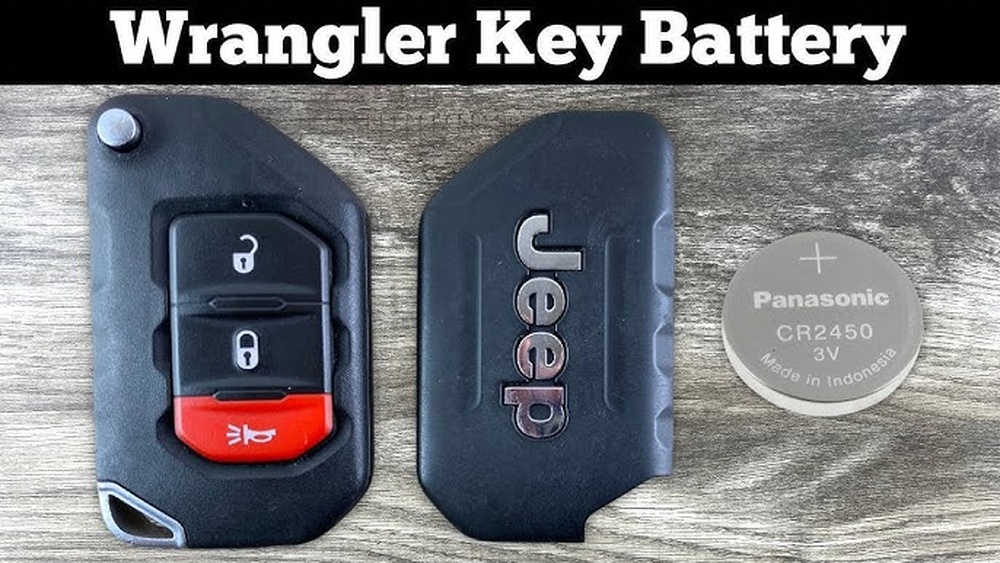
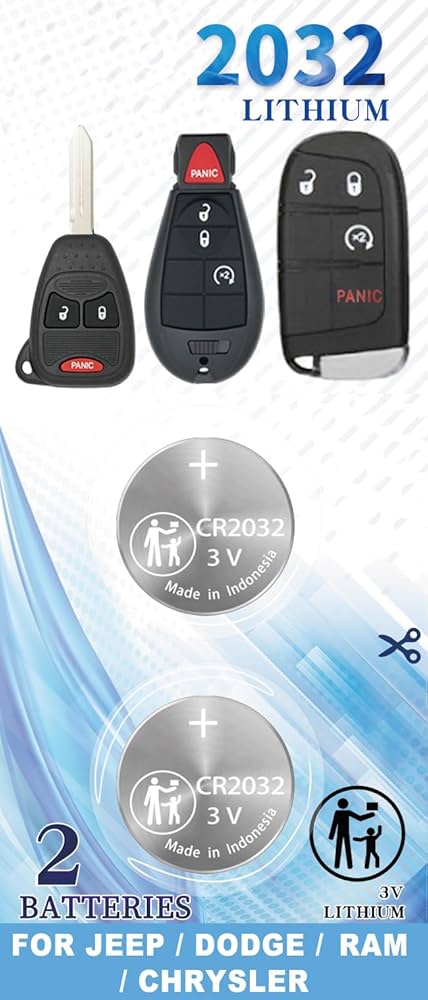
You need the correct battery type for your Jeep key fob. Most models use a CR2032 lithium battery. Check your key fob or owner’s manual to confirm the battery size. Always buy a fresh battery for best results.
Soft Cloth Or Towel
Use a soft cloth or towel to protect the key fob during battery replacement. It prevents scratches and keeps small parts from slipping away. Place the key fob on the cloth while working on it.
Optional: Tweezers
Tweezers help handle the small battery safely. They make it easier to remove the old battery and place the new one. Use plastic or non-metal tweezers to avoid short-circuiting the battery.
Locate The Key Fob Seam
Finding the seam on your Jeep key fob is the first step to change the battery. The seam is a thin line that runs along the edge where the two halves of the fob meet. This is where you will carefully pry the fob open.
Every Jeep key fob has a seam, but its location may vary slightly by model. Look closely around the edges of the fob for a small gap or indentation. This gap is designed to let you separate the fob without damage.
Using your fingernail or a small flathead screwdriver, gently feel along the seam. You want to find the spot where the two parts of the fob join together but can be separated.
Take your time during this step. Pressing too hard or prying in the wrong place can break the plastic casing. The seam is often subtle, so good lighting helps you see it clearly.
Check Both Sides Of The Key Fob
Look carefully at both sides of the key fob. Sometimes the seam is more visible on one side. Turn the fob slowly and inspect all edges for the best place to open it.
Use A Thin Tool To Find The Gap
If your fingers can’t find the seam, use a thin tool like a flathead screwdriver or a plastic pry tool. Insert it gently into the small gap and wiggle lightly to feel if the fob starts to open.
Avoid Forcing The Key Fob Open
Never use excessive force to open the fob. Forcing it can damage the internal parts or crack the casing. Work slowly and carefully along the seam until the two halves separate.
Open The Key Fob
Opening the key fob is the first step to changing its battery. This step requires care to avoid damage. The key fob has a small seam or gap where you can insert a tool. Use a flathead screwdriver to pry it open gently. Keep your fingers steady to hold the pieces apart. The cover will come off, giving you access to the battery inside.
Using A Flathead Screwdriver
Find a small flathead screwdriver that fits the gap on the key fob. Insert the tip carefully into the seam. Press lightly but firmly to create a small opening. Do not force the tool too hard to avoid breaking the plastic. Work the screwdriver around the edge to loosen the cover. The tool helps separate the two halves of the key fob.
Prying The Cover Gently
Once the screwdriver is in place, pry the cover slowly. Use gentle pressure to lift the cover away from the body. Keep the key fob steady in your other hand. Avoid bending or twisting the cover too much. The goal is to open the fob without cracking it. After prying, the cover should come off easily, revealing the battery inside.
Remove The Old Battery
Removing the old battery from your Jeep key fob is the key step before installing a new one. This part requires care to avoid damaging the fob’s internal parts. Follow these instructions to safely take out the old battery and prepare for replacement.
Open The Key Fob Case
Find the seam where the two halves of the fob meet. Use a small flathead screwdriver or a coin to pry the fob open gently. Insert the tool into the seam and twist slowly to separate the halves. Avoid using too much force to prevent cracks or breaks.
Locate The Battery
Inside the opened fob, you will see a small, round battery. Take note of its position and orientation. Remember which side faces up, usually the positive side is visible. This ensures you insert the new battery correctly later.
Use your fingers or the flathead screwdriver to lift the battery out carefully. If it is stuck, gently pry it loose without bending the battery holder. Dispose of the old battery properly at a recycling center or designated drop-off point.
Choose The Right Replacement Battery
Choosing the right replacement battery for your Jeep key fob is essential. A proper battery ensures your key fob works correctly and lasts longer. Picking the wrong type or size can cause issues or damage.
Before buying a new battery, check your key fob’s manual or the old battery for details. Knowing the exact battery type helps avoid mistakes and extra trips to the store.
Battery Types For Jeep Key Fobs
Most Jeep key fobs use coin cell batteries, also called button batteries. The common types are CR2032 and CR2025. These numbers show the size and power of the battery.
CR2032 batteries are 20mm wide and 3.2mm thick. CR2025 batteries are thinner, at 2.5mm. Both have 3 volts but different thicknesses affect fit and life.
Use the battery type that fits exactly in your key fob. Using a battery that is too thick or thin can cause poor contact or damage.
Confirming Battery Orientation
Battery orientation means placing the battery correctly inside the key fob. One side is positive (+), and the other is negative (,). Installing it wrong prevents the key fob from working.
Check the old battery for markings showing which side is positive. The key fob case often has a plus or minus sign near the battery slot.
Insert the battery with the positive side facing up or matching the key fob’s markings. Press gently until it fits snugly, then close the key fob securely.
Insert The New Battery
Place the new battery into the key fob with the positive side facing up. Press it firmly until it snaps into place.
Ensure the battery sits securely before closing the fob.
Prepare The New Battery
Choose the correct battery type for your Jeep key fob. Most models use a CR2032 battery. Check the old battery for the model number before buying.
Handle the battery with clean, dry hands. Avoid touching the battery surface to prevent damage.
Insert The Battery Correctly
Place the new battery into the slot. Make sure the positive side (+) faces up, matching the original battery’s orientation.
Push the battery gently but firmly into place. It should fit snugly without force.
Check Battery Placement
Ensure the battery sits flat and does not move inside the compartment. A loose battery may cause key fob failure.
Confirm the battery contacts touch the metal terminals inside the fob for proper connection.
Reassemble The Key Fob
After replacing the battery, putting your Jeep key fob back together is simple. Proper reassembly ensures the fob works correctly. Handle each part with care to avoid damage.
Snapping The Cover Back
Align the cover with the key fob body carefully. Press the edges firmly until you hear a click. This sound means the cover is securely snapped in place. Avoid using too much force to prevent cracking the plastic. Check all sides to ensure the cover fits evenly.
Reattaching The Emergency Key
Slide the emergency key back into its slot gently. It should fit snugly without resistance. If it does not slide in smoothly, double-check the alignment. This key is vital for manual unlocking when the battery is dead. Make sure it locks firmly to the fob to avoid losing it.

Test The Key Fob
Testing the key fob after changing the battery is important. It confirms the new battery works and the key fob functions properly. Without testing, you might miss issues that prevent your Jeep from responding.
Simple tests can save time and frustration. They ensure your key fob locks and unlocks the doors as expected. Testing also checks if the remote start or panic button operates correctly.
Stand near your Jeep and press the lock button. Listen for the locking sound or look for the lights flashing. Next, press the find button and watch for the door unlocking or lights blinking. If both work, the battery is good.
Try The Remote Start Function
Use the remote start button if your Jeep has this feature. Press it and wait for the engine to start. The engine should turn on within seconds. If the engine does not start, test the battery again or check the fob’s programming.
Press the panic button to see if the alarm sounds. This test confirms the key fob’s battery sends a strong signal. If the alarm does not activate, the battery may be weak or installed incorrectly.
Tips For Battery Maintenance
Maintaining your Jeep key fob battery helps avoid sudden failures. Simple care can extend battery life and save time. Understanding signs of a low battery lets you act early. Knowing battery lifespan helps set the right expectations.
Signs Of Low Battery
Your key fob may not lock or find the doors properly. The signal range can become shorter than usual. Sometimes, the buttons need multiple presses to respond. The key fob light may dim or fail to light up. These signs show the battery needs replacement soon.
Battery Lifespan Expectations
Most Jeep key fob batteries last between one to two years. Usage frequency and temperature affect battery life. Harsh weather can reduce battery performance faster. Regularly checking the battery helps avoid surprises. Replace the battery when signs of weakness appear.
A Jeep key fob typically uses a CR2032 lithium coin battery. Always check your owner’s manual for exact battery type.
“,”visible”:true},{“id”:”faq-question-9a12cea3c3ab”,”title”:”Can I Replace The Key Fob Battery Myself?”,”content”:”Yes, you can replace the key fob battery yourself. Use a small screwdriver to open the fob, remove the old battery, and insert a new one with the positive side facing out. Snap the fob back together securely after replacement.
“,”visible”:true},{“id”:”faq-question-5a0333b795b5″,”title”:”What Do I Do If My Jeep Key Fob Battery Is Low?”,”content”:”Use a flathead screwdriver to pry open the key fob at the seam. Remove the old battery. Insert a new battery with the positive side facing outward. Snap the fob back together and test the remote functions. Replace the battery promptly to avoid lockout issues.
“,”visible”:true},{“id”:”faq-question-7a36c547f355″,”title”:”How To Open Jeep Key Fob To Change Battery 2020?”,”content”:”Use a small flathead screwdriver to pry open the seam of the 2020 Jeep key fob. Remove the old battery carefully. Insert a new battery with the positive side facing out. Snap the key fob halves back together. Reattach the key to complete the process.
“,”visible”:true}]} –>What Kind Of Battery For A Jeep Key Fob?
A Jeep key fob typically uses a CR2032 lithium coin battery. Always check your owner’s manual for exact battery type.
Can I Replace The Key Fob Battery Myself?
Yes, you can replace the key fob battery yourself. Use a small screwdriver to open the fob, remove the old battery, and insert a new one with the positive side facing out. Snap the fob back together securely after replacement.
What Do I Do If My Jeep Key Fob Battery Is Low?
Use a flathead screwdriver to pry open the key fob at the seam. Remove the old battery. Insert a new battery with the positive side facing outward. Snap the fob back together and test the remote functions. Replace the battery promptly to avoid lockout issues.
How To Open Jeep Key Fob To Change Battery 2020?
Use a small flathead screwdriver to pry open the seam of the 2020 Jeep key fob. Remove the old battery carefully. Insert a new battery with the positive side facing out. Snap the key fob halves back together. Reattach the key to complete the process.
Conclusion
Changing the battery in your Jeep key fob is simple and quick. Use a small screwdriver to open the fob carefully.
Remove the old battery and insert a new one with the positive side facing out. Snap the key fob back together firmly.
Regular battery checks keep your key fob working well. Taking these easy steps saves time and avoids costly trips.
Now, you can keep your Jeep ready to go anytime.



















