Replacing the battery in your Jeep key fob is a simple task, but many drivers worry about damaging their remote or losing programming. With the right steps, you can change the battery quickly and safely.
This guide will show you how to change the battery on a Jeep key, help you avoid common mistakes, and answer the most frequent questions. Whether you drive a Jeep Grand Cherokee, Wrangler, or another model, you’ll find the information here useful.
Understanding Your Jeep Key Fob
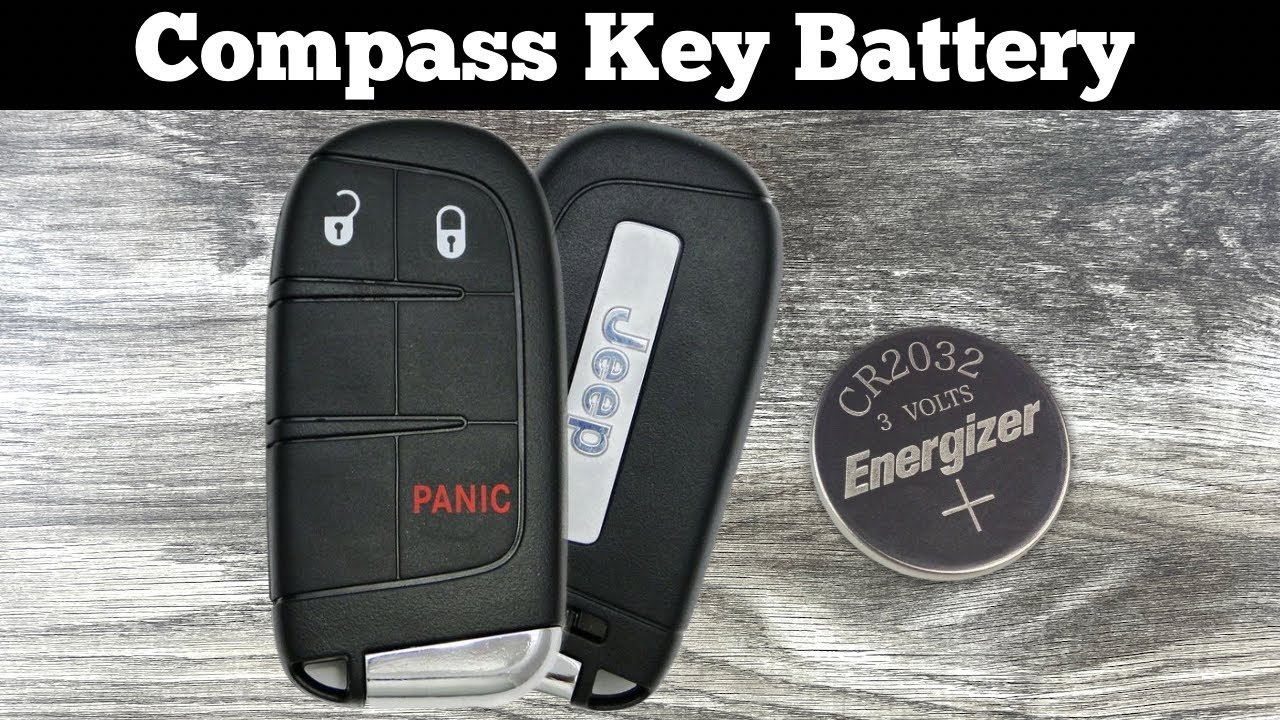
Jeep uses several types of key fobs, but most models after 2010 have a push-button remote. These remotes usually need a CR2032 or CR2025 lithium battery.
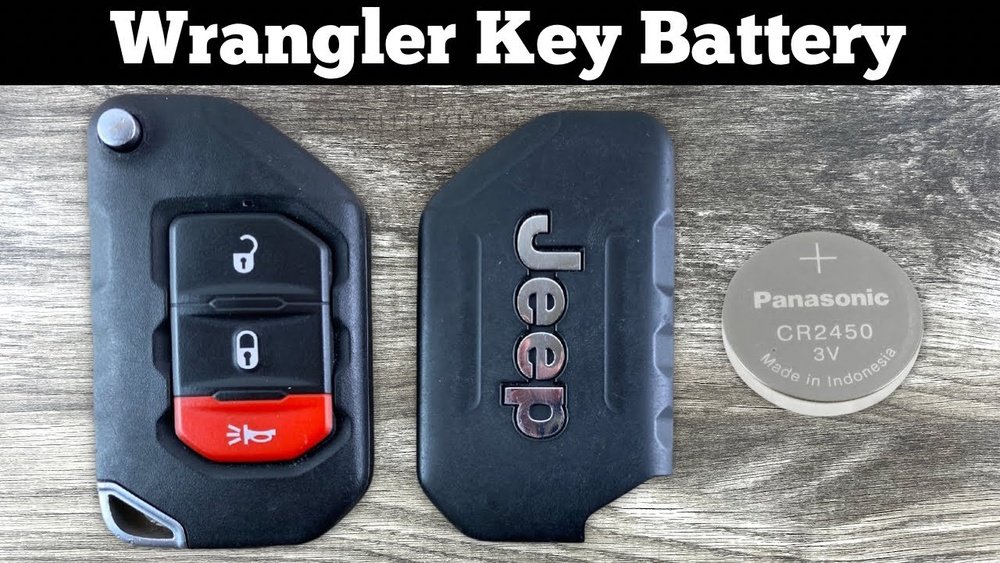
Here’s a quick comparison of common Jeep key fobs:
| Model Year | Key Fob Type | Battery Used |
|---|---|---|
| 2010-2015 | Standard Remote | CR2032 |
| 2016-2024 | Smart Key (Proximity) | CR2025 |
| Older Models | Flip Key | CR2032 |
Knowing your fob type helps you buy the right battery. If you’re unsure, check the user manual or open the fob and look for the battery code.
Tools And Materials Needed
You don’t need special tools to change your Jeep key battery. Here’s what you need:
- New battery (CR2032 or CR2025, depending on your fob)
- Small flathead screwdriver or coin
- Clean cloth (optional)
- Owner’s manual (for reference)
Most batteries cost $2 $5. Buying from a trusted store reduces the risk of counterfeit batteries, which may drain quickly.
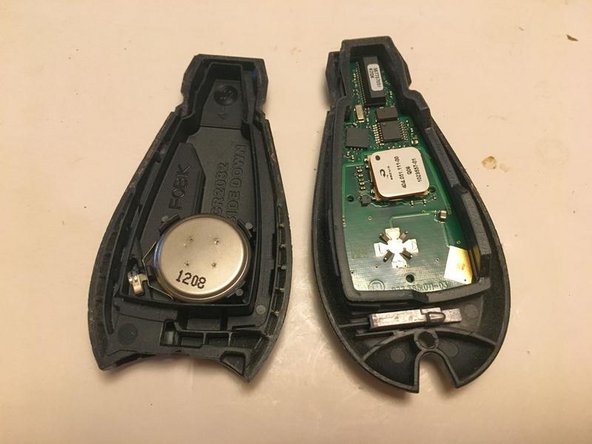
Step-by-step Guide: How To Change Battery On Jeep Key
Follow these steps to replace your Jeep key fob battery safely:
1. Remove The Key From The Fob
Slide the small release button on the back of your fob. Pull out the physical key. This makes opening the fob easier.
2. Open The Key Fob
Insert a flathead screwdriver or coin into the seam or notch of the fob. Gently twist to pry it open.
Do not force it too much pressure can crack the plastic.
3. Take Out The Old Battery
Note the battery’s orientation. Use the screwdriver or your fingernail to lift out the old battery.
4. Clean The Contacts
Wipe any dust or residue with a clean cloth. This step is often missed, but clean contacts ensure better battery connection.
5. Insert The New Battery
Place the new battery in the same direction as the old one (usually positive side up). Check the contacts are touching the battery surface.
6. Snap The Fob Back Together
Line up both halves and press until you hear a click. If the fob doesn’t close easily, check if the battery is seated properly.
7. Test The Key Fob
Press any button. The LED should blink and your Jeep should respond.
If not, re-open and check the battery orientation.
Here’s a quick comparison of battery life for Jeep key fobs:
| Battery Type | Average Lifespan | Cost |
|---|---|---|
| CR2032 | 2–3 years | $2–$4 |
| CR2025 | 1–2 years | $2–$5 |
Common Mistakes To Avoid
Changing a Jeep key battery is straightforward, but drivers often make these mistakes:
- Using the wrong battery type
Double-check the battery code before buying.
- Forcing the fob open
If it’s stuck, try a thinner tool or gentle pressure. Don’t use knives or sharp objects.
- Incorrect battery orientation
Always note which side is facing up before removing the old battery.
- Touching battery contacts with fingers
Oils from your skin can reduce battery life. Use a cloth or gloves if possible.
- Not testing the fob immediately
After changing, test all buttons. If it doesn’t work, recheck the battery placement.
Practical Tips For Longer Battery Life
Many Jeep owners replace batteries every year, but you can make them last longer:
- Keep your key fob away from heat
High temperatures drain batteries faster.
- Store spare keys in a cool place
If you don’t use a backup key often, its battery can last longer.
- Avoid pressing buttons repeatedly
Each press uses power. Use the key only when needed.
- Buy quality batteries
Cheap or old batteries may fail quickly. Buy from a reliable shop or official dealer.
- Clean the fob regularly
Dust and dirt inside the fob can cause weak signals and drain power.
What If Your Jeep Key Still Doesn’t Work?
If you change the battery and your Jeep key fob still doesn’t respond:
- Check for hidden damage
Look for cracks or broken contacts inside the fob.
- Try another new battery
Even new batteries can be dead if they’re old stock.
- Re-sync the fob
Some Jeep models require you to reprogram or sync the fob after battery change. Check your owner’s manual.
- Visit your dealer
If all else fails, take your key fob to a Jeep dealer. They can check for electronic issues or replace the fob.
For more information on key fob troubleshooting, visit the official Jeep Owners site.

Frequently Asked Questions
How Do I Know Which Battery My Jeep Key Fob Needs?
Check the back of your key fob or open it and look for the battery code. Most Jeep fobs use CR2032 or CR2025 batteries. Your owner’s manual also lists the battery type.
Can Changing The Battery Erase My Key Fob’s Programming?
No, replacing the battery does not erase programming. The fob will still work with your Jeep after you change the battery.
How Often Should I Replace My Jeep Key Fob Battery?
Most batteries last 2–3 years, but replace them sooner if you notice weak signal, delayed response, or if the fob stops working.
What If My Key Fob Doesn’t Work After Battery Replacement?
Check the battery orientation, make sure the contacts are clean, and try another new battery. If it still fails, you may need to re-sync the fob or visit a dealer.
Can I Use Rechargeable Batteries In My Jeep Key Fob?
No, Jeep key fobs are designed for single-use lithium batteries like CR2032 or CR2025. Rechargeable batteries do not fit and may damage the fob.
Changing your Jeep key battery is an easy task that can save you time and frustration. With the right battery and careful steps, your key fob will work like new. Remember to use quality batteries, avoid common mistakes, and test your fob after replacement. If you run into issues, don’t hesitate to check your manual or visit your dealer for help.