Is your Jeep key fob acting up or completely unresponsive? Before you panic about getting locked out or stranded, know that changing your Jeep key fob battery is simpler than you might think.
You don’t need special tools or a mechanic’s help. With just a few easy steps, you can bring your key fob back to life and regain full control of your Jeep.
Keep reading, and you’ll learn exactly how to replace that battery quickly and safely, so you can get back on the road without missing a beat.
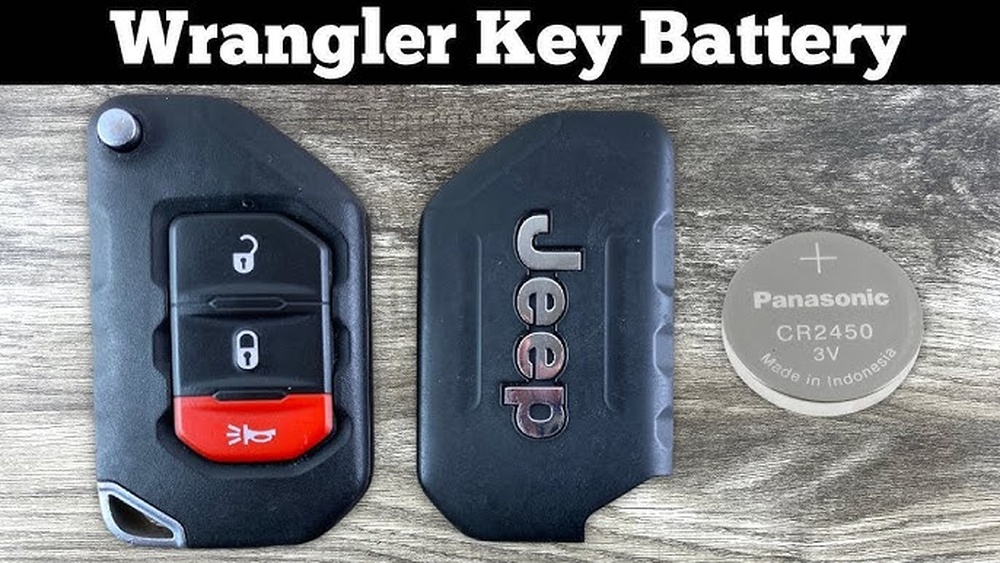

Identify Your Jeep Key Fob Type
Opening the key fob casing is the first step to changing the battery. This process reveals the battery compartment inside. It requires careful handling to avoid damaging the fob.
Most Jeep key fobs have a hidden mechanical key inside. This key helps you open the fob safely without scratching or breaking the plastic.
Remove The Mechanical Key
Look for a small release button or slide pin on the fob’s side or back. Press or slide it gently. Pull out the metal mechanical key hidden inside the fob. Keep this key aside for now.
Separate The Two Halves Of The Fob
Find the notch or seam at the base of the key fob. Insert the mechanical key tip or a flathead screwdriver into the notch. Twist or pry gently to open the plastic casing. Do this slowly to avoid cracking the fob.
Access The Battery Compartment
Once the casing opens, you will see the battery held in place. Use a small flathead screwdriver to pop the old battery out carefully. Note the battery’s position and orientation before removal.
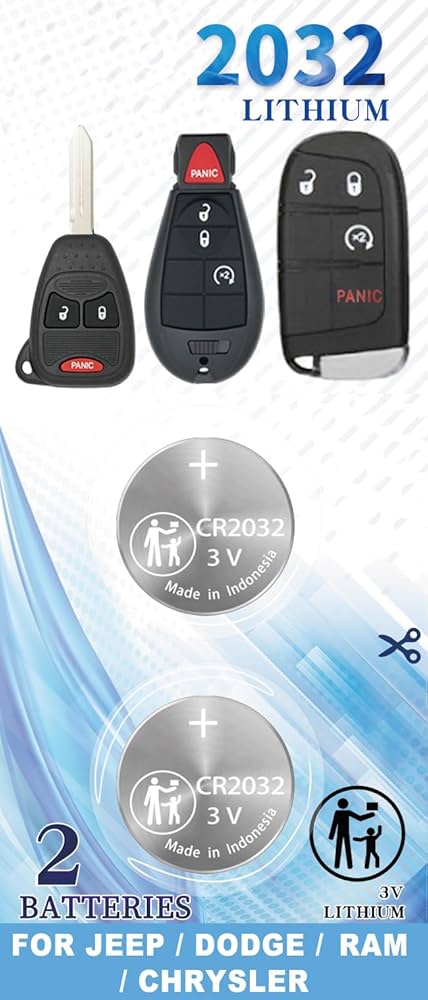
Gather Necessary Tools And Battery
Prepare a small flathead screwdriver and a replacement battery, usually a CR2032. Having these ready speeds up the process and prevents delays.
Keep the tools and battery close before starting the battery change.
After replacing the battery, it is time to snap the fob back together. This step secures the new battery inside and restores the key fob’s function. Proper alignment of the fob halves is important to avoid damage.
Hold both halves of the key fob gently but firmly. Make sure the edges match perfectly before pressing them together. Start by aligning the bottom edge, then work your way around the sides.
Press the two halves until you hear a clear snap sound. This means the clips inside have locked the pieces in place. Avoid forcing the fob if it does not snap easily. Check alignment again to prevent cracks or breaks.
Once the fob is snapped shut, reinsert the emergency metal key. Test the buttons to confirm the battery change was successful. The lock and find functions should respond immediately.
Remove Mechanical Key From Fob
Extending the battery life of your Jeep key fob saves time and money. Small habits can make a big difference. Taking care of the key fob helps avoid frequent battery changes.
Simple steps keep the battery working longer. Follow these tips to maintain your key fob’s power. This way, your Jeep’s remote features stay reliable and ready.
Turn Off Key Fob When Not In Use
Some Jeep key fobs allow you to turn off the remote functions. Switch it off if you do not use it for days. This reduces battery drain and saves power.
Keep The Key Fob Clean And Dry
Dirt and moisture can damage the battery contacts. Wipe the key fob regularly with a dry cloth. Avoid exposing it to water or extreme humidity.
Pressing buttons without reason uses battery power. Only use the key fob when needed. This prevents wasting energy and extends battery life.
Store Key Fob Away From Direct Sunlight
Heat from the sun can weaken the battery inside. Keep the key fob in a cool, shaded place. This helps maintain battery strength over time.
Replace Battery At The First Sign Of Weakness
Do not wait for the battery to die completely. Replace it once you notice slower response or range drop. Early replacement avoids sudden key fob failure.
<!– wp:rank-math/faq-block {"questions":[{"id":"faq-question-5a01f491277e","title":"What Battery Is Used In A Jeep Key Fob?","content":"
Jeep key fobs commonly use a CR2032 3-volt lithium coin battery. This battery is easy to replace and widely available.
“,”visible”:true},{“id”:”faq-question-a12dcdfb8702″,”title”:”Can I Replace The Key Fob Battery Myself?”,”content”:”Yes, you can replace the key fob battery yourself. Use a small tool to open the fob, remove the old battery, and insert a new one correctly. Ensure the positive side faces the right direction. Test the fob functions before closing it securely.
“,”visible”:true},{“id”:”faq-question-095e185de803″,”title”:”What Happens If My Jeep Wrangler Fob Battery Goes Dead On My Push Button Start?”,”content”:”If your Jeep Wrangler fob battery dies, use the hidden mechanical key to find the door. Press the start button with the fob nearby to start the engine. Replace the battery promptly to restore full keyless functions.
“,”visible”:true},{“id”:”faq-question-2ab60fa08ab8″,”title”:”How Do I Change The Battery In My 2020 Jeep Key Fob?”,”content”:”Press the release button to remove the mechanical key. Pry open the fob case with a flathead screwdriver.
nnnnReplace the old battery with a new one, positive side down. Snap the case back together and reinsert the mechanical key.
nnnnTest the fob buttons to ensure functionality.
“,”visible”:true}]} –>What Battery Is Used In A Jeep Key Fob?
Jeep key fobs commonly use a CR2032 3-volt lithium coin battery. This battery is easy to replace and widely available.
Can I Replace The Key Fob Battery Myself?
Yes, you can replace the key fob battery yourself. Use a small tool to open the fob, remove the old battery, and insert a new one correctly. Ensure the positive side faces the right direction. Test the fob functions before closing it securely.
If your Jeep Wrangler fob battery dies, use the hidden mechanical key to find the door. Press the start button with the fob nearby to start the engine. Replace the battery promptly to restore full keyless functions.
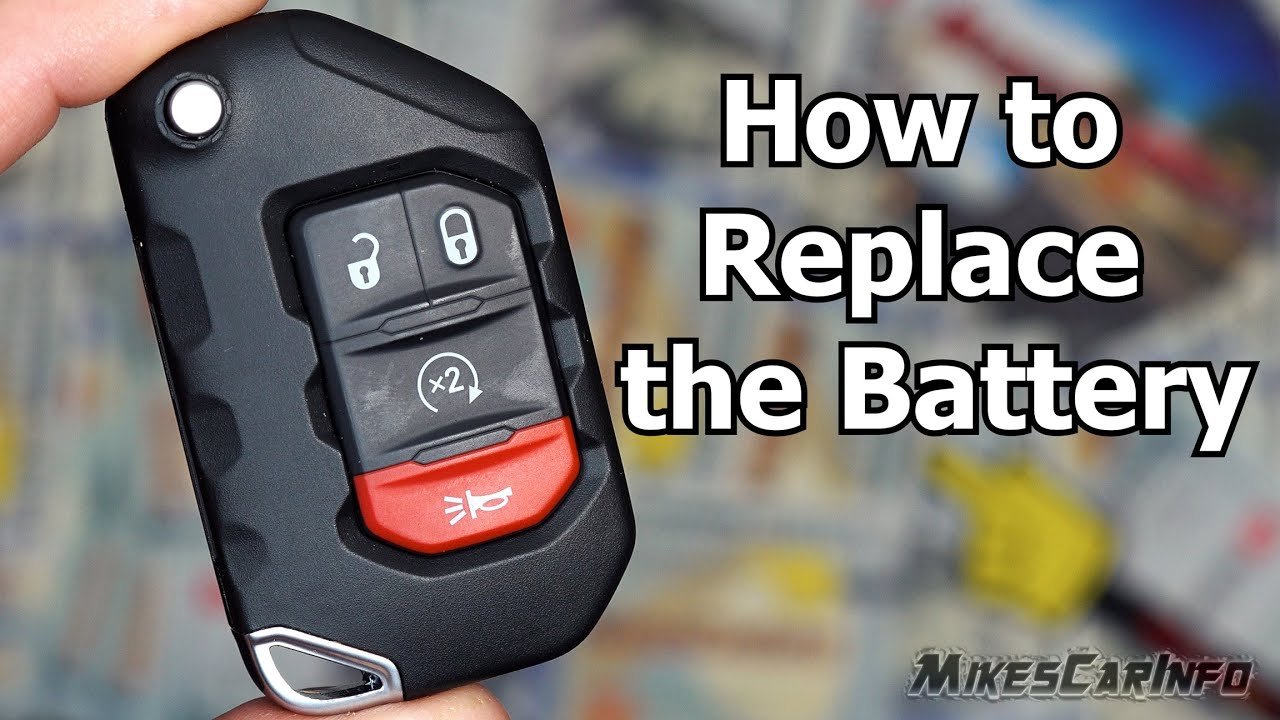
How Do I Change The Battery In My 2020 Jeep Key Fob?
Press the release button to remove the mechanical key. Pry open the fob case with a flathead screwdriver.
Replace the old battery with a new one, positive side down. Snap the case back together and reinsert the mechanical key.
Test the fob buttons to ensure functionality.
Conclusion
Changing the battery in your Jeep key fob is a simple task. It saves time and avoids trips to the dealer.
Using the right battery ensures your key fob works well. Follow the steps carefully to prevent damage.
Test your key fob after replacing the battery.
Keep a spare battery handy for future needs. This quick fix keeps your Jeep’s remote working smoothly.



















