Adding your vehicle to the Jeep app can make your driving experience smoother and more connected. With features like remote start, vehicle health reports, and security alerts, the app is a powerful tool for Jeep owners.
However, many people find the process confusing, especially if they are new to smart car technology. This guide explains every step in simple language, with tips and data to help you avoid common mistakes.
Why Add Your Vehicle To The Jeep App?
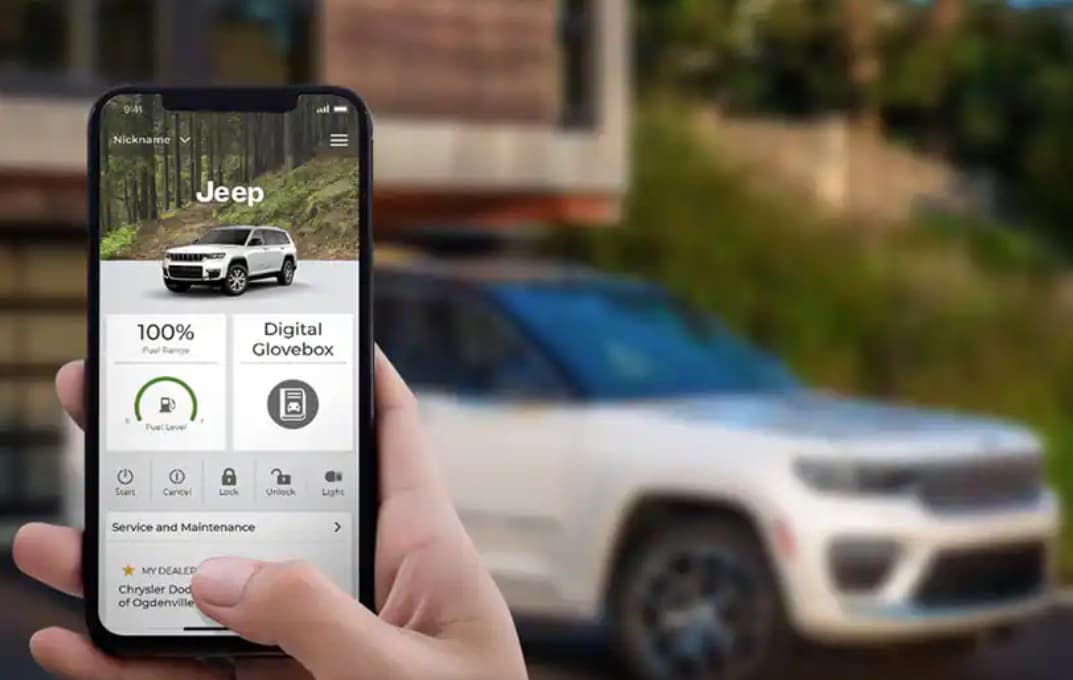
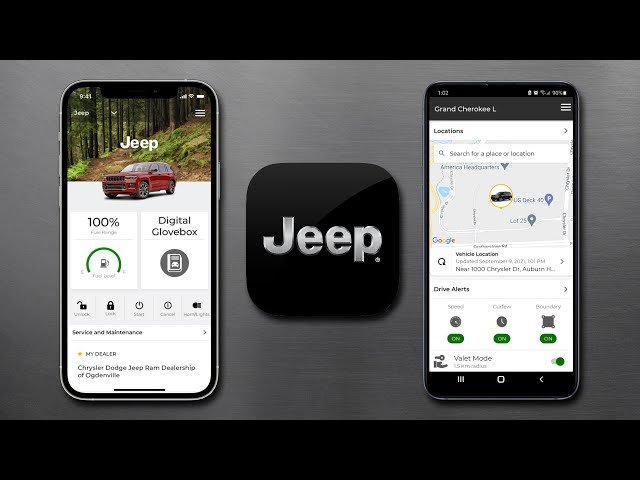
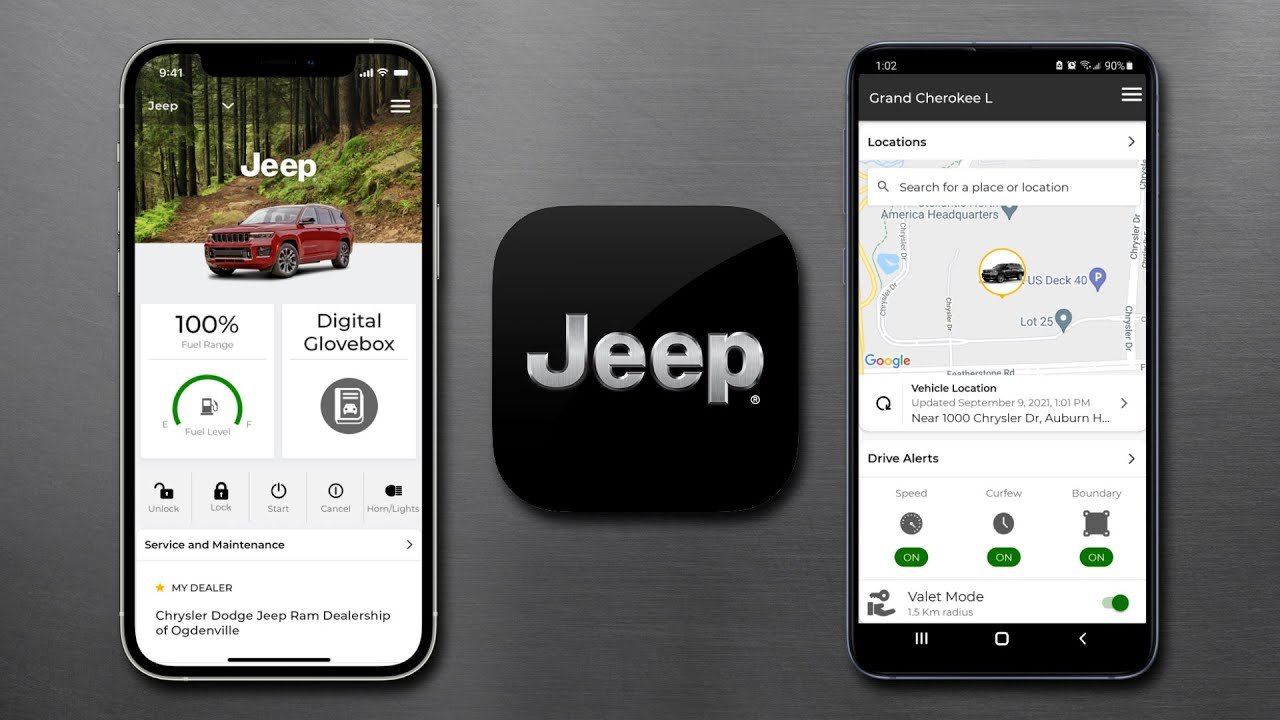
The Jeep app (officially called Jeep Connect or Jeep Vehicle Owner App in some regions) is more than just a dashboard for your car. By adding your vehicle, you unlock features such as:
- Remote commands: Start, stop, lock, or unlock your Jeep from your phone.
- Maintenance reminders: Get alerts for oil changes or service needs.
- Location tracking: Find your Jeep in a busy parking lot.
- Trip history: Review past drives for business or personal records.
According to a 2023 survey by Statista, 61% of US car owners who use manufacturer apps report higher satisfaction with their vehicles. Missing out on app features can mean missing important alerts or convenience.
What You Need Before You Start
Before you add your vehicle, have these items ready:
- A compatible Jeep vehicle (most models from 2018 onward)
- Vehicle Identification Number (VIN) — this is a 17-digit code, usually found on the dashboard near the windshield or inside the driver’s door.
- An active Jeep app account — you’ll need a username and password.
Having these details in advance reduces setup time and avoids frustration.
Step-by-step Guide: Adding Your Vehicle
The process only takes a few minutes if you follow these steps carefully.
1. Download And Open The Jeep App
- Search for Jeep in the Apple App Store or Google Play Store.
- Download the official app (look for the Jeep logo).
- Open the app and sign in with your account. If you don’t have one, select “Create Account” and follow the prompts.
2. Start The Add Vehicle Process
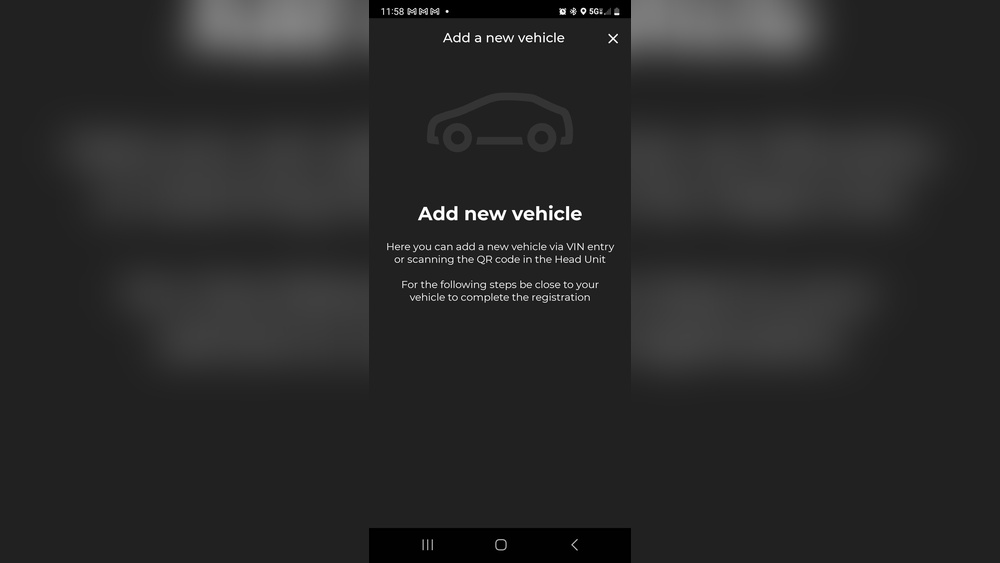
- On the main screen, tap the menu (three lines or user icon).
- Select “My Garage” or “Add Vehicle” option.
This is where many users get lost. The menu names can change based on your region or app version, so look for anything related to “garage” or “vehicles. ”
3. Enter Your Vin
- Type your 17-digit VIN exactly as shown on your vehicle.
- Double-check each character — common errors are mixing 0 (zero) with O (letter O), or 1 (one) with I (letter I).
The app will check if your Jeep is compatible and registered.
4. Confirm Ownership
- The app may ask for a verification code sent to your email or phone.
- Some models require you to scan a QR code on your vehicle’s infotainment system.
- For added security, you might be asked to enter your license plate number.
If the app says your vehicle is already registered, contact Jeep customer support. This is often due to a previous owner not removing their account.
5. Finalize And Sync
- After confirming, the app will connect to your vehicle (this can take 2–5 minutes).
- You may be prompted to turn on your vehicle or park in an open area for best signal.
When successful, you’ll see your Jeep listed in “My Garage. ” You can now access remote commands and other features.
Common Problems And How To Fix Them
Even with clear steps, some users hit roadblocks. Here are solutions to the most frequent issues:
- VIN not recognized: Check for typos. If you bought a used Jeep, the previous owner may need to remove the vehicle from their app first.
- No verification code: Look in your spam or promotions email folder. Make sure your account email matches what’s on file with Jeep.
- Vehicle won’t sync: Move your Jeep to an area with better cellular signal or try restarting your phone.
- App crashes or freezes: Uninstall and reinstall the app, or update to the latest version.
Features You Unlock After Adding Your Vehicle
Adding your Jeep gives you access to a range of features. Here’s a quick comparison:
| Feature | Without Adding Vehicle | After Adding Vehicle |
|---|---|---|
| Remote Start/Stop | No | Yes |
| Vehicle Health Report | No | Yes |
| Maintenance Reminders | No | Yes |
| Location Tracking | No | Yes |
| Trip History | Limited | Full Access |
Jeep App Compatibility By Model Year
Not every Jeep is compatible with the latest app features. Here’s a quick reference:
| Model Year | Basic App Features | Remote Commands |
|---|---|---|
| 2017 and earlier | Limited | No |
| 2018–2020 | Most | Some |
| 2021–present | Full | Yes |
Tip: If you have an older Jeep, you may need to visit your dealership to enable connected services. Some 2018 models require a software update.
Pro Tips Most Users Miss
- Add all family drivers: You can let trusted family members use the app too. Set up secondary users in the app’s settings.
- Check your subscription: Some features (like remote start) may require an active Jeep Connect subscription. New vehicles often include a free trial, but after that, you must renew.
- Update app regularly: Jeep releases updates often to fix bugs and add features. Enable automatic updates for fewer issues.
When To Contact Support
If you have tried all solutions but still can’t add your Jeep, reach out to Jeep customer support. They can reset accounts, help with VIN issues, and provide guidance for less common problems. For more details, see the official Jeep Connectivity FAQ.
Frequently Asked Questions
How Do I Find My Jeep’s Vin?
The VIN is a 17-digit code found on the driver’s side dashboard near the windshield, inside the driver’s door frame, or on your insurance documents.
Can I Add More Than One Jeep To The App?
Yes, you can add multiple vehicles. Go to My Garage and select “Add Vehicle” for each Jeep you own.
Why Does The App Say My Vehicle Is Already Registered?
This usually happens if a previous owner did not remove their account. Contact Jeep support to release the vehicle and try again.
Is Adding My Vehicle To The App Free?
Adding your vehicle is free, but some features need a paid Jeep Connect subscription after an initial trial period.
What Should I Do If I Sell My Jeep?
Remove your vehicle from the app before selling it. This protects your privacy and lets the new owner register the Jeep in their app.
Connecting your Jeep to the app isn’t just about convenience it makes your vehicle smarter and safer. With the right steps, you’ll unlock features that save time and keep you informed.
Take a few minutes to add your vehicle and enjoy all the benefits your Jeep offers.