Connecting your Jeep to the Uconnect system can transform your driving experience. Uconnect gives you navigation, music, hands-free calling, and access to apps, all from your dashboard screen.
Many Jeep owners find Uconnect confusing at first, but learning how to use it properly is simple with the right steps. This guide will help you connect your phone, set up key features, and fix common issues, so you can enjoy all the benefits of Uconnect without frustration.
Understanding Uconnect In Jeep
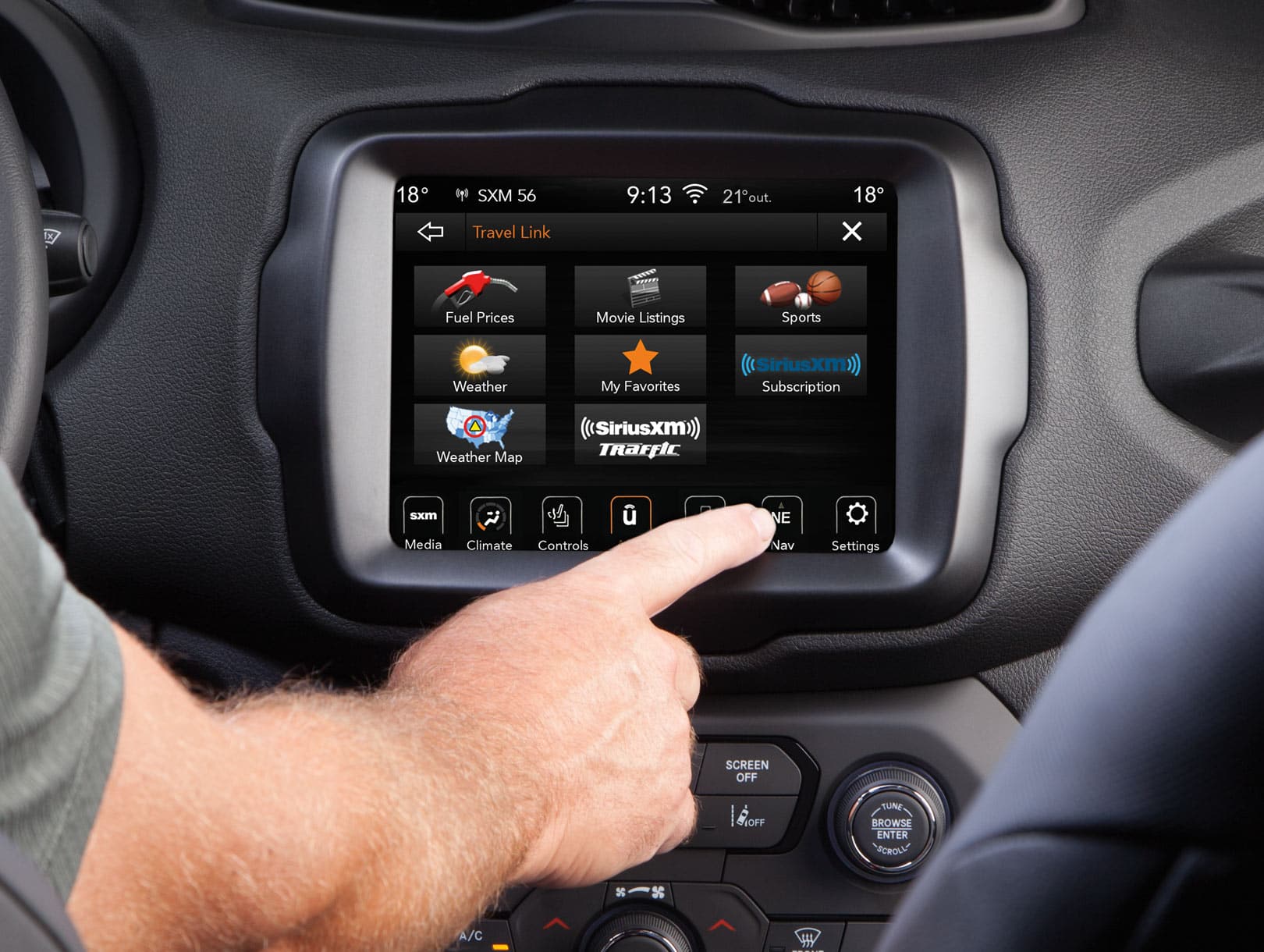
Uconnect is the infotainment system found in most modern Jeeps. It uses a touchscreen on the center console to control features like Bluetooth pairing, navigation, and media streaming. Uconnect comes in several versions, such as Uconnect 4, 4C, and 5. Newer Jeeps (2021 and later) often have Uconnect 5, which offers faster performance and more features.

Many drivers do not realize that Uconnect works with both Android and Apple devices. You can access Apple CarPlay or Android Auto if your Jeep is from 2017 or newer. This allows you to use your phone’s apps directly on the Jeep’s screen.
Here is a quick comparison of Uconnect versions:
| Version | Screen Size | Features | Year Range |
|---|---|---|---|
| Uconnect 4 | 7–8.4 inches | Bluetooth, Navigation, CarPlay/Auto | 2017–2020 |
| Uconnect 4C | 8.4 inches | Enhanced Navigation, HD Radio | 2017–2021 |
| Uconnect 5 | 10.1 inches | Wireless CarPlay/Auto, Voice Assist | 2021–present |
How To Connect Your Phone To Uconnect
Pairing your smartphone to your Jeep’s Uconnect is the first step. Many people skip settings or miss key steps, leading to connection problems.
- Turn on Bluetooth on your phone.
- Start your Jeep and tap the Uconnect Phone icon.
- Select Add Device on the screen.
- On your phone, search for “Uconnect” under available Bluetooth devices.
- Tap “Uconnect” and confirm the pairing code matches on both screens.
- Approve access to contacts and messages if prompted.
Some Jeeps need you to enable Apple CarPlay or Android Auto separately. For wireless CarPlay/Auto, make sure your phone is compatible and your Jeep has Uconnect 5.
If you use a USB cable, plug it into the console port. The Uconnect screen should detect your phone and display the CarPlay or Android Auto icon.
Common Mistakes When Connecting
- Not allowing Uconnect access to contacts
- Using a low-quality USB cable
- Forgetting to turn on Bluetooth
- Ignoring system updates
Updating your phone and Uconnect software solves most problems. If your Jeep has trouble connecting, restart both devices and try again.
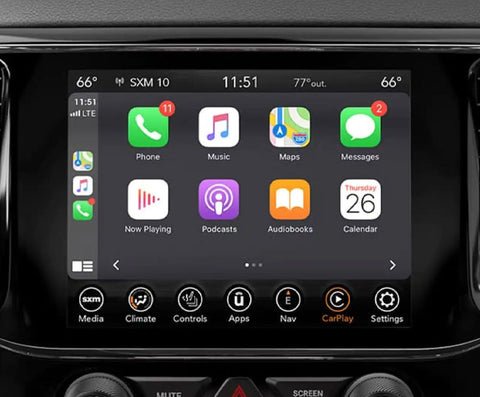
Uconnect offers built-in navigation in some Jeep models. If your Jeep does not have navigation, you can use Google Maps or Apple Maps through CarPlay or Android Auto.
To set up navigation:
- Tap the Navigation icon on Uconnect.
- Enter your destination using the touchscreen.
- For CarPlay/Android Auto, open Maps from your phone.
You can also access music apps like Spotify or Pandora. Open the app from your phone, then control it from the Uconnect screen.
Many drivers overlook the ability to customize the Uconnect home screen. You can add shortcuts to favorite apps or contacts, making it quicker to access what you use most.
Here’s a comparison of navigation options:
| Option | Device Needed | Updates | Voice Commands |
|---|---|---|---|
| Uconnect Built-In | Jeep Only | Dealer/Manual | Yes |
| Apple CarPlay | iPhone | Automatic | Yes |
| Android Auto | Android Phone | Automatic | Yes |
Using Hands-free Features
Safety is a top priority. Uconnect lets you make calls, send texts, and control music with your voice. Press the Voice Command button on your steering wheel, then say what you need.
Examples:
- “Call John Smith”
- “Play jazz music”
- “Navigate to Main Street”
Many beginners forget to speak clearly or wait for the beep before talking. If Uconnect does not understand your command, repeat slowly.
You can also train your system to recognize your voice in settings.
Troubleshooting Uconnect Problems
Even with new technology, problems can happen. Common issues include lost Bluetooth connection, apps not appearing, or slow screen response.
Try these steps:
- Restart your phone and Jeep.
- Check for Uconnect software updates.
- Delete old paired devices from the Uconnect settings.
- Use a certified USB cable.
- Reset Uconnect by pressing and holding the volume and tuner buttons for about 10 seconds.
A surprising tip: Some issues are fixed by simply unplugging your phone and plugging it back in. Jeep owners often overlook this easy solution.
If you continue to have trouble, visit your dealer or check the official Jeep Uconnect website for help. For more technical info, see Jeep Uconnect.
Practical Tips For Uconnect Users
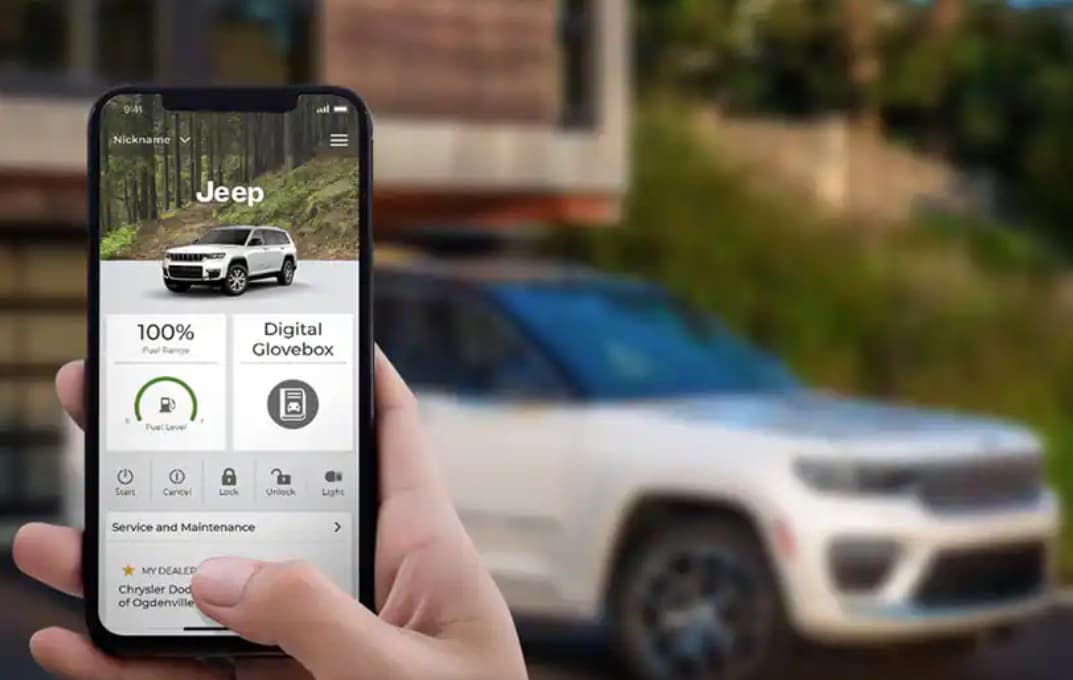
- Set up Wi-Fi Hotspot if your Jeep supports it. This lets passengers stream or work online during trips.
- Adjust screen brightness and sound in Uconnect settings for better visibility and listening.
- Use the “Do Not Disturb” mode to block calls while driving.
- Keep your Uconnect and phone software updated for smoother performance.
Many Jeep drivers do not realize that Uconnect stores favorite destinations and playlists. Take a few minutes to save your most-used contacts and routes for quick access.
Frequently Asked Questions
How Do I Update My Uconnect System?
Updates are usually sent over-the-air for newer systems. Go to Uconnect settings, select “System Updates,” and follow the prompts.
Older Jeeps may require updates at the dealership.
Can I Use Uconnect With Any Smartphone?
Uconnect works with most smartphones, including iPhones and Android devices. For wireless CarPlay or Android Auto, your phone must be compatible and your Jeep must have Uconnect 5.
Why Isn’t My Phone Connecting To Uconnect?
Check that Bluetooth is enabled on your phone and Uconnect. Use a good USB cable if connecting by wire.
Delete old devices from the Uconnect list and restart both devices.
Built-in navigation in Uconnect may require a subscription for traffic updates. Using Apple Maps or Google Maps through CarPlay/Android Auto is free, but uses your phone’s data.
Can I Add Apps To Uconnect?
You cannot add apps directly to Uconnect, but you can access apps through Apple CarPlay or Android Auto. Simply install the apps on your phone and connect it to Uconnect.
Connecting your Jeep to Uconnect opens up a world of convenience. With these clear steps and practical tips, you can enjoy hands-free driving, easy navigation, and entertainment every time you hit the road.
Remember to keep your system updated and explore all the features, so your Jeep stays smart and safe wherever you go.