Starting your Jeep from your phone is a smart, modern way to make life easier especially on cold mornings or busy days. Many Jeep owners don’t realize how simple it can be to use this technology, or how it works.
This guide will help you learn everything you need to know about remote start with your phone, including setup, features, and common mistakes.
Whether you have a newer Jeep or are thinking about upgrading, you’ll find clear answers here.
What Is Jeep Remote Start From Your Phone?
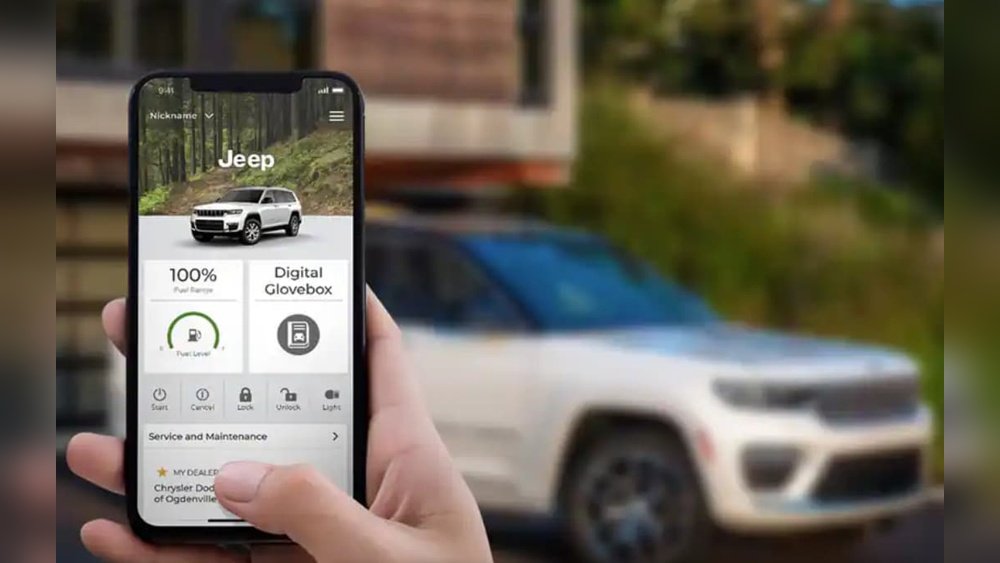
Remote start lets you turn on your Jeep’s engine without touching your keys. With your phone, you can start your car from anywhere you have an internet connection. Jeep uses apps like Uconnect and Jeep Connect for this feature. These apps connect your phone to your Jeep using cloud technology.
How Does It Work?
Your phone sends a signal to your Jeep through the app. The Jeep’s system receives the signal and starts the engine. This only works if your Jeep has a compatible remote start system installed. Models from 2018 and newer often have this feature built in, but older Jeeps may need an upgrade.
Benefits Of Starting Your Jeep Remotely
Using your phone to start your Jeep offers several real advantages:
- Comfort: Warm up your Jeep in winter or cool it in summer before you get inside.
- Security: Lock and unlock doors remotely. Some apps show your Jeep’s location.
- Convenience: Start your Jeep while you’re inside your home, office, or even a store.
- Efficiency: Save time by preparing your car before you leave.
Data And Popularity
Over 60% of new Jeep owners use remote start at least once a week, according to Jeep user surveys. The feature is especially popular in cold states like Michigan and Minnesota.

Setting Up Jeep Remote Start With Your Phone
Getting started is straightforward. Here’s what you need:
Requirements
- Compatible Jeep model (usually 2018+)
- Uconnect or Jeep Connect app
- Active subscription for remote services
- Smartphone (iOS or Android)
Step-by-step Setup
- Download the App: Search for Uconnect or Jeep Connect in the App Store or Google Play.
- Register Your Jeep: Enter your vehicle’s VIN (found on your dashboard or insurance papers).
- Create an Account: Follow prompts to set up your profile and connect your Jeep.
- Activate Subscription: Some features require a paid plan. Jeep offers trial periods for new owners.
- Pair Your Phone: Make sure Bluetooth and internet are active on your phone.
- Test Remote Start: Open the app, tap the “Remote Start” button, and wait for confirmation.
Common Problems
- App not connecting: Check your internet and Bluetooth.
- Subscription expired: Renew through the app or Jeep website.
- Vehicle not compatible: Check your model and year in the app’s FAQ.
Key Features And Differences Between Apps
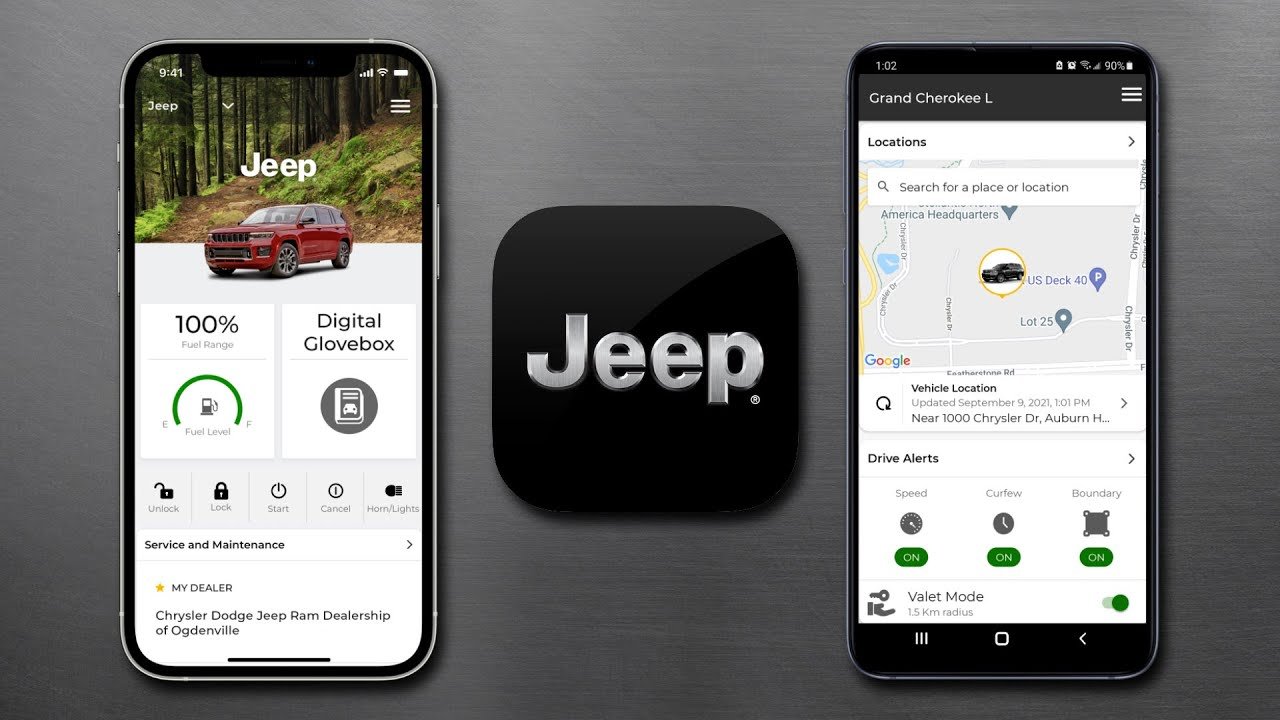
Jeep offers different apps with unique features. Here’s a quick comparison:
| Feature | Uconnect App | Jeep Connect App |
|---|---|---|
| Remote Start | Yes | Yes |
| Lock/Unlock | Yes | Yes |
| Vehicle Location | Yes | Yes |
| Maintenance Reminders | Yes | No |
| Subscription Required | Yes | Yes |
Uconnect is more common for most Jeep models. Some newer Jeeps use Jeep Connect with added security features.
Comparing Remote Start: Phone Vs. Key Fob
Many Jeeps come with a key fob remote start. Here’s how phone and key fob compare:
| Factor | Phone App | Key Fob |
|---|---|---|
| Range | Unlimited (Internet) | Limited (usually 300 feet) |
| Extra Features | Location, Lock/Unlock | Start Only |
| Subscription Needed | Yes | No |
| Ease of Use | App-based | Physical button |
The phone app gives more control and flexibility, while the key fob is fast for short range.
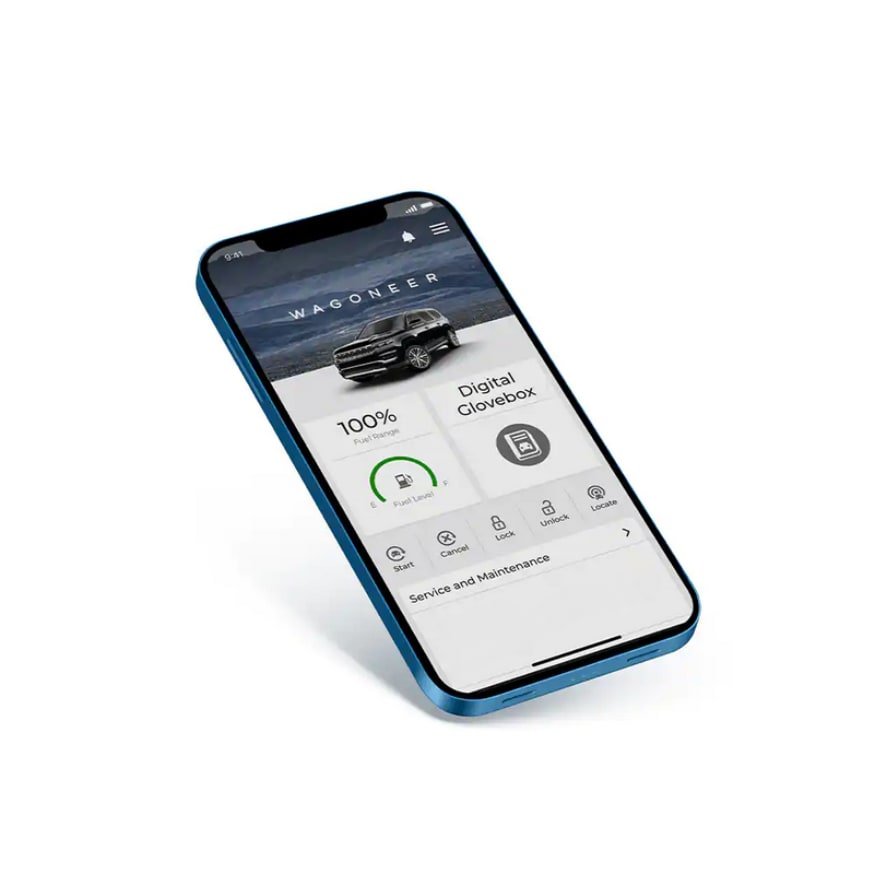
Real Example: Starting A Jeep Cherokee From Your Phone
Imagine you own a 2022 Jeep Cherokee. You wake up on a snowy morning. Instead of running outside, you grab your phone:
- Open the Uconnect app
- Tap “Remote Start”
- Within seconds, your Jeep’s engine starts
- The cabin heats up while you finish breakfast
You can also check if doors are locked and see your Jeep’s location. This saves time and keeps you comfortable.
Common Mistakes And How To Avoid Them
Many Jeep owners make these errors:
- Ignoring app updates: Keep your app updated for best performance.
- Not renewing subscription: Check reminders and renew before service ends.
- Forgetting VIN entry: Your Jeep won’t connect without the correct VIN.
- Trying on unsupported models: Remote start only works on compatible Jeeps.
It’s wise to check your Jeep’s manual or the app’s support page if you have trouble.
Privacy And Security Concerns
Some drivers worry about safety. Jeep uses encrypted signals for remote start. Only registered users can access the app. If your phone is lost, change your password quickly. According to Jeep, remote start apps are 99.9% secure against hacking.
For more technical details, visit Jeep Connect.
Frequently Asked Questions
Can I Start Any Jeep Model From My Phone?
No. Only Jeeps with remote start systems and compatible apps can use this feature. Most models from 2018 onward support it.
Is There A Cost For Jeep Remote Start Apps?
Yes. While some features are free, remote start usually needs a paid subscription after any trial period.
What Happens If My Phone Battery Dies?
You won’t be able to use the app until your phone is charged. The key fob remote start still works if you have it.
Is It Safe To Start My Jeep Remotely?
Yes. Jeep apps use secure technology.
Only registered users can control the vehicle. Always keep your phone secure and update passwords.
Can I Use Remote Start From Outside The Country?
In most cases, yes. As long as your phone has internet and your Jeep is in range, remote start works. Some regions may have restrictions.
With remote start from your phone, your Jeep becomes smarter and easier to use. The setup is simple, and the benefits are clear from comfort to safety.
As technology improves, more drivers will enjoy these features. If you want to upgrade your Jeep, check compatibility and start enjoying remote start today.