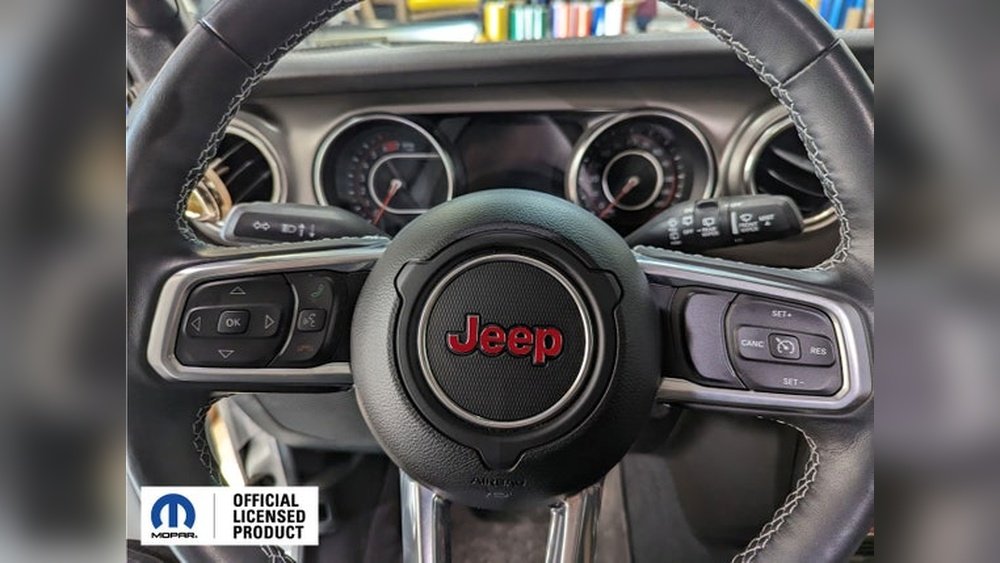
Saving memory seat settings in a Jeep Grand Cherokee can make your driving experience more comfortable and convenient. With just a few steps, you can set your favorite seat and mirror positions and have your Jeep remember them every time you drive.
Many owners do not realize how much time this feature saves, especially in households with multiple drivers. This guide will show you exactly how to save memory seat positions, what to do if you have trouble, and why using this feature the right way can prevent future headaches.
Understanding Jeep Grand Cherokee Memory Seats
The memory seat function is available on most higher trims of the Jeep Grand Cherokee, especially models from 2014 and newer. This feature allows you to save and recall different seat and mirror positions. Some models even allow you to save steering wheel and pedal positions.
How The System Works
The system uses small motors and sensors to remember your seat, mirror, and sometimes steering wheel settings. You can usually store up to two driver profiles. Each driver can set their ideal position, and the Jeep recalls these settings with a button press or when you unlock the car with your key fob.
Key Features
- Stores seat and mirror positions
- Links to specific key fobs
- Allows two memory profiles
- Quick recall by button or fob
Step-by-step: How To Save Memory Seat In Jeep Grand Cherokee
Saving your seat memory is simple, but it’s easy to miss a step if you’re not familiar with the controls.
1. Turn On Your Jeep
Start your Jeep or put it in accessory mode. The engine does not need to be running, but the power must be on.
2. Adjust The Seat
Move your seat to your preferred position. Adjust the backrest, seat height, and distance from the pedals.
Most Grand Cherokees also let you adjust lumbar support.
3. Set The Mirrors
Adjust both side mirrors using the mirror control switch on the driver’s door. Some models also allow you to adjust the power steering wheel or pedals.
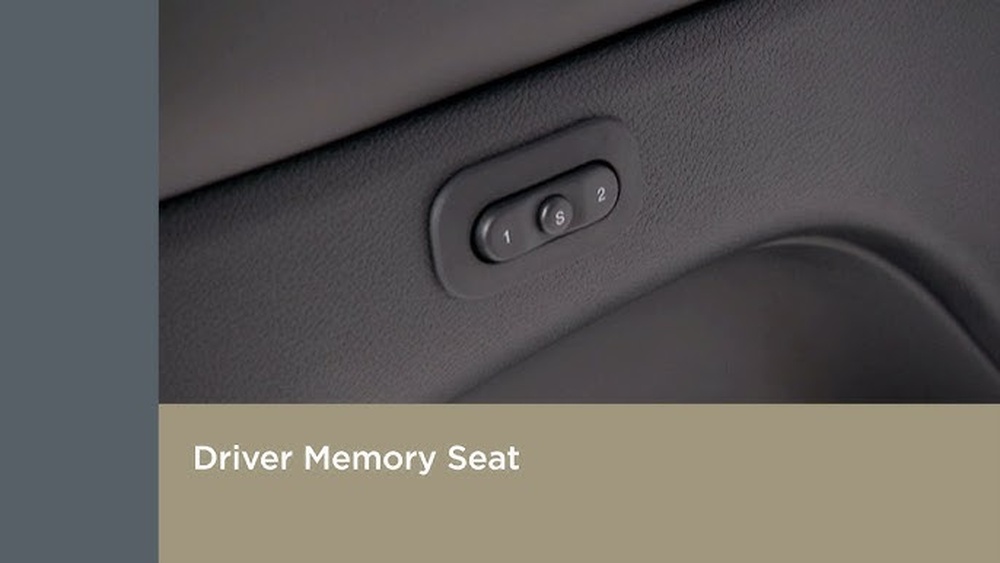
Find the SET button on the driver’s door panel. It’s usually near the window and lock switches.
5. Save To A Number
Within five seconds of pressing SET, press and hold either the “1” or “2” button. Hold until you hear a chime. The chime means your settings are saved.
6. Link To Key Fob (optional But Recommended)
Some models let you link the memory setting to your key fob. Hold the SET button and the desired memory button (“1” or “2”) at the same time, then press the UNLOCK button on your key fob.
This way, your Jeep will adjust automatically when you unlock it.
Example Scenario
Imagine you and your partner both drive the Jeep. You prefer the seat higher and closer, while your partner needs it farther back.
By saving both positions, you only need to press a button no more manual adjustments every time.
Troubleshooting Common Problems
Sometimes, the memory seat feature does not work as expected. Here’s how to fix typical issues:
- No Chime After Setting
Make sure the Jeep is in accessory mode. Also, you must press the memory button within five seconds of SET.
- Settings Not Saving
The car may need to be in PARK. Check your owner’s manual to confirm your model’s requirements.
- Key Fob Not Linked
Some older Grand Cherokees do not support key fob linking. Double-check the feature list for your trim.
- Seat Moves Unexpectedly
If your seat moves by itself, another key fob may be linked. Try reprogramming the memory.
Comparing Memory Seat Features By Trim
Here’s how different Grand Cherokee trims compare for memory seat functionality:
| Trim Level | Memory Seats | Mirror Memory | Fob Linking |
|---|---|---|---|
| Laredo | No | No | No |
| Limited | Yes | Yes | Yes |
| Overland | Yes | Yes | Yes |
| Summit | Yes | Yes | Yes |
Notice that base trims may not offer memory seats. Always check your specific model.

Practical Tips For Best Results
- Save after every major change to your seat or mirrors.
- Label your key fobs if multiple drivers use the car.
- Avoid pressing both memory buttons at once—this can erase settings.
- Test the settings by pressing the memory button before driving.
Beginners often forget to set the mirrors or do not realize the car must be in PARK. Take your time to follow each step.
When To Reset Or Update Memory Settings
You should update your memory seat settings if:
- Your driving position changes (for example, after an injury)
- You get a new key fob
- The seat feels uncomfortable after a while
To reset, repeat the steps above with your new preferences.

Advanced Options: More Than Just Seats
Some Jeep Grand Cherokee models let you save more than just the seat. You can store positions for:
- Power-adjustable pedals
- Telescoping steering wheel
- Head-up display (on newer versions)
These features add even more comfort, especially for families who share the car.
Memory Seats Vs. Manual Adjustment
Let’s see a quick comparison between memory seat systems and manual seat adjustments:
| Feature | Memory Seats | Manual Seats |
|---|---|---|
| Speed | One button | Multiple levers |
| Precision | Exact recall | Manual guess |
| Multiple Users | Yes | No |
Memory seats are not just a luxury they help avoid daily frustration, especially for households with more than one driver.
Frequently Asked Questions
How Many Seat Positions Can I Save In My Jeep Grand Cherokee?
Most models allow you to save two different seat positions. Each position is linked to a button (“1” or “2”) on the driver’s door.
Can I Link My Memory Seat Setting To My Key Fob?
Yes, if your Grand Cherokee trim supports it. After saving your seat position, hold the SET button and your memory button, then press the UNLOCK button on your key fob. This links your seat memory to the fob.
What Should I Do If My Seat Memory Stops Working?
Check if your Jeep is in PARK and the ignition is on. If problems continue, try re-saving the settings, or consult your owner’s manual for troubleshooting steps.
Does The Memory Function Save My Steering Wheel And Pedals?
On some higher trims, yes. Models with power-adjustable pedals and steering wheels can save those positions along with the seat and mirrors.
Where Can I Find More Details About Jeep Grand Cherokee Features?
For official information and updates, visit the Jeep Grand Cherokee official website.
Saving your memory seat settings in the Jeep Grand Cherokee is a simple way to enjoy every drive and avoid repeated adjustments. With these steps, you can set it up in minutes and make your ride truly your own.