A backup camera is a vital safety feature in the Jeep Compass. It helps drivers see what’s behind their vehicle, making parking and reversing safer.
But sometimes, the camera stops working, shows a blank screen, or gives blurry images. Resetting the backup camera often fixes these problems without needing a mechanic.
This article guides you through the best ways to reset your Jeep Compass backup camera. You’ll learn step-by-step instructions, common mistakes, and practical tips to keep your camera working well.
Why Backup Cameras Stop Working
Backup cameras can fail for several reasons. The most common issues include:
- Electrical glitches – Sometimes, a small software error causes the camera to freeze or stop displaying.
- Loose connections – A wiring problem can interrupt the camera’s signal.
- Dirty lens – Mud, dust, or water on the lens can block the view.
- Settings changed – Accidentally altering display settings can make the camera look faulty.
It’s important to know that a reset is not always the solution for hardware damage. If your camera is cracked or severely damaged, replacement may be needed.
Quick Check Before Resetting
Before resetting, check these basic things:
- Make sure the Jeep Compass is in “Park.”
- Clean the backup camera lens.
- Turn off and restart the vehicle.
- Check if the camera display returns.
These steps solve simple problems. If your camera is still not working, try the reset methods below.
Methods To Reset Jeep Compass Backup Camera
There are a few ways to reset the camera. The right method depends on your Jeep Compass model and year.
1. Soft Reset Using The Infotainment System
Most modern Jeep Compass models (2017 and newer) have a touchscreen infotainment system. A soft reset can fix minor glitches.
Steps:
- Turn on your Jeep.
- Press and hold the power button on the touchscreen for about 10 seconds.
- The screen will turn off and restart.
- Check if the backup camera display works again.
This method is quick and safe. It doesn’t erase your saved settings.
2. Disconnect Battery For A Hard Reset
If the soft reset doesn’t work, a hard reset may help. This method resets the camera and all electronics.
Steps:
- Turn off your Jeep.
- Open the hood and locate the battery.
- Use a wrench to loosen the negative (-) cable and remove it.
- Wait for 10 minutes.
- Reconnect the cable and tighten it.
- Start your Jeep and check the camera.
Warning: This method resets other systems like radio presets and clock. Only use if other methods fail.
Some Jeep Compass models allow camera reset through the settings menu.
Steps:
- Go to the main menu on your infotainment screen.
- Tap “Settings.”
- Select “Safety & Driving Assistance.”
- Choose “Reset Camera” or “Restore Default Settings.”
- Confirm and restart the car.
This is useful for models with advanced Uconnect systems.
How To Check If The Reset Worked
After resetting, test the camera with these steps:
- Shift your Jeep into Reverse.
- Watch for the camera display on the screen.
- Make sure the image is clear and responsive.
- Try reversing in different light conditions (day and night).
If the camera works, you’re done. If not, you may need further troubleshooting or professional help.
Common Mistakes When Resetting
Many Jeep owners make errors during the reset process. Here are mistakes to avoid:
- Forgetting to shift to “Park” before starting.
- Not waiting long enough after disconnecting the battery.
- Using sharp objects to clean the lens, which can scratch it.
- Skipping software updates for the infotainment system.
Practical Tips For Reliable Camera Performance
- Clean the camera lens regularly using a soft cloth.
- Check for software updates every few months.
- Avoid spraying water directly onto the camera.
- Inspect wiring if the camera fails often.
Here’s a comparison of reset methods:
| Reset Method | Time Needed | Difficulty | Best For |
|---|---|---|---|
| Soft Reset | 2 minutes | Easy | Minor glitches |
| Hard Reset (Battery) | 15 minutes | Medium | Persistent issues |
| Settings Menu Reset | 5 minutes | Easy | Software problems |
When To Seek Professional Help
If your camera still doesn’t work after trying all reset methods, consider these signs:
- Camera image is always blurry or distorted.
- Display is black, even after reset.
- Error messages appear on the screen.
A certified mechanic can diagnose wiring, software, or hardware problems. Repairs might cost $100 $400, depending on the issue.
Backup Camera Statistics
Backup cameras are now standard on most vehicles in the US. According to the National Highway Traffic Safety Administration (NHTSA), backup cameras reduced rear-end accidents by nearly 17%. Most Jeep Compass owners report camera issues once every 3–4 years.
Here’s data comparing camera reliability:
| Model Year | Camera Issue Rate | Average Repair Cost |
|---|---|---|
| 2017 | 14% | $250 |
| 2019 | 11% | $220 |
| 2021 | 8% | $200 |

Extra Insights For Jeep Compass Owners
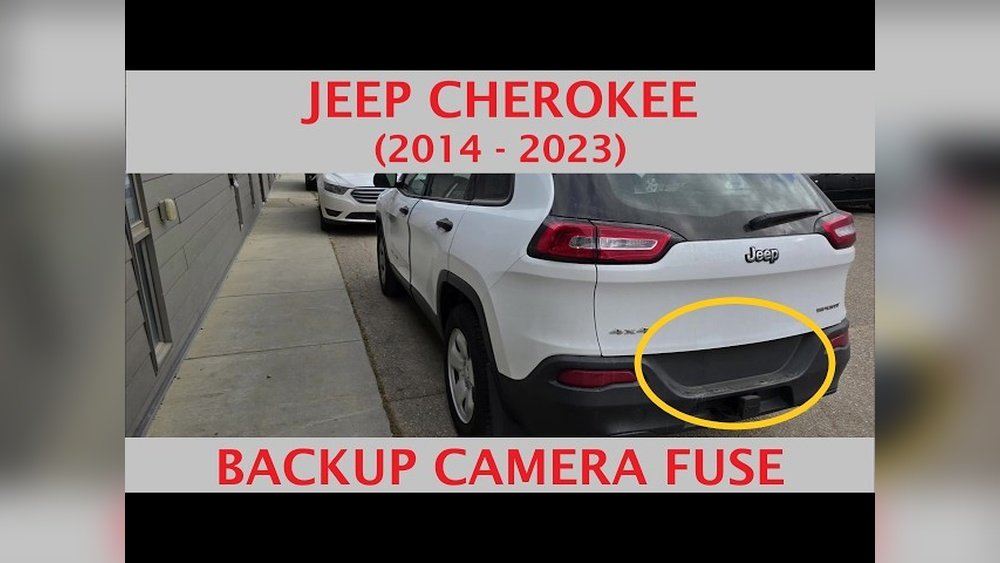
Many beginners forget to check for software updates. Updating the Uconnect system can solve camera bugs. Another insight: sometimes, the camera stops working because the fuse is blown. Checking and replacing the fuse is simple and costs less than $5.
For more technical details, you can review the official Jeep Compass manual or visit the NHTSA for safety updates.
Frequently Asked Questions
How Often Should I Reset My Jeep Compass Backup Camera?
Reset only when the camera fails or the display freezes. Regular resets aren’t needed if the camera works well.
Will Resetting The Camera Erase My Radio Presets?
A hard reset (battery disconnect) will erase radio presets and clock settings. Soft or menu resets usually won’t.
Can A Software Update Fix My Backup Camera?
Yes, updating the Uconnect system can fix bugs and improve camera reliability. Check for updates every few months.
What If My Camera Is Cracked?
A cracked camera needs replacement, not just a reset. Visit a mechanic or dealership for proper repair.
Is It Safe To Drive With A Faulty Backup Camera?
It’s best not to rely on a broken camera. Use mirrors and check surroundings.
Fix the camera as soon as possible for safety.
Resetting your Jeep Compass backup camera is often simple and effective. With these steps, you can fix most camera issues yourself.
If problems persist, don’t hesitate to seek expert help. Keeping your backup camera in top shape ensures safer driving and peace of mind.