If your 2018 Jeep Grand Cherokee screen freezes, goes blank, or stops responding, it’s frustrating. Many owners depend on the screen for navigation, music, climate control, and more.
The good news? Resetting the screen is usually simple, and you don’t need special tools or technical skills.
This guide walks you through every step, explains common issues, and shares tips to avoid mistakes.
Understanding Your Jeep Grand Cherokee Screen
The 2018 Grand Cherokee uses the Uconnect system. This touchscreen controls many functions—radio, Bluetooth, maps, and even some vehicle settings. When it stops working, you lose access to these features. Most problems come from software glitches, temporary bugs, or minor electrical faults. Before you panic, try a reset.
Steps To Reset The 2018 Jeep Grand Cherokee Screen
- Turn Off the Engine
- Park your Jeep and turn off the ignition. Wait 30 seconds for the system to fully power down.
- Restart the Engine
- Start the Jeep again. Sometimes, a simple restart solves minor glitches.
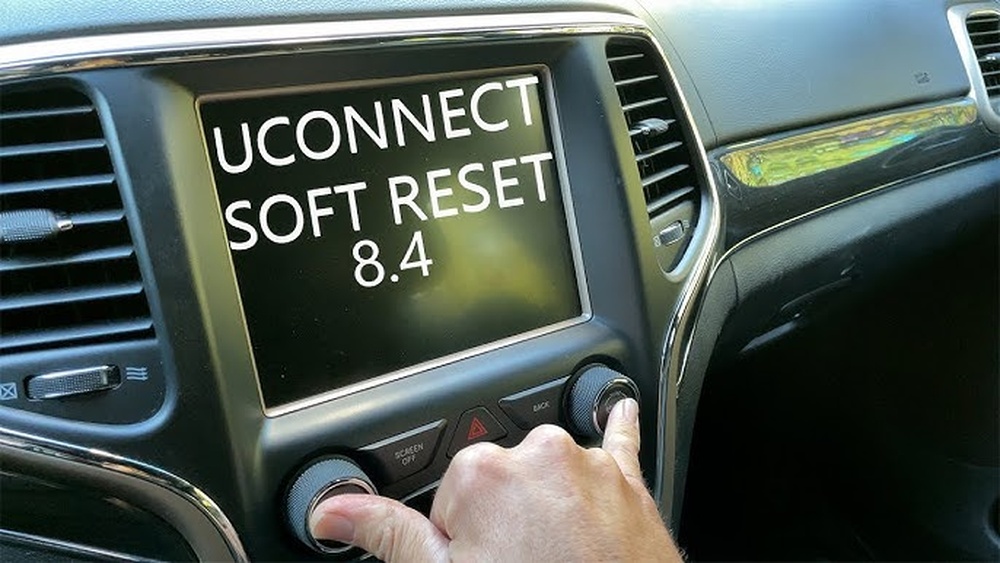
- Soft Reset Using Uconnect Buttons
- Locate the volume and tune buttons below the screen.
- Press and hold both buttons at the same time for about 10–15 seconds.
- The screen will turn off, then restart. This is a soft reset—no data is lost.
- Factory Reset from Settings Menu
- Tap Settings on the Uconnect screen.
- Scroll to System Information or Reset.
- Select Restore Factory Settings. Confirm your choice.
- This erases custom settings (radio presets, Bluetooth connections).
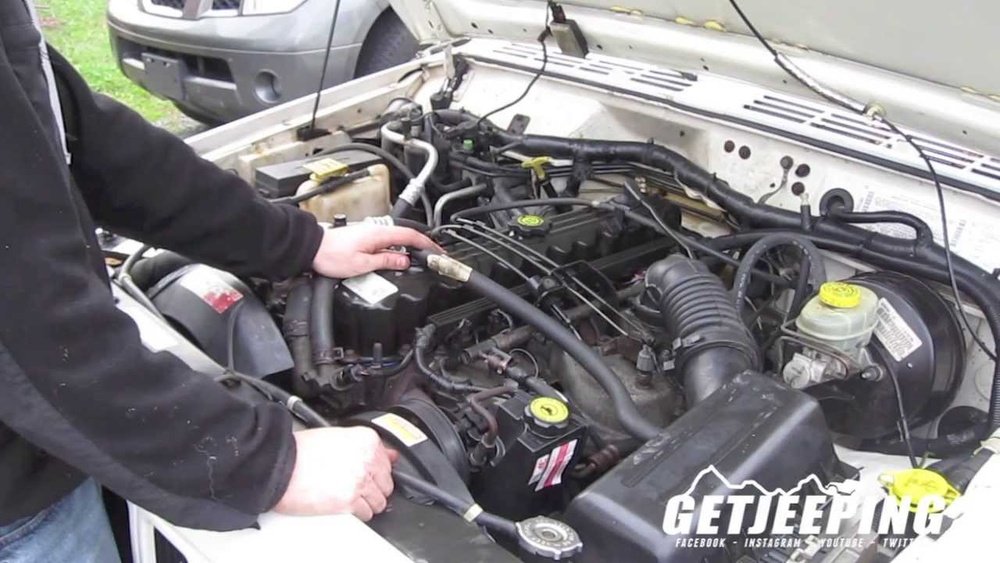
- Disconnect Battery (Last Resort)
- If the screen remains frozen, disconnect the car battery.
- Open the hood, loosen the negative terminal, and remove it for 10 minutes.
- Reconnect the battery. This forces a hard reset. Only use this if other methods fail.

Common Screen Issues And Solutions
Many owners face these problems:
- Frozen screen: Buttons and touch won’t respond.
- Blank display: Screen goes black, but music plays.
- Lag or slow response: Touch input is delayed.
Most issues come from temporary software bugs. A soft reset usually works.
If problems repeat often, update your Uconnect software at a dealer.
Data Table: Reset Methods Vs. Impact
Below is a simple comparison of each reset method and its effect:
| Method | Difficulty | Data Loss | Success Rate |
|---|---|---|---|
| Restart Engine | Easy | No | Low |
| Soft Reset | Easy | No | Medium |
| Factory Reset | Medium | Yes | High |
| Battery Disconnect | Hard | Possible | High |
Practical Tips For A Successful Reset
- Always try a soft reset before factory reset or battery disconnect.
- Write down your radio presets and Bluetooth devices if you plan a factory reset.
- Wait for the screen to fully reboot after any reset—don’t rush.
- If the screen flashes or restarts often, check for a software update.
- Avoid disconnecting the battery unless you know how—mistakes can cause other problems.
Data Table: Common Problems And Solutions
Here’s a quick guide to frequent screen issues and their fixes:
| Problem | Likely Cause | Recommended Solution |
|---|---|---|
| Frozen Screen | Software glitch | Soft reset |
| Blank Screen | Faulty connection | Restart or battery disconnect |
| Slow Response | Outdated software | Update Uconnect |
| Random Restarts | Loose wiring | Check connections |
Two Non-obvious Insights
- Updating Uconnect software can prevent many screen issues. Most owners forget to check for updates. Dealers can install them, or you can download from the official Uconnect site.
- If you use aftermarket chargers or electronics in your Jeep, they can interfere with the screen. Try unplugging these devices if problems continue.
Avoiding Common Mistakes
- Don’t rush to disconnect the battery. If you’re unsure, ask a mechanic.
- Factory reset wipes custom settings. Make sure you have backup info.
- Some screen issues are caused by poor power supply. If your battery is old, consider testing it.

When To Visit A Dealer
If none of the reset methods work, or the screen shows error codes, it’s time for professional help. Dealers have diagnostic tools and can fix hardware faults.
This is rare, but important if your screen stays blank or won’t boot up.
Frequently Asked Questions
How Do I Perform A Soft Reset On My 2018 Jeep Grand Cherokee Screen?
Press and hold the volume and tune buttons below the screen for about 10–15 seconds. The screen will turn off, then restart. No data is lost.
Will I Lose My Settings If I Reset The Screen?
A soft reset does not erase your settings. A factory reset wipes radio presets, Bluetooth connections, and custom configurations.
What If My Screen Stays Blank After A Reset?
Try disconnecting the battery for 10 minutes. If it remains blank, visit your Jeep dealer for further diagnosis.
Can Software Updates Fix Screen Problems?
Yes. Updates often solve bugs and improve performance.
Check with your dealer or visit the official Uconnect site for downloads.
Is It Safe To Disconnect The Battery Myself?
It’s safe if you follow steps carefully. Always remove the negative terminal first. If unsure, ask a mechanic to help.
Resetting the 2018 Jeep Grand Cherokee screen is usually quick and easy. Most issues are solved with a soft reset or factory reset. Keep your system updated, avoid aftermarket electronics that cause interference, and ask for help if the screen won’t recover. With these tips, you’ll get back on the road with a working display. For more details about Uconnect, visit Jeep Uconnect Official Site.