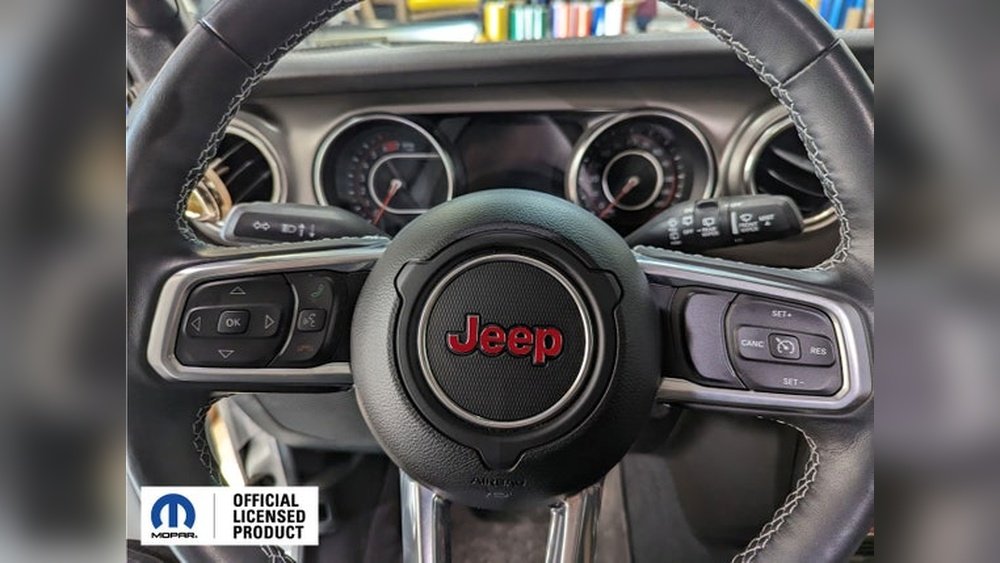
Programming the Jeep JL garage door opener is a practical skill that makes daily life easier. With this feature, you can open your garage door from inside your Jeep without reaching for a remote.
Jeep JL models (2018 and newer) come with the HomeLink system built into the overhead console. It works with most garage door brands, but programming can be tricky for first-timers.
This guide explains the process step-by-step, shares useful tips, and highlights mistakes to avoid. Whether you’re new to Jeep vehicles or just want a smoother experience, you’ll find clear instructions below.
Understanding The Homelink System
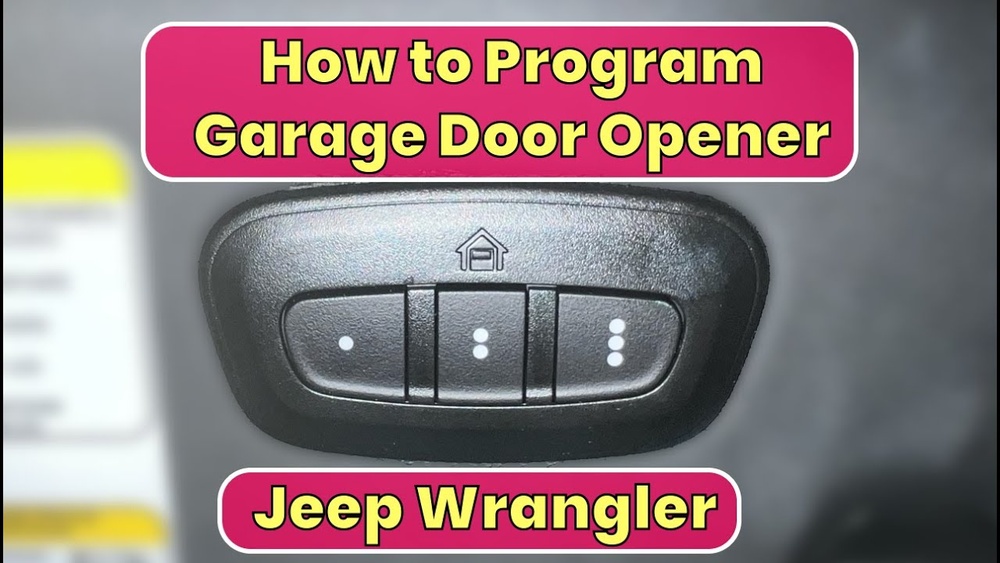
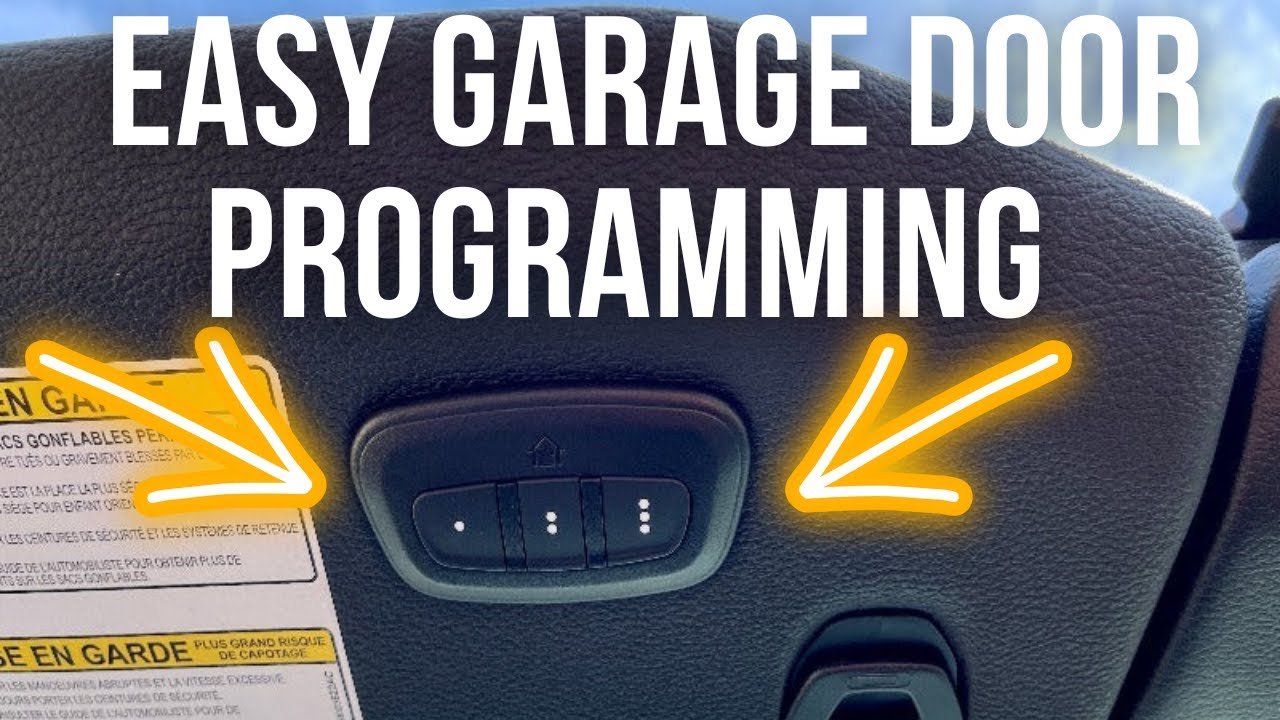
The HomeLink system is a wireless control built into many Jeep vehicles. It allows you to operate garage doors, gates, and even home lighting. For Jeep JL, the HomeLink buttons are usually located above the windshield, near the dome light.
HomeLink works by copying the signal from your existing remote. It’s compatible with most major garage door brands like Chamberlain, LiftMaster, and Genie. However, some older or rolling code systems may need extra steps.
Here’s a comparison of HomeLink compatibility with popular garage opener brands:
| Garage Door Brand | HomeLink Compatibility | Extra Steps Needed? |
|---|---|---|
| Chamberlain | Yes | Rarely |
| LiftMaster | Yes | Sometimes |
| Genie | Yes | Often |
| Craftsman | Yes | No |
| Older Brands | Possible | Yes |
Step-by-step Programming Instructions
1. Prepare Your Equipment
Before you start, make sure you have:
- Your garage door remote
- The Jeep parked outside the garage (for safety)
- Access to the garage door opener unit (usually on the garage ceiling)
2. Clear Existing Codes (optional)
If you have never programmed the Jeep’s HomeLink before, skip this step. If you want to erase old codes:
- Hold down the two outer HomeLink buttons (usually 1 and 3) for 10 seconds.
- Wait for the indicator light to change from solid to flashing.
- Release the buttons.
This will clear previous programming.
- Hold the garage remote close (1–2 inches) to the HomeLink buttons in your Jeep.
- Press and hold the remote button and the chosen HomeLink button (1, 2, or 3) at the same time.
- Continue holding until the HomeLink indicator light changes from slow blinking to fast blinking (about 20–30 seconds).
- Release both buttons.
This step copies the signal from your remote.
4. Train With The Garage Door Opener Unit
If your garage door uses a rolling code (most newer models), you must sync HomeLink with the opener unit:
- Find the “Learn” or “Smart” button on your garage opener (on the ceiling unit).
- Press this button. You have about 30 seconds to continue.
- Go back to your Jeep and press the programmed HomeLink button for 2 seconds.
- Repeat pressing the HomeLink button up to three times until the garage door moves.
Here’s a quick overview of steps by opener type:
| Opener Type | HomeLink Steps | Time Needed |
|---|---|---|
| Fixed Code | Copy remote signal only | 2–3 minutes |
| Rolling Code | Copy signal + sync with opener unit | 5–7 minutes |
5. Test And Confirm
After programming, test the HomeLink button:
- Press the programmed button.
- The garage door should open or close.
If it doesn’t work, repeat the rolling code sync. Sometimes the signal needs to be sent multiple times.
Common Mistakes And Troubleshooting Tips
Many people miss small details when programming. Here are two non-obvious tips:
- Battery strength matters: If your remote’s battery is low, HomeLink may not learn the signal. Replace batteries for best results.
- Distance is critical: Hold the remote very close to the HomeLink buttons. Too far and the signal won’t transfer.
Other troubleshooting ideas:
- Make sure you press the HomeLink button for long enough (2 seconds, sometimes longer).
- If your opener has multiple frequencies, check your garage opener manual.
- For older garage doors, you may need a HomeLink repeater (see manufacturer websites for details).
Practical Examples
Consider these common scenarios:
- If your garage opener is a Chamberlain with rolling code, after copying the remote signal, you must press the “Learn” button on the opener before pressing the HomeLink button.
- For a Genie opener, some models require pressing the programmed HomeLink button multiple times, waiting a few seconds between each try.
- If you live in an apartment complex, some shared garage doors use unique codes, making programming impossible with HomeLink.
Jeep Jl Vs Other Jeep Models
Programming the garage door opener in the Jeep JL is easier than in older Jeeps. The JL’s HomeLink is more compatible with modern garage openers. Here’s a comparison:
| Jeep Model | HomeLink Location | Opener Compatibility |
|---|---|---|
| JL (2018+) | Overhead console | High |
| JK (2007–2017) | Mirror or console | Medium |
| Grand Cherokee | Console | High |
Useful Resources
For more detailed instructions, visit the official HomeLink Jeep programming page. It offers videos, troubleshooting, and compatibility lists.
Frequently Asked Questions
How Many Garage Doors Can I Program In My Jeep Jl?
You can program up to three different garage doors or devices using the HomeLink system in your Jeep JL. Each button controls a separate door or gate.
What If My Garage Door Opener Is Not Compatible?
If your opener is older or uses a rare frequency, it may not work with HomeLink. Some brands offer a HomeLink repeater to bridge compatibility. Always check your garage opener manual and the HomeLink website for solutions.
Is It Safe To Program Homelink From Inside My Garage?
It’s safer to program with your Jeep parked outside the garage. This prevents accidental door movement that could cause injury or damage.
Can I Erase The Homelink Codes If I Sell My Jeep?
Yes. Hold the two outside HomeLink buttons for 10 seconds until the light flashes. This will erase all programmed codes.
Most often, the issue is rolling code synchronization. Make sure you press the “Learn” button on the opener and then the HomeLink button within 30 seconds. Try repeating the process. Also, check for weak remote batteries.
Programming your Jeep JL garage door opener is simple with the right steps. Follow the guide above to enjoy hands-free convenience every day.
If you run into trouble, use the FAQs and visit the official HomeLink website for extra help.