Programming your 2019 Jeep garage door opener is one of those tasks that can make daily life more convenient, but it often leaves owners confused.
Many drivers don’t realize that their Jeep comes with a built-in system called HomeLink, which lets you control compatible garage doors, gates, and even smart home devices without extra remotes.
If you’ve just bought a 2019 Jeep or are setting up a new garage, knowing how to program this feature can save time and frustration.
This guide will walk you through each step, explain common mistakes, and share tips that most owners miss. By the end, you’ll have your Jeep talking to your garage door smoothly.
Understanding Your Jeep’s Homelink System
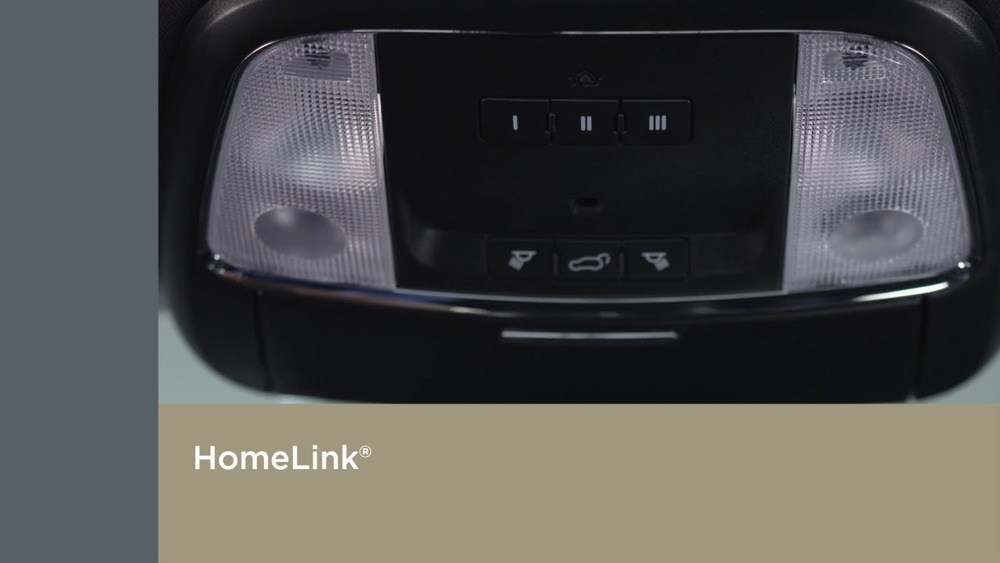
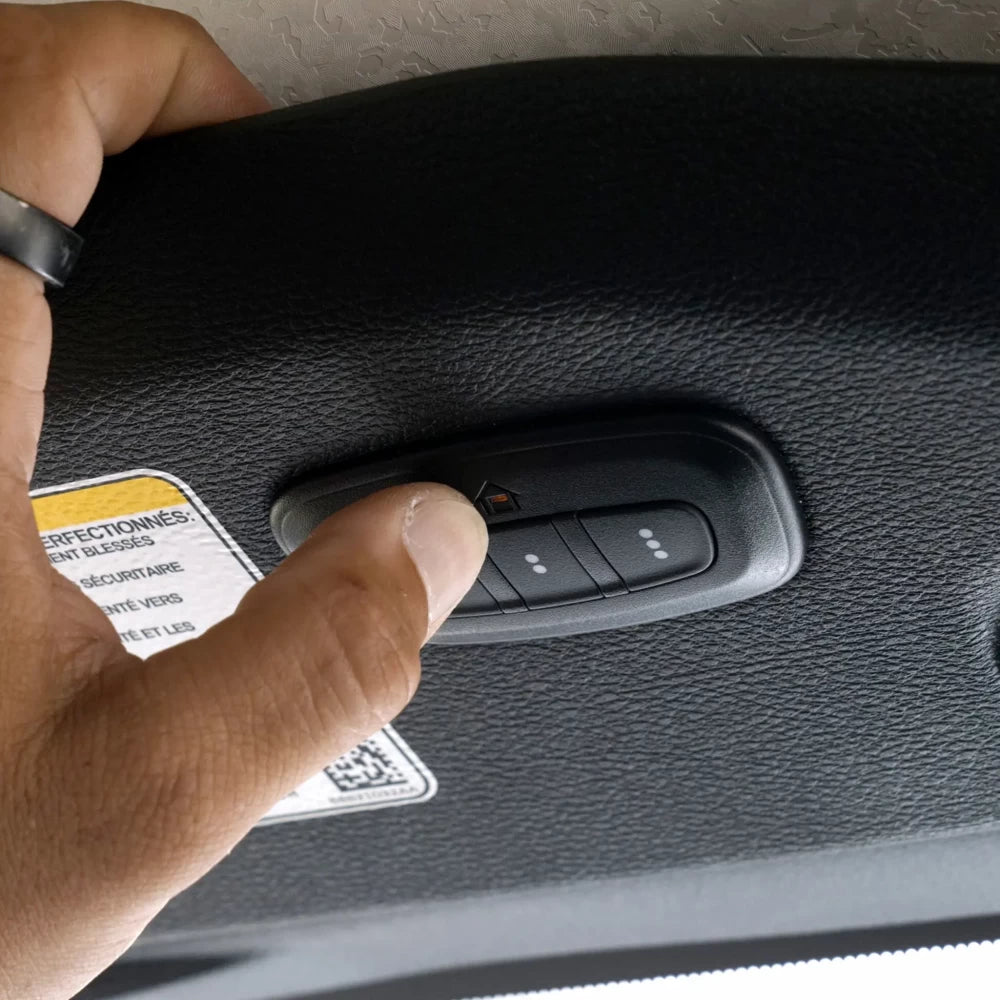
The HomeLink system is integrated into the overhead console, usually near the map lights. It has three buttons you can program for different doors or devices.
HomeLink is compatible with most garage door openers, but very old or rare systems may need extra steps or a special adapter.
HomeLink works by “learning” the signal from your garage remote. Once programmed, you won’t need to carry the remote anymore, just press the button in your Jeep.
What You’ll Need Before You Start
To make the process smooth:
- Your garage door remote (with fresh batteries)
- Access to your garage door opener motor (usually on the ceiling of your garage)
- Your Jeep’s key fob
- Another person (optional, but helpful for some steps)
Many people forget to check the garage remote battery. A weak battery can cause programming to fail, so replace it if you’re unsure.
Step-by-step: Programming The 2019 Jeep Garage Door Opener
1. Clear Previous Homelink Codes (if Needed)
If your Jeep’s HomeLink has been programmed before, clear it:
- Turn the ignition to “On” (do not start the engine).
- Press and hold the two outer HomeLink buttons.
- Hold until the indicator light changes from solid to blinking fast (about 20 seconds).
- Release the buttons.
This erases all previous codes, so start fresh.
2. Train Homelink With Your Remote
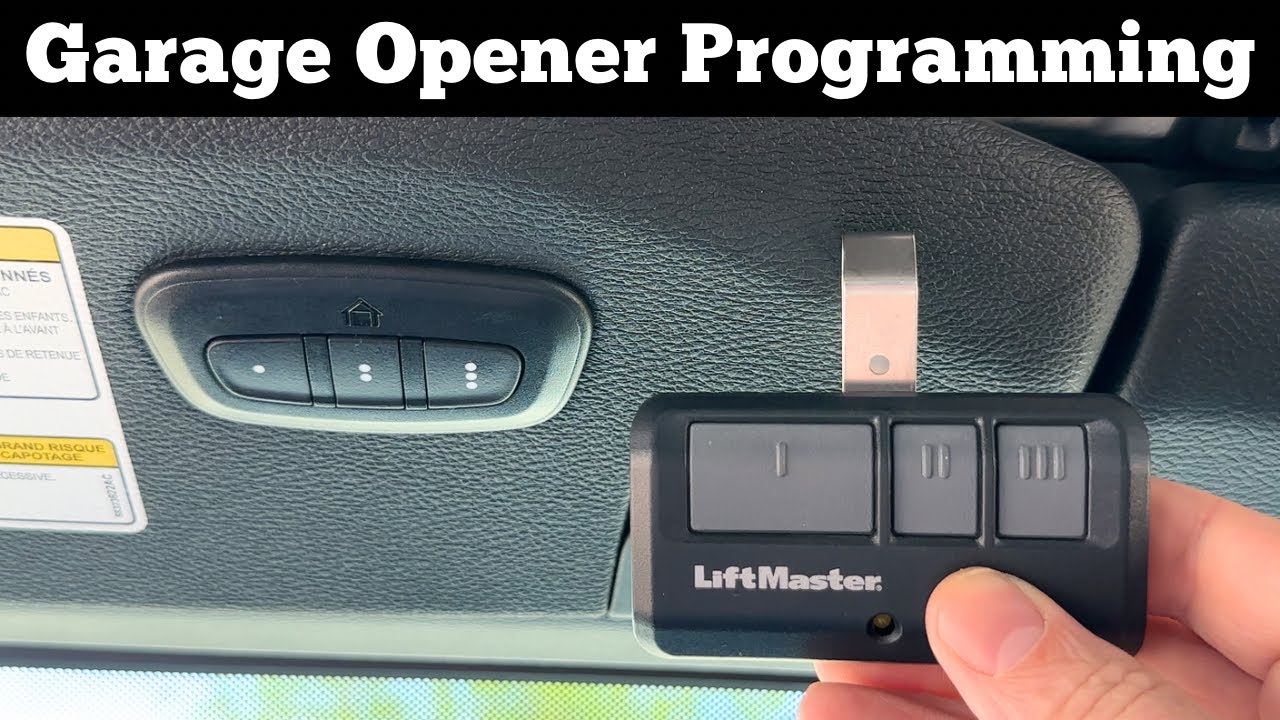
- Hold your garage remote 1-3 inches from the HomeLink panel.
- Choose which HomeLink button to program.
- Press and hold both the chosen HomeLink button and your remote button at the same time.
- Keep holding until the indicator light changes from slow to fast blinking (takes about 20 seconds).
- Release both buttons.
If the light stays solid, the programming is complete. Try the button to see if the door moves.
3. Sync With The Garage Door Opener (for Rolling Code Systems)
Most newer garage openers use rolling code security. This means you need to sync HomeLink with the opener motor:
- Press the “Learn” or “Smart” button on your garage door opener (usually on the back or side of the unit).
- You have 30 seconds to return to your Jeep.
- Press the HomeLink button you just programmed for two seconds, then release.
- Repeat this press/hold two or three times until the door moves.
If your garage door opener is older (before 1996), it might not have rolling codes, so this step may not be needed.
4. Test And Repeat
Press the programmed HomeLink button. Your garage door should open or close.
If it works, you’re done! If not, repeat the steps or consult your opener’s manual.
You can program up to three devices (garage doors, gates, etc. ) by repeating the process with other HomeLink buttons.
Comparison: Homelink Vs. Garage Remote
Here’s a quick look at how the built-in HomeLink compares to a standard handheld remote.
| Feature | HomeLink (Jeep) | Handheld Remote |
|---|---|---|
| Convenience | Integrated, always available | Can be misplaced |
| Battery Needs | Uses car’s power | Requires batteries |
| Security | Built-in, harder to steal | Can be stolen easily |
| Programming | Simple, but sometimes tricky | Plug and play |
Common Problems And Solutions
Even with the right steps, sometimes programming fails. Here are some issues and solutions:
- Indicator light never blinks fast: Try holding the remote closer or further away, or check the battery.
- Garage door doesn’t move: You may need to sync with the opener’s Learn button (rolling code models).
- Multiple tries needed: Newer openers sometimes require three quick presses on HomeLink.
- Interference: LED bulbs in garage door openers can cause signal issues—try replacing with standard bulbs during setup.
Many people overlook the effect of nearby electronics or poor remote batteries, which can block the signal.
Useful Data: Garage Door Opener Compatibility
Most brands work with HomeLink, but some require extra steps. Here’s a quick guide:
| Brand | Direct Compatibility | Extra Steps Needed |
|---|---|---|
| Chamberlain/LiftMaster | Yes | Rolling code sync |
| Genie | Yes | Rolling code sync |
| Craftsman | Yes | Rolling code sync |
| Older brands | Maybe | Might need bridge |
If your opener is very old, check with your manufacturer or the official HomeLink site for compatibility help.
Tips Most Owners Miss
- Check for a “training mode”: Some newer Jeeps have a training mode in the infotainment screen, making programming easier.
- Program with the car parked outside: Some garage openers lock out programming if the door is closed, as a safety feature.
- Reset HomeLink if moving houses: Always clear previous codes when you buy a used Jeep or move to a new home.
Safety Reminders
- Only program HomeLink when the car is in Park.
- Keep people and objects away from the garage door while testing.
- Don’t share your HomeLink codes with others.
Frequently Asked Questions
How Many Garage Doors Can I Program To My 2019 Jeep?
You can program up to three garage doors or gates using the three HomeLink buttons in your Jeep.
Why Won’t My Homelink Learn My Garage Remote?
Check the remote battery, make sure you’re holding the buttons long enough, and confirm your opener is compatible. Some remotes use fixed codes that require a bridge device.
Do I Need To Reprogram Homelink If My Battery Dies?
No. HomeLink stores codes in memory, so you don’t lose programming if your Jeep’s battery is disconnected or replaced.
Is Homelink Safe To Use?
Yes, it uses rolling codes for most modern openers, making it very hard for others to copy or hack the signal.
Can I Program Homelink Without The Remote?
For most garage doors, you need the original remote at least once. Some newer openers allow programming directly from the unit, but this is less common for 2019 models.
With these steps and tips, your 2019 Jeep garage door opener should be ready to use. Enjoy the convenience every time you pull into your driveway!


















