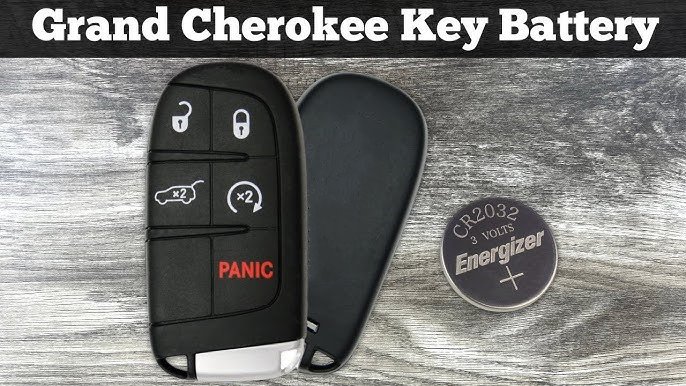
Opening your Jeep key fob to replace the battery might sound challenging, but it’s actually simple with the right instructions. Many Jeep owners face issues like weak remote signals, trouble unlocking doors, or even a dead key fob.
A fresh battery can solve these problems quickly. Knowing how to open your key fob saves time and money, as you don’t need to visit a dealership or locksmith.
This guide will show you clear steps, highlight common mistakes, and help you feel confident about changing your Jeep key fob battery.
Understanding Jeep Key Fob Types
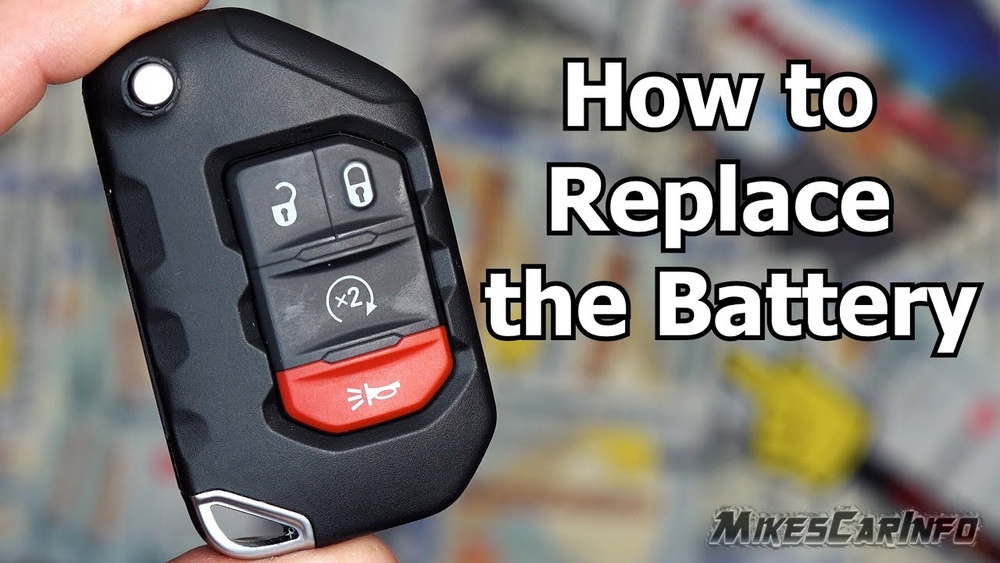
Jeep has used several key fob designs over the years. The most common are:
- Flip key fobs (with a metal key that flips out)
- Smart key fobs (push-button start, no visible key)
- Standard remote fobs (no flip or smart features)
Before opening your fob, check which type you have. This affects how you open it and which battery you need.
Here’s a quick comparison of Jeep key fob types:
| Key Fob Type | Main Features | Battery Type |
|---|---|---|
| Flip Key Fob | Physical key flips out, remote buttons | CR2032 |
| Smart Key Fob | Push-button start, no visible key | CR2032 |
| Standard Remote Fob | Simple remote, no flip or smart features | CR2016 or CR2032 |
Tip: Always check your owner’s manual or the back of your key fob to confirm the battery type.
Tools And Preparation
Changing the battery is easy, but having the right tools helps prevent damage.
What you need:
- Small flathead screwdriver (or a plastic pry tool)
- Replacement battery (CR2032 or CR2016, depending on your fob)
- Clean cloth (to protect surfaces)
- Your Jeep key fob
Pro Insight: Avoid using metal tools if possible. Plastic tools lower the risk of scratching the fob or damaging internal parts.

Step-by-step Guide: Opening The Key Fob
Follow these steps to open your Jeep key fob safely:
- Locate the seam: Most fobs have a visible seam where the two halves join. This is where you’ll separate the fob.
- Insert the tool: Slide the flathead screwdriver or plastic pry tool into the seam. Do this gently to avoid cracking the plastic.
- Twist or pry: Carefully twist or pry the tool until the fob starts to come apart. Don’t use too much force.
- Open the fob: Once the halves separate, put them on the clean cloth.
- Remove the battery: The battery is usually held by small clips. Slide or lift it out, noting its orientation (positive and negative sides).
- Install the new battery: Place the new battery with the same orientation. Make sure it snaps into place.
- Close the fob: Align the two halves and press them together until they click. Test the buttons to ensure everything works.
Here’s a table showing typical opening methods for different Jeep fobs:
| Fob Type | Opening Method | Difficulty |
|---|---|---|
| Flip Key | Pry apart at seam | Easy |
| Smart Key | Slide release tab, pry open | Moderate |
| Standard Remote | Pry open at seam | Easy |
Common Mistakes And How To Avoid Them
Opening your key fob seems simple, but there are mistakes many people make:
- Using too much force: Excessive pressure can crack the fob.
- Wrong battery orientation: Installing the battery backwards stops the fob from working.
- Touching the circuit board: Oils from your fingers can cause problems. Handle the battery only.
- Losing small parts: Springs or buttons may fall out. Work over a clean cloth so you can find pieces easily.
Extra Tip: If you lose the rubber pad or buttons, check under the cloth before closing the fob. Many beginners miss this step and end up with non-working buttons.
Battery Life And Replacement Frequency
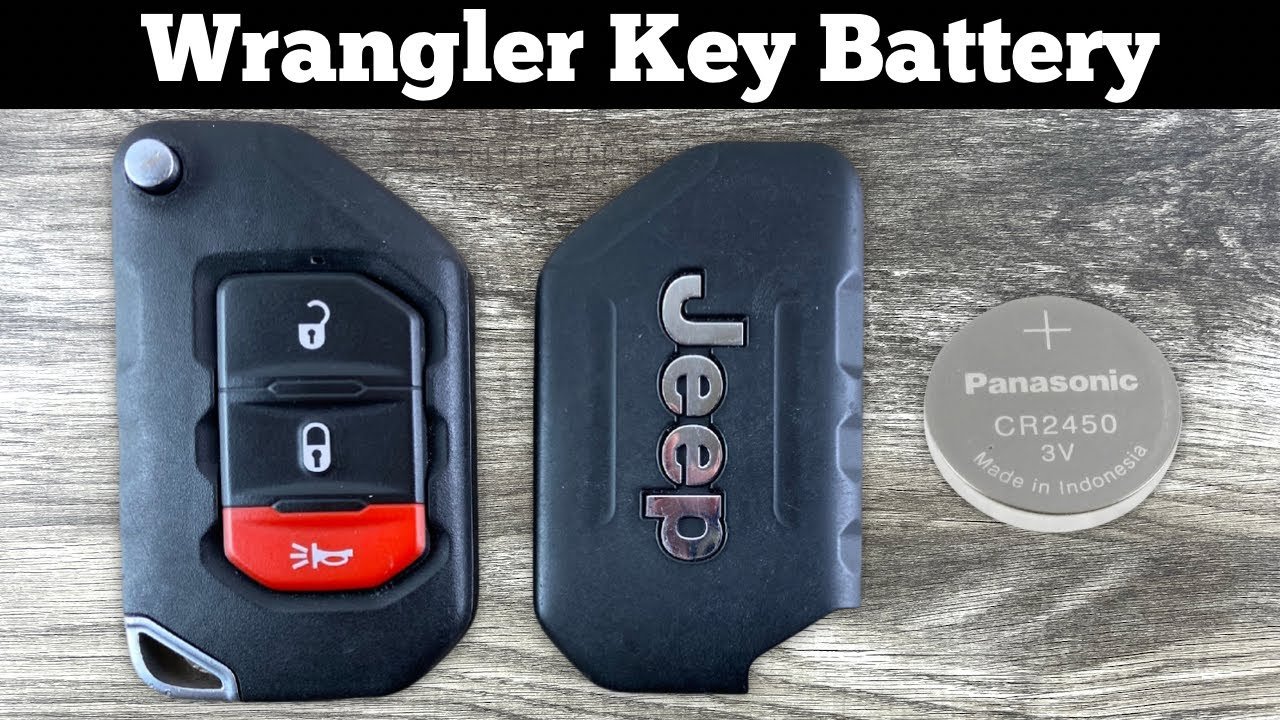
Most Jeep key fob batteries last 2–3 years. If your remote stops working, or the range drops, it’s time to replace the battery.
Here’s a comparison of battery life for common fob batteries:
| Battery Type | Typical Life | Cost (USD) |
|---|---|---|
| CR2032 | 2–3 years | $1–$3 |
| CR2016 | 1.5–2 years | $1–$2 |
Non-obvious Insight: Cold weather can shorten battery life. If you live somewhere cold, check your battery every winter.
Testing The Key Fob After Replacement
Once you’ve replaced the battery, test your fob:
- Try locking and unlocking your Jeep from several distances.
- Check all buttons for proper function.
- If your Jeep has push-button start, make sure the system recognizes the fob.
If the fob doesn’t work after battery replacement, double-check the battery orientation and that the halves are snapped together firmly. Sometimes, the battery contacts need gentle cleaning with a dry cloth.
When To Seek Professional Help
If your key fob still doesn’t work after changing the battery, there may be a deeper issue. Sometimes, the circuit board is damaged or the battery contacts are broken. In this case, visit a Jeep dealer or an auto locksmith.
Real Example: Some Jeep models require fob reprogramming if the battery is dead for too long. This is rare, but possible, especially for smart key fobs.
For more detailed info on Jeep key fobs and batteries, see the official Jeep Owners’ Site.
Frequently Asked Questions
How Do I Know Which Battery My Jeep Key Fob Needs?
Check the owner’s manual or look at the back of the key fob. Most Jeep fobs use a CR2032 battery, but some older models use CR2016.
Can I Use Any Brand Of Battery?
Yes, but choose a quality brand like Energizer or Duracell. Cheap batteries may not last as long or can leak.
What If My Key Fob Stops Working After Battery Replacement?
Double-check the battery orientation and ensure the fob halves are snapped together. If it still doesn’t work, the circuit board may be damaged.
Is It Safe To Open The Key Fob Myself?
Yes, as long as you use the right tools and don’t force the fob. Handle the battery only, and avoid touching the circuit board.
How Often Should I Replace My Jeep Key Fob Battery?
Replace the battery every 2–3 years or when the remote signal weakens. Cold weather can reduce battery life, so check more often if you live somewhere cold.
Opening your Jeep key fob is a straightforward task that saves money and keeps your remote working reliably. With careful steps and the right tools, you can change the battery in minutes.
Remember to use a quality battery, handle the fob gently, and test all functions before finishing.
Taking care of your key fob helps you stay ready for every drive.