Connecting your iPhone to the Jeep Uconnect system makes driving easier and safer. You can play music, use navigation, and answer calls without touching your phone.
Today, many drivers want to link their smartphones to their vehicles. This guide will help you connect your iPhone to Jeep Uconnect step-by-step.
Whether you drive a new Jeep or an older model, you’ll learn how to use Bluetooth, Apple CarPlay, and solve common problems. Let’s make your Jeep smarter and your drive more enjoyable.
Understanding Jeep Uconnect
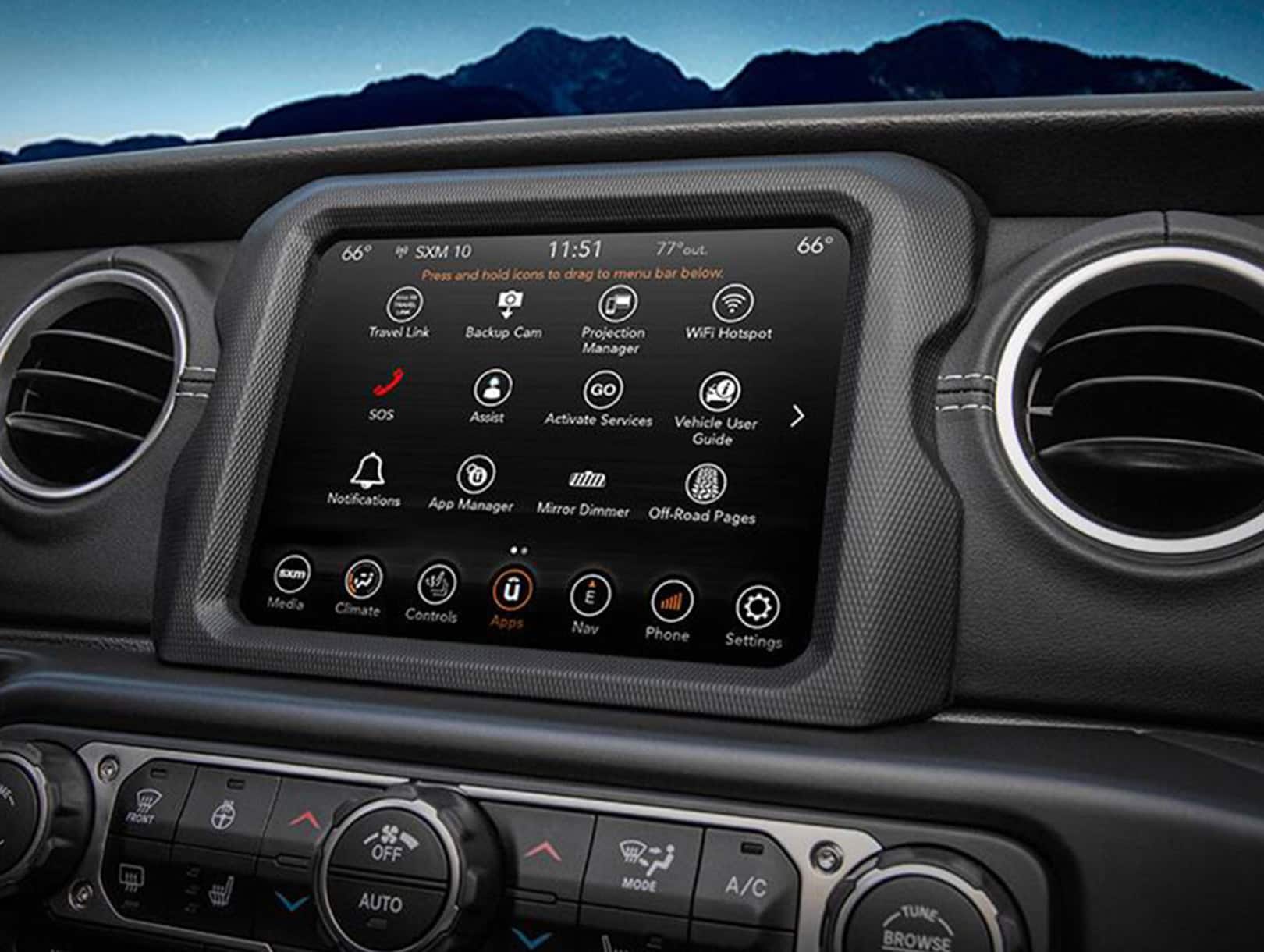
Jeep Uconnect is the brand’s infotainment system. It controls music, navigation, hands-free calling, and more. There are different versions depending on your Jeep model and year. Most Uconnect systems include:
- Touchscreen display
- Bluetooth connectivity
- Voice control
- Apple CarPlay support (on newer models)
Here’s a quick overview of Uconnect features:
| Feature | Uconnect 4 | Uconnect 5 |
|---|---|---|
| Apple CarPlay | Yes | Yes (Wireless) |
| Bluetooth | Yes | Yes |
| Voice Commands | Yes | Improved |
| Touchscreen Size | 5–8.4 inches | 7–10.1 inches |
If you don’t know which Uconnect version your Jeep has, check your owner’s manual or look for the version number on your touchscreen.
Step-by-step: Connecting Iphone Via Bluetooth
Most Jeep Uconnect systems support Bluetooth. Follow these steps to pair your iPhone:
- Activate Bluetooth on your iPhone. Go to Settings > Bluetooth and switch it on.
- Turn on your Jeep’s ignition and the Uconnect system.
- On the Uconnect screen, select the Phone or Settings icon.
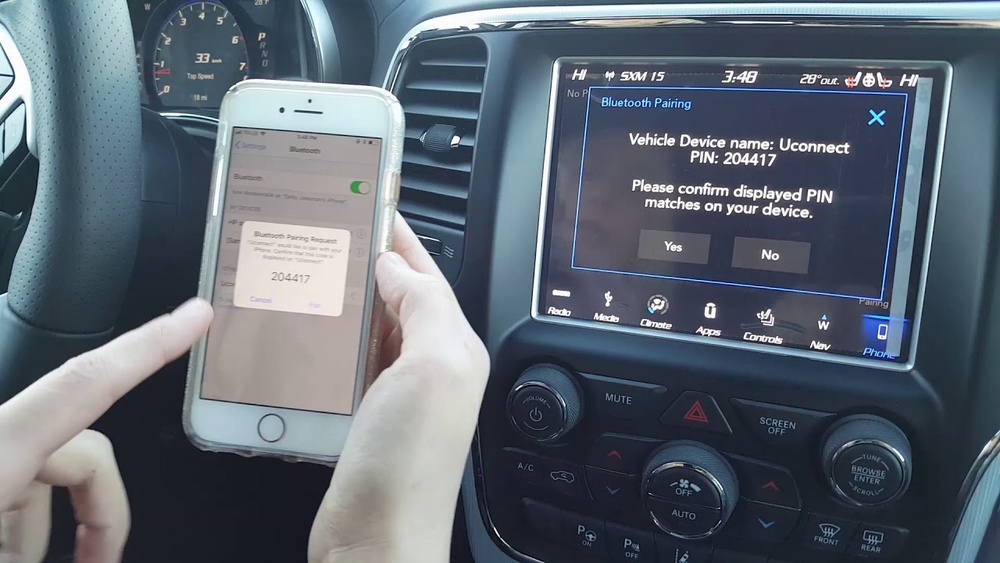
- Tap Add Device or Pair New Device.
- Your Uconnect will search for nearby devices. Select your iPhone from the list.
- A pairing code will appear on both your iPhone and Uconnect screen. Confirm if they match.
- Approve the pairing request on your iPhone.
- Allow Uconnect to access your contacts and messages (optional).
Once connected, you can make hands-free calls and play music from your iPhone. If you notice poor sound quality, try moving your phone closer to the center console.
Bluetooth Connection: Data Comparison
Here’s how Bluetooth compares to Apple CarPlay in Jeep Uconnect:
| Feature | Bluetooth | Apple CarPlay |
|---|---|---|
| Music Playback | Yes | Yes |
| Navigation | No (only phone audio) | Yes (Maps on screen) |
| Messaging | Voice only | On-screen and voice |
| App Support | Limited | Wide (Spotify, Podcasts) |
Bluetooth is simple, but Apple CarPlay gives you more control and features.
Using Apple Carplay With Jeep Uconnect
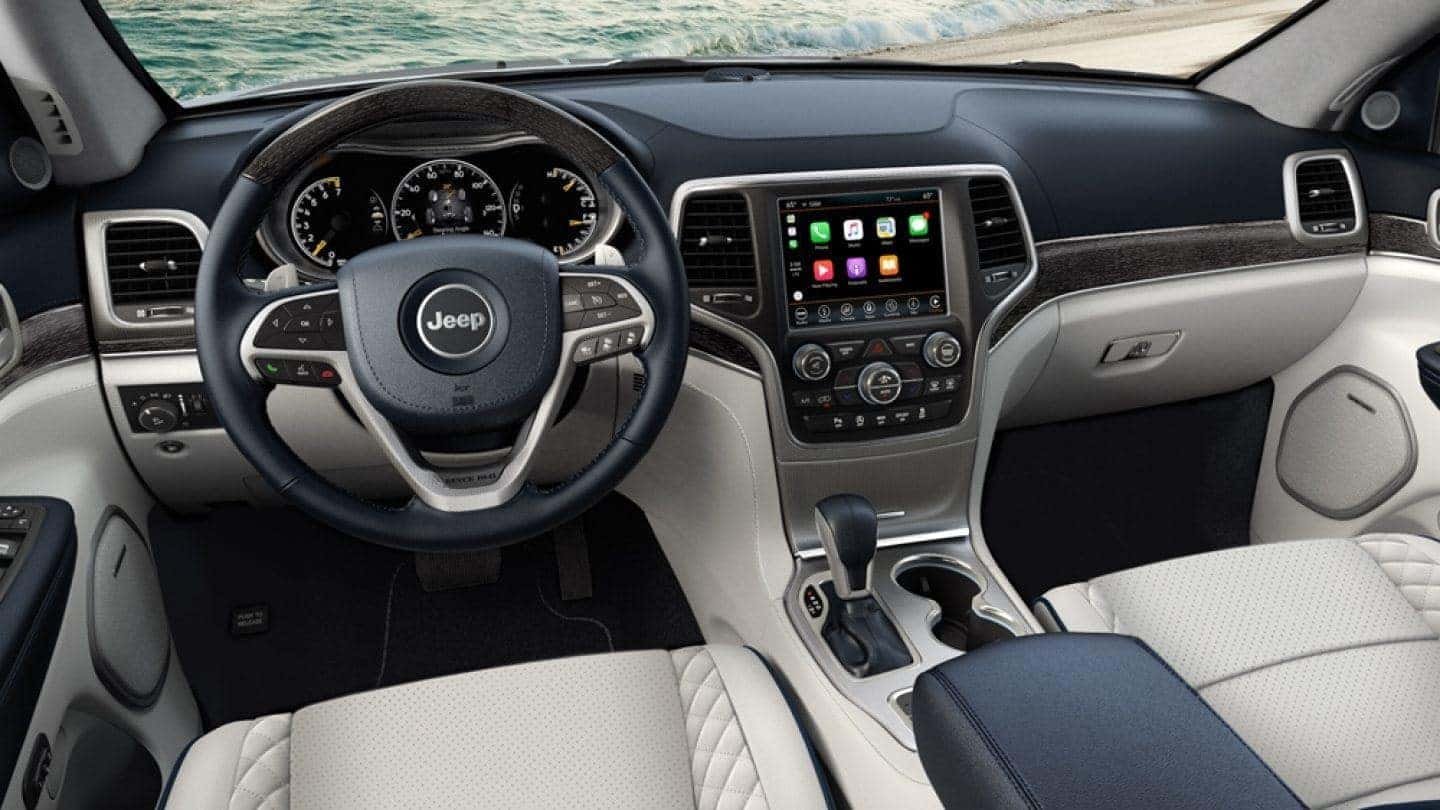
Apple CarPlay is available in most Jeeps from 2017 onward. It lets you use apps like Maps, Music, and Messages on the Uconnect screen.
Connecting With A Usb Cable
- Plug your iPhone into the Jeep’s USB port using your cable.
- The Uconnect screen will show a prompt: “Apple CarPlay Available.”
- Tap “Enable” or “Connect.”
- Your iPhone screen will lock, and CarPlay will appear on Uconnect.
- Use the touchscreen, steering wheel buttons, or voice commands.
Connecting Wirelessly (uconnect 5 Only)
Some Jeep models support wireless CarPlay. To connect:
- Enable Bluetooth and Wi-Fi on your iPhone.
- In Uconnect, go to “Phone” or “Connect Device.”
- Select “Apple CarPlay” and follow on-screen instructions.
- Once paired, CarPlay launches automatically when you start your Jeep.
Wireless CarPlay is convenient but may use more battery. If your Jeep doesn’t support wireless CarPlay, stick with the USB cable.
Common Connection Problems And Solutions
Sometimes, connecting your iPhone to Uconnect doesn’t work smoothly. Here are frequent issues and how to fix them:
- Bluetooth Not Showing Up
- Restart both your iPhone and Uconnect system.
- Remove old paired devices from Uconnect.
- CarPlay Doesn’t Appear
- Check your USB cable (use Apple certified).
- Update your iPhone and Uconnect software.
- Calls Drop or Audio Cuts Out
- Move your phone closer to Uconnect.
- Disable Wi-Fi if it interferes with Bluetooth.
- Contacts Not Syncing
- Allow Uconnect to access contacts when pairing.
- Re-pair your device if needed.
Non-obvious tip: Sometimes, your Jeep’s software needs updating. Dealers can update Uconnect for better compatibility.
Tips For Best Performance
- Use an Apple-certified USB cable for fewer errors.
- Keep your iPhone’s software and Uconnect updated.
- Limit the number of devices paired to Uconnect.
- Place your iPhone near the center console for stronger signal.
- If CarPlay is slow, disconnect and reconnect your phone.
Many users forget that Uconnect might require a reset after software updates. A quick restart can solve many problems.
Quick Comparison: Jeep Uconnect Vs Other Systems
How Does Jeep Uconnect Stack Up Against Other Brands?
| System | Apple CarPlay | Wireless CarPlay | Voice Control |
|---|---|---|---|
| Jeep Uconnect | Yes | Yes (Uconnect 5) | Yes |
| Ford SYNC | Yes | No | Yes |
| Toyota Entune | Yes | No | Yes |
| HondaLink | Yes | No | Yes |
Jeep Uconnect stands out for wireless CarPlay and easy pairing steps.
Frequently Asked Questions
How Do I Know If My Jeep Supports Apple Carplay?
Most Jeeps from 2017 or newer support Apple CarPlay. Check your owner’s manual or look for the CarPlay logo on your Uconnect screen.
Can I Connect Multiple Iphones To Uconnect?
Yes, you can pair several iPhones via Bluetooth. However, only one device can be active at a time for calls or CarPlay.
What Should I Do If My Iphone Won’t Connect?
Try restarting your phone and Uconnect. Remove old paired devices.
If problems continue, update your phone and Uconnect software.
Is Wireless Carplay Available For Older Jeeps?
Wireless CarPlay is only available on Uconnect 5 systems (2021+ models). Older Jeeps need a USB cable for CarPlay.
Where Can I Find More Details About Uconnect Compatibility?
Visit the official Jeep Uconnect site for model-specific info: Jeep Uconnect.
Connecting your iPhone to Jeep Uconnect isn’t difficult, but small steps matter. Using Bluetooth or Apple CarPlay, you can make your drive safer and more enjoyable.
Keep your devices updated and follow these tips for smooth performance. With a few minutes of setup, your Jeep will feel more modern, and your iPhone will be your co-pilot on every trip.