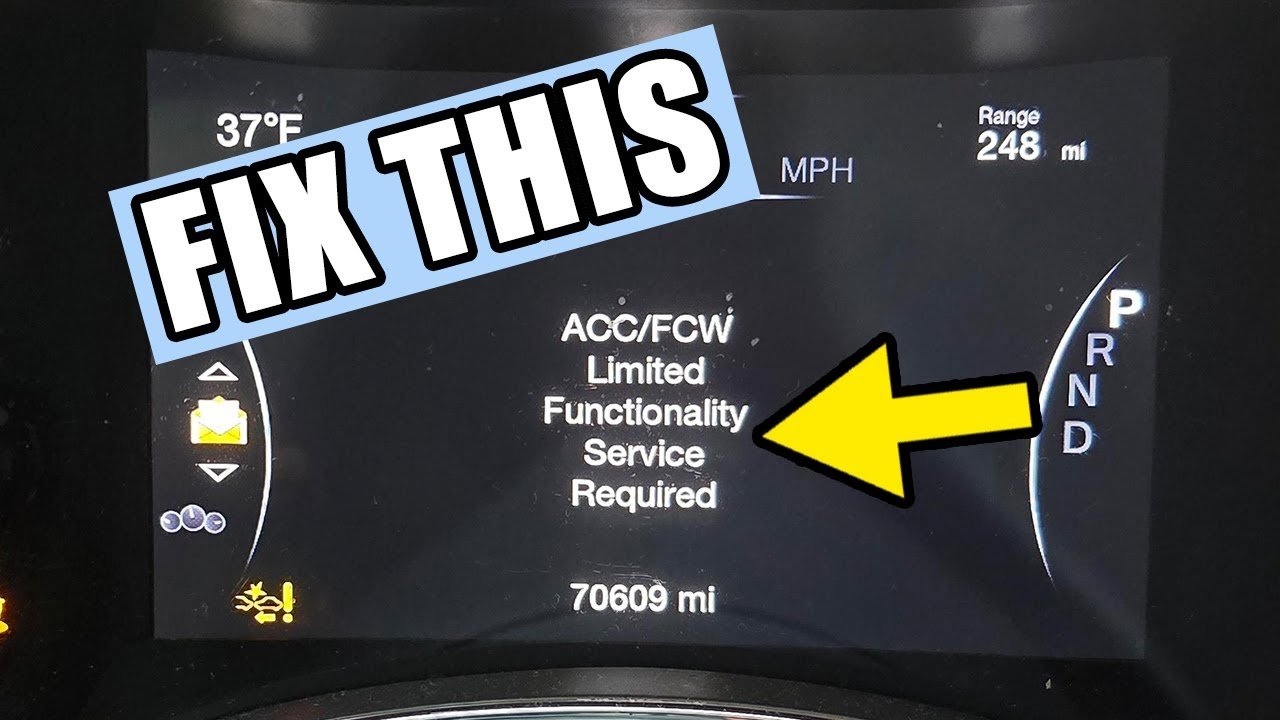
If you’ve recently seen the “ACC/FCW Unavailable” warning pop up on your Jeep Grand Cherokee’s dashboard, you’re not alone, and it’s definitely something you want to address quickly.
This alert means your Adaptive Cruise Control (ACC) and Forward Collision Warning (FCW) systems aren’t working as they should, which can affect your safety and driving comfort.
But what causes this message, and more importantly, how can you fix it? You’ll discover simple steps to diagnose the issue and get your Jeep’s safety features back up and running.
Don’t ignore this warning your peace of mind and safety on the road depend on it.
Keep reading to find out exactly what you need to do.
Common Causes
The “ACC/FCW Unavailable” warning on a Jeep Grand Cherokee signals a problem. This issue affects the Adaptive Cruise Control (ACC) and Forward Collision Warning (FCW) systems. These systems rely on sensors and cameras to keep you safe. Several common causes trigger this warning. Identifying these causes helps restore system function quickly.
Dirty Radar Sensor
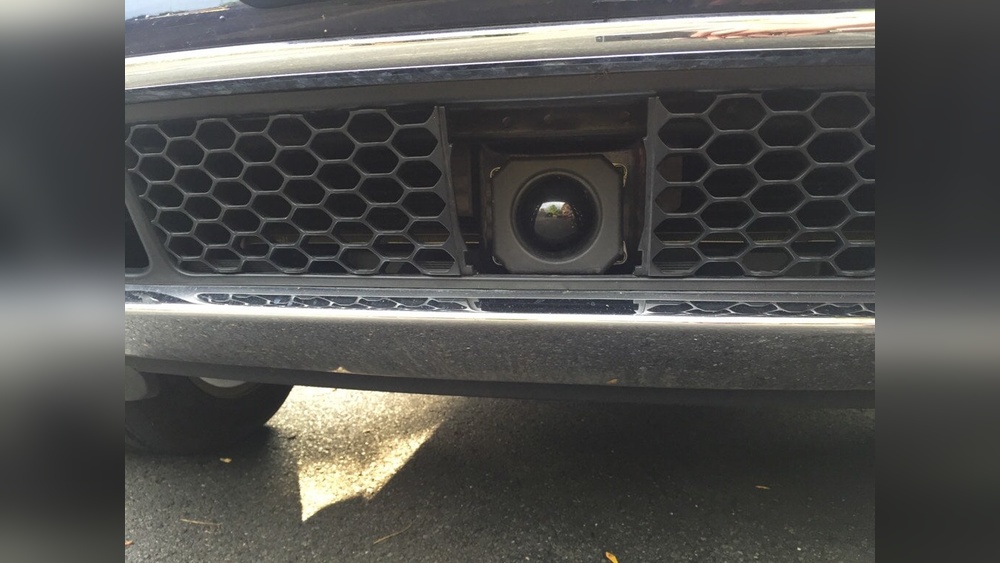
The radar sensor sits behind the front bumper. Dirt, mud, or snow can cover it.
A dirty sensor cannot detect vehicles ahead. Cleaning the sensor gently with a soft cloth solves this problem.
Avoid harsh chemicals that might damage the sensor surface.
Camera Obstruction
The front camera monitors the road and traffic signs. Dirt, stickers, or cracks on the windshield block the camera’s view.
The system then stops working properly. Regularly check the windshield for smudges or damage.
Clean the glass with a mild cleaner and soft cloth.
Electrical Issues
Wiring problems or blown fuses disrupt sensor signals. Loose connectors may cause communication errors between parts.
Electrical faults can cause the ACC/FCW to be unavailable. Inspect wiring harnesses and fuses for damage.
A professional mechanic can test the electrical system accurately.
Software Glitches
Software controls the ACC/FCW systems. Bugs or outdated software lead to errors.
The system may display the unavailable warning randomly. Updating the vehicle’s software fixes many glitches.
Visit a Jeep dealer or authorized service center for updates.
Battery Health Problems
Low or weak battery voltage affects sensor performance. The ACC/FCW system needs stable power to function.
A failing battery may cause intermittent warnings. Test the battery and replace it if needed. Proper battery maintenance supports all electronic systems.

Quick Fixes
Knowing when to replace components in your Jeep Grand Cherokee is key to fixing the ACC/FCW Unavailable issue. Components can fail due to damage, wear, or sensor errors. Replacing parts at the right time keeps safety features working and avoids bigger problems. Pay attention to warning lights and system alerts. If cleaning sensors and resetting the system does not help, component replacement may be necessary.
Radar Sensor Replacement
The radar sensor detects objects ahead for adaptive cruise control and collision warnings. Replace it if the ACC/FCW message stays on after cleaning.
Cracks, dents, or water damage can cause sensor failure. A faulty radar sensor leads to inaccurate readings or no readings at all. Replacement restores proper function and safety.
Camera Module Replacement
The front camera helps detect lanes and vehicles for forward collision warnings. Replace the camera module if the warning stays after recalibration attempts.
Damage or dirt inside the camera lens can cause errors. A failing camera disrupts system alerts and vehicle tracking. New camera modules fix these issues.
Electrical Component Replacement
Electrical faults can cause ACC/FCW malfunctions. Wiring problems, blown fuses, or faulty control units may need replacement.
Check connectors and wiring for corrosion or breaks. Replacing damaged electrical parts ensures signals pass correctly. This helps the system work without errors.
ACC FCW Unavailable means the Adaptive Cruise Control and Forward Collision Warning sensors are malfunctioning. Clean sensors, check connections, or service the system.
How To Reset Fcw On Jeep Grand Cherokee?
To reset FCW on a Jeep Grand Cherokee, clean the front radar sensor, check for sensor damage, then restart the vehicle.
Clean the front radar sensor gently with a soft cloth. Check for dirt, ice, or debris blocking the sensor.
Restart the vehicle to reset the system. If the warning persists, inspect sensor connections or visit a dealer for calibration or repair.
Can I Drive With A Fcw System Failed?
You can drive with a failed FCW system, but exercise extra caution. The system won't warn of potential collisions.
Repair the FCW promptly for safety and full functionality.
Conclusion
The Jeep Grand Cherokee’s ACC/FCW system helps keep you safe on the road. Sensor dirt or electrical issues often cause the “Unavailable” warning.
Simple steps like cleaning sensors or checking the battery can fix the problem. Sometimes, professional help is needed for sensor calibration or repair.
Drive carefully if the system is off. Staying aware and addressing warnings quickly keeps your vehicle running smoothly.
Regular maintenance helps avoid unexpected errors and keeps safety features active.



















