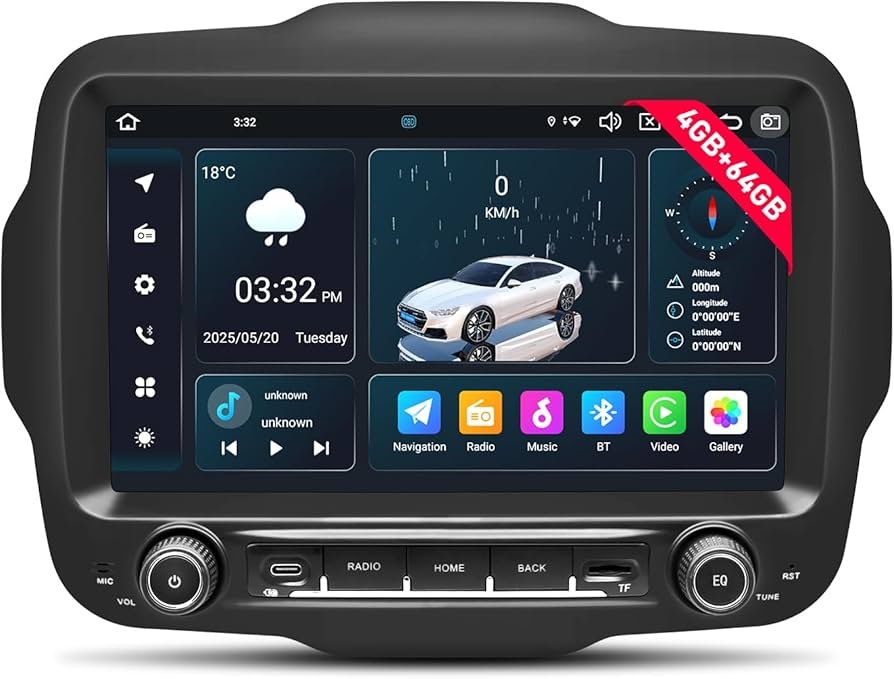
Keeping your Jeep Renegade navigation system updated is more than just a convenience—it’s essential for safety and reliable travel. Maps change often with new roads, updated speed limits, and changed traffic patterns. An outdated system can lead you off-course, waste time, or even cause you to miss important turns. Yet, many Renegade owners aren’t sure how to update their navigation or what to expect during the process. This guide walks you through everything you need to know, from preparation to step-by-step updating, plus expert tips for a smooth experience.
Navigation updates do more than add new roads. Updated maps help you:
- Avoid detours and road closures
- Get the fastest routes using current traffic data
- Find new points of interest like gas stations or restaurants
- Improve accuracy for estimated arrival times
Many drivers don’t realize that even minor map changes can affect your daily routes. Most Jeep Renegade models use the Uconnect infotainment system, which relies on up-to-date map data to function at its best.
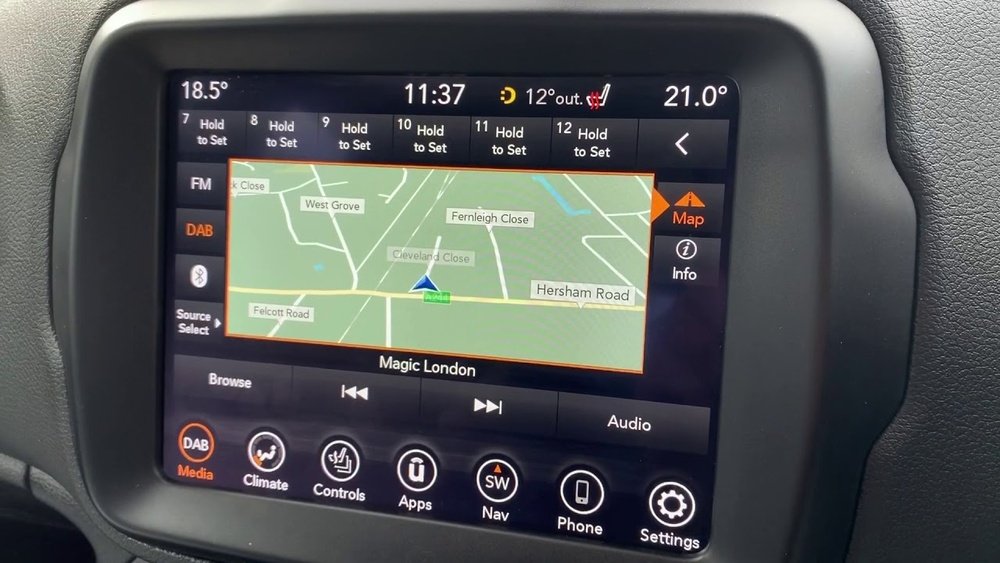
Before you update, you need to know which version your system is running. This helps you see if an update is necessary.
- Turn on the vehicle and the Uconnect system.
- Go to “Navigation.”
- Tap “Settings” or the gear icon.
- Look for “System Information” or “About.”
- Find the map version (usually a number and date, like 2021.06).
If your version is more than 12-18 months old, it’s time for an update.
There are two main ways to update your Jeep Renegade’s navigation system: using a USB drive or over-the-air (OTA) updates. The method depends on your model year and Uconnect version.
Usb Drive Updates
Most Renegades from 2015 to 2022 use USB updates. Here’s how the process works:
- Go to the official Jeep navigation update website or your regional Uconnect support page.
- Enter your vehicle identification number (VIN).
- Download the latest map update to your computer.
- Insert a 16GB or larger USB drive (formatted to FAT32).
- Transfer the update file to the USB drive.
- Plug the USB into the Renegade’s USB port with the engine running.
- Follow the on-screen prompts to start the update.
Updates can take up to an hour. The system may restart several times.
Do not turn off your vehicle or remove the USB during this process.
Over-the-air (ota) Updates
Some newer Renegade models (usually 2022 and after) support updates using Wi-Fi.
- Connect your Uconnect system to a trusted Wi-Fi network.
- Go to “Settings” > “System Updates.”
- If an update is available, you’ll see a prompt to download and install.
- Accept and follow the steps on-screen.
OTA updates are more convenient but require a strong and stable Wi-Fi connection.
What You Need Before Updating
To avoid problems, make sure you have:
- Your Jeep Renegade’s VIN (found on the dashboard or registration)
- A compatible USB drive (16GB+ for most updates)
- A fully charged vehicle battery or keep the engine running
- A reliable internet connection for downloads
Some updates are free, but others may cost $150 $200, depending on your region and the age of your maps.
Common Issues And How To Avoid Them
Updating your navigation isn’t always smooth. Here are some common problems and how to sidestep them:
- Corrupt USB file: Always use “safely eject” when removing your USB drive from the computer.
- Wrong USB format: Format your USB as FAT32—other formats often fail.
- Power interruptions: Never turn off your car or unplug the USB during the update.
- VIN mismatch: Only use updates for your specific vehicle to prevent system errors.
If the update fails, restart from step one with a freshly formatted USB drive.
Comparing Update Methods
Depending on your Jeep Renegade’s model year and Uconnect version, one update method may be better than another. Here’s how they compare:
| Update Method | Best For | Time Required | Internet Needed |
|---|---|---|---|
| USB Drive | 2015-2022 models | 30–60 minutes | Yes (for download) |
| OTA (Wi-Fi) | 2022+ models | 10–40 minutes | Yes (for update) |
Many owners don’t realize that using a low-quality USB drive can cause update errors. Choose a brand-name drive for best results.
How Often Should You Update?
Jeep recommends updating your navigation system once a year or whenever a major map release is available. If you drive in rapidly growing cities or construction zones, more frequent updates may help. Skipping updates for several years means you’ll miss out on new features and improved routing.
Step-by-step: Updating With A Usb Drive
Let’s break down the steps for a typical USB update on a Jeep Renegade:
- Get your VIN—write it down.
- Visit the official Jeep or Uconnect map update site.
- Enter your VIN and download the correct map file.
- Format your USB drive to FAT32.
- Copy the update file to the USB (do not put it in a folder).
- With your Renegade running, plug in the USB.
- On the Uconnect screen, confirm the update prompt.
- Wait for the update to finish (up to 60 minutes).
- Remove the USB when the system says it’s safe.
If you see error messages, try a different USB drive or re-download the update.
What’s New In Recent Map Updates?
Recent updates for the Jeep Renegade navigation system include:
- Added thousands of new points of interest
- Updated speed limits on major highways
- Improved lane guidance
- More accurate traffic data and rerouting
Staying current means you get the best driving experience, especially if you travel outside your home city.
Cost Comparison: Dealer Vs. Diy
You can update at home or ask your dealer. Here’s a quick comparison:
| Method | Average Cost | Time | Convenience |
|---|---|---|---|
| DIY (USB/OTA) | $0–$200 | 30–60 minutes | High (do at home) |
| Dealer Service | $150–$300 | 1–2 hours | Medium (appointment needed) |
Many owners don’t realize that DIY updates are often cheaper, and you avoid dealership wait times.
Tips For A Smooth Update
- Always use a fully charged battery or run the engine.
- Back up your contacts and settings—rare, but resets can happen.
- Use only official update files from Jeep or Uconnect.
- Don’t rush—let each step finish before moving on.
Frequently Asked Questions
Check your current map version in the Uconnect settings. If the date is over a year old, or you notice missing roads, it’s time for an update.
Can I Use Any Usb Drive For Updates?
No, use a name-brand USB drive with at least 16GB capacity, formatted to FAT32. Cheap drives or wrong formats can cause errors.
Are Map Updates Free For Jeep Renegade?
Some updates are free during your vehicle’s warranty or first year. After that, you may pay $150 $200 per update.
Always check on the official Jeep navigation site.
What If The Update Fails Or Freezes?
Remove the USB, restart the car, and try again with a newly formatted drive. If it still fails, contact your Jeep dealer or visit Mopar Uconnect Support for help.
Will Updating Maps Erase My Saved Addresses?
Usually, your saved locations stay safe. But it’s smart to write them down or back them up before starting the update.
Updating your Jeep Renegade navigation is simple with the right steps and tools. Regular updates keep your journeys smooth, efficient, and stress-free—no matter where the road takes you.