Updating the navigation system in your Jeep Grand Cherokee is one of the best ways to enjoy accurate maps, new points of interest, and enhanced safety features. Old maps can lead to wrong directions, missing roads, or outdated traffic data. Luckily, Jeep has made the process easier over the years, but there are still important details to know before you start. Whether you drive a 2014 model or the latest Grand Cherokee, this guide will help you update your navigation quickly and confidently.
Modern navigation systems are not just about directions. They help with real-time traffic, suggest faster routes, and offer updated information on gas stations, restaurants, and more. Here are a few key reasons to keep your maps current:
- Accuracy: New construction and road changes happen every year.
- Safety: Outdated routes can lead you into unsafe or confusing areas.
- Convenience: Updated points of interest save you time and stress.
- Resale value: A car with an updated system can attract more buyers.
Jeep has offered different navigation systems over the years. Knowing your system type makes the update process smoother.
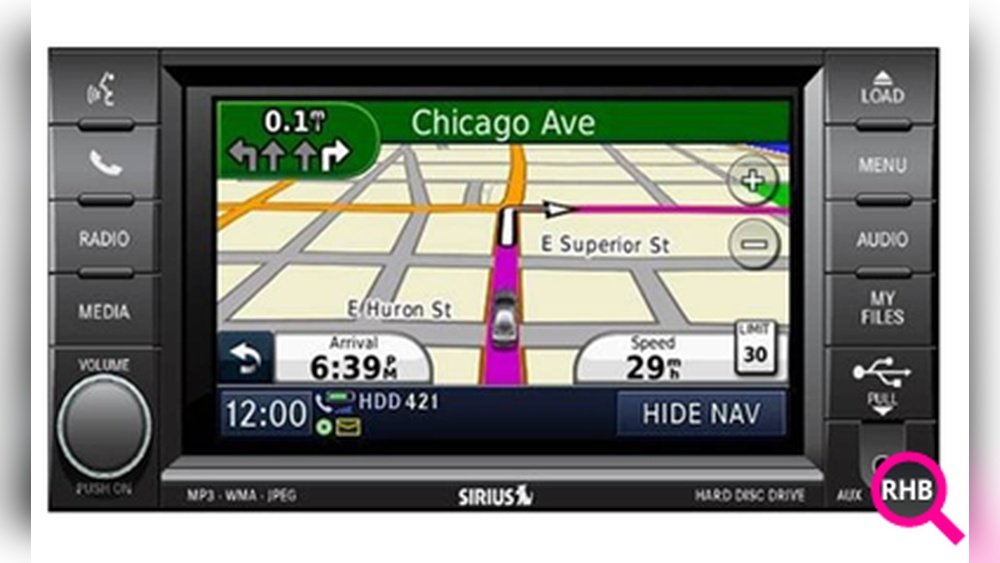
| Model Year | Navigation System | Update Method |
|---|---|---|
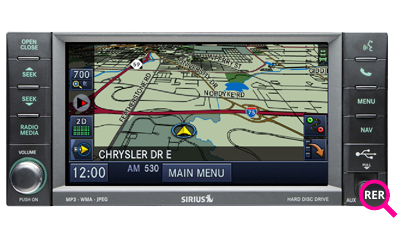
| 2011–2013 | RHB/RHR (MyGIG) | DVD/USB |
| 2014–2020 | Uconnect 8.4/4C NAV | USB/Online |
| 2021–Present | Uconnect 5 NAV | Over-the-Air/USB |
Tip: You can find your system type in your owner’s manual or by checking the main menu screen.

How To Prepare For The Update
Before you start, gather a few items:
- VIN number: You’ll need your Vehicle Identification Number for the update website.
- USB drive: At least 16GB, formatted to FAT32.
- Stable internet connection: Downloading map files can take 30–90 minutes.
- Access to your Jeep: Some steps require sitting in your car.
Non-obvious insight: Make sure your car battery is strong. If the update is interrupted due to loss of power, you could damage the navigation system.
The update steps differ by model year and navigation system. Here’s how to do it for most recent Jeep Grand Cherokees.
Most 2014+ Grand Cherokees use Uconnect. To check:
- Turn on your Jeep.
- Look for the Uconnect logo on your main screen.
- Go to “Settings” or “System Information” for details.
2. Register And Download The Update
Go to the official Jeep navigation update site (like https://chryslergroup.navigation.com/). Enter your VIN to see if an update is available.
- Create an account if needed.
- Download the update software to your computer.
- Follow the prompts to transfer the files to your USB drive.
3. Install The Update In Your Vehicle
- Insert the USB drive into the port in your Jeep.
- The system should detect the update automatically.
- Follow the on-screen prompts. The system may restart during the process.
- Do not turn off your car or remove the USB until the update is complete.
Tip: This step usually takes 30–60 minutes. Plan to keep your car running (in park) during the update.
4. Verify The Update
After installation, check the map version in your navigation menu. Compare it to the latest version on the update site to confirm success.

Cost And Update Frequency
Jeep usually charges for map updates. The price can range from $99 to $199, depending on your system and region. Some newer models with Uconnect 5 get free over-the-air updates for a limited period.
| System | Typical Cost | Update Frequency |
|---|---|---|
| MyGIG (RHB/RHR) | $149–$199 | Every 1–2 years |
| Uconnect 8.4/4C NAV | $99–$149 | Yearly |
| Uconnect 5 NAV | Free/OEM pricing | Automatic/Yearly |
Practical tip: You don’t need to update every year unless you drive in areas with frequent road changes.
If your Jeep’s navigation feels outdated, you can use smartphone apps like Google Maps or Waze through Apple CarPlay or Android Auto. These apps are always up to date and free.
However, some drivers prefer the built-in system for areas with poor cell coverage or to avoid using mobile data. Weigh your options before spending money on a map update.
Common Problems And How To Avoid Them
Many users face problems during updates. Here’s how to avoid them:
- Wrong USB format: Always use FAT32 for best compatibility.
- Weak battery: Run the engine or connect a charger during the update.
- Corrupt download: Double-check the file before installing.
- VIN mismatch: Make sure the update matches your exact model and year.
If you see error messages, restart the process or contact Jeep support. For more technical details, check the official Uconnect resource.
When To Visit A Dealer
If you’re not comfortable updating yourself, a Jeep dealer can do it for you. This is a good option if:
- You’re worried about warranty issues.
- Your system is already malfunctioning.
- You failed previous updates.
Dealers may charge extra for the service, but it’s sometimes covered under warranty for newer vehicles.
Frequently Asked Questions
Check for missing roads, outdated points of interest, or if your system prompts you that an update is available. You can also compare your map version in settings with the latest version on Jeep’s update site.
Some newer models with Uconnect 5 get free map updates for a limited time. Otherwise, most updates require a fee. Using CarPlay or Android Auto is free, but only for smartphone-based navigation.
Yes, if you follow instructions carefully and keep your car powered. Avoid touching any buttons or removing the USB during the process.
What If The Update Fails Or Gets Interrupted?
Don’t panic. Restart the process with a new download or different USB.
If your navigation still doesn’t work, contact Jeep support or visit a dealer.
Yes. Buyers appreciate cars with the latest technology.
It also shows you cared for your Jeep and kept it up to date.
Updating your Jeep Grand Cherokee navigation system is a smart move for safety, convenience, and value. With a little preparation, you can enjoy the latest maps and features in just an hour.
Stay confident, follow the steps, and enjoy the drive!


















